
Ubiquiti WiFiman



Eliminate dead zones and congestion with enterprise-grade diagnostics. Scan devices, conduct speed tests, and secure your connection with Teleport VPN—all in one powerful, ad-free utility.
Publisher
Category
UtilitiesDownloads
1M+User Rating
Total Ratings
102K+Locales
11Discover the interface used by 1M+ users.
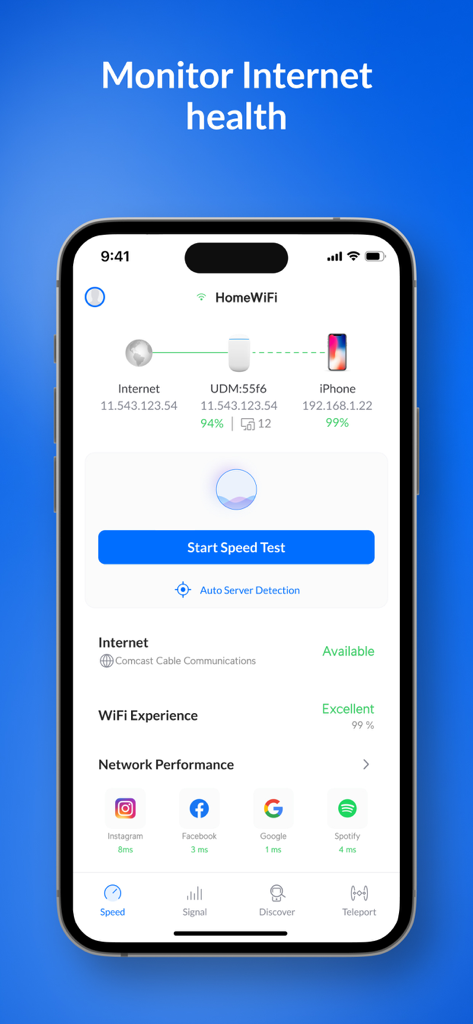
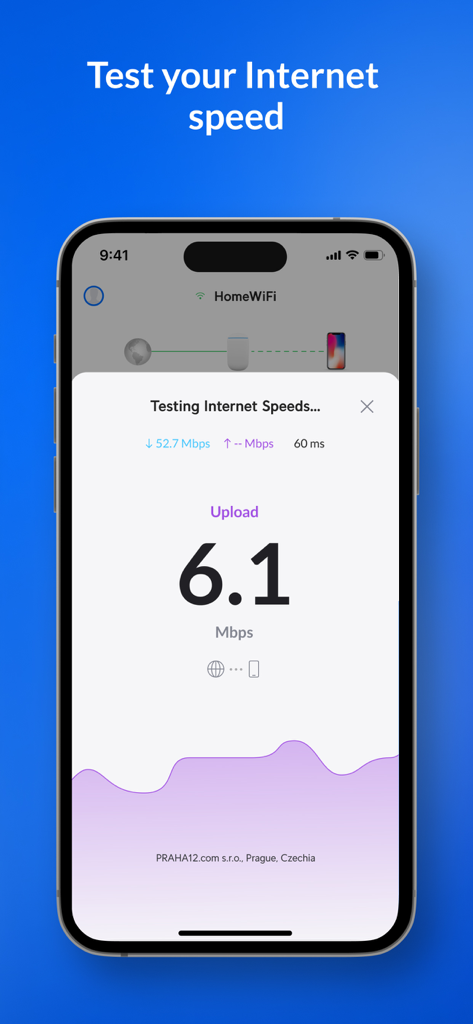
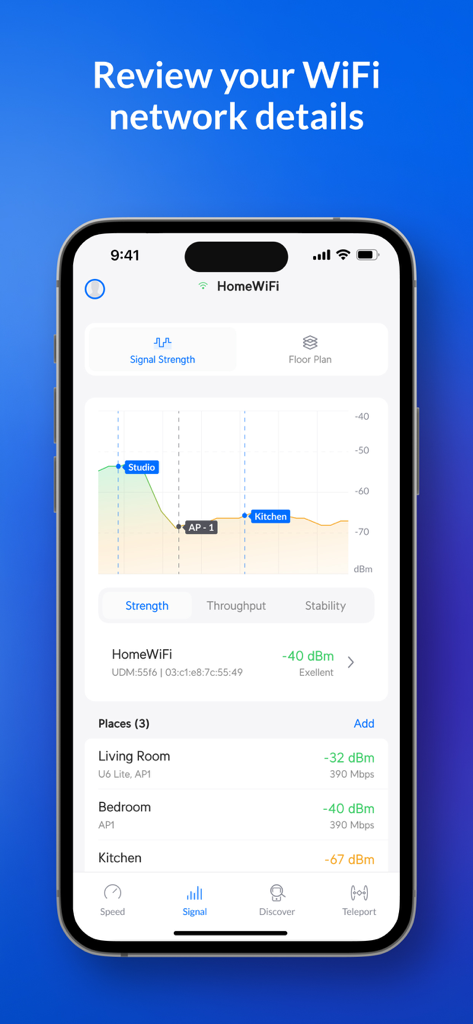
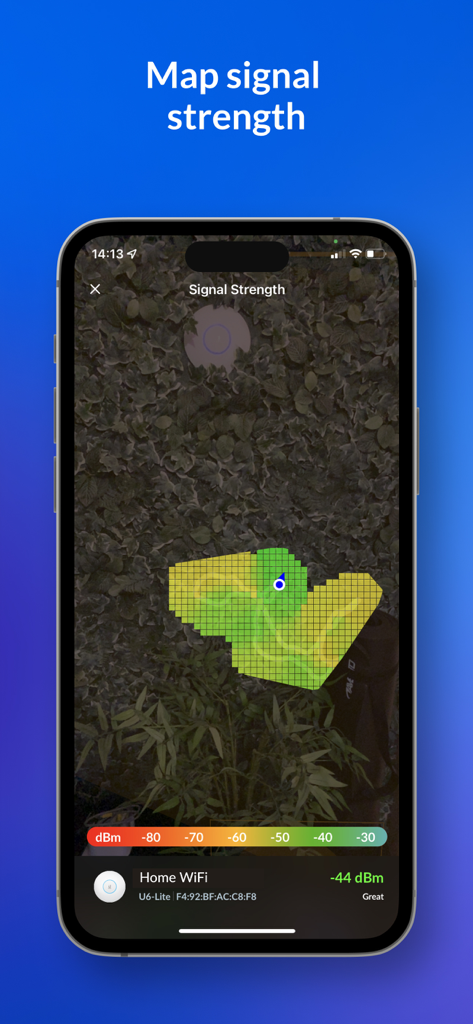
The tools that make this app stand out, trusted by 1M+ users.
Run advanced speed tests and monitor latency to ensure your network is ready for 4K streaming and lag-free gaming.
Identify congested airwaves and relocate your access points to the clearest channels for maximum throughput.
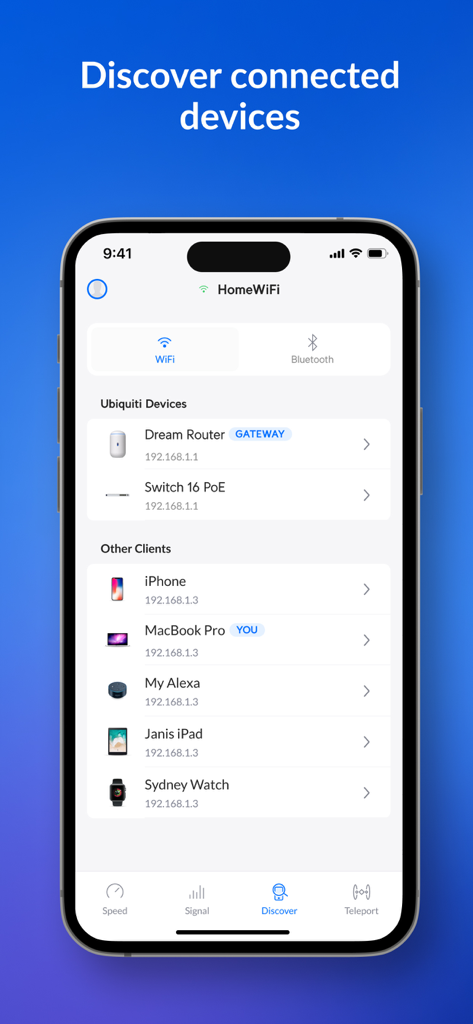
Scan your entire subnet to uncover hidden devices and resolve IP conflicts with enterprise-level precision.
Trusted by 1M+ people who love this app.
"As someone who manages a complex home lab, WiFiman is an absolute must-have. It helped me map out dead zones in my house and identify channel interference from my neighbors without any of the annoying ads you find in other scanners. The discovery tools are enterprise-grade and incredibly fast."
"The Teleport VPN feature is a complete game-changer for my remote work setup. I can securely access my home network from any coffee shop with a single tap. It's the cleanest, most reliable utility I've used for troubleshooting Wi-Fi performance on the go."
Everything you need to know about Ubiquiti WiFiman.
Description
Latest Version
1.36.0
Size
118.8 MB
First Released
Aug 4, 2018
Join over 1 million prosumers and IT enthusiasts who trust WiFiman for ad-free diagnostics, signal optimization, and secure remote access. Ready for peak performance?
Everything you need to know about Ubiquiti WiFiman
Ubiquiti WiFiman is a free, ad-free app for optimizing home or office networks. It detects Wi-Fi networks, performs speed tests, and helps relocate access points to enhance signal strength and reduce traffic.
Yes, the Ubiquiti WiFiman app is free to use. It is also entirely ad-free, providing a clean user experience for network analysis and optimization.
Yes, Ubiquiti WiFiman conducts download and upload speed tests. It records results, enables network performance comparison, and allows users to share their insights.
WiFiman improves signal strength by enabling users to relocate access points to less congested data channels. This action instantly increases signal strength and reduces network traffic volume.
Yes, Ubiquiti WiFiman scans your network subnet to discover details on all available devices. This includes both Ubiquiti devices and other connected client devices.
Yes, the Ubiquiti WiFiman app supports remote network connections. Users connect remotely to their UniFi network using its integrated Teleport VPN feature.
Ubiquiti WiFiman uses Bonjour, SNMP, NetBIOS, and Ubiquiti discovery protocols. These protocols facilitate comprehensive scanning of the network subnet for detailed device identification.
Yes, the Ubiquiti WiFiman app detects and connects to all available Wi-Fi networks and devices instantly. This feature streamlines network access and management.
The WiFiman app monitors internet health by displaying current internet connection status, Wi-Fi experience percentage, and real-time network performance metrics for various applications.
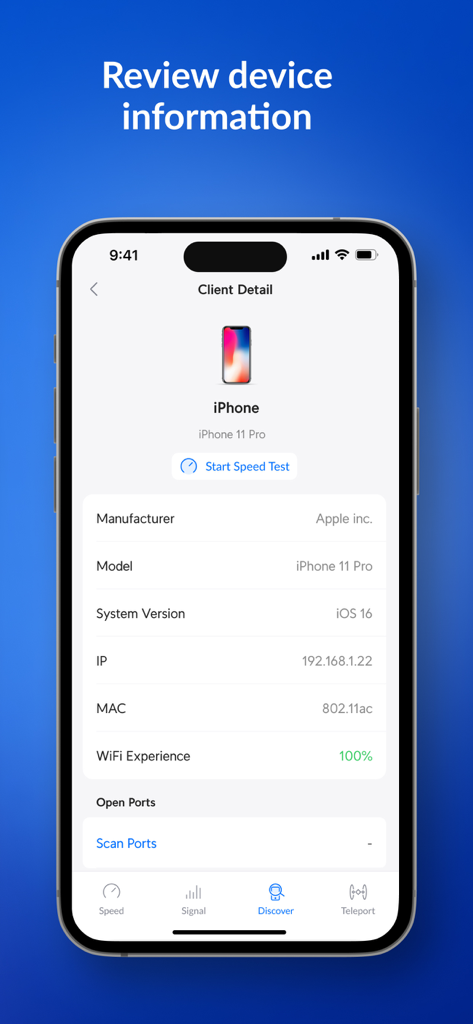
Yes, WiFiman provides detailed information for connected client devices. This includes the manufacturer, model, system version, IP address, MAC address, and Wi-Fi experience percentage.
Apps with similar features and user experience

Fing Limited

Spring Tech Co., Ltd.

Huacen Co., LTD

Mattis Knutsson

Jiri Techet

Jiri Techet

方勇 侯

Iurii Mozharovskyi
荣阳 乌