Logoist 5

Logoist 5

Download on App Store
Spark by MWM logo
Logo of Logoist 5

Logoist 5: Pro-Level Vector Design Meets On-Device AI

Empower your creative journey with the ultimate studio for logos and illustrations. From smart templates to advanced vector tools and 3D mockups, design anything on your Mac, iPad, and iPhone—no subscription required.

Publisher

Synium Software GmbH

Category

Graphics & Design

Downloads

62K+

User Rating

4.6/5

Total Ratings

400

Locales

9

Design Without Limits

Discover the interface used by 62K+ users.

iPhone screen showing a vector illustration of a rowboat on a pond created with Logoist 5

iPhone screen showing a vector illustration of a rowboat on a pond created with Logoist 5

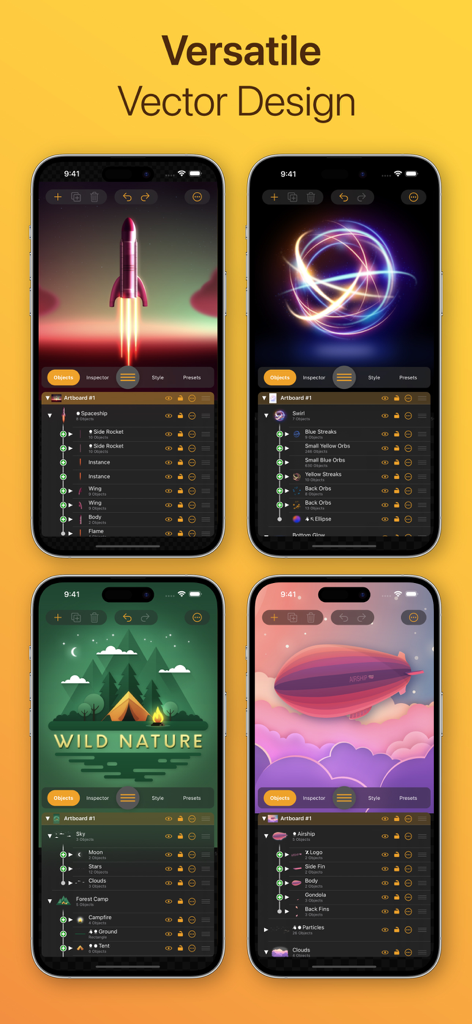
Logoist 5 app interface on iPhone showcasing various vector graphic designs and layer management tools

Logoist 5 app interface on iPhone showcasing various vector graphic designs and layer management tools

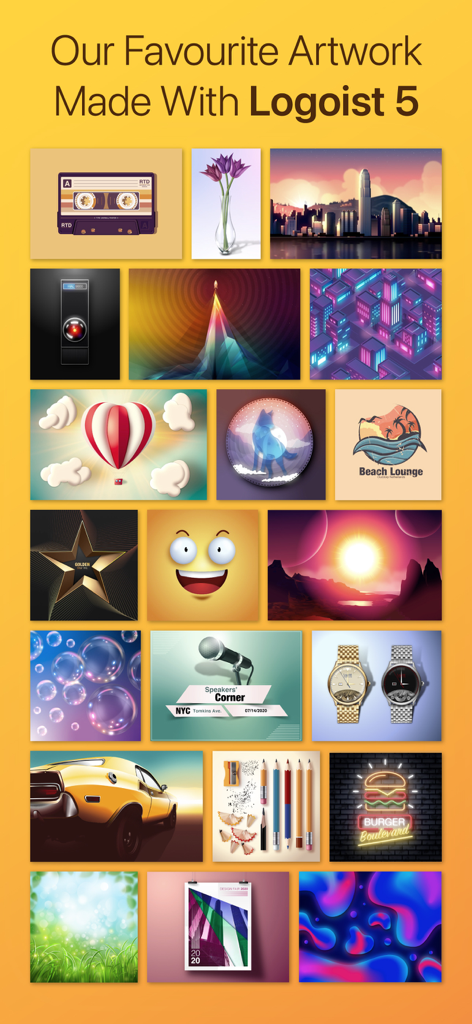
A gallery of diverse professional designs and vector illustrations created with the Logoist 5 app

A gallery of diverse professional designs and vector illustrations created with the Logoist 5 app

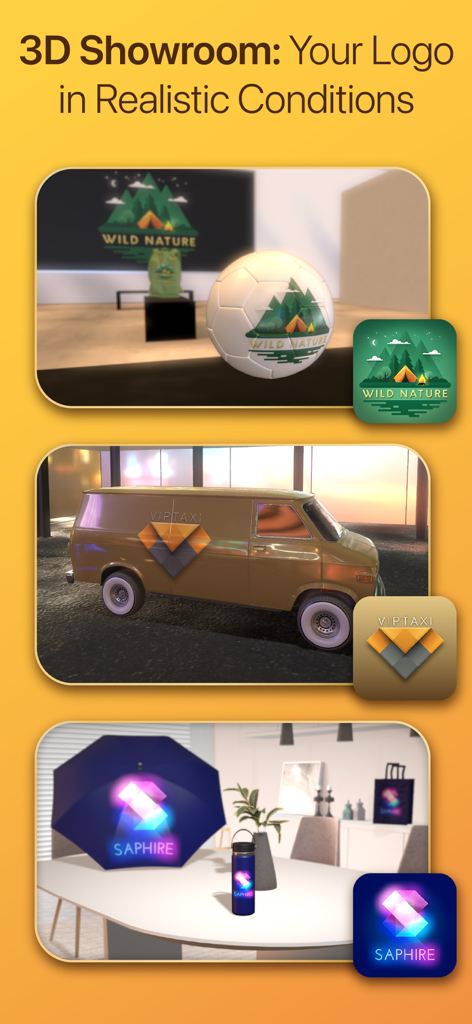
3D Showroom feature in Logoist 5 displaying logos on realistic 3D objects like a van and soccer ball

3D Showroom feature in Logoist 5 displaying logos on realistic 3D objects like a van and soccer ball

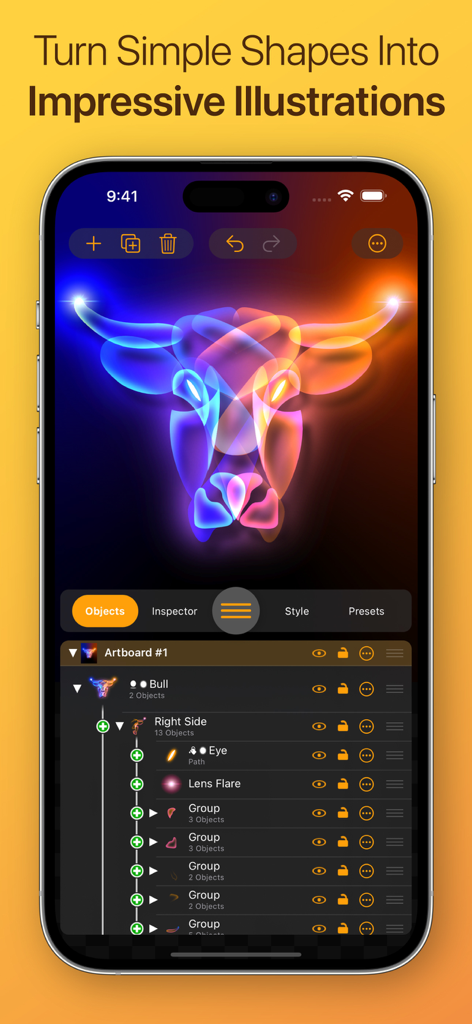
Logoist 5 app interface on an iPhone showing a glowing neon bull illustration and advanced layer management tools

Logoist 5 app interface on an iPhone showing a glowing neon bull illustration and advanced layer management tools

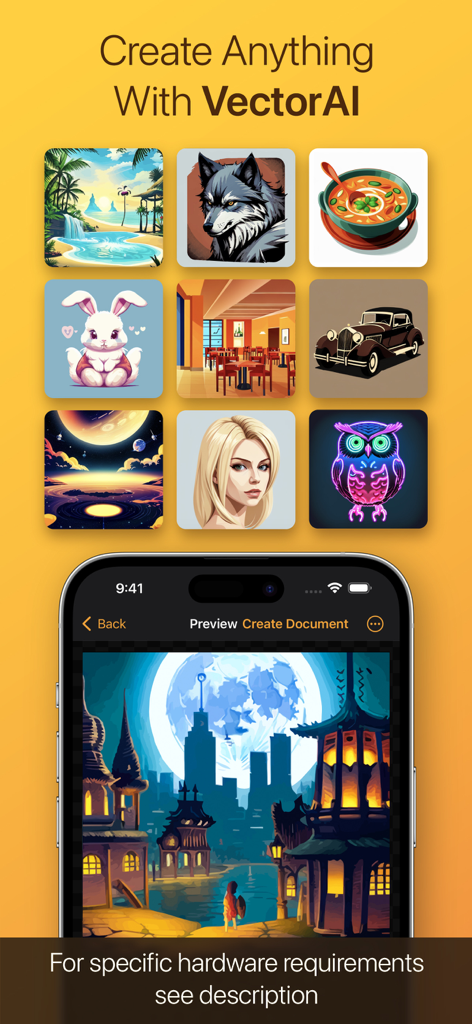
Logoist 5 app interface showcasing VectorAI generated graphics and a detailed vector illustration on an iPhone screen

Logoist 5 app interface showcasing VectorAI generated graphics and a detailed vector illustration on an iPhone screen

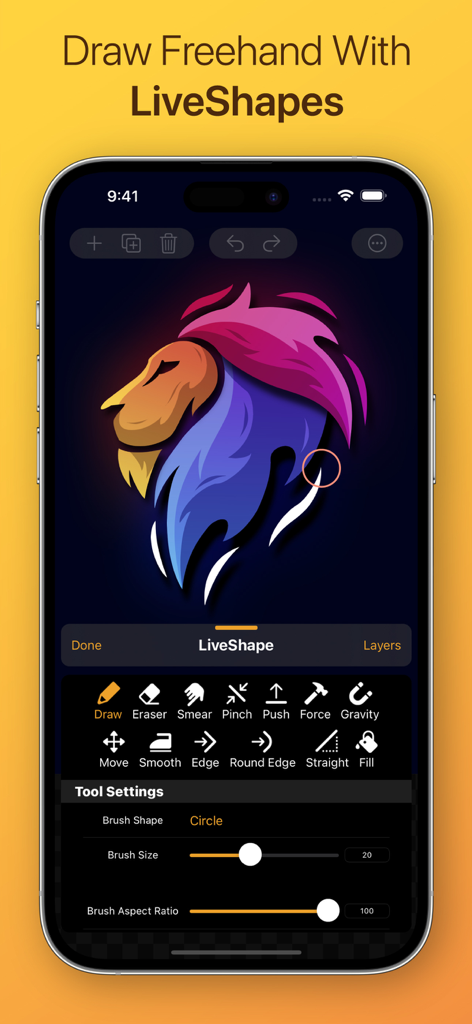
Interface of the Logoist 5 app showing the LiveShapes freehand drawing tools with a colorful lion vector illustration on an iPhone.

Interface of the Logoist 5 app showing the LiveShapes freehand drawing tools with a colorful lion vector illustration on an iPhone.

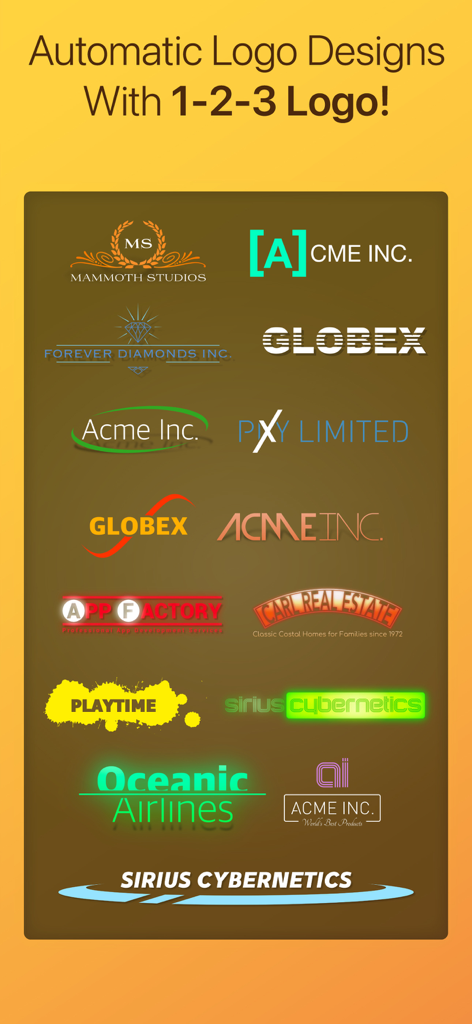
A variety of logo design styles generated automatically by the Logoist 5 1-2-3 Logo feature.

A variety of logo design styles generated automatically by the Logoist 5 1-2-3 Logo feature.

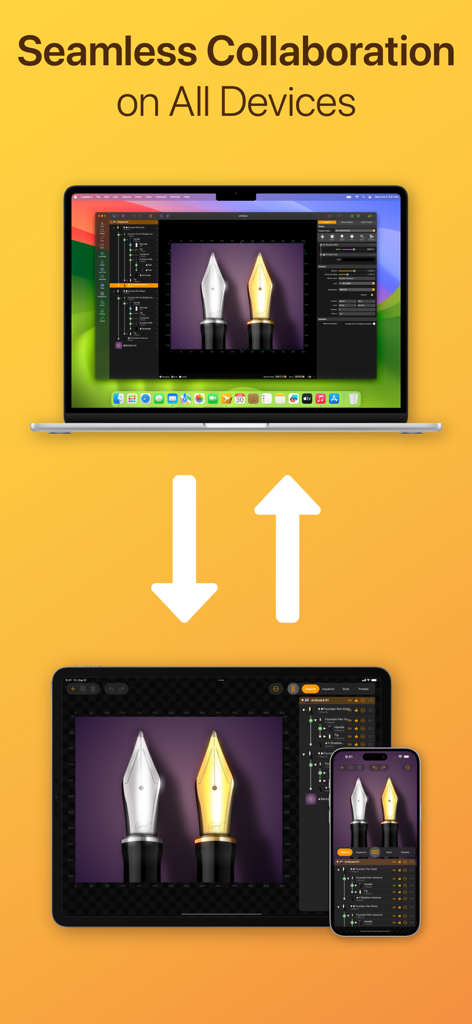
Logoist 5 graphic design app interface shown across MacBook, iPad, and iPhone illustrating seamless cross-platform workflow.

Logoist 5 graphic design app interface shown across MacBook, iPad, and iPhone illustrating seamless cross-platform workflow.

A variety of pre-made graphic design templates and samples for cards and invitations in Logoist 5

A variety of pre-made graphic design templates and samples for cards and invitations in Logoist 5

Pro Design, Made Simple

The tools that make this app stand out, trusted by 62K+ users.

🪄

On-Device VectorAI

Describe your vision and watch AI generate editable vector artwork instantly. No cloud, no lag, and 100% privacy for your creative ideas.

3D Showroom

Instantly visualize how your logo looks on real-world products like coffee mugs, business cards, or cars before you even hit print.

✒️

Desktop-Grade Precision

Harness professional tools including Apple Pencil support, non-destructive layers, and X-ray mode designed for the power-user iPad and Mac workflow.

Loved by users worldwide

Trusted by 62K+ people who love this app.

"

"I needed a professional logo for my boutique, and Logoist 5 delivered beyond my expectations. The 1-2-3 Logo wizard got me started, and the 3D Showroom helped me visualize exactly how my brand would look on my packaging. No monthly subscription is a total game-changer for my small business!"

Sarah Jenkins
"

"The VectorAI is incredible—I can generate base shapes on my iPad while traveling and refine them with the Apple Pencil. Having a desktop-grade vector engine that works offline and keeps my data private is exactly what I have been looking for. It has completely transformed my mobile workflow."

Marcus Thorne

About the app

Everything you need to know about Logoist 5.

Description

Create impressive images and vector graphics with Logoist 5 – from simple layouts to sophisticated designs. Logoist 5 offers everything you’ll need to make your creative ideas come to life or to spark new inspiration. Developed for both professional designers and graphic artists as well as beginners, Logoist 5 provides not only a plethora of templates – ensuring an easy start for users without any prior experience with vector applications – but also offers powerful tools for professional users. The app’s large variety of comprehensive shape, style, preset, clip art and effects galleries are easy to appreciate. With a clean interface and powerful tools, including pre-made design elements that can be combined as desired, Logoist 4 offers incredible ease of use – even including versatile path editors useable to create any shape you want. New in Version 5.1: VectorAI Image Creator VectorAI is the first and only on-device AI vector image creator for Mac, iPhone and iPad. Describe what you want to see, and VectorAI creates stunning Vector artwork for you – thanks to Artificial Intelligence. Your new drawing companion comes included with Logoist 5.1, and after you have downloaded the provided vector styles, no server connection is required. All data stays on your device and is processed locally. Once you are happy with VectorAI's suggestions, simply create a new Logoist project to further refine your results or export it as image or vector file. New in Version 5.2: Whether you’ve created a logo quickly and easily using Logoist’s templates – or you’ve invested hours into a sophisticated design – one question always remains: How does my logo look in everyday use? Can it also be applied to a coffee mug, a car decal, or a large advertising banner?
The brand-new 3D Showroom in Logoist gives you exactly that answer: view your creation on virtually any object and literally walk around your design. This way, you’ll gain the best possible impression of how your logo or graphic will actually appear. Logoist for Mac has been around for 13 years. One of the most common customer requests has always been: Why isn't there an iPad version of Logoist? We are therefore excited to announce a breakthrough, because for the first time, Logoist is now available for iPad & iPhone. It's a fully-featured desktop-grade app, equipped with functionalities not available even in high-priced suites! Logoist 5 in a Nutshell: • Clean user interface (including Dark Mode) • Dozens of combinable styles, effects and filters • Thousands of clip art and hundreds of fully customizable style templates • Non-destructive boolean operations while preserving all vector information • VectorAI automatically creates stunning Vector artwork for you • Suitable for pixel graphics, web, and resolution-independent print products • X-ray mode for editing complex object and layer structures • Pixel mode to create pixel-accurate designs • Flexible group management and innovative layer management features • All filters and effects are non-destructive and can be modified anytime • Full support for Apple Pencil • Vectorizer: Converts any graphic element into a resolution-independent vector format • 1-2-3 Logo: Create logo ideas with a single click • Template wizard for business cards, collages, and more • Multipoint Gradients: Create smooth gradients along arbitrary points, lines and curves • Align text to any path or object • Export file formats: PDF, SVG, EPS, PNG, JPG, HEIF, layered Photoshop PSDs, layers as separate PNG files • Batch export: Export multiple formats and resolutions simultaneously

Latest Version

5.2

Size

371.6 MB

First Released

Oct 3, 2023

Ready to Build Your Brand?

Join over 60,000 creators using Logoist 5 to turn ideas into professional vectors. Experience desktop-grade tools with on-device AI across your iPhone, iPad, and Mac—no subscription required.

Download on App Store