Magic Poser - Art Pose Tool

Magic Poser - Art Pose Tool

Download on App StoreDownload on Google Play
Spark by MWM logo
Logo of Magic Poser - Art Pose Tool

Magic Poser - Art Pose Tool: Master Anatomy and Lighting in Every Scene

The ultimate 3D reference for digital artists. Pose realistic models, customize unique characters, and set cinematic lighting to bring your illustrations to life on iPad and mobile.

Publisher

Wombat Studio, Inc.

Category

Graphics & Design

Downloads

5M+

User Rating

4.1/5

Total Ratings

38K+

Locales

1

Master Every Angle

Discover the interface used by 5M+ users.

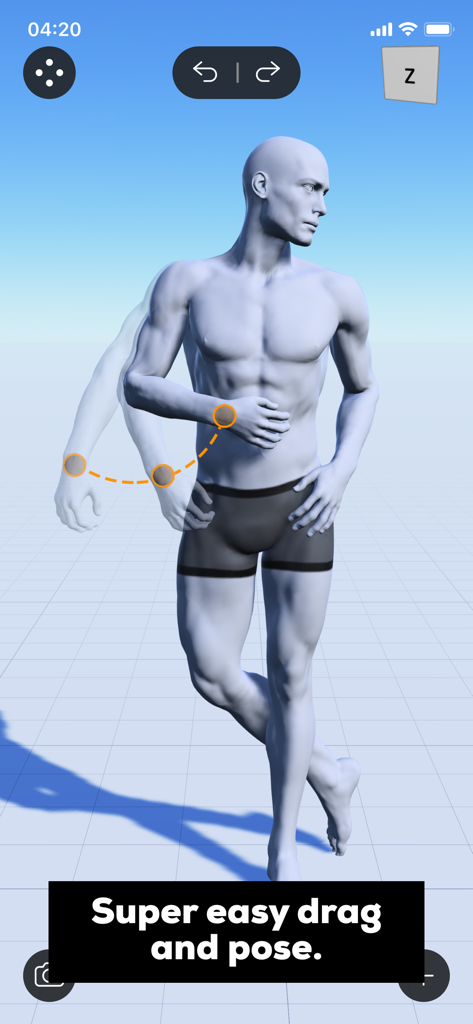
A realistic 3D male model being posed using the intuitive drag and pose feature in the Magic Poser app

A realistic 3D male model being posed using the intuitive drag and pose feature in the Magic Poser app

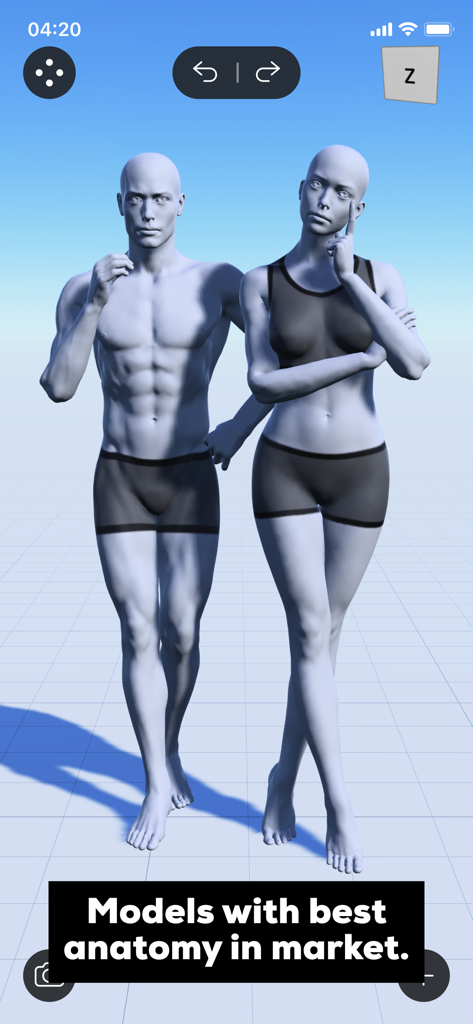
Realistic male and female 3D human models for art pose reference

Realistic male and female 3D human models for art pose reference

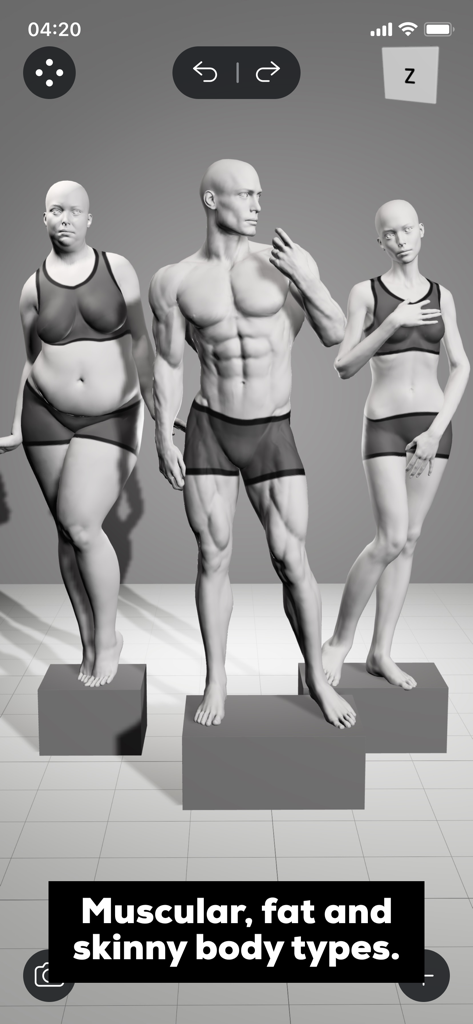
Three 3D models showing muscular fat and skinny body types in the Magic Poser app interface

Three 3D models showing muscular fat and skinny body types in the Magic Poser app interface

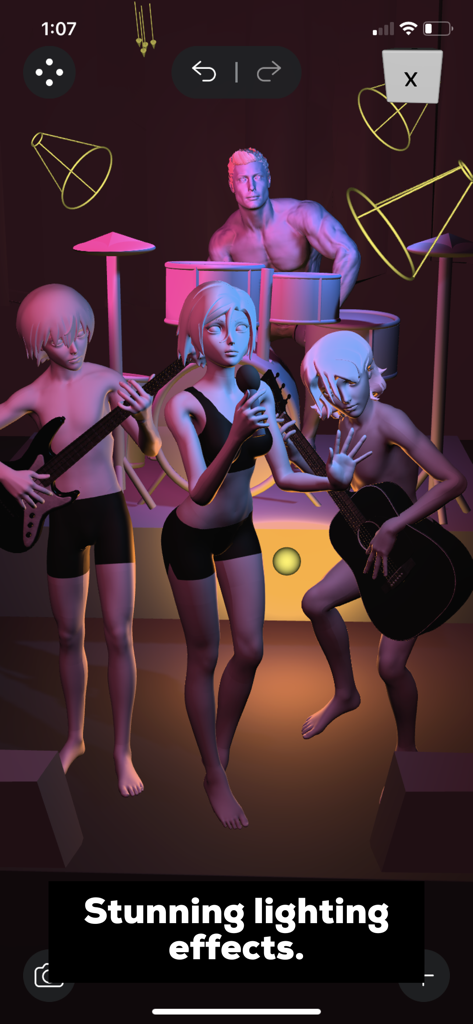
A 3D character band with cinematic lighting in Magic Poser

A 3D character band with cinematic lighting in Magic Poser

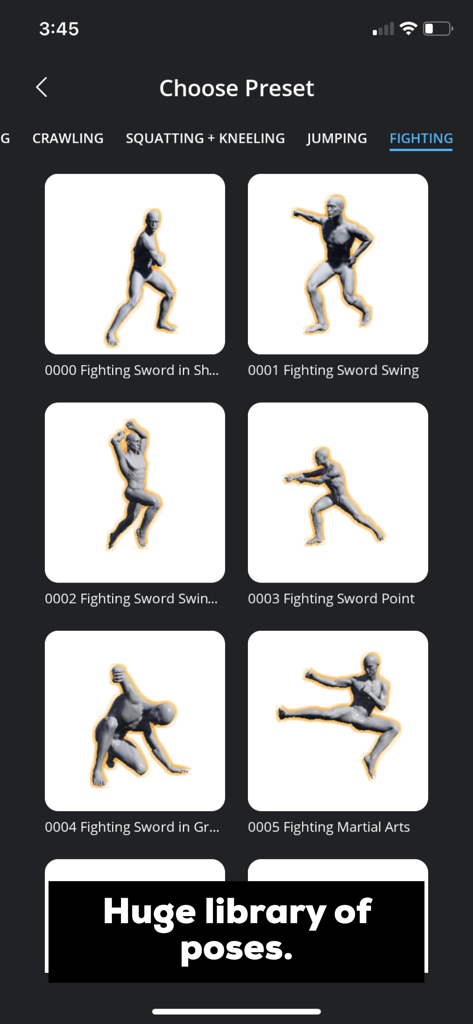
A library of 3D character fighting pose presets in the Magic Poser app

A library of 3D character fighting pose presets in the Magic Poser app

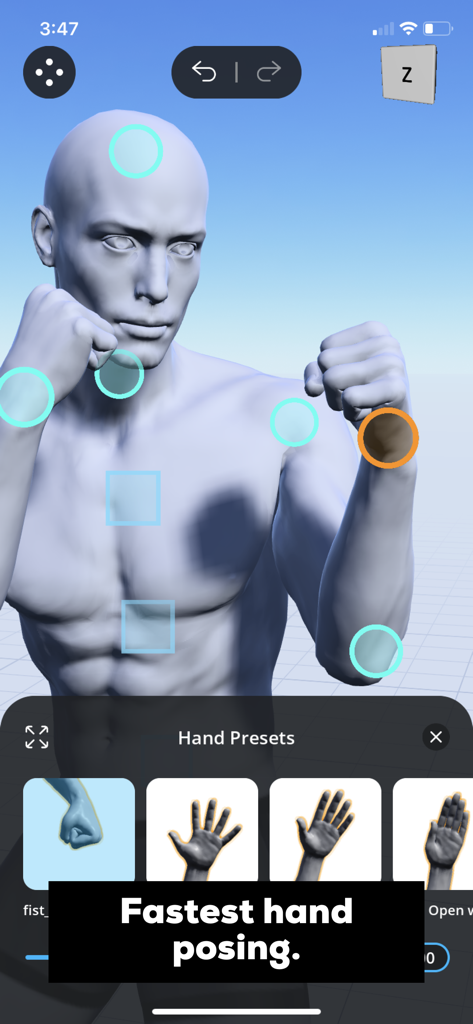
Hand posing presets for a 3D character model in the Magic Poser app interface

Hand posing presets for a 3D character model in the Magic Poser app interface

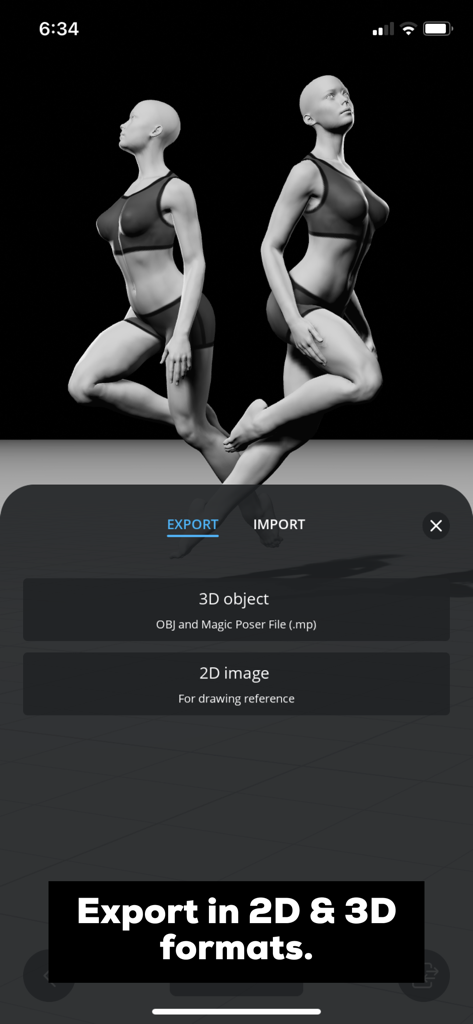
Magic Poser app export menu with options for 3D objects and 2D images

Magic Poser app export menu with options for 3D objects and 2D images

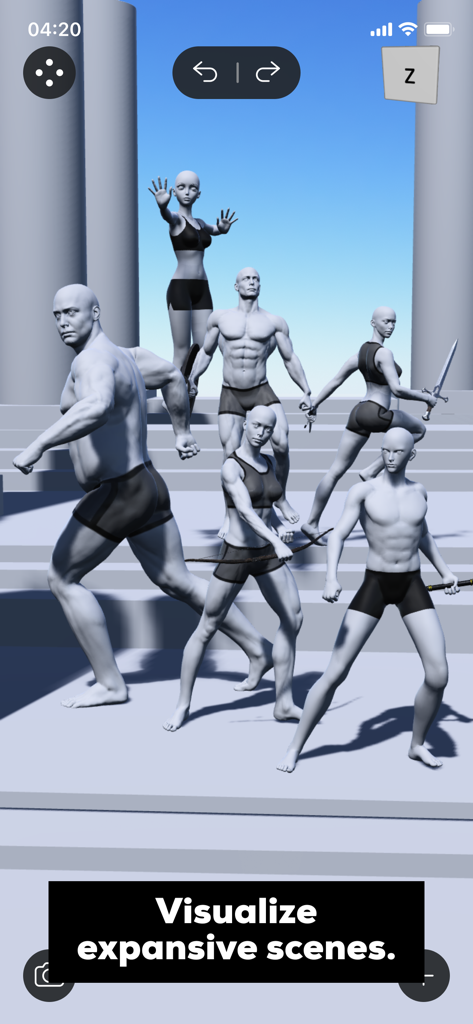
A 3D scene in Magic Poser featuring multiple male and female character models in various dynamic action poses

A 3D scene in Magic Poser featuring multiple male and female character models in various dynamic action poses

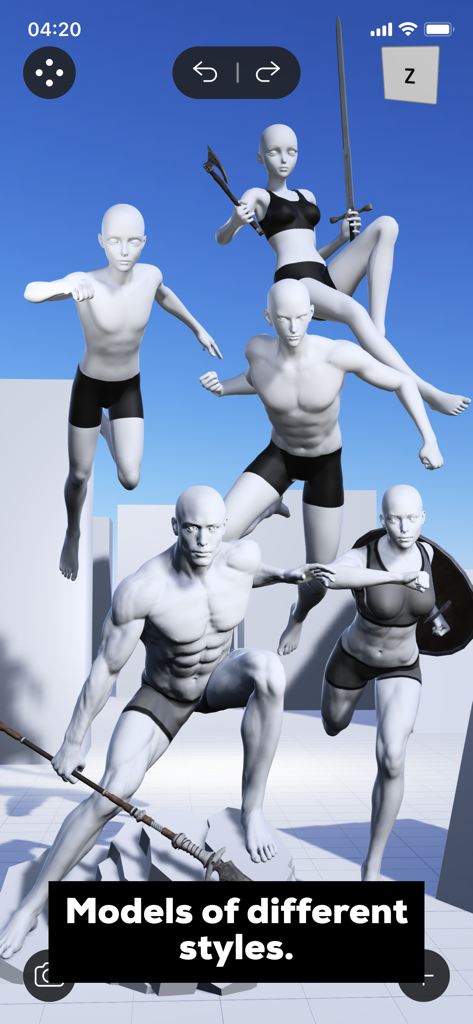
A group of 3D human models in various dynamic poses and styles within the Magic Poser app

A group of 3D human models in various dynamic poses and styles within the Magic Poser app

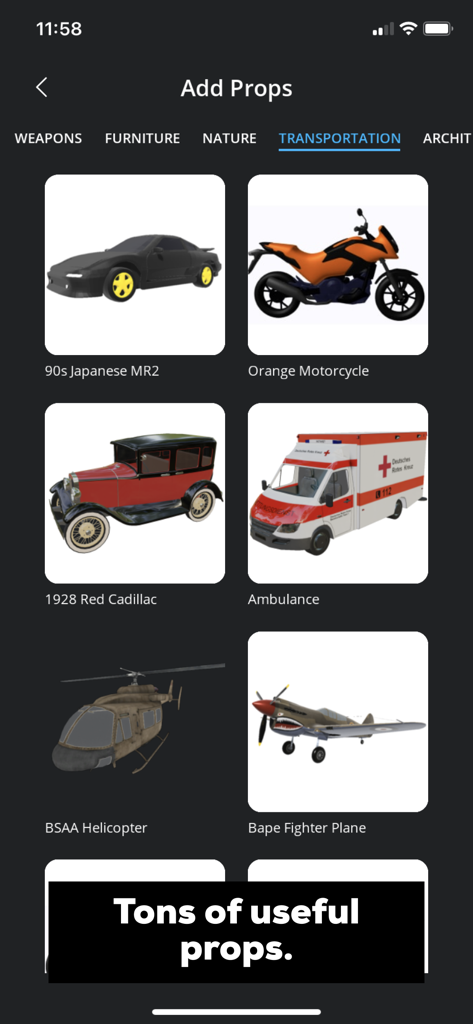
Magic Poser interface showing various 3D vehicle models like cars motorcycles and helicopters for artists

Magic Poser interface showing various 3D vehicle models like cars motorcycles and helicopters for artists

Elevate Your Digital Art Workflow

The tools that make this app stand out, trusted by 5M+ users.

🤸

Effortless Anatomical Posing

Nail complex foreshortening and hand gestures in minutes using our intuitive physics-based drag-and-pose engine.

💡

Cinematic Lighting Control

Create the perfect atmosphere with up to 8 adjustable light sources, helping you visualize shadows and depth like a pro.

🎭

Custom Character Creation

Morph body types, hairstyles, and outfits to match your unique style—from realistic figure drawing to stylized Webtoons.

Loved by users worldwide

Trusted by 5M+ people who love this app.

"

"As a webtoon creator, I used to spend hours struggling with foreshortening and hands. Magic Poser is a game-changer! The hand presets and intuitive drag-and-pose physics allow me to set up complex scenes on my iPad in minutes. It's like having a professional studio in my pocket."

Chloe R., Freelance Illustrator
"

"The lighting engine is phenomenal. Being able to place up to 8 light sources and adjust the time of day has completely transformed my concept art workflow. I can export models as OBJ files to my desktop or use high-res PNGs as a base for my paintings. It's the most powerful reference tool I've ever used."

Marcus T., Senior Concept Artist

About the app

Everything you need to know about Magic Poser - Art Pose Tool.

Description

Ever tried googling for a pose or asking your friend to pose for your artwork? Then you should download and try Magic Poser! Magic Poser is the leading app for posing 3D characters, creating 3D scenes and setting up stunning lighting effects. 12+ million artists use our app to draw better and faster. Start creating poses within minutes on your mobile devices today! Magic Poser is extremely user-friendly and powerful. A must-have app for figure drawing, illustration, comics, storyboarding, concept art, sculpting, fitness instructions, and more! Feature highlights: • Super easy drag-and-pose - Most intuitive posing experience on the market - Anyone can pick it up in minutes - Advanced physics engine - Allows you to manipulate the 3D model like a real doll and automatically adjusts it to the dynamic poses you want - Full control up to every finger and toe - Our skeleton offers control of every part in a real human - Fastest hand posing - 50+ presets and curl sliders to make posing the hand easy and fun! • Best anatomy ever - Best realistic models crafted by our award winning sculptors - Nail male and female anatomy in your figure drawing - Super natural muscle deformations - Much more accurate than a rigid wooden doll • Muscular, fat and skinny body types - Morph your male or female character to different body types - Bring a variety of characters into your artwork - Adjust the amount of change and combine morphs with sliders - You can truly create a unique character just for your art piece • Stunning lighting effects - Add three types of lights - We feature directional light, spotlight and point lights - Add up to 8 lights per scene - Create cinematic shots using multiple light sources - Change brightness, color, radius and a range of parameters - Change time of day - Create any mood such as dawn, noon, dusk and midnight • Extensive library of characters, preset poses, props, hairstyles and clothing! - 25 characters of different styles - Realistic, anime, comic characters for every genre of artists - 3000+ preset poses for full-body, hands and feet - Truly speed up your posing or get more inspiration - 500+ props - Covers commonly used props such as geometric shapes, weapons, furniture, vehicles, everyday items, etc. - 100+ hairstyles and clothing - Customize your characters to another level • Export in 2D and 3D formats - Export in PNG - Export your scene as high resolution images to use in other graphics software - Export in OBJ - Bring our beautiful models seamlessly into other 3D programs • Create expansive scenes - Add unlimited characters and props to your scene - Your imagination is the limit - Group anything together with layers menu - Manage complicated scenes like a breeze • Versatile Views menu - Perspective slider - Bring more impact into your scene with strong perspectives - Save camera angles - Easily save your favorite angles of a 3D scene - Grid guides in three planes - No more headaches with any challenging perspective in your drawing • Back up your scenes locally and in the Cloud - Import/Export your scenes in Magic Poser file (.mp) format - You can easily back them up to your computer or other devices - Upload your scenes to your private Cloud - Keep your works safe and access them across multiple devices • Comprehensive tutorials - Step-by-step video tutorial to help you get started fast - Comprehensive user manual - Master every part of our powerful app EULA: https://www.apple.com/legal/internet-services/itunes/dev/stdeula/

Latest Version

1.51.8

Size

238.9 MB

First Released

Sep 5, 2016

Ready to Master Every Pose and Perfect Your Art?

Join 12+ million artists who draw better and faster. Download Magic Poser today to unlock professional-grade 3D references, realistic anatomy, and cinematic lighting on your mobile device.

Download on App StoreDownload on Google Play
FAQ

Frequently Asked Questions

Everything you need to know about Magic Poser - Art Pose Tool

What is Magic Poser?

Magic Poser is an art pose tool that allows users to pose 3D characters, create 3D scenes, and set up lighting effects on mobile devices. It is used by artists for figure drawing, illustration, comics, and more.

Can Magic Poser create custom body types for 3D models?

Yes, Magic Poser allows users to morph male and female characters into muscular, fat, or skinny body types. Users can adjust the amount of change and combine morphs using sliders to create unique characters.

What types of lighting effects does Magic Poser support?

Magic Poser supports directional, spotlight, and point lights. Users can add up to eight lights per scene and adjust parameters like brightness, color, and radius. It also allows changing the time of day to create various moods.

Does Magic Poser offer a wide range of preset poses?

Yes, Magic Poser provides an extensive library with over 3000 preset poses for full-body, hands, and feet. This feature helps artists quickly set up poses or gain inspiration for their artwork efficiently.

How can I export my scenes from Magic Poser?

Magic Poser allows users to export scenes in 2D and 3D formats. Options include high-resolution PNG for 2D images and OBJ format for 3D objects, which are compatible with other 3D programs for further use.

Can I create complex scenes with multiple characters and props in Magic Poser?

Yes, Magic Poser allows users to add unlimited characters and props to a scene. The layers menu helps manage complicated scenes, enabling the creation of expansive and detailed compositions efficiently within the app.

Does Magic Poser provide tutorials for new users?

Yes, Magic Poser offers comprehensive tutorials, including step-by-step video guides to help users get started quickly. A detailed user manual is also available to help users master all the app's powerful features.

What kind of props are available in Magic Poser?

Magic Poser offers over 500 props, including geometric shapes, weapons, furniture, vehicles, and everyday items. This extensive library allows users to enrich their scenes with a diverse range of objects.

How easy is it to pose characters in Magic Poser?

Magic Poser features a super easy drag-and-pose system, making it intuitive for anyone to use within minutes. An advanced physics engine automatically adjusts the 3D model for dynamic and realistic poses.

Can I save and backup my Magic Poser scenes?

Yes, Magic Poser allows users to import/export scenes in the .mp file format for local backup. Users can also upload their scenes to a private Cloud for security and access across multiple devices.