Previs Pro - Storyboard Fast

Previs Pro - Storyboard Fast

Download on App Store
Spark by MWM logo
Logo of Previs Pro - Storyboard Fast

Previs Pro: Professional 3D Storyboarding for the Modern Filmmaker

Stop drawing stick figures and start visualizing your vision with technical precision. Create 3D sets, experiment with AR on location, and export professional shot lists directly from your iPhone or iPad.

Publisher

Ghostwheel LLC

Category

Photo & Video

Downloads

111K+

User Rating

4.8/5

Total Ratings

2K+

Locales

11

Visualizing Your Vision

Discover the interface used by 111K+ users.
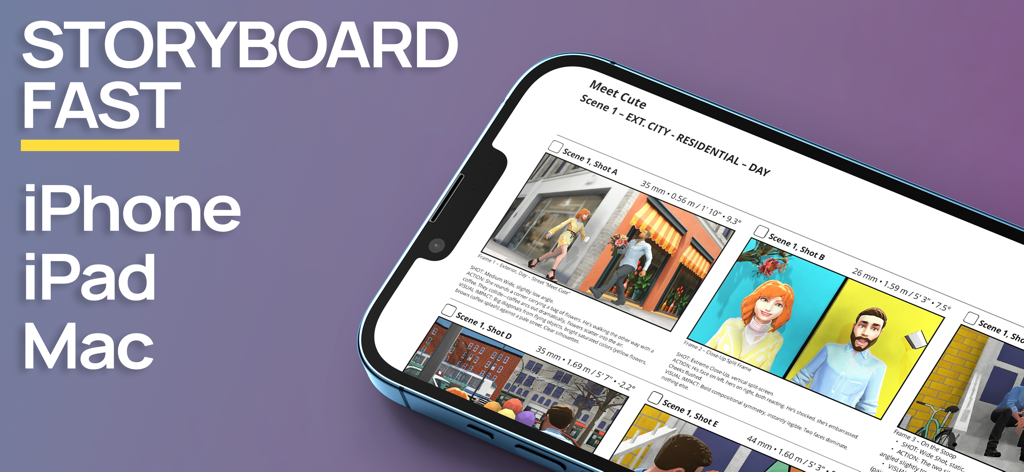
Previs Pro storyboard app interface on an iPhone displaying 3D film scenes

Previs Pro storyboard app interface on an iPhone displaying 3D film scenes

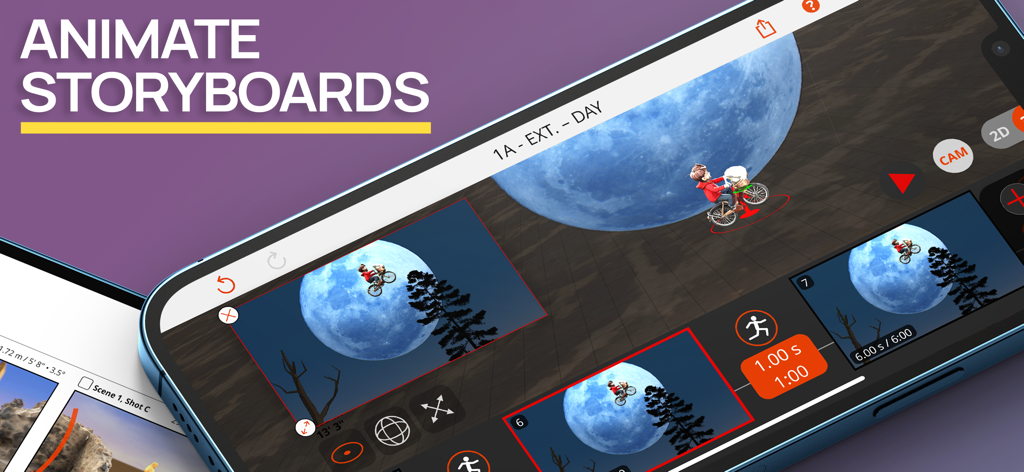
Interface of the Previs Pro app showing 3D storyboard animation with a cinematic moon scene

Interface of the Previs Pro app showing 3D storyboard animation with a cinematic moon scene

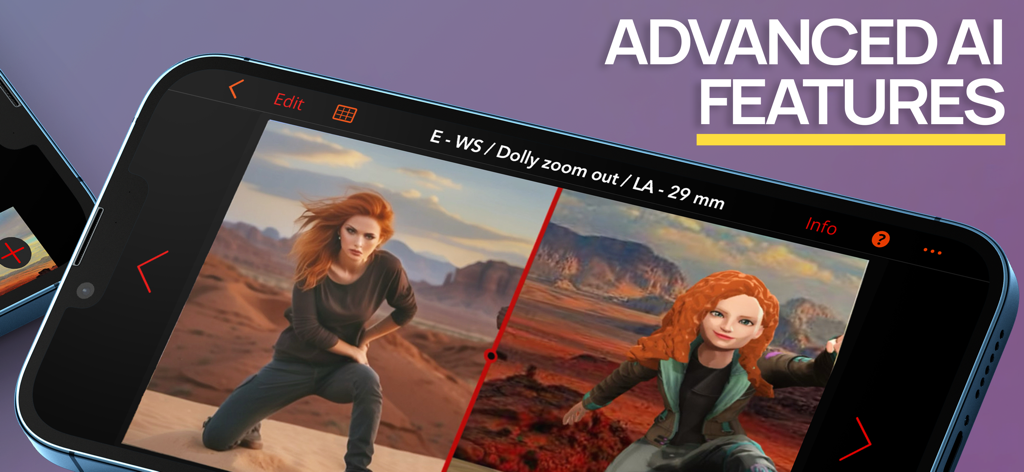
Previs Pro app on a smartphone showing a split-screen comparison between a realistic image and a 3D storyboard model using AI features.

Previs Pro app on a smartphone showing a split-screen comparison between a realistic image and a 3D storyboard model using AI features.

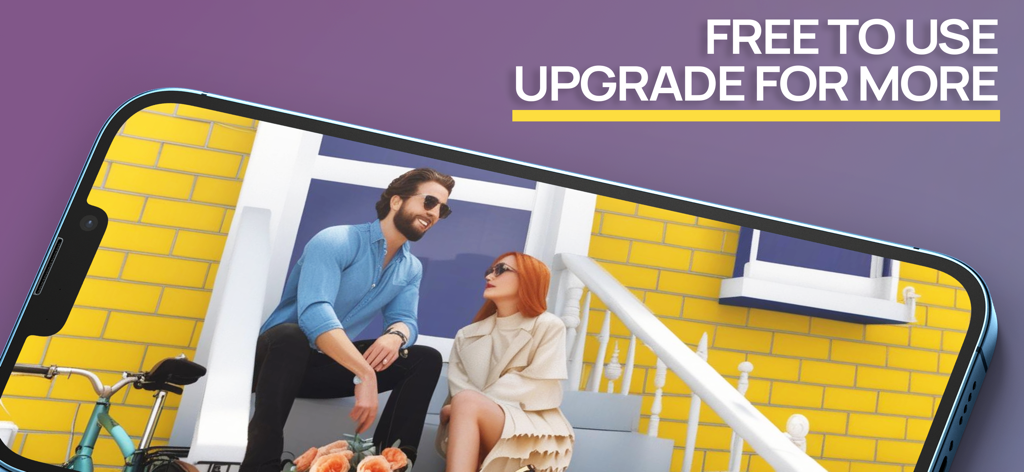
A smartphone displaying a 3D storyboard scene of two characters sitting on a porch

A smartphone displaying a 3D storyboard scene of two characters sitting on a porch

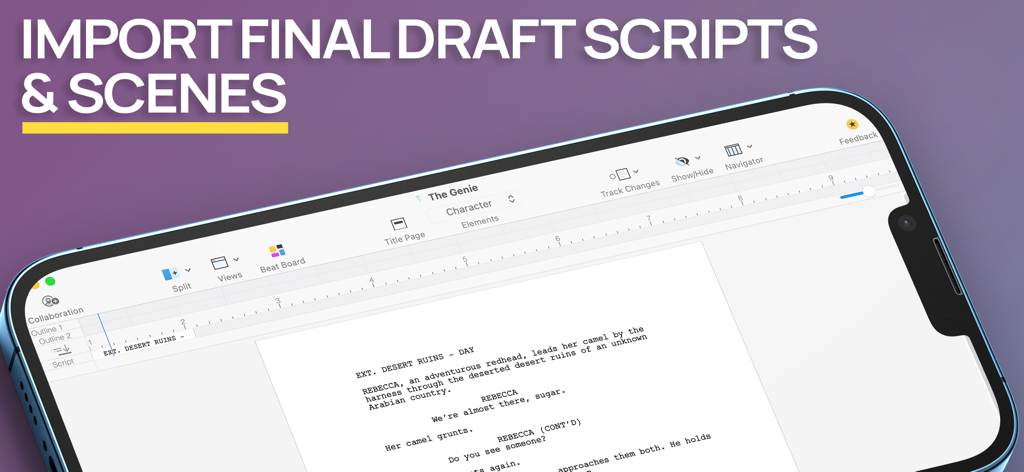
Screenshot of Previs Pro app showing the import of Final Draft scripts and scenes on a mobile device screen

Screenshot of Previs Pro app showing the import of Final Draft scripts and scenes on a mobile device screen

Visualize Your Vision, Faster

The tools that make this app stand out, trusted by 111K+ users.

🎬

No Drawing Skills Required

Build complex 3D sets in seconds using simple gestures. Populate your scenes with posable characters and hundreds of props to communicate your vision with absolute clarity.

📍

AR Location Scouting

Place virtual actors and props into real-world environments using Augmented Reality. Scout your locations and lock your shots before the crew even arrives on set.

🎥

Technical Precision for Pros

Configure real-world camera sensors, lenses, and aspect ratios. Export professional PDF storyboards and shot lists that your DP and crew can actually use.

Loved by users worldwide

Trusted by 111K+ people who love this app.

"

"Previs Pro has completely streamlined my pre-production workflow. I can import my Final Draft scripts and start blocking scenes in 3D immediately. It is the best way to show my crew exactly what is in my head without needing to be a master illustrator."

Marcus Chen, Indie Film Director
"

"The technical accuracy is what sold me. Choosing specific sensor types and focal lengths makes my storyboards actually usable on set. Plus, using the AR feature to place characters during a location scout feels like magic."

Sarah Jenkins, Cinematographer

About the app

Everything you need to know about Previs Pro - Storyboard Fast.

Description

Create 3D storyboards in your iPad or iPhone using simple taps, swipes, and gestures that you already know. Filmmakers, directors, cinematographers, video creators, and screenwriters know that you MUST storyboard your shots and scenes BEFORE you roll camera. Previsualize every shot in your scene AND every scene in your script. Experiment - with 2D and 3D real-time views - to find the very best shot for your film or video. PURCHASE OPTIONS Annual - under US$15 per month average Lifetime - own it forever STORYBOARD FAST With Previs Pro, quickly build a 3D set populated with buildings, props, and characters. Position your camera and lights for the perfect shot. Add a second shot - perhaps a Close-Up or Cutaway - by just moving the camera into position. Add more shots until your scene is complete. ** Final Draft Import ** Import every scene and character from your Final Draft script. You’re halfway finished before you even start. Works with Final Draft 12! STORYBOARD EASY Experimenting with different types of shots is a breeze. Simply move the camera around the 3D set until you find your shot. Pan left, tilt up, dolly in, or zoom. Your view of the shot is always updated in real-time. What you see is truly what you get. STORYBOARD ANYWHERE Storyboard where and when inspiration strikes. If you're in the middle of production and a shot isn't working, then pull out your iPhone and design a shot that does work. Send and share the new shot with your entire cast and crew. The best storyboard is the one in your pocket — that you can change, and share whenever necessary. ** Augmented Reality ** With our A/R feature, you can place your virtual props and characters into a real-world location - the streets of London, on a bridge in Paris, or your own backyard - and start building shots in the same exact location where you plan to shoot. Can't get there to use A/R? No problem. Import a photo or image of your location into your shot and use it as a "proxy". It's the next best thing to being there. STORYBOARD LIKE THE PROS At some point, you need to turn your shots in Previs Pro into storyboards for your cast and crew. If you're a director, you need to create a shot list. If you're a cinematographer or DP, you need information on camera type, lenses, and aspect ratios. If you're doing it all yourself, then you need all this information. With Previs Pro, you can export storyboards as printable PDF's or shareable graphics files. You can include as much rich data as needed, or show nothing but the Camera View. ADDITIONAL PREVIS PRO FEATURES ** IMPORT 3D PROPS ** Import your own 3D props from prop and object libraries like Sketchfab. ** CAMERAS AND LIGHTING ** * Camera/Sensor Types: Full Frame 35mm, Alexa LF Open Gate sensor, Super 35mm, Micro 4/3, 2/3" Video, and iPhone * * Aspect Ratios: 1.77:1 (16:9), 1.85:1, 2.35:1, 2.39:1, 3:2, 4:3 * * Moveable spotlights and lanterns * ** POSABLE AND EDITABLE CHARACTERS ** * Over 50 poses available - Standing, Sitting, Moving, Lying, Action, & Special Gestures * Adjust character height, gender, body type, hair color, skin, eye, and clothing color * Add character to Cast to place them in any future shot or scene * Adults and Kids characters * Set and Custom Facial Expressions ** HUNDREDS OF PROPS ** * Choose props among Furnishing, Buildings, Nature, Exterior, Animals, Vehicles, Tools, Weapons, and Household Items * Can't find a prop you want? Use a basic shape or add your own image * Import 3D Props from libraries like Sketchfab ** POWERFUL AND EASY FILE MANAGEMENT AND SECURITY ** * Save your projects securely with iCloud, Dropbox, or locally * * Share your Previs Pro files with other trusted users * ** INTEGRATIONS ** * Import Final Draft scripts. Export storyboard images back to Final Draft * * Export storyboard images to production services like Studio Binder and Celtx * Please visit previspro.com/terms-of-use to learn our terms of use

Latest Version

3.3.0

Size

761.3 MB

First Released

Feb 5, 2020

Stop Drawing. Start Directing.

Join 111,000+ filmmakers and creators who turn scripts into professional 3D storyboards in minutes. Download Previs Pro and carry a Hollywood-grade pre-viz studio in your pocket.

Download on App Store
FAQ

Frequently Asked Questions

Everything you need to know about Previs Pro - Storyboard Fast

What is Previs Pro - Storyboard Fast?

Previs Pro - Storyboard Fast is an app for iPad and iPhone that creates 3D storyboards. It enables filmmakers and video creators to previsualize shots and scenes, build 3D sets, and experiment with camera angles in real-time.

Can I create 3D storyboards with Previs Pro?

Yes, Previs Pro creates 3D storyboards. Users build 3D sets with buildings, props, and characters, then position cameras and lights to design their shots effectively within the app.

What devices support Previs Pro?

Previs Pro supports iPhone, iPad, and Mac devices. The app allows users to create 3D storyboards on these platforms.

Does Previs Pro offer different pricing options?

Yes, Previs Pro offers an Annual subscription, averaging under US$15 per month, and a Lifetime purchase option. Users can choose to own the app permanently or subscribe annually.

Can Previs Pro import scripts from Final Draft?

Yes, Previs Pro imports every scene and character directly from Final Draft scripts, supporting Final Draft 12. This integration streamlines the storyboarding process by automatically populating content.

What export options are available in Previs Pro?

Previs Pro exports storyboards as printable PDFs or shareable graphics files. Users include rich data like camera views, shot lists, camera types, lenses, and aspect ratios as needed.

Does Previs Pro include Augmented Reality (A/R) features?

Yes, Previs Pro includes an A/R feature. This allows users to place virtual props and characters into real-world locations to build shots directly where they plan to shoot.

Can I customize characters in Previs Pro?

Yes, Previs Pro offers posable and editable characters. Users adjust height, gender, body type, hair, skin, eye, and clothing colors. They can also set custom facial expressions from over 50 poses.

What types of props are available in Previs Pro?

Previs Pro provides hundreds of props in categories like Furnishing, Buildings, Nature, and Vehicles. Users import 3D props from libraries like Sketchfab or use basic shapes and custom images.

Does Previs Pro offer file management and security features?

Yes, Previs Pro offers secure file management. Users save projects with iCloud, Dropbox, or locally. They also share Previs Pro files with other trusted users directly within the application.

Can Previs Pro integrate with other production services?

Yes, Previs Pro integrates with production services. It imports Final Draft scripts and exports storyboard images to platforms such as Studio Binder and Celtx.

Does Previs Pro support animation of storyboards?

Yes, Previs Pro supports animation of storyboards. The app enables users to animate their storyboard sequences and visualize motion.

Does Previs Pro have AI features?

Yes, Previs Pro includes advanced AI features. These functionalities enhance the storyboarding process, providing sophisticated tools for users within the app.

Is Previs Pro free to use?

Yes, Previs Pro is free to use with an option to upgrade for more features. This allows users to try the app before purchasing advanced capabilities or full access.