MagiScan - AI 3D Scanner app

MagiScan - AI 3D Scanner app

Download on App StoreDownload on Google Play
Spark by MWM logo
Logo of MagiScan - AI 3D Scanner app

MagiScan: The AI 3D Scanner for Makers, Gamers, and Professionals

Capture real-world objects in stunning detail and instantly export to OBJ, STL, or Minecraft. Whether you are 3D printing, designing in NVIDIA Omniverse, or building your next digital masterpiece, transform reality with just your smartphone camera.

Download on App Store

Publisher

Magiscan Inc.

Category

Graphics & Design

Downloads

509K+

User Rating

4.5/5

Total Ratings

1K+

Locales

21

Capture Every Dimension

Discover the interface used by 509K+ users.

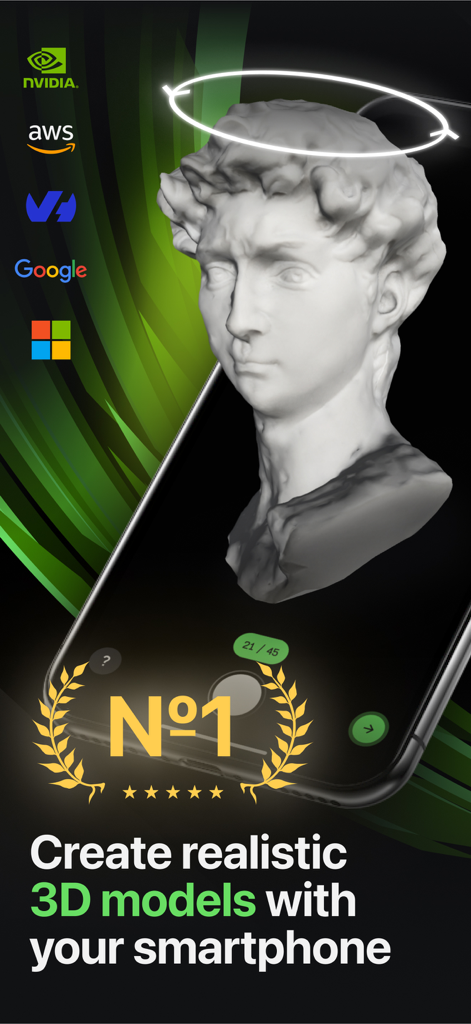
A smartphone screen displaying a realistic 3D model of a classical bust captured with the MagiScan app.

A smartphone screen displaying a realistic 3D model of a classical bust captured with the MagiScan app.

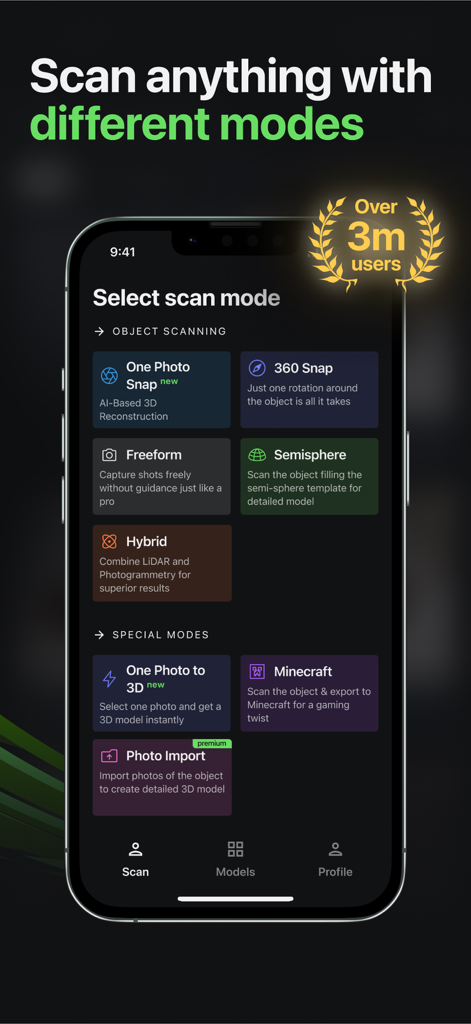
MagiScan app interface showing various 3D scanning modes like One Photo Snap 360 Snap and Minecraft mode

MagiScan app interface showing various 3D scanning modes like One Photo Snap 360 Snap and Minecraft mode

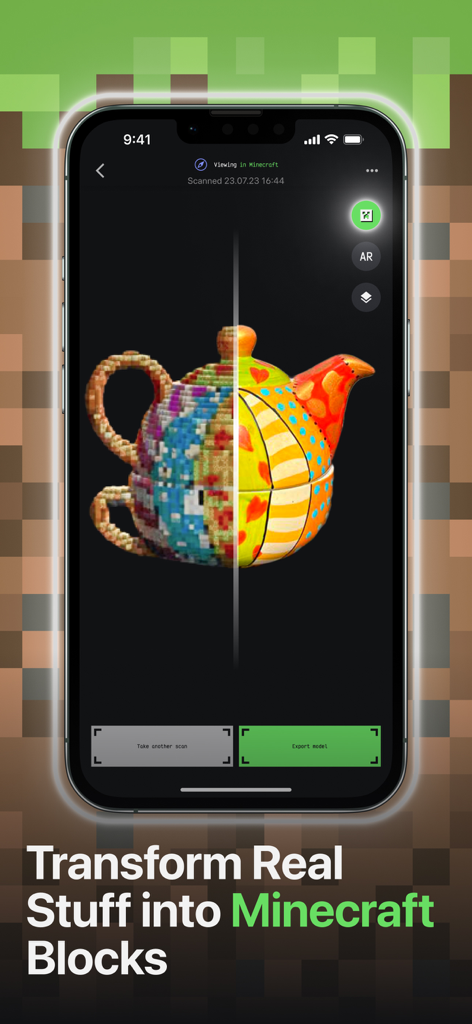
MagiScan app interface showing a real teapot transformed into Minecraft voxels

MagiScan app interface showing a real teapot transformed into Minecraft voxels

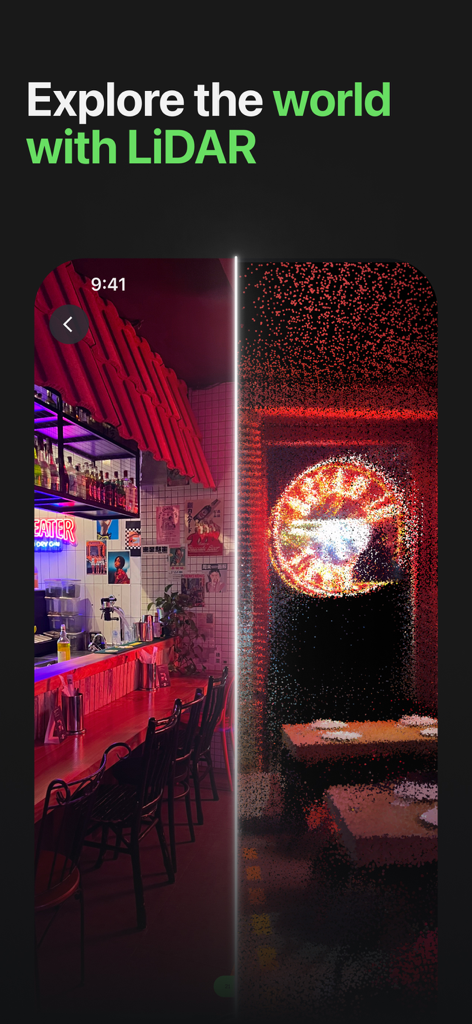
MagiScan app interface showing a side by side comparison of a real room and its LiDAR 3D point cloud model

MagiScan app interface showing a side by side comparison of a real room and its LiDAR 3D point cloud model

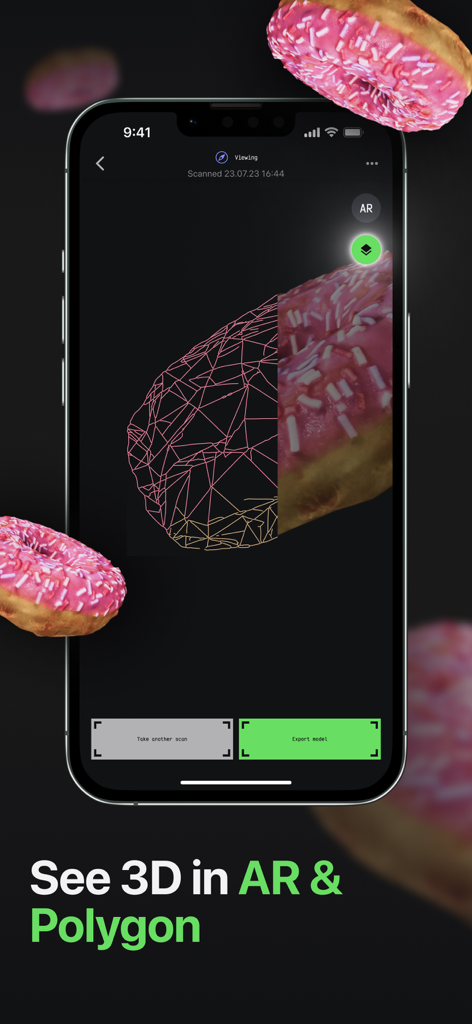
MagiScan app interface showing a 3D scanned pink donut with a split view between wireframe polygon and realistic texture

MagiScan app interface showing a 3D scanned pink donut with a split view between wireframe polygon and realistic texture

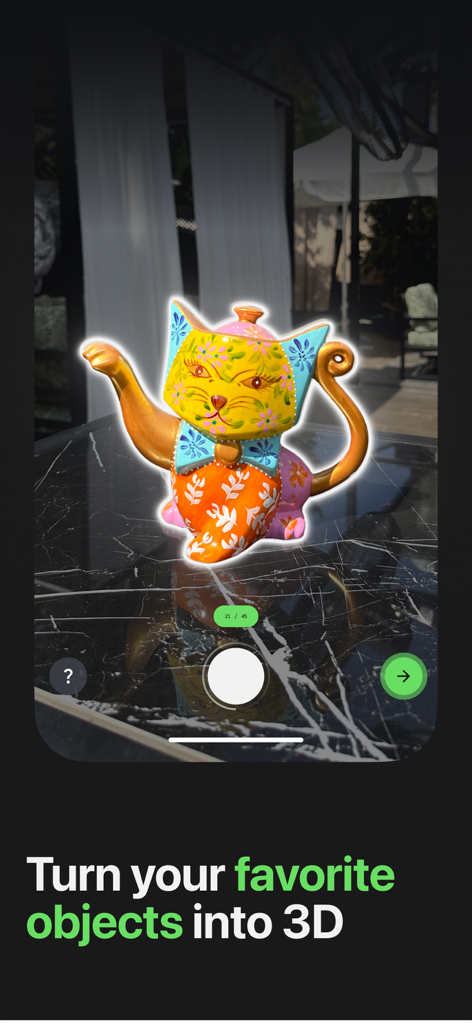
MagiScan app scanning a colorful cat figurine to create a 3D model on a smartphone.

MagiScan app scanning a colorful cat figurine to create a 3D model on a smartphone.

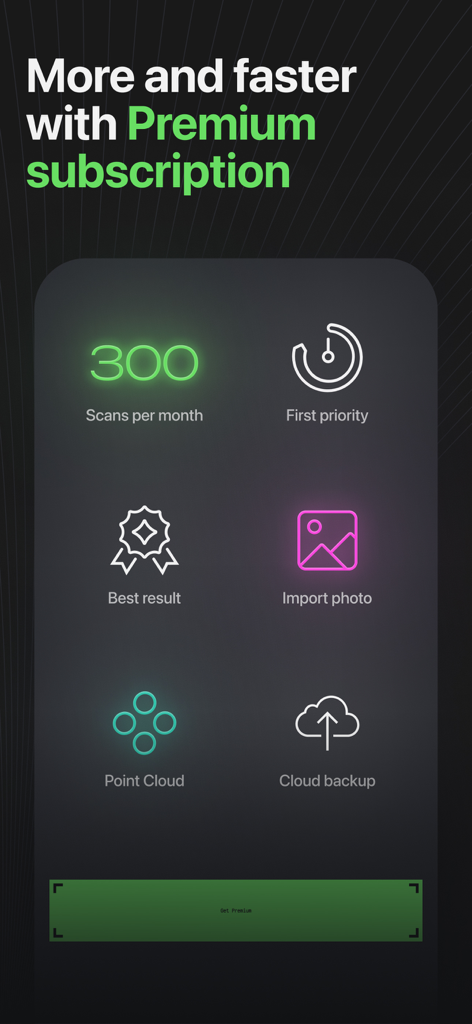
A list of MagiScan Premium features including 300 scans per month, point cloud mode, and photo imports

A list of MagiScan Premium features including 300 scans per month, point cloud mode, and photo imports

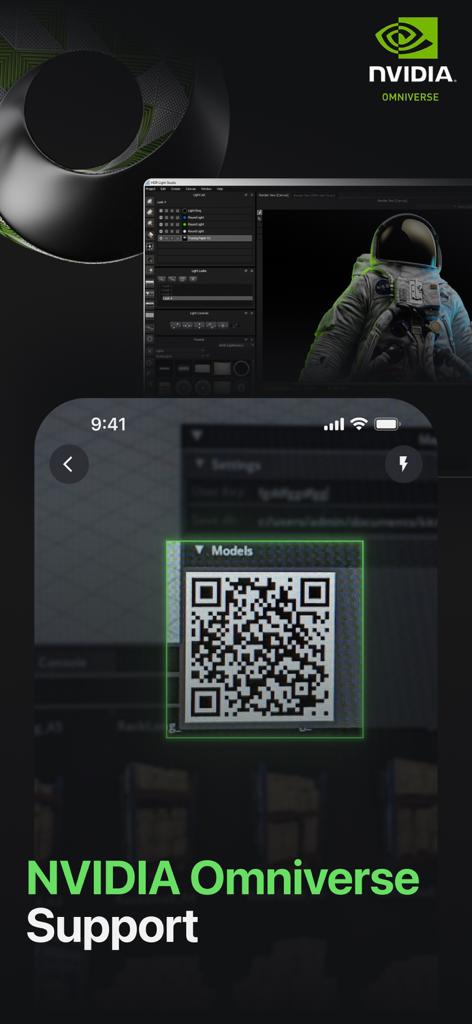
MagiScan app interface showing a QR code for syncing 3D scans with NVIDIA Omniverse

MagiScan app interface showing a QR code for syncing 3D scans with NVIDIA Omniverse

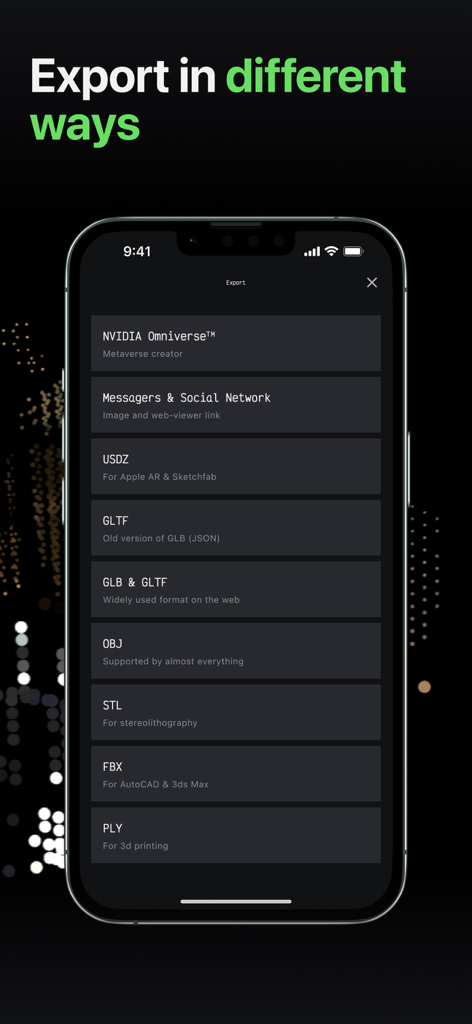
MagiScan app interface showing various 3D export options including OBJ STL FBX and NVIDIA Omniverse

MagiScan app interface showing various 3D export options including OBJ STL FBX and NVIDIA Omniverse

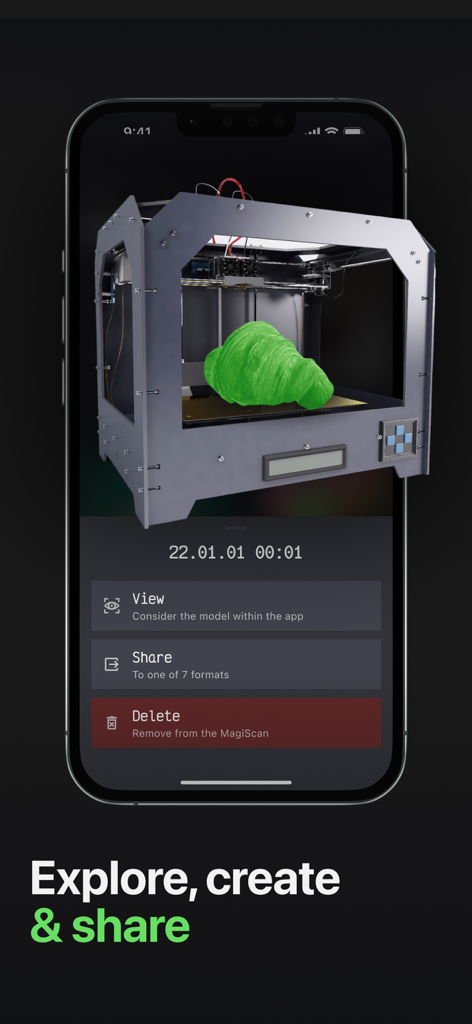
MagiScan app interface showing a 3D scanned object with options to view share or delete

MagiScan app interface showing a 3D scanned object with options to view share or delete

Transform Your World Into Digital Assets

The tools that make this app stand out, trusted by 509K+ users.

🧱

Scan Directly to Minecraft

Bring the physical world into your game. Scan any object and instantly convert it into a block structure for your Minecraft adventures.

📏

Professional Room Mapping

Leverage LiDAR technology to create precise 3D floor plans with dimensions. Perfect for architects, realtors, and DIY home renovators.

📤

Multi-Format Export

Seamlessly integrate with NVIDIA Omniverse or export to OBJ, STL, and FBX for 3D printing and professional design workflows.

Loved by users worldwide

Trusted by 509K+ people who love this app.

"

"MagiScan's Minecraft mode is absolutely revolutionary for my builds. I can scan physical objects and see them transformed into blocks in my game almost instantly. It is incredibly intuitive and has completely changed how I approach digital creation."

Marcus Thorne
"

"The Room Plan and LiDAR features are indispensable for my architecture workflow. Being able to capture high-quality 3D models and export them in STL or FBX format directly to NVIDIA Omniverse saves me hours of manual modeling. It is a professional-grade tool in my pocket."

Elena Rodriguez

About the app

Everything you need to know about MagiScan - AI 3D Scanner app.

Description

MagiScan is an AI-driven 3D scanning app. It easily captures real-world objects and turns them into 3D models, with various format choices like OBJ, STL, FBX, PLY, USDZ, GLB, GLTF, and more. Moreover, it can export these models to NVIDIA Omniverse and integrate them smoothly into Minecraft as block structures. With MagiScan, you don't need any specialized hardware or technical expertise. All you need is a smartphone camera and the app to get started. Whether you're an artist, designer, or engineer, MagiScan offers a fast and affordable way to create 3D models of real-life objects. As a new user, you'll get a few scans for free without having to subscribe. This is a great way to get familiar with the app and see the quality of 3D models that MagiScan produces. Once you've used up your free scans, you can subscribe for unlimited access to the app's features. Minecraft mode Discover the all-new MagiScan's Minecraft mode - your key to a revolutionary gaming experience! Scan real-world objects, effortlessly convert them into 3D models, and seamlessly export them into your Minecraft adventures! DISCLAIMER: MagiScan is an unofficial app for Minecraft, not endorsed by Mojang AB. Mojang AB is not liable for MagiScan or its purchase. "Minecraft" name, brand, and assets belong to Mojang AB. MagiScan utilizes the term "Minecraft" as a secondary title, and the icon and screenshots are custom-designed, not from the official game assets. NVIDIA Omniverse support MagiScan has developed a plugin for NVIDIA Omniverse called MAGISCAN AI OMNIVERSE EXTENSION, which lets you combine MagiScan's capabilities with Omniverse. This plugin allows you to scan real-world objects with MagiScan and use the obtained data to create detailed 3D models in Omniverse. This unique partnership opens up new possibilities for creating unique and high-quality visual effects in various industries. Room Plan Room Plan in MagiScan is an innovative feature that utilizes AR and LIDAR technology for quickly creating 3D schematic floor plans with dimensions. It supports both metric and imperial units, making it a valuable tool for professionals and personal use. Compatible with NVIDIA Omniverse, it's available on LIDAR-equipped devices, starting from iPhone 12 Pro. Point Cloud With iOS device's LIDAR technology, users can now capture stunning 3D models like never before using Point Cloud 3D Scanning Mode in MagiScan. This mode opens up a world of possibilities, as it enables users to scan entire spaces and surroundings within a range of up to 5 meters, transforming reality into captivating 3D art. Enjoy an intuitive user experience with automatic and manual scanning options for precise control. Customize your scans by adjusting LIDAR points and point size to match your creative vision. The resulting scans feature vibrant colors from the device's camera, with real-time tracking for perfect captures. Premium subscribers get unlimited access during the beta phase, with lightning-fast on-device processing, secure cloud storage, preview and easy export in various formats like PLY, XYZ, PTS, and PCD. *** MagiScan PREMIUM *** MagiScan PREMIUM Subscription offers you 10 additional scans every day. As soon as you subscribe, you will receive your first 10 scans, which will accumulate and stay with you forever. Import photos from your device's gallery, drones, and professional cameras to capture incredibly detailed and precise images for your 3D models. Capture photos offline and import them later when you have a stable connection. Redefine reality with the Point Cloud Mode, available in PREMIUM. Choose a yearly subscription for even greater savings with a substantial discount. Get the best value for your money and enjoy a hassle-free scanning experience with MagiScan PREMIUM Subscription.

Latest Version

1.11.2

Size

192.2 MB

First Released

Jul 7, 2022

Transform Your World Into 3D Reality

Join 500,000+ creators, gamers, and pros. Whether for Minecraft, 3D printing, or professional design, get the power of AI scanning in your pocket today.

Download on App StoreDownload on Google Play
FAQ

Frequently Asked Questions

Everything you need to know about MagiScan - AI 3D Scanner app

What is MagiScan?

MagiScan is an AI-driven 3D scanning app that captures real-world objects and converts them into 3D models. It supports various export formats and integrates with platforms like NVIDIA Omniverse and Minecraft.

What export formats does MagiScan support?

MagiScan supports various 3D model export formats including OBJ, STL, FBX, PLY, USDZ, GLB, and GLTF. It also allows direct export to NVIDIA Omniverse and Minecraft.

Does MagiScan require specialized hardware for 3D scanning?

No, MagiScan does not require specialized hardware or technical expertise. Users only need a smartphone camera and the app to create 3D models of real-life objects.

Can I use MagiScan to integrate 3D models into Minecraft?

Yes, MagiScan features a dedicated Minecraft mode. It allows users to scan real-world objects, convert them into 3D models, and seamlessly export them into Minecraft as block structures.

Is MagiScan an official Minecraft app?

No, MagiScan is an unofficial app for Minecraft. It is not endorsed by Mojang AB, and Mojang AB is not liable for MagiScan or its purchase.

How does MagiScan integrate with NVIDIA Omniverse?

MagiScan provides a plugin called MAGISCAN AI OMNIVERSE EXTENSION for NVIDIA Omniverse. This plugin enables users to scan real-world objects with MagiScan and use the data to create detailed 3D models within Omniverse.

Does MagiScan offer free scans for new users?

Yes, new users of MagiScan receive a few free scans without needing a subscription. This allows users to experience the app and its 3D model quality.

What is Room Plan in MagiScan?

Room Plan in MagiScan is a feature utilizing AR and LIDAR technology to create 3D schematic floor plans with dimensions. It supports metric and imperial units and is compatible with NVIDIA Omniverse.

What devices are compatible with MagiScan's Room Plan feature?

MagiScan's Room Plan feature is available on LIDAR-equipped devices. This includes iPhone 12 Pro and newer models with LIDAR technology.

What is Point Cloud 3D Scanning Mode in MagiScan?

Point Cloud 3D Scanning Mode in MagiScan uses iOS device's LIDAR technology to capture 3D models of entire spaces up to 5 meters. It allows users to customize scans with automatic or manual options.

What benefits does MagiScan Premium subscription offer?

MagiScan Premium offers 10 additional daily scans, photo import, offline capture, Point Cloud mode, cloud storage, fast on-device processing, and priority support. Yearly subscriptions provide savings.

How many scans do MagiScan Premium subscribers get per month?

MagiScan Premium subscribers receive 300 scans per month. These scans accumulate and remain available indefinitely for the user.

Can I import photos for 3D modeling with MagiScan?

Yes, MagiScan Premium allows users to import photos from their device's gallery, drones, and professional cameras to create detailed 3D models. The app also has a "Photo Import" scan mode.

What scan modes are available in MagiScan?

MagiScan offers several scan modes, including One Photo Snap, 360 Snap, Freeform, Hemisphere, Hybrid, One Photo to 3D, and Photo Import for detailed object creation.

Does MagiScan support scanning large areas?

Yes, MagiScan's Point Cloud 3D Scanning Mode, utilizing LIDAR technology, allows users to scan entire spaces and surroundings within a range of up to 5 meters.