Movavi - Video Editor

Movavi - Video Editor

Download on App StoreDownload on Google Play
Spark by MWM logo
Logo of Movavi - Video Editor

Movavi - Video Editor: Create Scroll-Stopping Content in Minutes

Join 6 million creators using AI-powered tools to make viral-ready Reels, TikToks, and Shorts. Edit, enhance, and post straight to your socials with ease.

Publisher

Movavi Emea LLC

Category

Photo & Video

Downloads

6M+

User Rating

4.8/5

Total Ratings

129K+

Locales

9

Scroll-Stopping Stories

Discover the interface used by 6M+ users.

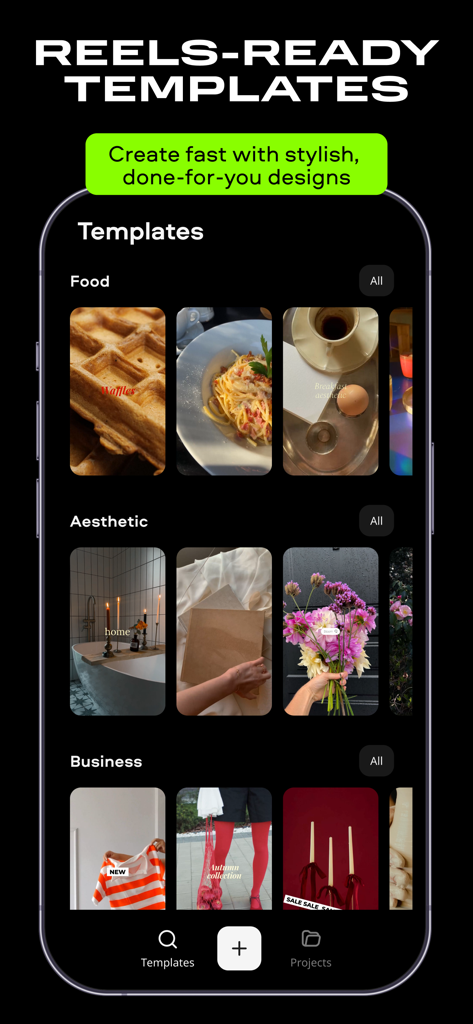
Movavi app interface showing various video templates for reels including food aesthetic and business categories

Movavi app interface showing various video templates for reels including food aesthetic and business categories

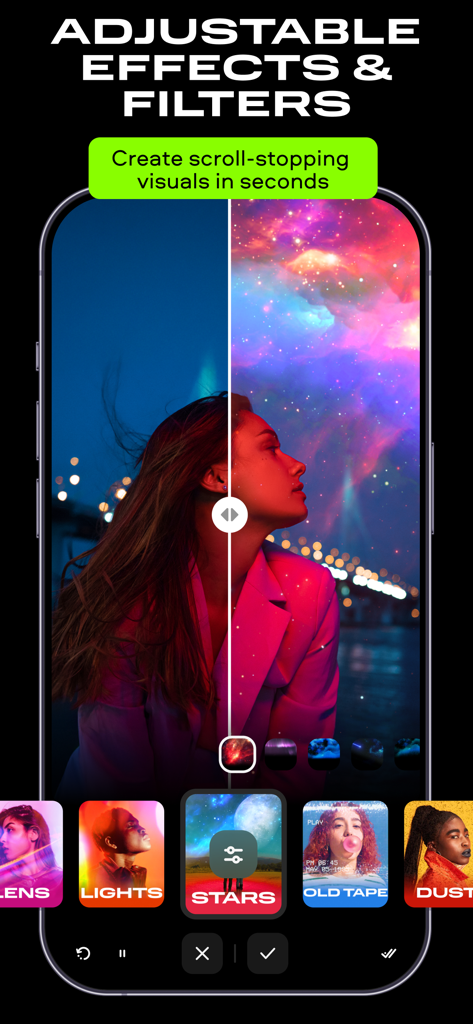
Smartphone screen displaying Movavi video editor with adjustable cosmic filters and special effects

Smartphone screen displaying Movavi video editor with adjustable cosmic filters and special effects

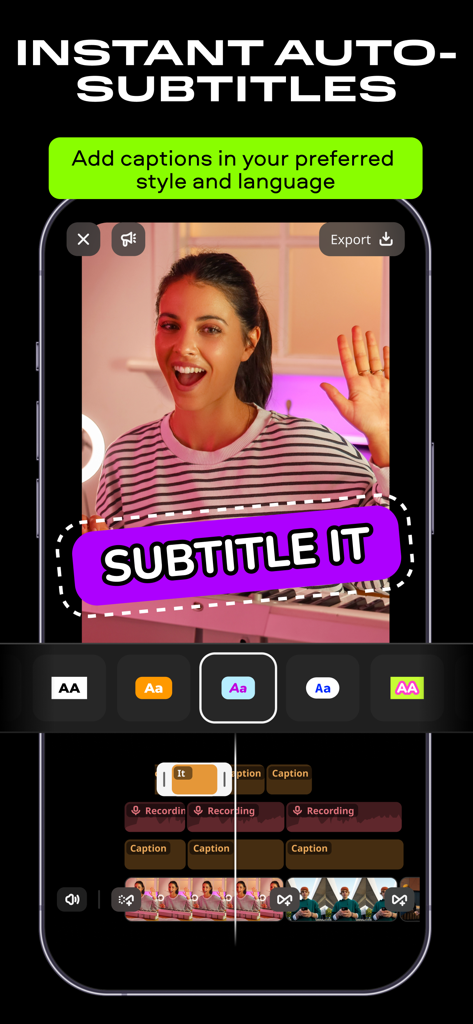
Interface of Movavi video editor app showing the instant auto-subtitles feature with various caption styles

Interface of Movavi video editor app showing the instant auto-subtitles feature with various caption styles

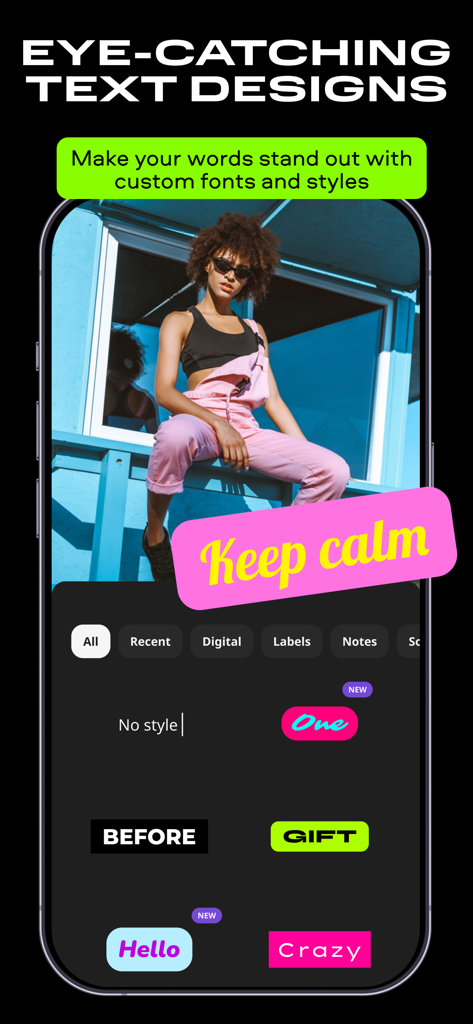
Smartphone screen showing Movavi Video Editor with eye-catching text designs and custom font options.

Smartphone screen showing Movavi Video Editor with eye-catching text designs and custom font options.

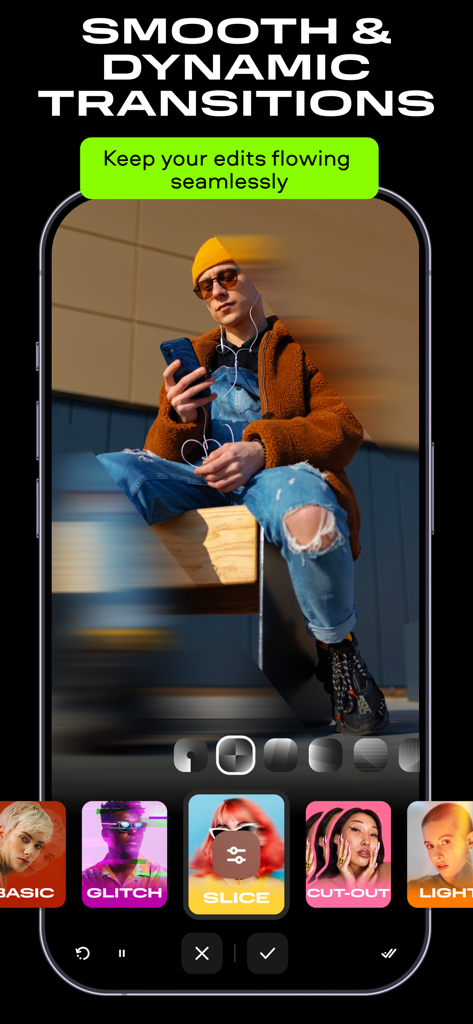
Movavi video editor interface displaying dynamic transition effects for mobile creators

Movavi video editor interface displaying dynamic transition effects for mobile creators

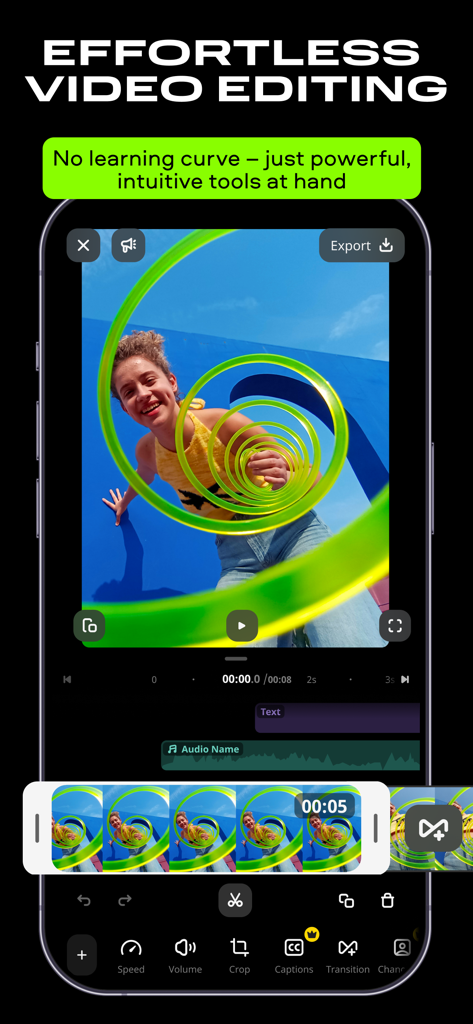
Interface of Movavi Video Editor app showing a video with effects and editing tools on a smartphone

Interface of Movavi Video Editor app showing a video with effects and editing tools on a smartphone

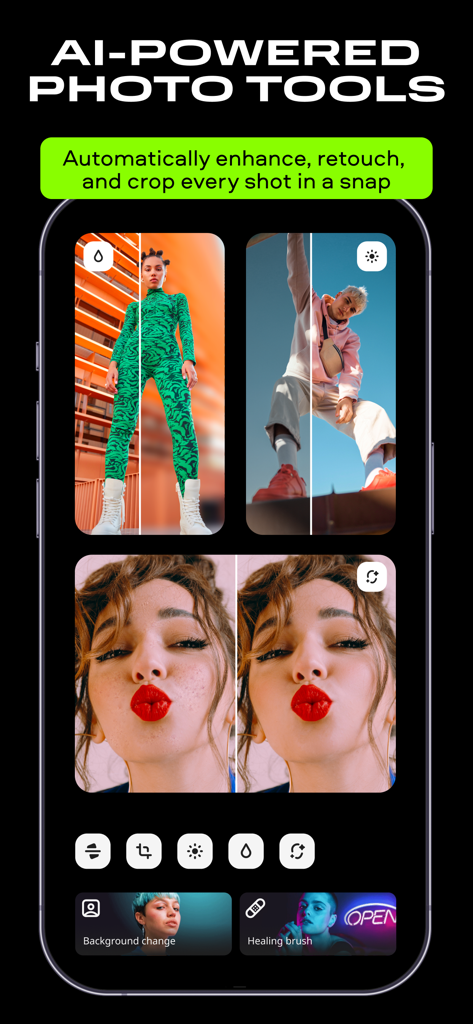
AI-powered photo retouching and background removal tools in the Movavi Video Editor app

AI-powered photo retouching and background removal tools in the Movavi Video Editor app

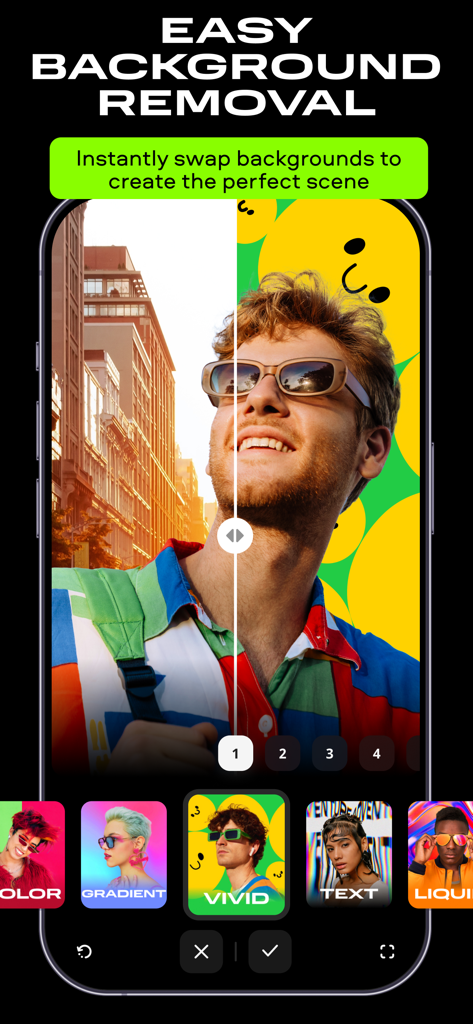
A split screen comparison showing a man's portrait with a city background being replaced by a vivid yellow smiley face background using the background removal tool.

A split screen comparison showing a man's portrait with a city background being replaced by a vivid yellow smiley face background using the background removal tool.

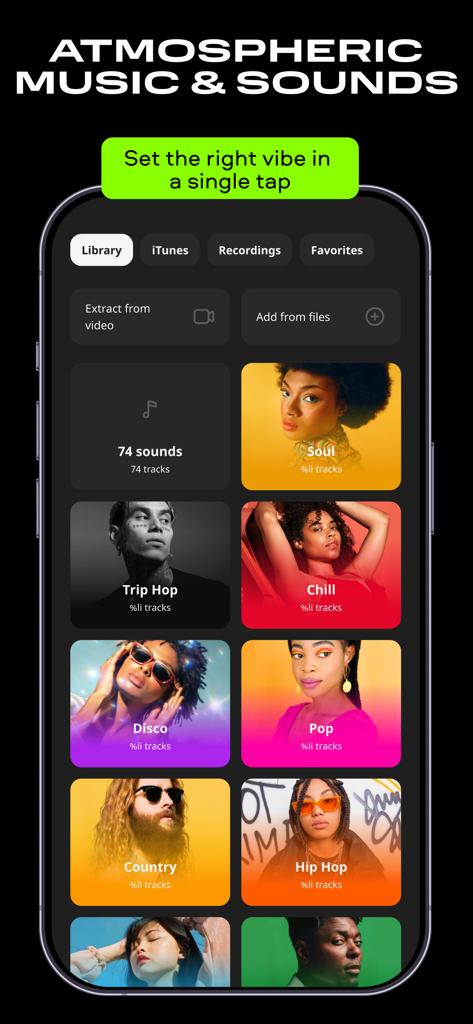
A smartphone screen showing the music library in the Movavi app with various genre tiles like soul chill and pop

A smartphone screen showing the music library in the Movavi app with various genre tiles like soul chill and pop

Turn Every Moment into Viral Content

The tools that make this app stand out, trusted by 6M+ users.

AI-Powered Enhancements

Transform your footage with one-tap AI background swaps and auto-retouching for a flawless, trend-ready aesthetic.

📏

Multi-Platform Optimization

Instantly resize and crop your videos to perfectly fit TikTok, Reels, and Shorts so your content always looks native.

💬

Engagement-Driven Tools

Add stylish auto-subtitles for silent viewers and layer in trending tracks to make your videos truly scroll-stopping.

Loved by users worldwide

Trusted by 6M+ people who love this app.

"

"I turned my weekend trip clips into a viral-ready reel in less than 10 minutes! The transitions are incredibly smooth and the subtitles feature is a lifesaver for my followers who watch on mute. Being able to post directly to TikTok from the app makes my workflow seamless."

Sarah L., Lifestyle Vlogger
"

"Perfect for my small business. I can add professional voiceovers and high-quality filters to my product demos without any technical skills. The AI background removal works like magic for my product shots and the 4K export ensures my brand always looks top-tier."

David K., Small Business Owner

Review Analysis

Insights from user reviews.

Sentiment Score

25%
Negative

Summary

The app receives praise for its intuitive interface and powerful editing capabilities, with some users highlighting its ease of use and efficient algorithms for video creation. However, overall sentiment is largely negative, driven by a controversial subscription model where users report unexpected charges, revoked lifetime licenses, and essential features being locked behind a paywall. Recent app updates are a significant source of dissatisfaction, frequently cited for degrading the user experience, introducing bugs, causing app instability, and notoriously leading to the loss of previously saved projects. Many users express frustration over the app's aggressive monetization and a perceived decline in quality following updates.

Common Themes

Subscription & Pricing(25)
App Updates & Stability(15)
Ease of Use(7)
Customer Support & Refunds(4)
Editing Capabilities(3)
Data Loss(3)

About the app

Everything you need to know about Movavi - Video Editor.

Description

Movavi is your go-to video editor that lets you easily cut and stitch clips, add subtitles, and adjust speed. Everything you need to make scroll-stopping videos in just a few steps. Whether you’re recapping a trip, hopping on a trend, or capturing a real-time moment, you can edit any video in a couple of quick taps. Just pick your best clips, add the right vibe with music, and finish it off with cool effects and filters. Edit on-the-go and post straight to socials – then watch the likes roll in! Edit videos and tell your story in minutes: • Make frame-precise cuts and remove unwanted parts • Add smooth transitions to make your clips flow seamlessly • Add subtitles so you can be understood with the sound off: pick style, font, color, and position • Speed things up, slow them down, or play the clip in reverse • Apply filters and tweak colors to set the perfect vibe • Add cool effects like sparkles, colored smoke, vintage textures, lens flares, and more • Create photo and video slideshows to recap a day or a trip in one awesome reel • Crop and resize your video to fit any social media format just right Polish the sound and set the mood: • Grab the perfect track from our music library or your own files • Trim the audio so it aligns with your video • Turn down or mute the original sound to let your music shine • Record a voiceover right in the app – while you’re editing Export and post right from the app: • Save at the quality you need – from lightweight to sharp 4K • Post straight to popular socials without leaving the app • Share with friends and family quickly and easily Tap and instantly upgrade your photos: • Make your photos pop with filters and effects • Auto-retouch your pics, blur the background, or crop in seconds • Swap the background out in one tap with AI • Resize your pics so they look great wherever you post them • Create collages with ready-made templates Go Premium and unlock everything: • Save your videos with no watermarks • Make full use of every feature, no limits • Access all the new tools and effects we release • Get priority support: our team’s always here for you

Latest Version

5.4

Size

272.3 MB

First Released

Jun 2, 2017

Ready to Create Your Next Viral Moment?

Join 6 million+ creators using Movavi to turn everyday clips into scroll-stopping content in just a few taps.

Download on App StoreDownload on Google Play
FAQ

Frequently Asked Questions

Everything you need to know about Movavi - Video Editor

What is Movavi - Video Editor?

Movavi - Video Editor is a mobile application for editing videos and photos. It allows users to cut clips, add subtitles, apply effects, and share content directly to social media platforms.

Can Movavi - Video Editor add subtitles to videos?

Yes, Movavi - Video Editor allows users to add and customize subtitles. Users can select the style, font, color, and position of the captions to match their video's aesthetic.

Does Movavi - Video Editor offer templates for video creation?

Yes, Movavi - Video Editor provides ready-to-use templates for various categories. These templates enable users to quickly create stylish videos, such as those for Food, Aesthetic, and Business themes.

How does Movavi - Video Editor manage audio in videos?

Movavi - Video Editor lets users trim audio, mute original sound, and record voiceovers in-app. It integrates a music library and supports adding sound from personal files for enhanced video soundtracks.

Can I remove watermarks with Movavi - Video Editor?

Yes, Movavi - Video Editor removes watermarks from saved videos when users subscribe to the Premium version. This subscription also unlocks full feature access and priority support.

Does Movavi - Video Editor include photo editing tools?

Yes, Movavi - Video Editor features AI-powered photo tools. Users can apply filters, auto-retouch, blur backgrounds, crop, resize images, and instantly swap backgrounds in their photos.

What types of effects and filters does Movavi - Video Editor offer?

Movavi - Video Editor provides diverse effects like sparkles, colored smoke, vintage textures, and lens flares. It also includes adjustable filters to create the perfect visual mood for videos.

Can Movavi - Video Editor export videos in 4K resolution?

Yes, Movavi - Video Editor supports exporting videos in high-quality 4K resolution. Users can choose from various quality settings, including lightweight options, for their video exports.

How does Movavi - Video Editor simplify video transitions?

Movavi - Video Editor simplifies transitions by offering smooth and dynamic options like Basic, Glitch, Slice, Cut-out, and Light. These tools ensure video edits flow seamlessly between clips.

Does Movavi - Video Editor support direct social media sharing?

Yes, Movavi - Video Editor allows users to share their edited videos and photos directly to popular social media platforms. This feature enables instant posting without leaving the application.