Spring - Video Editor

Spring - Video Editor

Download on App StoreDownload on Google Play
Spark by MWM logo
Logo of Spring - Video Editor

Spring - Create Viral 4K Videos with AI Power

The ultimate video editor for TikTok and Reels. Auto-caption instantly, remove backgrounds with AI, and export in stunning 4K with absolutely no watermarks or sneaky costs.

Publisher

KineMaster Corporation

Category

Photo & Video

Downloads

581K+

User Rating

4.8/5

Total Ratings

2K+

Locales

18

Your Studio, Visualized

Discover the interface used by 581K+ users.

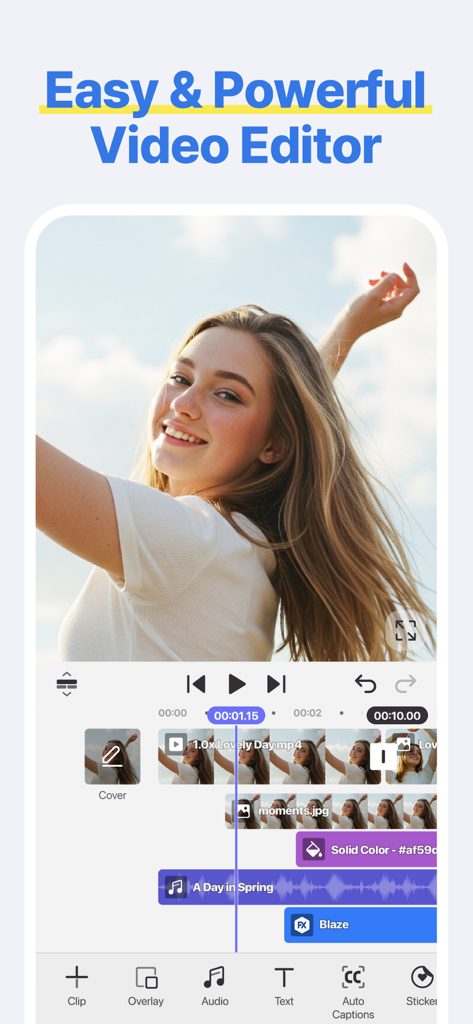
Mobile video editing interface of the Spring app showing a multi-track timeline and social media editing tools

Mobile video editing interface of the Spring app showing a multi-track timeline and social media editing tools

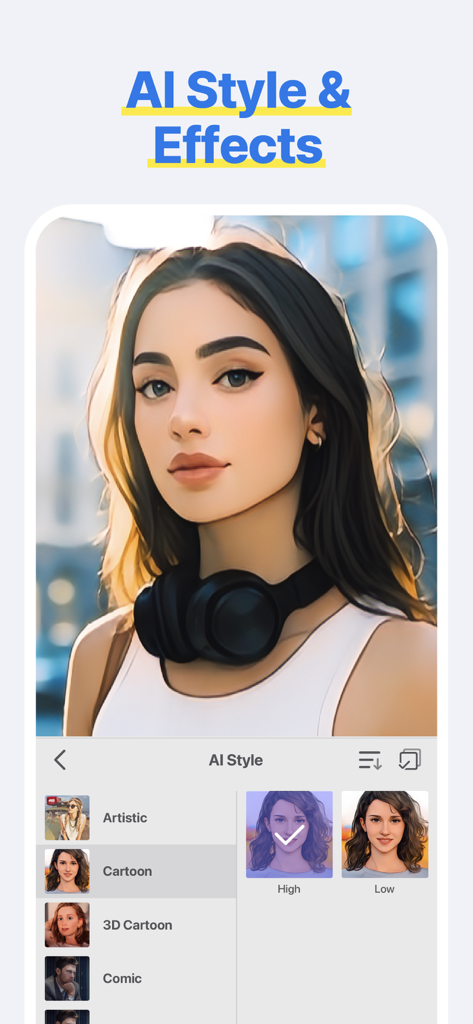
Spring Video Editor interface showing AI styles and cartoon effects applied to a portrait

Spring Video Editor interface showing AI styles and cartoon effects applied to a portrait

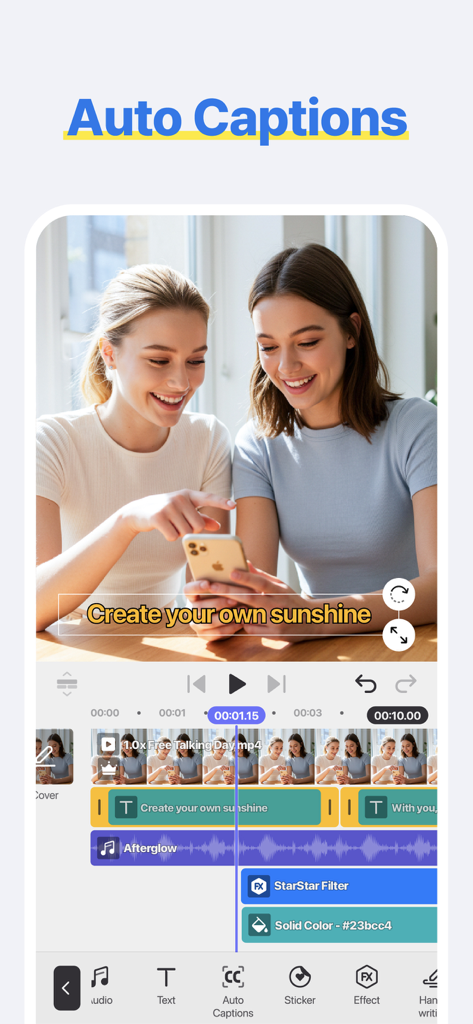
Mobile interface of the Spring Video Editor app showcasing the AI auto captions feature on a social media video

Mobile interface of the Spring Video Editor app showcasing the AI auto captions feature on a social media video

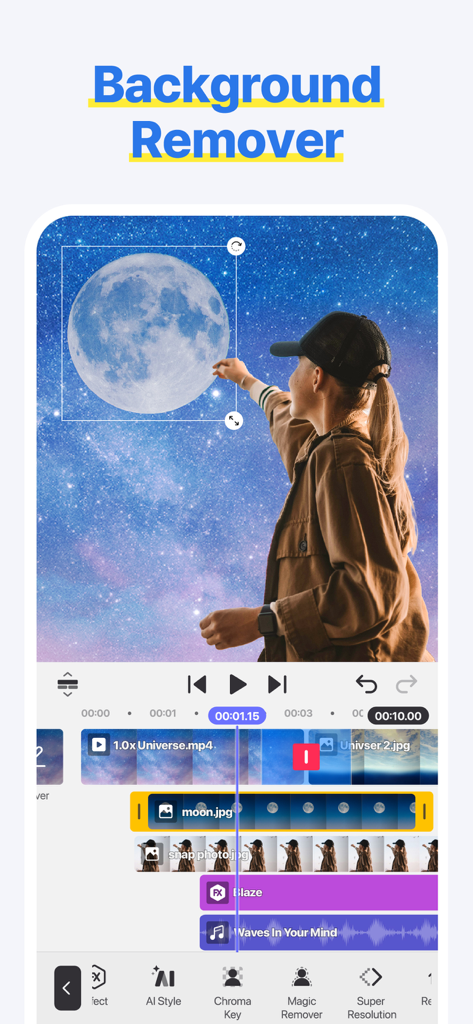
Spring video editor app interface showing the background remover feature with a girl and galaxy background

Spring video editor app interface showing the background remover feature with a girl and galaxy background

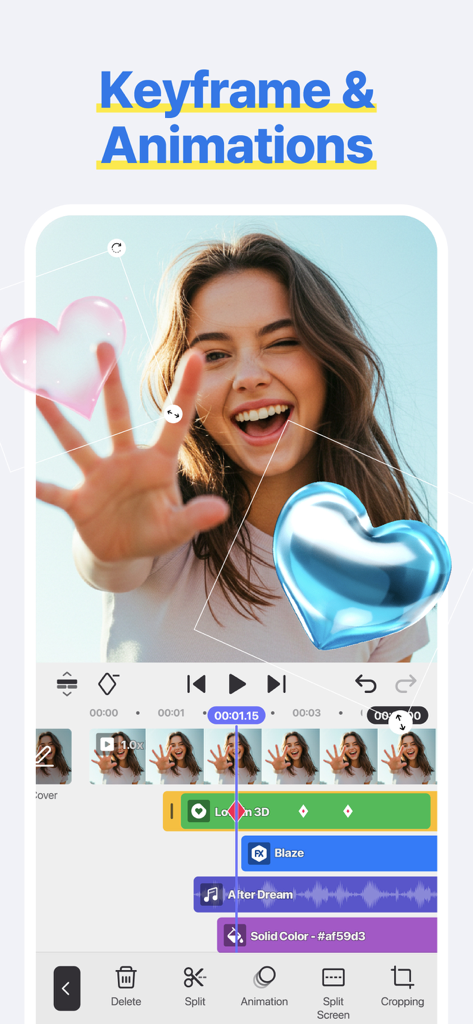
Spring video editor app interface showing keyframe animations with 3D heart stickers on a video timeline

Spring video editor app interface showing keyframe animations with 3D heart stickers on a video timeline

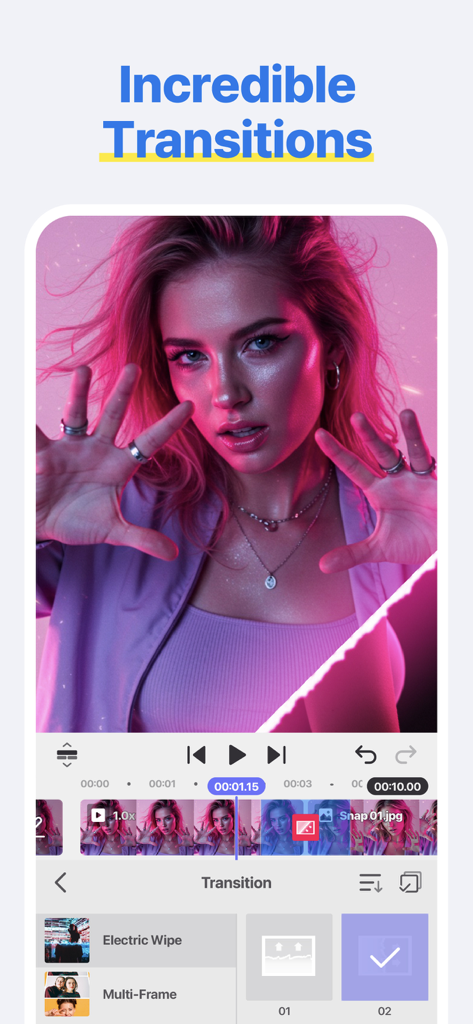
Smartphone screen showing the transitions editing feature in the Spring Video Editor app with a pink aesthetic video clip

Smartphone screen showing the transitions editing feature in the Spring Video Editor app with a pink aesthetic video clip

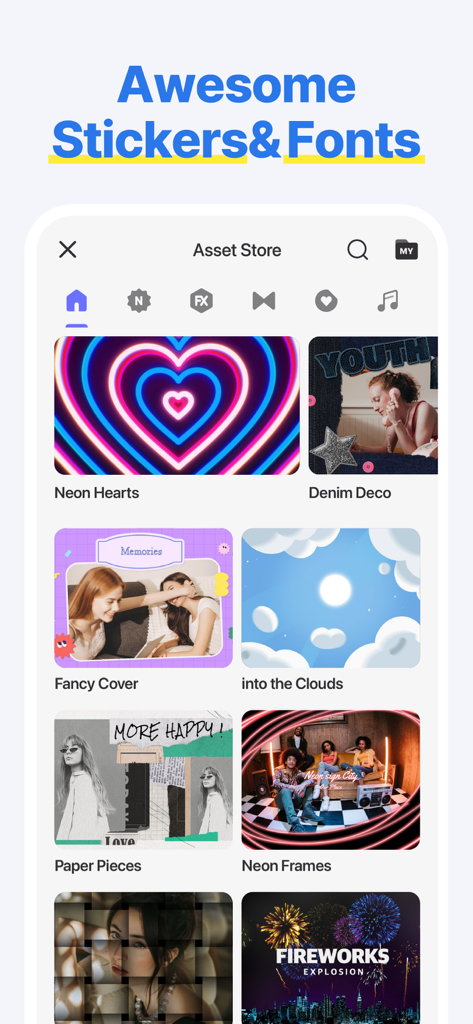
Spring Video Editor interface showing a collection of creative stickers and font packs in the asset store

Spring Video Editor interface showing a collection of creative stickers and font packs in the asset store

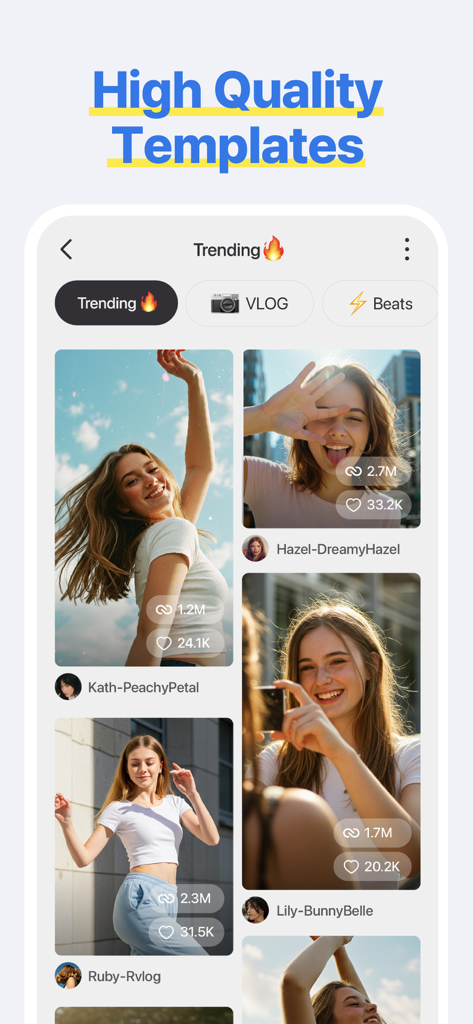
Interface of the Spring Video Editor app displaying trending high quality video templates for social media creators

Interface of the Spring Video Editor app displaying trending high quality video templates for social media creators

Create Viral Content in Minutes

The tools that make this app stand out, trusted by 581K+ users.

💬

AI Auto Captions

Save hours of manual work with instant subtitling. Our AI turns your speech into text automatically, keeping your audience engaged even on mute.

Viral Templates

Jump on the latest trends in under 60 seconds. Simply swap your clips into our high-energy templates designed for TikTok, Reels, and Shorts.

🔓

No Watermarks, Pro Quality

Export your masterpieces in stunning 4K at 60FPS with zero hidden fees. Your content stays clean, professional, and entirely yours.

Loved by users worldwide

Trusted by 581K+ people who love this app.

"

"I've tried every editor under the sun, but Spring is a total game changer for my TikToks. The AI Auto Captions are actually accurate and the fact that there are no watermarks or hidden fees is so refreshing. I can finally export 4K vlogs in minutes without the headache."

Chloe Rivera
"

"As a small business owner, I need my Reels to look professional but I don't have hours to edit. The templates in Spring allow me to drop in my footage and get a high-quality video ready in under 60 seconds. The AI Background Remover and 4K support make my products look incredible."

Marcus Thompson

About the app

Everything you need to know about Spring - Video Editor.

Description

[ Make Your Videos Your Way! ] ● Cut, combine, caption, overlay, and animate! ● AI tools make editing easy ● No watermarks, no sneaky purchases ● Supports up to 4K at 60FPS [ AI That Helps! ] ● AI Auto Captions: Add subtitles instantly from video or audio ● AI Text-to-Speech: Create spoken audio from text with one tap ● AI Music Match: Get song recommendations fast ● AI Magic Removal & Noise Remover: Cut out the background and zap annoying sounds ● AI Tracking, AI Upscaling, and AI Styles: Powerful AI tools to completely change how your video looks [ Done In 60 Seconds: Reels, Shorts, and TikTok Templates ] ● Provides trendy short-form templates ● Quickly complete by simply changing images or videos ● Supports template saving, sharing, and collaboration functions [ Use Easy & Powerful Editing Tools ] ● Make fast cuts, merge clips, make speed adjustments, and rewind ● Use pan & zoom, transitions, effects, and slow motion ● Add subtitles, text, stickers, and fun visual effects ● Make color corrections, voice changes, or animate with keyframes [ ""Use-it-Anywhere"" Music and Sound Effects ] ● Amazing background music and sound effects ● Safely upload to YouTube, Instagram, and TikTok [ Design & Decorate Your Videos ] ● Choose from tons of stickers, graphic animations, and effects ● Vibe with fun, trending and free video creative elements [ Make 4K Videos or HD Clips for Social Media ] ● Save up to 4K resolution and 60 frames per second ● Upload to social media, including YouTube, TikTok, and Instagram ● Create special effects with transparent background videos (ideal for design and motion graphics work) Terms of Use for Spring and Asset Store Use: https://resource.kinemaster.com/document/tos.html Contact: support@kinemaster.com

Latest Version

2.0.8(2329)

Size

181.5 MB

First Released

Jun 27, 2024

Ready to Level Up Your Content?

Join over 500,000 creators making pro-quality TikToks and Reels in seconds. Experience AI-powered editing with no watermarks, no sneaky fees, and stunning 4K exports.

Download on App StoreDownload on Google Play
FAQ

Frequently Asked Questions

Everything you need to know about Spring - Video Editor

Does Spring - Video Editor add watermarks to exported videos?

No, Spring - Video Editor does not add watermarks to exported videos. The application explicitly states "No watermarks" to ensure users create clean, professional content without brand overlays.

What specific artificial intelligence (AI) functionalities are available in Spring - Video Editor?

Spring - Video Editor offers various AI tools, including Auto Captions, Text-to-Speech, Music Match, Magic Removal, Noise Remover, Tracking, Upscaling, and AI Styles. These features streamline complex editing tasks for users.

What are the maximum resolution and frame rate for videos exported from Spring - Video Editor?

Spring - Video Editor allows users to save videos in resolutions up to 4K at 60 frames per second (FPS). This capability supports creating high-definition and smooth video content.

Does Spring - Video Editor provide ready-to-use templates for social media platforms like TikTok?

Yes, Spring - Video Editor offers trendy short-form templates specifically designed for platforms like Reels, Shorts, and TikTok. Users can customize these by simply changing images or videos.

Can users perform advanced video editing tasks such as keyframing and color correction in Spring - Video Editor?

Yes, Spring - Video Editor includes advanced editing tools such as keyframes for animation, color corrections, pan & zoom, transitions, and various visual effects. These empower creative control over video projects.

Is the music and sound effects library in Spring - Video Editor safe for social media uploads without copyright issues?

Yes, Spring - Video Editor provides "Use-it-Anywhere" music and sound effects. Users can safely upload videos incorporating these assets to platforms like YouTube, Instagram, and TikTok without copyright concerns.