Pedometer & Step Counter

Pedometer & Step Counter

Download on App StoreDownload on Google Play
Spark by MWM logo
Logo of Pedometer & Step Counter

Pedometer & Step Counter: The Battery-Saving Way to Reach Your Health Goals

Track your daily steps, calories, and progress with a 100% private counter that works right from your pocket. No GPS tracking, no sign-in required, and zero battery drain.

Publisher

Leap Health Fitness Limited

Category

Health & Fitness

Downloads

3M+

User Rating

4.9/5

Total Ratings

46K+

Locales

23

Your Journey in Focus

Discover the interface used by 3M+ users.

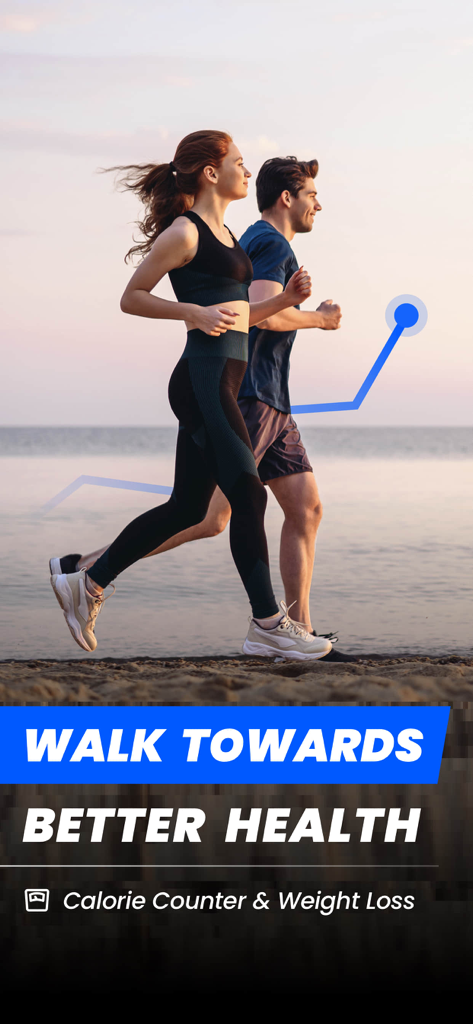
A couple walking on a beach at sunset with a blue fitness progress graph overlay and text encouraging better health through walking.

A couple walking on a beach at sunset with a blue fitness progress graph overlay and text encouraging better health through walking.

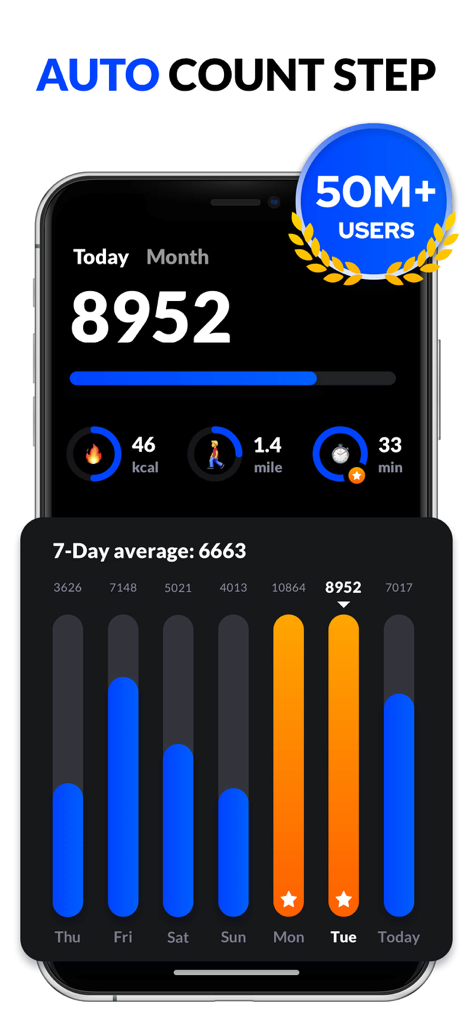
Pedometer app interface showing daily step count and a 7 day average progress graph

Pedometer app interface showing daily step count and a 7 day average progress graph

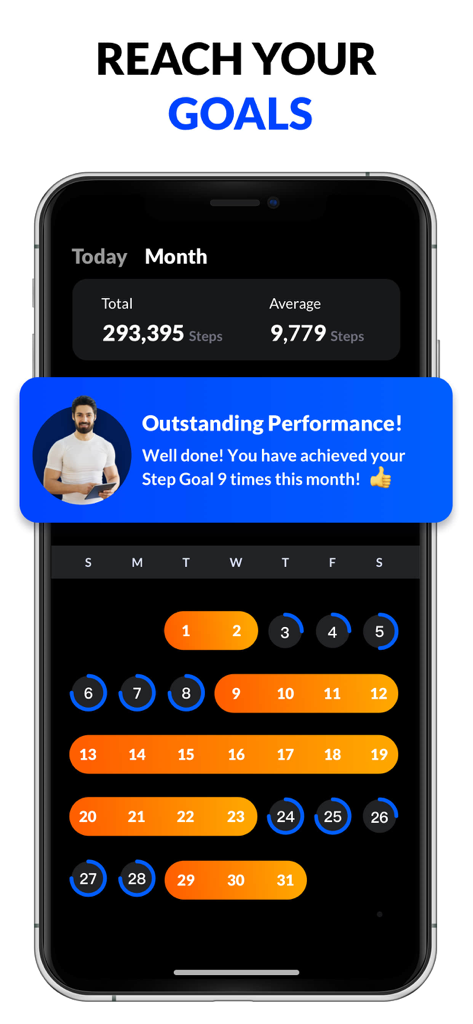
Pedometer app monthly progress screen showing total steps and daily goal achievement calendar

Pedometer app monthly progress screen showing total steps and daily goal achievement calendar

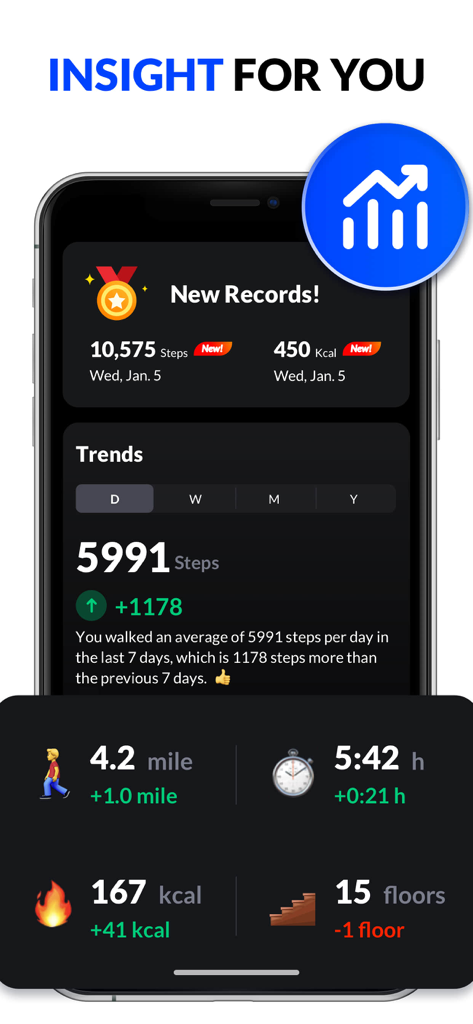
Dashboard of a step counter app showing daily activity trends including steps, calories, distance, and duration.

Dashboard of a step counter app showing daily activity trends including steps, calories, distance, and duration.

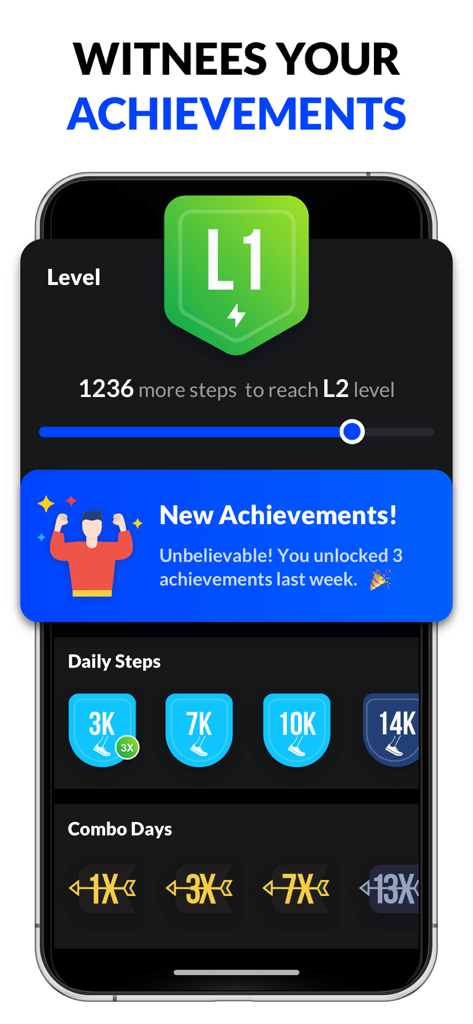
A smartphone screen displaying user levels daily step count badges and unlocked fitness achievements in a pedometer app

A smartphone screen displaying user levels daily step count badges and unlocked fitness achievements in a pedometer app

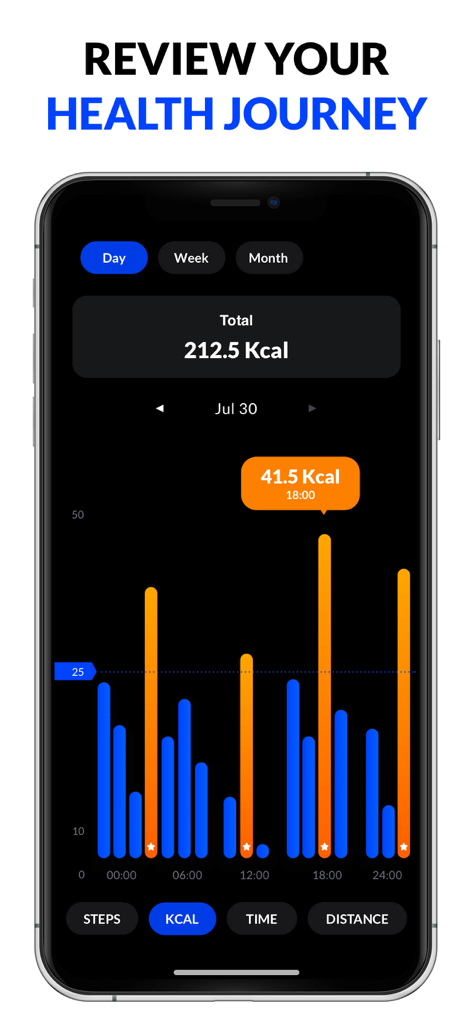
A daily health report graph showing burned calories in the Pedometer and Step Counter app.

A daily health report graph showing burned calories in the Pedometer and Step Counter app.

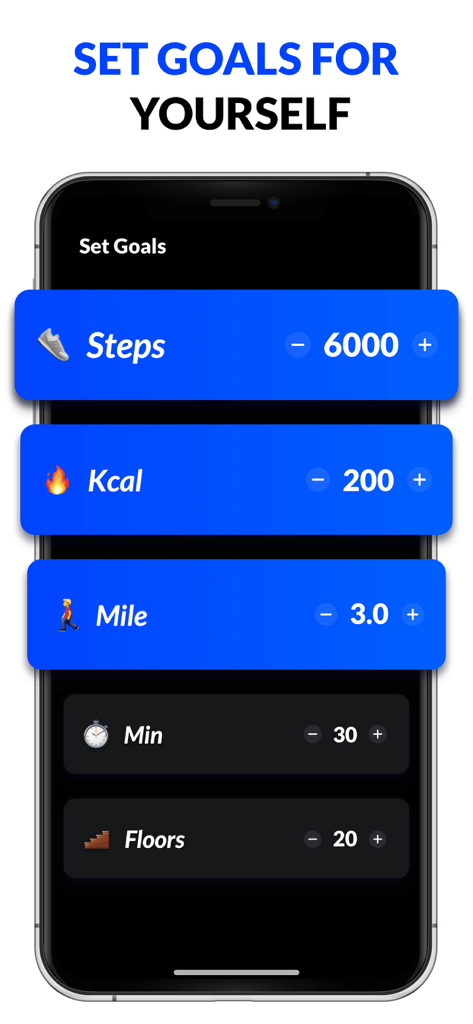
Interface for setting daily step calorie and distance goals in the pedometer app

Interface for setting daily step calorie and distance goals in the pedometer app

Simple Tracking for a Healthier Lifestyle

The tools that make this app stand out, trusted by 3M+ users.

🔋

Extreme Battery Efficiency

Our app uses your phone's built-in motion sensor instead of GPS. This allows you to track your activity all day long without worrying about your battery dying.

🛡️

100% Private & No Sign-In

Your data stays on your device. We don't require accounts, passwords, or personal info, ensuring your health journey remains completely anonymous and secure.

📊

Clear Progress Visuals

Stay motivated with easy-to-read graphs that track your steps, burned calories, and distance over time, helping you stay on top of your weight loss goals.

Loved by users worldwide

Trusted by 3M+ people who love this app.

"

"I've tried several fitness trackers, but they all drained my battery before the workday was over. This app is a lifesaver! It tracks everything accurately from my pocket without using GPS, and the best part is the privacy—no accounts or sign-ins required."

Sarah M.
"

"As someone who isn't very tech-savvy, I love how straightforward this pedometer is. The charts are clear and colorful, making it easy to see my progress toward my weight loss goals. It's motivated me to walk every morning, and I don't have to worry about hidden fees."

Robert K.

About the app

Everything you need to know about Pedometer & Step Counter.

Description

This pedometer uses the built-in sensor to count your steps. No GPS tracking, so it can greatly save battery. It also tracks your burned calories, walking distance and time, etc. All this information will be clearly displayed in graphs. Just tap the start button, and it starts counting your steps. Whether your phone is in your hand, bag, pocket or armband, it can auto-record your steps even your screen is locked. Save Power This step counter uses the built-in sensor to count your steps. No GPS tracking, so it barely consumes battery power. No locked Features No surprise and hidden charges. You can use all features without having to pay for them. 100% Private No sign-in required. We never collect your personal data or share your information with third parties. Report Graphs The report graphs are the most innovative ever, they are specially designed for mobile devices to help you track your walking data. You can check your last 24 hours’, weekly and monthly statistics in graphs. Sync data to Apple Health. Colorful Themes Multi colorful themes are under development. You can choose your favorite one to enjoy your step counting experience with this step tracker. IMPORTANT NOTE ● To ensure the accuracy of step counting, please input your correct information in settings, because it will be used to calculate your walking distance and calories. ● You are welcome to adjust sensitivity to make pedometer count steps more accurately. ● Because of the device power saving processing, some devices stop counting steps when the screen is locked. ● Step counting is not available for devices with older versions when their screen is locked. It's not a bug. We are sorry to say that we are not able to solve this problem. Best Pedometer Looking for an accurate step counter? Does your pedometer use too much power? Our step counter is the most accurate one you can find and is also a battery saving pedometer. Get our step counter now! Weight Loss Apps Looking for lose weight app? No satisfied weight loss apps? Don't worry, here is the best lose weight app you can find to help you lose weight. Try it now, this lose weight app not only can count steps but also a good weight loss apps. Subscription Terms and Details - Get unlimited access to all features: ① USD $1.99/week without trial ② USD $29.99/year with 7-day trial - The payment will be charged to your iTunes account at confirmation of purchase. - The subscription automatically renews unless auto-renew is turned off at least 24 hours before the end of the current period. - Subscription may be managed and auto-renewal may be turned off by going to Account Settings after purchase. - The account will be charged for renewal within 24 hours prior to the end of the current period. - Any unused portion of a free trial period will be forfeited when the user purchases a subscription to that publication. Privacy Policy: https://pedometer.leaphealth.fitness/privacypolicy.html Terms of Use: https://pedometer.leaphealth.fitness/terms.html

Latest Version

2.1.9

Size

116.7 MB

First Released

Dec 14, 2017

Start Walking Toward a Healthier You Today

Join over 3 million people tracking their progress without the battery drain. No sign-in required—just download and start your journey for free.

Download on App StoreDownload on Google Play
FAQ

Frequently Asked Questions

Everything you need to know about Pedometer & Step Counter

What is the "Pedometer & Step Counter" app?

"Pedometer & Step Counter" uses your phone's sensor to count steps, track burned calories, walking distance, and time. It displays all data clearly in graphs for user analysis.

Does the Pedometer & Step Counter app drain battery?

No, "Pedometer & Step Counter" uses the built-in sensor, not GPS tracking, to count steps. This approach ensures it barely consumes battery power, making it energy-efficient.

Does the Pedometer & Step Counter app collect personal data?

No, "Pedometer & Step Counter" is 100% private. It does not require sign-in, and it never collects personal data or shares information with third parties.

Does the Pedometer & Step Counter app have locked features or hidden charges?

No, the "Pedometer & Step Counter" app offers all features without any locked content or hidden charges. Users can access all functionalities without paying for them.

How does the Pedometer & Step Counter app auto-record steps?

The "Pedometer & Step Counter" app automatically records steps after tapping start. It counts steps even if the phone is in a hand, bag, pocket, armband, or when the screen is locked.

What kind of reports does the Pedometer & Step Counter app provide?

The "Pedometer & Step Counter" app provides innovative report graphs showing last 24 hours, weekly, and monthly statistics. These are designed for mobile devices to track walking data efficiently.

Can "Pedometer & Step Counter" app sync data to Apple Health?

Yes, the "Pedometer & Step Counter" app can sync data directly to Apple Health. This feature allows users to integrate their walking statistics with other health data.

How can I improve step counting accuracy in the Pedometer & Step Counter app?

To improve accuracy, users must input correct personal information in settings. Adjusting sensitivity can also make "Pedometer & Step Counter" count steps more accurately.

Why does "Pedometer & Step Counter" stop counting steps when the screen is locked on some devices?

Some devices stop counting steps when the screen is locked due to power-saving processing. This is a device limitation, not a bug, and cannot be solved by "Pedometer & Step Counter".

What are the subscription options for the "Pedometer & Step Counter" app?

The "Pedometer & Step Counter" app offers unlimited access for USD $1.99/week without a trial or USD $29.99/year with a 7-day trial.

How can I manage my "Pedometer & Step Counter" app subscription or turn off auto-renewal?

Subscriptions can be managed, and auto-renewal can be turned off by accessing Account Settings after purchase. This must be done at least 24 hours before the current period ends.

Does the "Pedometer & Step Counter" app help with weight loss?

Yes, the "Pedometer & Step Counter" app functions as a weight loss aid. It counts steps and tracks burned calories, assisting users in their weight loss journey.

How many users does the "Pedometer & Step Counter" app have?

The "Pedometer & Step Counter" app has over 50 million users. This indicates its widespread adoption and popularity among fitness tracking applications.