Step Tracker · Step Counter

Step Tracker · Step Counter

Download on App StoreDownload on Google Play
Spark by MWM logo
Logo of Step Tracker · Step Counter

Step Tracker · Step Counter: Track Every Step and Reach Your Goals with Total Privacy

Effortlessly monitor your daily activity and calories with our battery-saving pedometer. No login required, 100% private, and perfectly synced with Apple Health and your Apple Watch.

Publisher

Leap Health Fitness Limited

Category

Health & Fitness

Downloads

924K+

User Rating

4.9/5

Total Ratings

3K+

Locales

30

A Clearer View of You

Discover the interface used by 924K+ users.

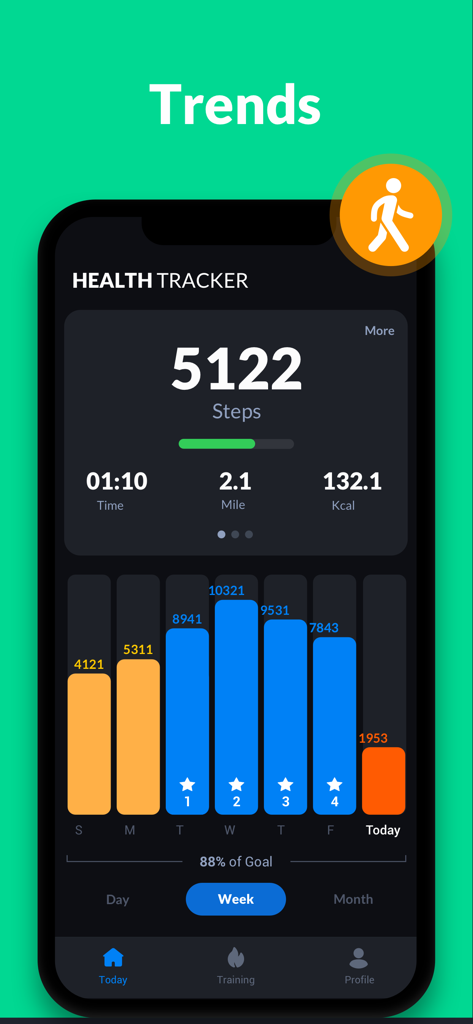
Weekly step count trends bar graph in a dark mode health tracker app interface

Weekly step count trends bar graph in a dark mode health tracker app interface

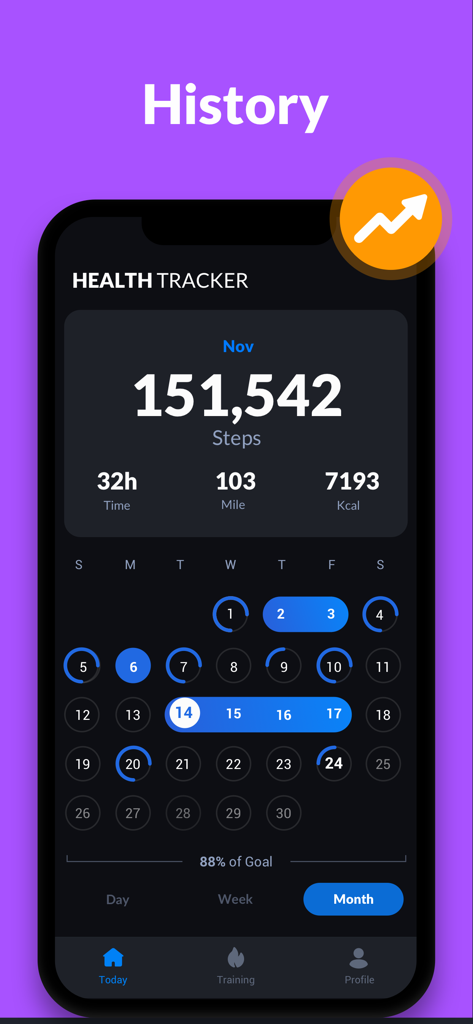
Monthly history view of the Step Tracker app showing total steps, time, distance, and calories burned in a dark mode calendar interface.

Monthly history view of the Step Tracker app showing total steps, time, distance, and calories burned in a dark mode calendar interface.

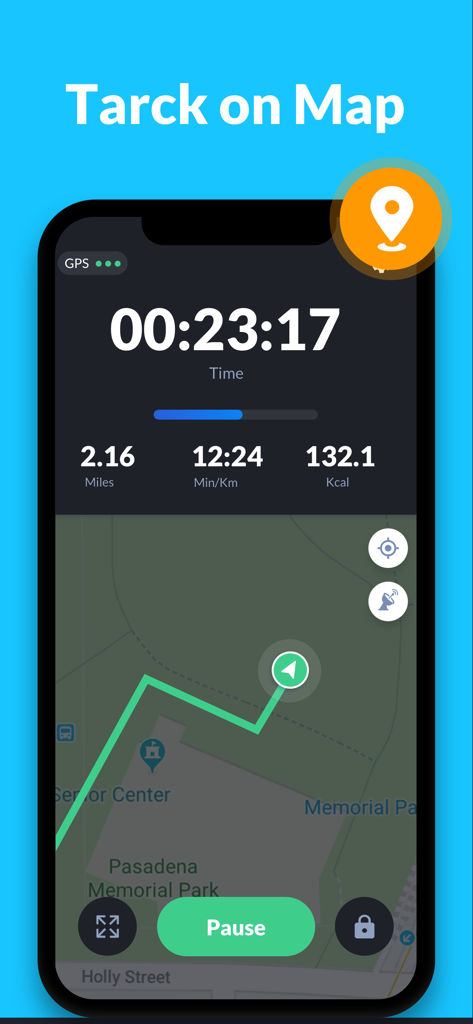
Interface of the Step Tracker app showing a GPS walking route on a map with duration distance and calories

Interface of the Step Tracker app showing a GPS walking route on a map with duration distance and calories

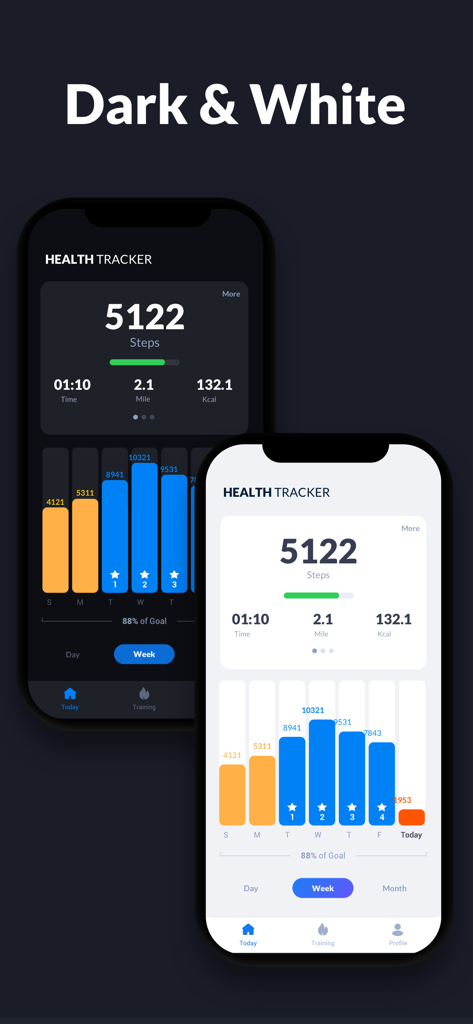
Comparison of Step Tracker app interface in dark and white themes showing daily steps and weekly activity graphs

Comparison of Step Tracker app interface in dark and white themes showing daily steps and weekly activity graphs

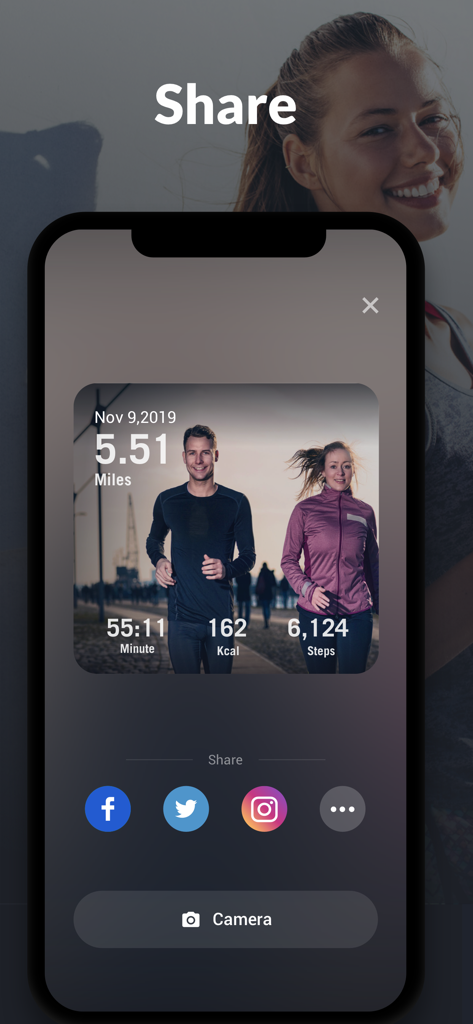
Step Tracker app share screen displaying workout statistics and social media sharing icons

Step Tracker app share screen displaying workout statistics and social media sharing icons

Empower Your Daily Walk

The tools that make this app stand out, trusted by 924K+ users.

🛡️

Private and Ready to Go

No login required. Start tracking your steps instantly with 100% privacy and no personal data collection.

🔋

Unrivaled Battery Life

Our built-in sensor technology captures every step without using GPS, keeping your phone powered through your longest days.

📈

Visual Progress Reports

Transform your movements into clear, actionable data with intuitive graphs that sync perfectly with Apple Health.

Loved by users worldwide

Trusted by 924K+ people who love this app.

"

"I've tried so many fitness apps, but most demand too much personal info. I love that this one is 100% private—no login required! It’s incredibly accurate even when my phone is just in my pocket, and the battery saving is a total lifesaver during my long work days."

Sarah Jenkins
"

"The Apple Watch integration is seamless. I’m a data person, so the clear weekly graphs really help me stay motivated to hit my 10k step goal. It’s clean, simple, and exactly what I needed to stay active without the clutter of a complicated fitness app."

Marcus Thompson

About the app

Everything you need to know about Step Tracker · Step Counter.

Description

The most accurate & simple step tracker auto tracks your daily steps, burned calories, walking distance, duration, pace, health data, etc., and display them in intuitive graphs for easy checking. Power Saving Pedometer Step counter counts your daily steps with the built-in sensor, which greatly saves battery. It records steps accurately even when the screen is locked, whether your phone is in your hand, your pocket, your bag, or your armband. Real-time Map Tracker In GPS tracking mode, step counter tracks your fitness activity in detail (distance, pace, time, calories), and records your routes on the map with GPS in real-time. But if you don’t choose GPS tracking, it will count steps with built-in sensor to save battery. 100% Private No locked features. No login required. You can freely use all features without login. Easy to Use Step Counter It auto records your steps. You will get your daily steps report on time. Report Graph Your walking data will be displayed in clear graphs. You can easily check your daily, weekly and monthly walking statistics. Targets and Achievements Set daily steps goal. Continuously achieve your goal will keep you motivated. You can also set targets for your fitness activity (distance, calories, duration, etc.). Fashion & Simple Design Its clean, simple, and fashion design brings excellent user experience. Apple Watch & Apple Health You can synchronize and import your activity data via Apple Health. You can track your activity with your iPhone and your Apple Watch. Colorful Themes It provides dark mode, with more themes coming soon. Select your favorite theme for the step tracker and enjoy the step counting. Important Notes * To ensure accurate step counting, make sure the information you entered on the settings page is correct. * You can adjust the sensitivity level of the step tracker for more accurate step counting. * Some devices may stop counting when the screen is locked due to their power saving processing. * Devices with older version can’t count steps with locked screen. Steps tracker Want a steps tracker to track your daily steps? This accurate steps tracker can help you. Steps counter Steps counter helps track your daily steps, burned calories, and weight loss progress. Lose weight with steps counter. Step counter app This step counter app is very easy to use. Open it and start to walk, step counter app automatically records your steps. Pedometer step counter A simple pedometer step counter auto tracks your steps. Walk with pedometer step counter, keep fit and get in better shape. Pedometer for walking Need a pedometer for walking to track your steps? This pedometer for walking is your best choice. Pedometer with calorie burner This pedometer with calorie burner tracks your steps and calculates burned calories. It's a full-featured pedometer with calorie burner. Subscription Terms and Details - Get unlimited access to all features: ① USD $1.99/week ② USD $1.99/week with 7-day trial ③ USD $29.99/year with 7-day trial - The payment will be charged to your iTunes account at confirmation of purchase. - The subscription automatically renews unless auto-renew is turned off at least 24 hours before the end of the current period. - Subscription may be managed and auto-renewal may be turned off by going to Account Settings after purchase. - The account will be charged for renewal within 24 hours prior to the end of the current period. - Any unused portion of a free trial period will be forfeited when the user purchases a subscription to that publication. Privacy Policy: https://step3.leaphealth.fitness/privacypolicy.html Terms of Use: https://step3.leaphealth.fitness/terms.html We are committed to providing better services for our users. If you have any questions or suggestions, please feel free to contact us at leapfitness@gmail.com.

Latest Version

1.1.9

Size

133.4 MB

First Released

Dec 10, 2019

Ready to Hit Your Daily Step Goal?

Join over 900,000 users who prioritize their health and privacy. Download now to start tracking your progress with zero setup, no login required, and maximum battery efficiency.

Download on App StoreDownload on Google Play
FAQ

Frequently Asked Questions

Everything you need to know about Step Tracker · Step Counter
What is the Step Tracker · Step Counter app?

Step Tracker · Step Counter automatically tracks daily steps, burned calories, walking distance, duration, pace, and health data. It displays this information in intuitive graphs for easy monitoring of fitness progress.

Does Step Tracker · Step Counter save battery while tracking steps?

Yes, Step Tracker · Step Counter uses a built-in sensor for counting steps, which significantly conserves battery. It can accurately record steps even when the screen is locked, depending on device settings.

Does Step Tracker · Step Counter provide real-time map tracking?

Yes, Step Tracker · Step Counter tracks fitness activity in detail using GPS mode, including distance, pace, time, and calories. It records user routes on a map in real-time.

Is the Step Tracker · Step Counter app private and secure with all features?

Step Tracker · Step Counter offers 100% privacy, requires no login, and has no locked features in its basic functionality. However, unlimited access to all features, such as advanced data synchronization, requires a subscription.

Does Step Tracker · Step Counter offer a free trial period?

Step Tracker · Step Counter provides a 7-day free trial for its weekly and annual subscription plans. After the trial, users can choose to subscribe to unlock unlimited access to all features.

Can I set fitness goals within the Step Tracker · Step Counter app?

Yes, Step Tracker · Step Counter allows users to set daily step goals. It also supports setting targets for other fitness activities, such as distance, calories, and duration, to keep users motivated.

Does Step Tracker · Step Counter integrate with Apple Health and Apple Watch?

Yes, Step Tracker · Step Counter is compatible with Apple Watch and Apple Health. Users can synchronize and import their activity data, enabling tracking with both their iPhone and Apple Watch.

How does Step Tracker · Step Counter display fitness data?

Step Tracker · Step Counter provides data visualization through clear graphs, allowing users to easily check their daily, weekly, and monthly walking statistics for comprehensive progress monitoring.

Does Step Tracker · Step Counter offer different themes or dark mode?

Yes, Step Tracker · Step Counter offers colorful themes, including a dark mode. More themes are planned for future updates to enhance the user experience and interface customization.

How can I improve step counting accuracy in Step Tracker · Step Counter?

To ensure accurate step counting, users must ensure correct information is entered in the settings page and can adjust the step tracker's sensitivity level for optimal performance.