Proxyman - Capture HTTPS

Proxyman - Capture HTTPS

Download on App Store
Spark by MWM logo
Logo of Proxyman - Capture HTTPS

Proxyman: Professional HTTP/HTTPS Debugging Directly on Your iPhone and iPad

The native, high-performance web proxy for modern developers. Inspect, decrypt, and debug network traffic in real-time with Map Local, Breakpoints, and JSON syntax highlighting—no MacBook required.

Publisher

Proxyman LLC

Category

Developer Tools

Downloads

213K+

User Rating

4.7/5

Total Ratings

2K+

Locales

1

Inspection Made Visual

Discover the interface used by 213K+ users.

Proxyman app promotional screen with the text Capture HTTPS on your iPhone and a laurel wreath stating Loved by Developers

Proxyman app promotional screen with the text Capture HTTPS on your iPhone and a laurel wreath stating Loved by Developers

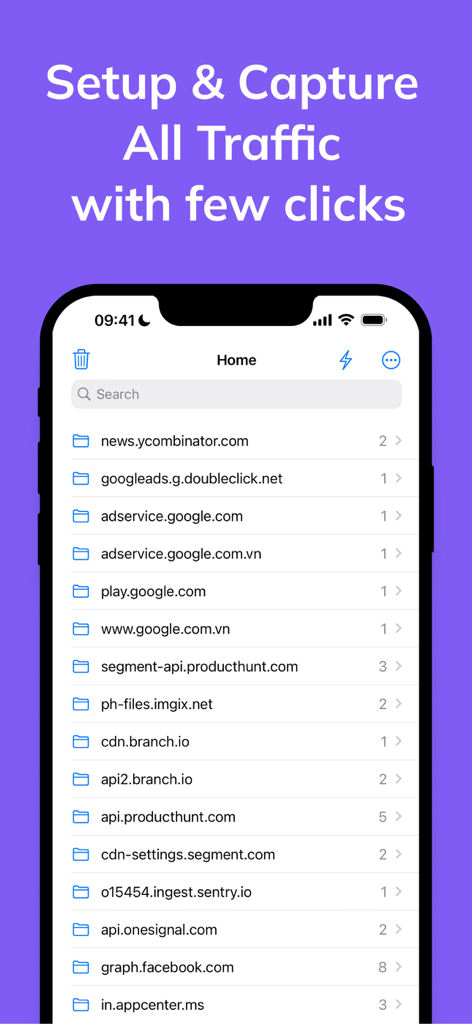
Proxyman app interface showing a list of captured network domains for debugging.

Proxyman app interface showing a list of captured network domains for debugging.

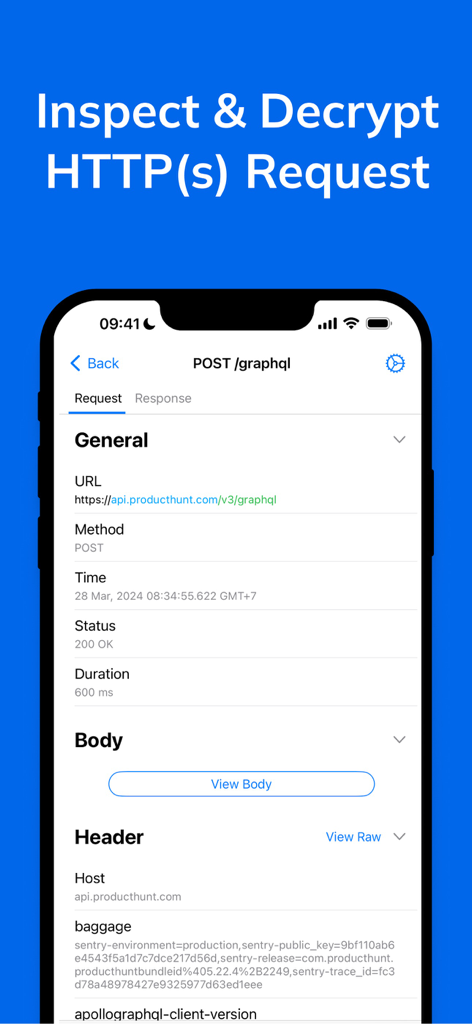
Proxyman mobile app interface showing detailed HTTPS request inspection and decryption on an iPhone

Proxyman mobile app interface showing detailed HTTPS request inspection and decryption on an iPhone

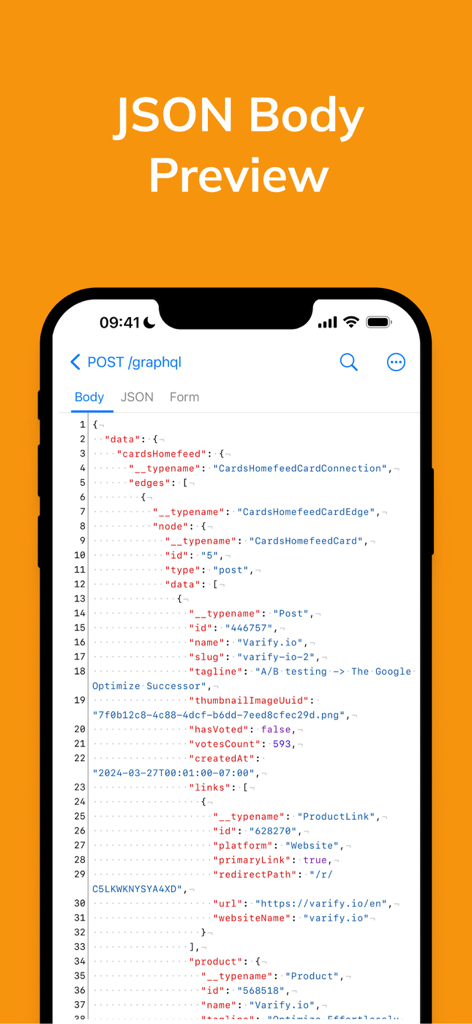
Proxyman app showing a JSON body preview with syntax highlighting for a GraphQL request on an iPhone screen.

Proxyman app showing a JSON body preview with syntax highlighting for a GraphQL request on an iPhone screen.

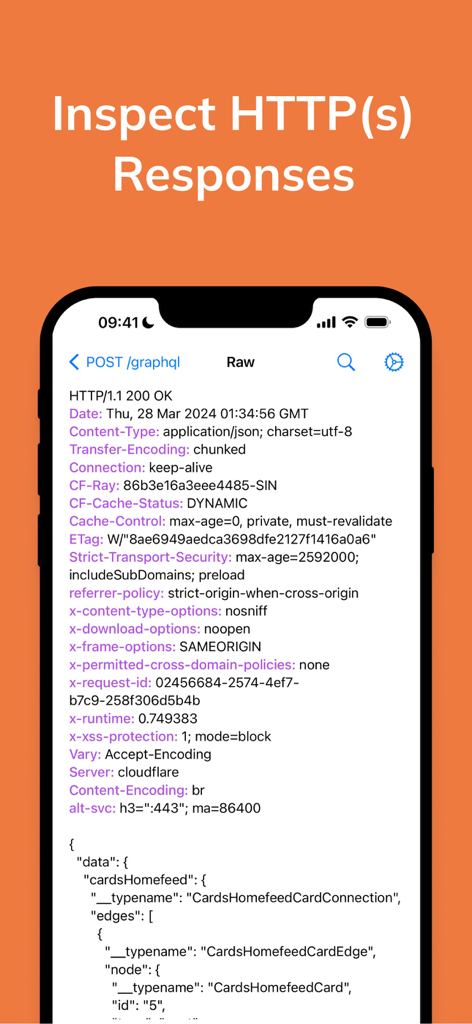
iPhone screen displaying HTTP response headers and GraphQL JSON data inside the Proxyman app

iPhone screen displaying HTTP response headers and GraphQL JSON data inside the Proxyman app

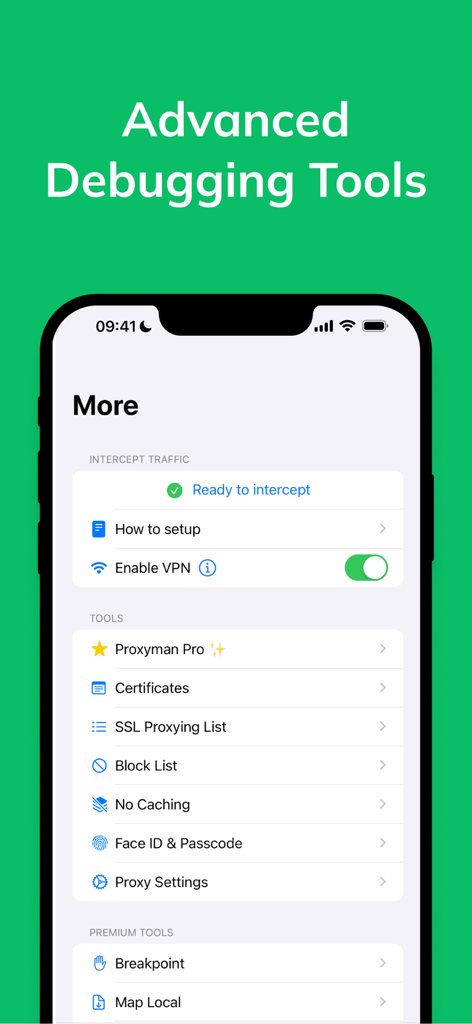
Interface of Proxyman iOS app showing the More menu with options for VPN interception and advanced debugging tools like SSL proxying and local mapping.

Interface of Proxyman iOS app showing the More menu with options for VPN interception and advanced debugging tools like SSL proxying and local mapping.

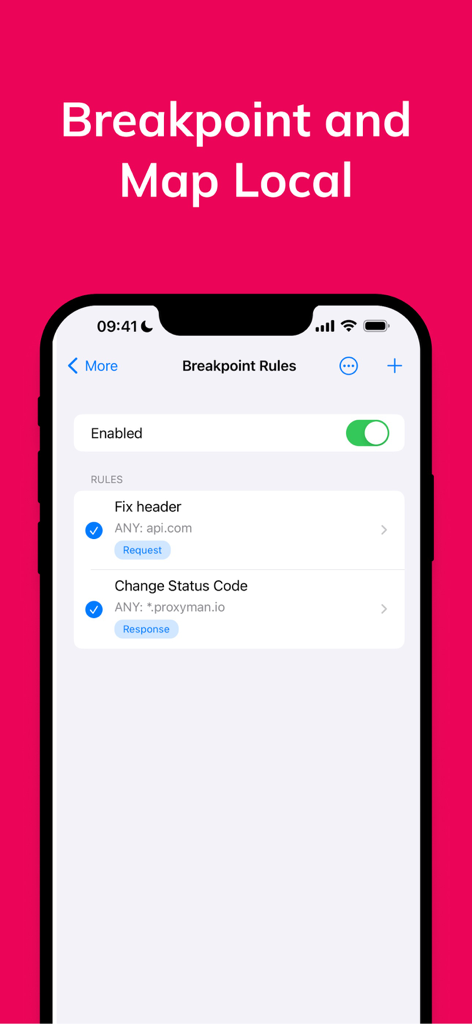
Proxyman app interface showing breakpoint rules for mobile debugging.

Proxyman app interface showing breakpoint rules for mobile debugging.

Professional Tools for Modern Developers

The tools that make this app stand out, trusted by 213K+ users.

🚀

Zero-Config Interception

Capture and decrypt HTTPS traffic instantly over Wi-Fi and Cellular via a local VPN tunnel. No MacBook or manual proxy settings required.

🔍

Desktop-Class Inspection

Analyze payloads with JSON syntax highlighting, TreeViews, and multi-column layouts designed for high-resolution mobile screens.

đź”’

Enterprise-Grade Security

Keep sensitive data on-device with local-only storage and self-signed certificates. Protect your workspace with FaceID or TouchID.

Loved by users worldwide

Trusted by 213K+ people who love this app.

"

"As a lead iOS engineer, Proxyman has completely transformed my debugging workflow. The ability to intercept and decrypt HTTPS traffic directly on my iPhone via a local VPN—without messing with manual proxy settings on my Mac—is a massive time-saver. The native UI and JSON syntax highlighting make it the most polished developer tool in my arsenal."

Alex Chen, Senior iOS Developer
"

"Proxyman is a game-changer for testing on the go. I can finally inspect API responses over cellular data and public Wi-Fi without being tethered to a laptop. The 'Map Local' and 'Breakpoint' features are incredibly robust, and I love that all sensitive data stays local on my device, secured by FaceID."

Sarah Jenkins, Mobile QA Engineer

About the app

Everything you need to know about Proxyman - Capture HTTPS.

Description

Meet a superb Web Debugging Proxy that can act like a middle-man, aka Proxyman.  ### Features - Directly Capture & Inspect HTTP/HTTPS from your iOS/iPad Devices without using MacBooks. - Decrypt and View HTTP/HTTPS Request/Response in plain text - JSON Syntax Highlighting - Exclusively designed for iPhone and iPad (Landscape and Two Columns) - Share traffic to Proxyman macOS - a native macOS app for better inspection - Pin working domains - Quick filter with URL, Header Body, and Type of Request/Response (e.g., JSON, Form, HTML, CSS, Document, etc) - Better Request/Response Previewer: Multiple columns, JSON Preview, JSON TreeView, etc - Safe Lock: Protect your sensitive data with FaceID / TouchID / Passcode - Advanced Debugging Tools: SSL Proxying, Block List, Map Local, Breakpoint, etc ### Proxyman macOS Proxyman for iOS works perfectly with Proxyman for macOS (native macOS app, supports macOS 26 and M4 Chip) ### How it works Proxyman iOS creates a local VPN on your device and then forwards all traffic to a Local Man-in-The-Middle Server. As long as the VPN is active, Proxyman iOS can capture all traffic over Wi-Fi and cellular Data. ### How about my sensitive data? - Proxyman Root Certificate is a self-signed certificate that is generated on your local machine. Thus, all requests and responses are captured and stored on your devices and Proxyman does not have access to your data. - There are no remote servers involved. What’s in your devices, it’s in your devices. ************* - Support: https://proxyman.com/support - Privacy Policy: https://proxyman.com/privacy - Terms of Services: https://proxyman.com/terms-of-use

Latest Version

3.8.0

Size

43.7 MB

First Released

Mar 10, 2021

Master Your Network Traffic on the Go

Join over 213K developers and get the power of a desktop-class proxy in the palm of your hand. Securely inspect HTTP/HTTPS requests with zero-latency, local-only processing.

Download on App Store