Screen Recorder Pro⋆

Screen Recorder Pro⋆

Download on App Store
Spark by MWM logo
Logo of Screen Recorder Pro⋆
Screen Recorder Pro⋆: Your Ultimate Gaming & Reaction Studio

Capture high-quality gameplay with real-time Face Cam reactions. Edit, trim, and share your viral moments to YouTube and TikTok directly from your iPhone or iPad.

Publisher

Scep Group LLC

Category

Utilities

Downloads

1M+

User Rating

4.5/5

Total Ratings

23K+

Locales

1

Your Studio at a Glance

Discover the interface used by 1M+ users.
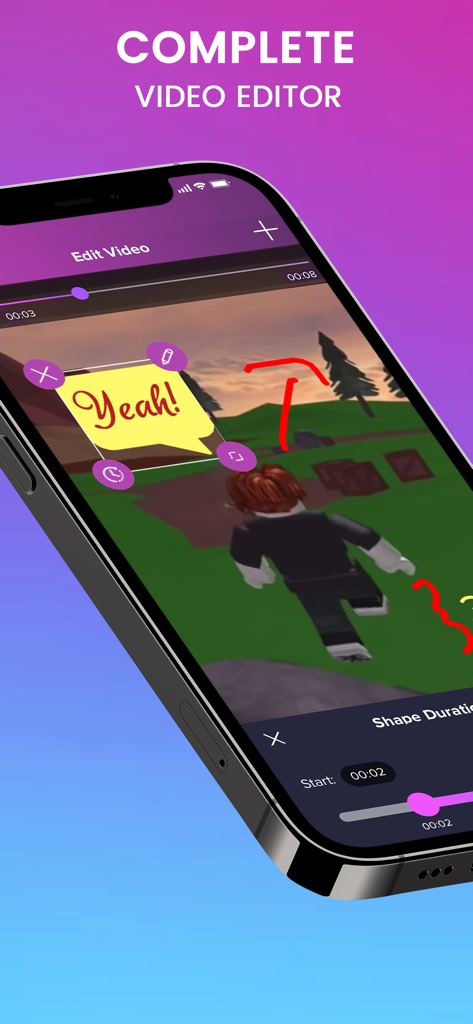
A mobile interface for editing screen recordings with gaming footage and text bubble stickers

A mobile interface for editing screen recordings with gaming footage and text bubble stickers

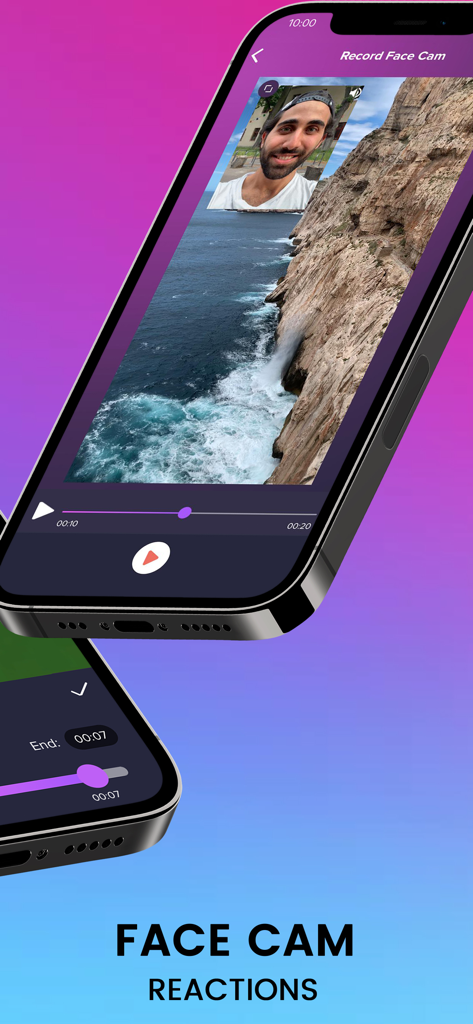
iPhone screen showing a video reaction with a face cam overlay using Screen Recorder Pro app

iPhone screen showing a video reaction with a face cam overlay using Screen Recorder Pro app

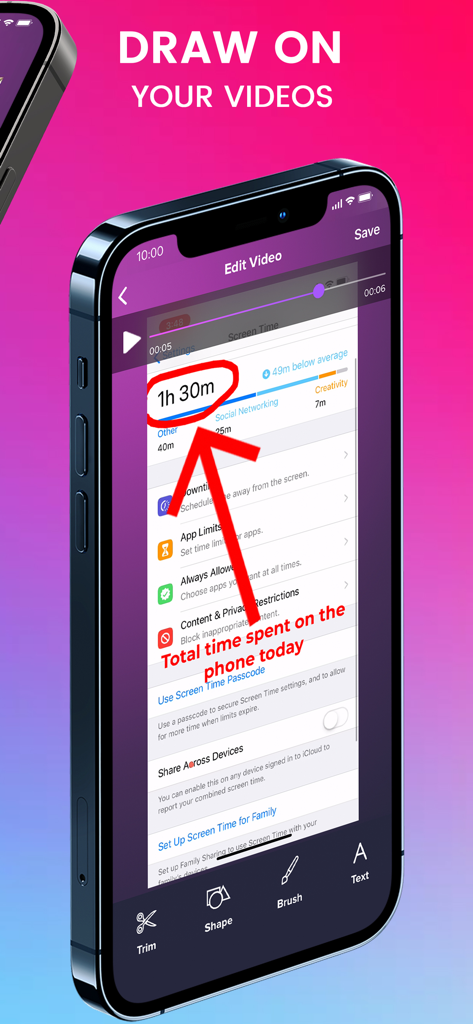
iPhone displaying Screen Recorder Pro app editing interface with red arrow and circle annotations drawn on a video recording

iPhone displaying Screen Recorder Pro app editing interface with red arrow and circle annotations drawn on a video recording

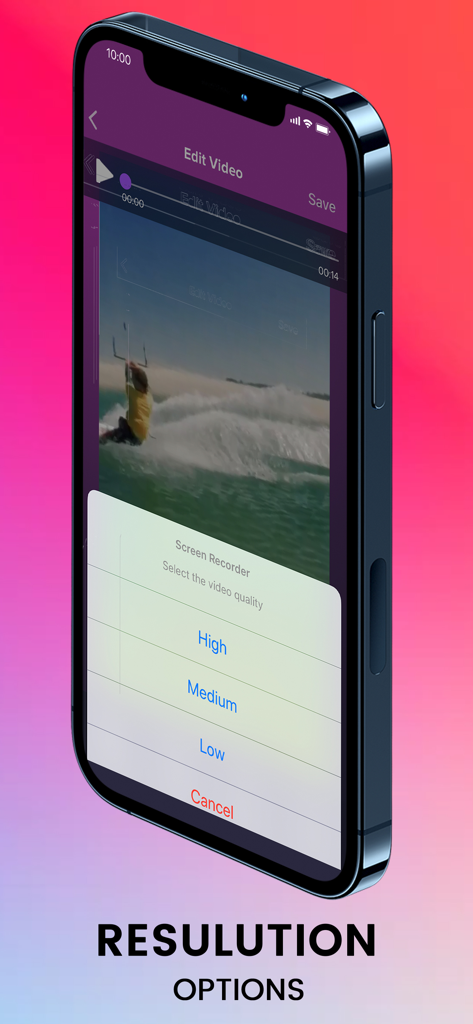
A smartphone screen displaying high medium and low video resolution options in the Screen Recorder Pro app.

A smartphone screen displaying high medium and low video resolution options in the Screen Recorder Pro app.

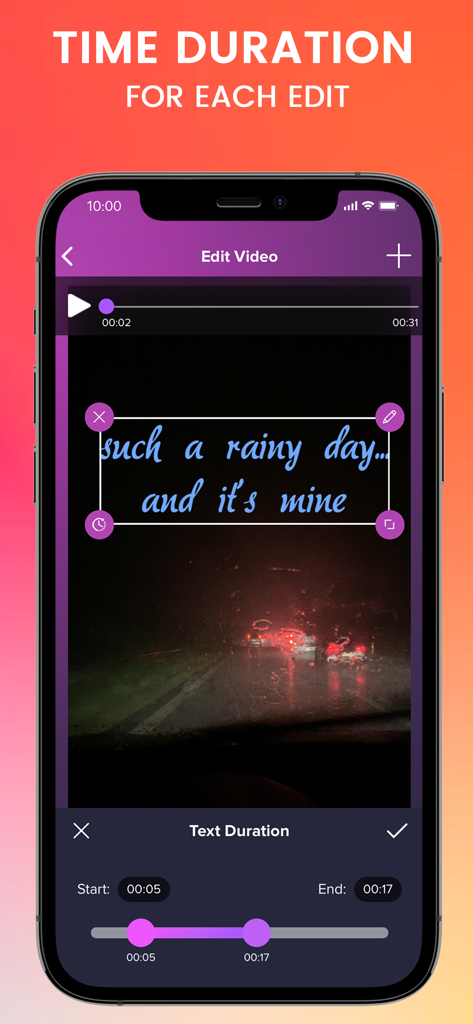
Screen Recorder Pro app interface showing the video editing tool for setting text overlay duration on an iPhone

Screen Recorder Pro app interface showing the video editing tool for setting text overlay duration on an iPhone

From Screen Capture to Viral Content

The tools that make this app stand out, trusted by 1M+ users.

🤳

Pro Face Cam Reactions

Capture your real-time reactions alongside your gameplay. Build a deeper connection with your audience by showing every win and 'fail'.

🎬

All-In-One Editor Studio

Trim, polish, and perfect your videos without leaving the app. Save time and go from recording to posting in just a few taps.

🎮

High-Definition Game Capture

Record high-intensity games like Fortnite or Roblox in crystal clear quality. Smooth performance ensures your viewers never miss a frame of the action.

Loved by users worldwide

Trusted by 1M+ people who love this app.

"

"As a mobile gamer, Screen Recorder Pro is a total game-changer. The face cam reaction feature lets me create professional-looking Fortnite walkthroughs directly from my iPhone. It's so much easier than using a complex PC setup!"

Tyler G.
"

"I love how easy it is to edit my recordings and share them straight to TikTok. It's the perfect all-in-one studio for my reaction videos. No more switching between three different apps just to post a single clip!"

Chloe R.

Review Analysis

Insights from user reviews.

Sentiment Score

31%
Negative

Summary

This screen recording app receives highly mixed, predominantly negative feedback. While some users initially praise its core recording functionality, noting good quality and the convenience of saving videos directly to their photo gallery, the positive sentiment is largely overshadowed by significant issues. The most common complaint revolves around an aggressive paywall, where essential features like saving or editing videos require payment after only a single use or a short trial, leading many to feel misled or scammed. Additionally, numerous users report critical app instability, with the recording function frequently stopping or becoming unresponsive after initial use, often necessitating reinstallation.

Common Themes

Paywall / Subscription Model(23)
App Instability / Malfunctions(12)
Screen Recording Functionality(12)
Misleading Free Claims(7)
Language Support(2)
Video Editing Features(1)
Output Destination (Photo Gallery)(1)

About the app

Everything you need to know about Screen Recorder Pro⋆.

Description

Screen Recorder Pro is the recording app you have been waiting for. Not only will you be able to record and capture your screen, you will also be able to edit your videos and record face cam reactions. Great editor studio for Youtube creators, Fortnite & other game players. With Screen Recorder Pro, record all content from your screen, including games and app walk-through, video demos, tutorials, Youtube videos, training videos on your iPhone and iPad. Anything you want, just go record it! Thanks to this easy screen recorder. Share your recordings from the screen recorder easily to major social media platforms like Youtube, Facebook, Instagram, Twitch. Main features of Screen Recorder Pro: - Record screen - Record face cam reaction - Edit videos *** Screen Recorder Pro SUBSCRIPTION PRICING AND TERMS Screen Recorder Pro offers 3 auto-renewing subscription options. You can subscribe to get access to all screen recording features. • Subscription length: weekly, monthly, yearly. • Your payment will be charged to your iTunes Account as soon as you confirm your purchase. • You can manage your subscriptions and turn off auto-renewal from your Account Settings after the purchase. • Your subscription will renew automatically, unless you turn off auto-renew at least 24 hours before the end of the current period. • The cost of renewal will be charged to your account in the 24 hours prior to the end of the current period. • When canceling a subscription, your subscription will stay active until the end of the period. Auto-renewal will be disabled, but the current subscription will not be refunded. • Any unused portion of a free trial period, if offered, will be forfeited when purchasing a subscription. Screen Recorder Pro's privacy policy: http://retropixel.co/screen-recorder-privacy Screen Recorder Pro's terms of use: http://retropixel.co/terms-of-use

Latest Version

1.50

Size

73.6 MB

First Released

Sep 1, 2019

Ready to Launch Your Content Creator Career?

Join over 1 million gamers and influencers who use Screen Recorder Pro to record, edit, and share high-quality reactions and gameplay directly from their iPhone or iPad.

Download on App Store