Signature Maker - eSign PDF

Signature Maker - eSign PDF

Download on App Store
Spark by MWM logo
Logo of Signature Maker - eSign PDF
Signature Maker - eSign PDF: Secure Professional Signatures in Seconds

Ditch the printer and close deals faster. Scan, sign, and manage your documents with 100% offline storage designed for the modern professional on the go.

Publisher

NEXTPIXEL APPS LLP

Category

Business

Downloads

25K+

User Rating

4.7/5

Total Ratings

700

Locales

33

Seamless Workflow in Sight

Discover the interface used by 25K+ users.
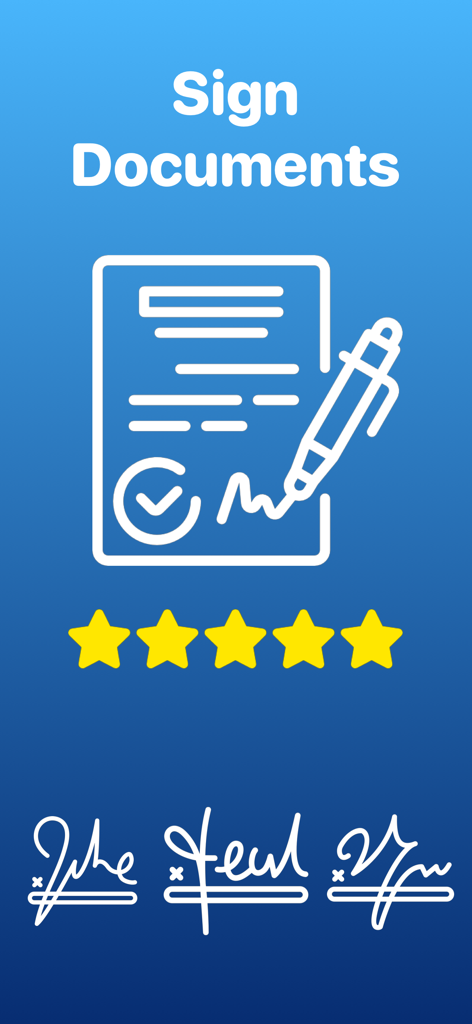
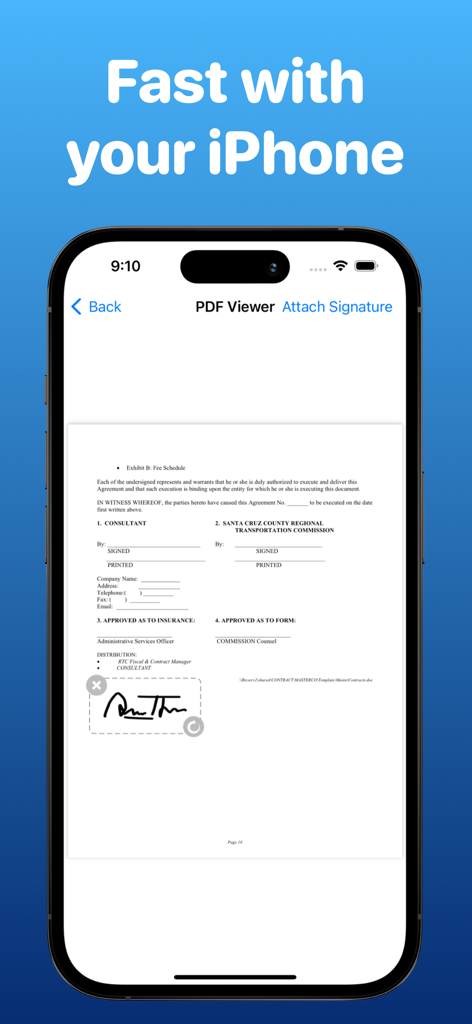
Professional digital signature app interface for signing PDF documents with signature examples and a five star rating

Professional digital signature app interface for signing PDF documents with signature examples and a five star rating

Digital signature being added to a PDF document on an iPhone

Digital signature being added to a PDF document on an iPhone

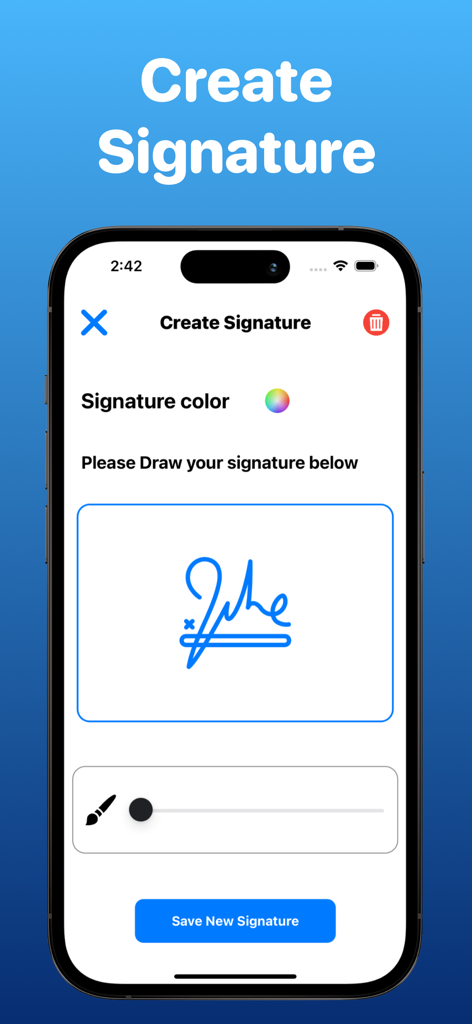
An iPhone screen displaying the create signature interface with a hand-drawn blue signature and a save button.

An iPhone screen displaying the create signature interface with a hand-drawn blue signature and a save button.

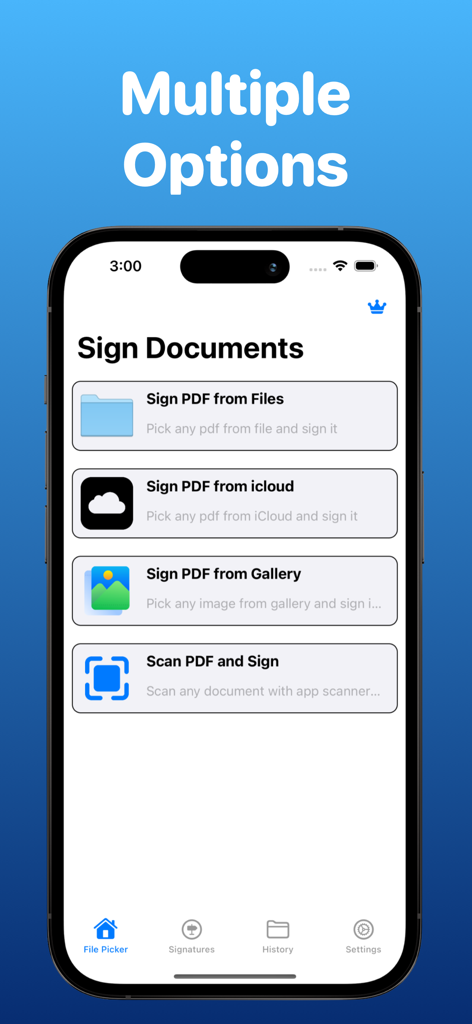
iPhone app screen showing multiple options to sign documents from files icloud gallery and scanner

iPhone app screen showing multiple options to sign documents from files icloud gallery and scanner

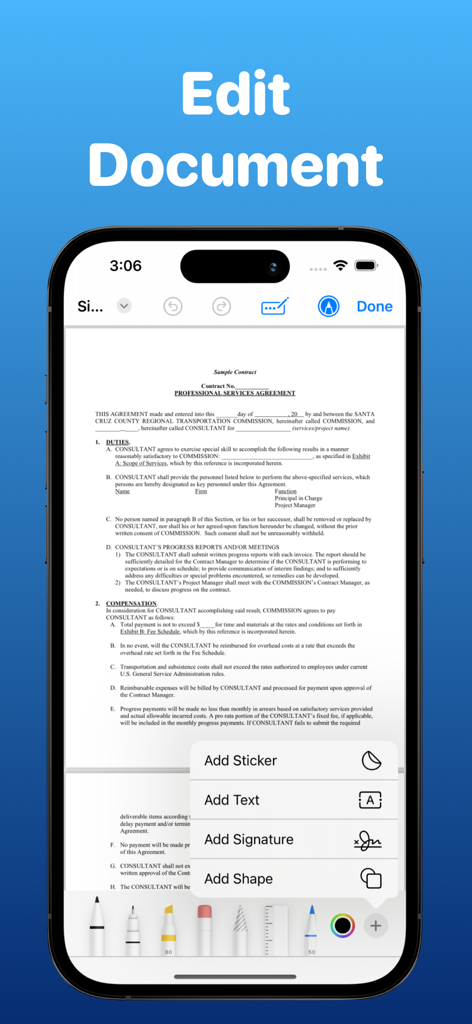
Smartphone screen showing an app interface for editing and adding a signature to a PDF document

Smartphone screen showing an app interface for editing and adding a signature to a PDF document

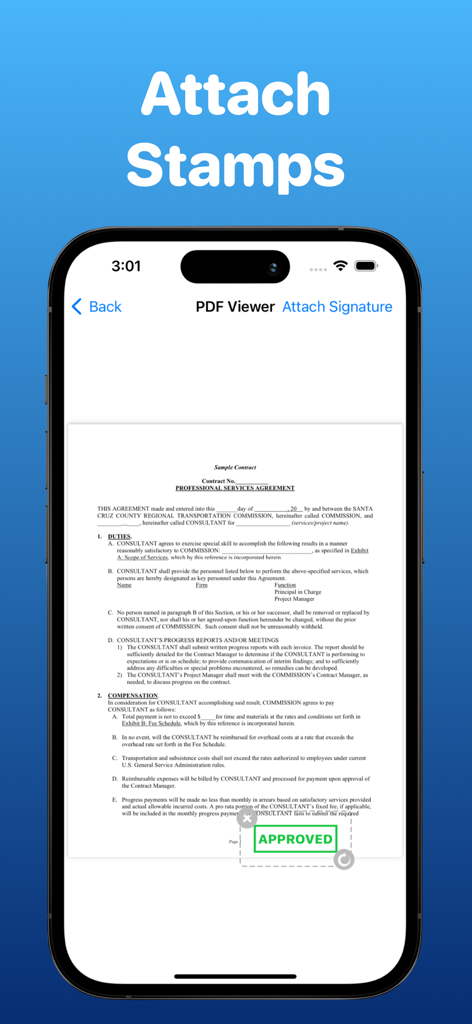
Mobile app interface showing a PDF contract with a green approved stamp attached

Mobile app interface showing a PDF contract with a green approved stamp attached

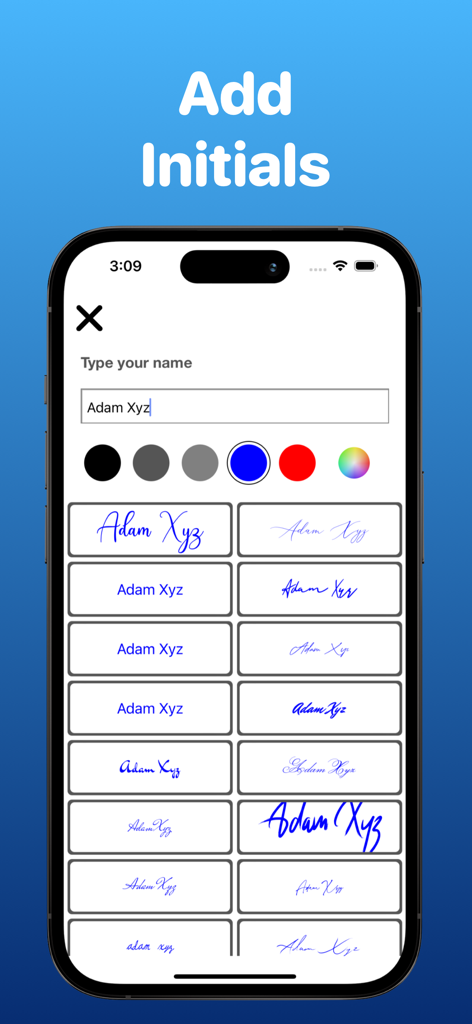
Digital signature app screen showing various handwritten font styles for a typed name

Digital signature app screen showing various handwritten font styles for a typed name

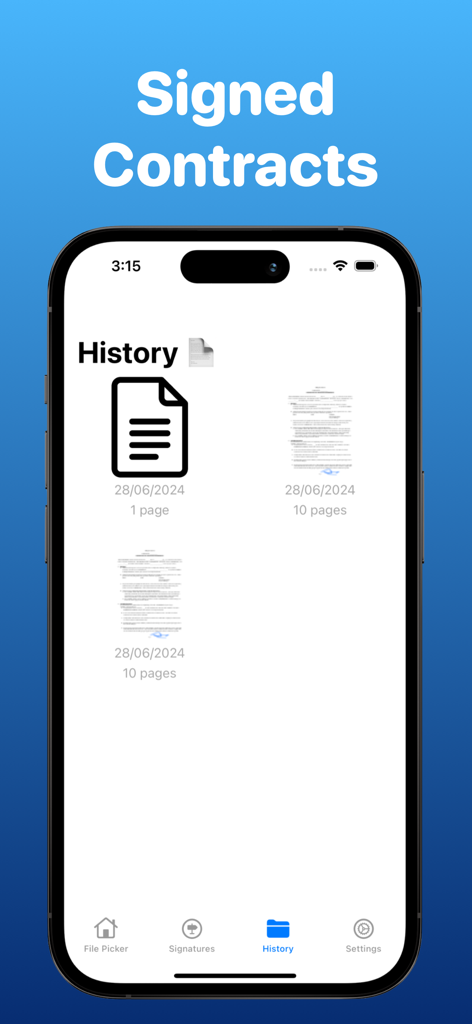
Interface of the Signature Maker app showing a history list of signed PDF contracts

Interface of the Signature Maker app showing a history list of signed PDF contracts

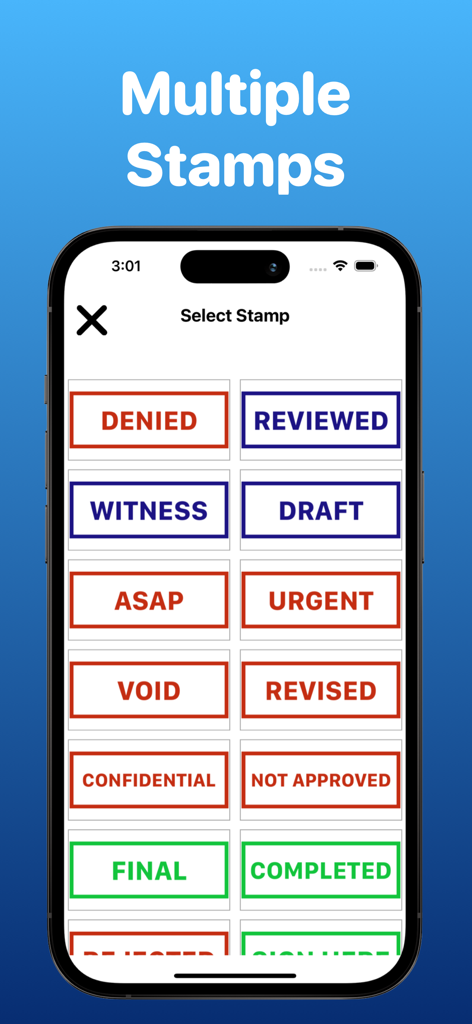
Interface of a PDF signing app showing a list of digital stamps including Urgent Confidential and Reviewed

Interface of a PDF signing app showing a list of digital stamps including Urgent Confidential and Reviewed

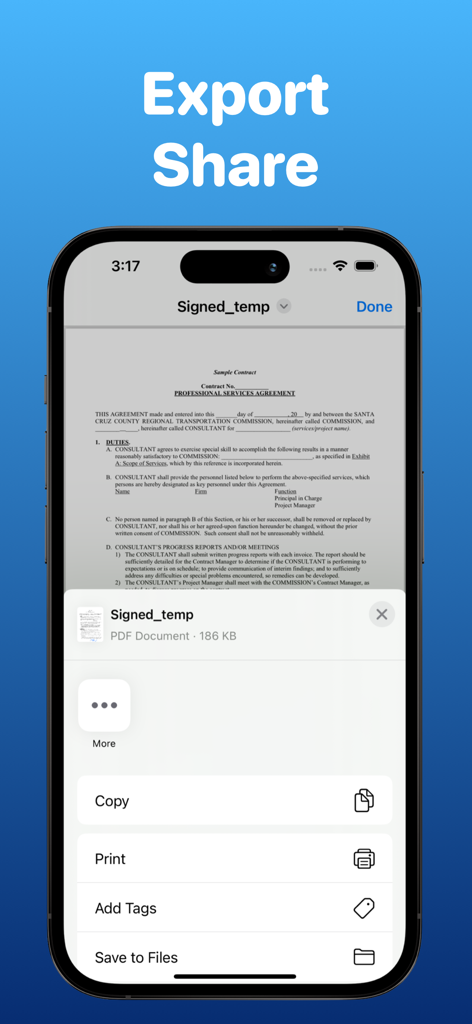
iOS share sheet menu for a signed professional services agreement on a smartphone

iOS share sheet menu for a signed professional services agreement on a smartphone

Close Deals Faster with Seamless e-Signatures

The tools that make this app stand out, trusted by 25K+ users.

🔒

100% Private & Offline

Your signatures and sensitive documents stay locally on your device—never uploaded to a cloud server, ensuring total data privacy for your business.

📄

Scan and Sign Instantly

Import from iCloud, Photos, or use the built-in scanner to turn physical paperwork into professional digital PDFs in just a few taps.

✍️

Professional Signature Library

Create, capture, and store custom digital signatures to give your contracts a polished, authoritative look without ever needing a pen.

Loved by users worldwide

Trusted by 25K+ people who love this app.

"

"Being a real estate agent means I am rarely at my desk. This app allows me to scan physical documents and add my signature in seconds. It has completely replaced my old scanner-printer routine, and my clients love how fast I can turn contracts around."

Jessica Miller
"

"The best part about this app is the privacy. I deal with sensitive consulting agreements and knowing everything is stored locally on my phone—not on a random cloud server—is a game changer. It is simple, fast, and handles my iCloud files perfectly."

David Aris

About the app

Everything you need to know about Signature Maker - eSign PDF.

Description

Sign a Document PDF Editor app is special app designed for signing your documents just like PDF or any other doc file, You can easily pick files from documents or pic , You can also scan and then sign the doc with default editor and your custom sign too. This app is offline app and we store the data locally in your phone. The app will store all the signatures also which you will create via app. You can also see the list of documents which you edited or signed. These are the main features 1. Sign doc from files 2. Sign doc from iCloud 3. Sign a doc from photos 4. Scan and sign a document or PDF 5. Create signature 6. Capture signature 7. Edit pdf with default signature 8. Add signature ( your own ) on a PDF file and then share 9. See all the signed documents 10. Delete signed doc or signature We are happy to help you for signing your important docs Subscription Policy - Subscriptions are billed weekly or monthly at the rate selected depending on the subscription plan. Payment models for Premium subscription: - Monthly Subscription : $7.99 / month which comes with 3 Day Free Trial - Weekly Subscription: $4.99/week which no trail - Payment will be charged to iTunes Account at confirmation of purchase - Account will be charged for renewal within 24-hours prior to the end of the current period, and identify the cost of the renewal - Subscriptions auto-renew at the cost of the chosen package, unless cancelled 24-hours in advance prior to the end of the current period. Subscriptions may be managed by going to your iTunes Account Settings after purchase. You may manage your subscription and turn off auto-renewal by going to your Account Settings after purchase. Privacy Policy - https://sites.google.com/view/song-finder-app/projects Service Terms - https://sites.google.com/view/song-finder-app/terms

Latest Version

1.37

Size

86.1 MB

First Released

Dec 30, 2022

Sign and Send in Seconds—No Printer Required

Join 25,000+ professionals who trust our secure, offline e-signature tool to handle contracts, leases, and NDAs from anywhere.

Download on App Store