
Tabata Timer □


Experience a minimalist workout timer designed for maximum efficiency. Set your intervals with a single drag, listen to your own music in the background, and crush your fitness goals with ease.
Publisher
Category
Health & FitnessDownloads
1M+User Rating
Total Ratings
43K+Locales
22Discover the interface used by 1M+ users.
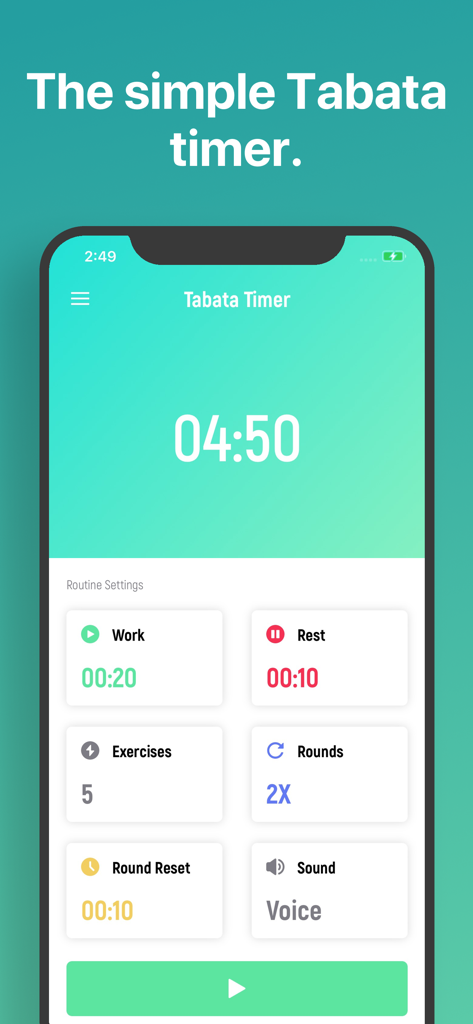
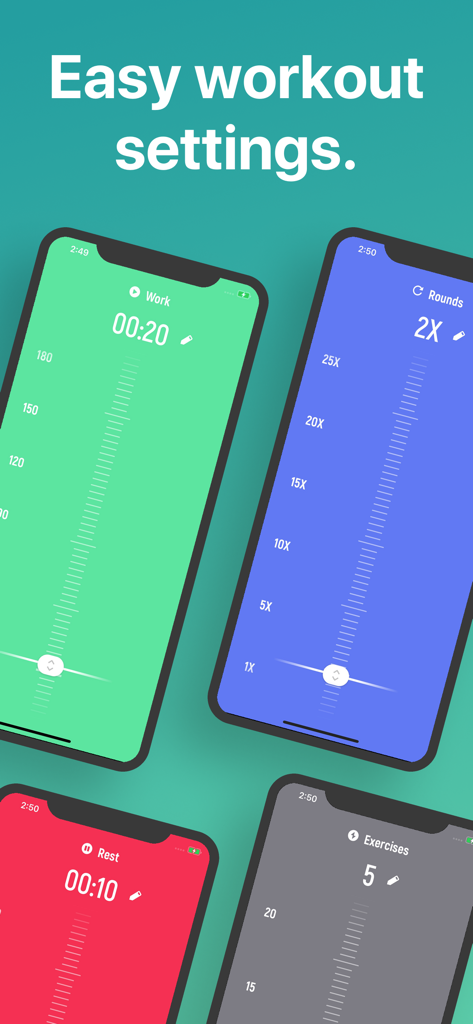
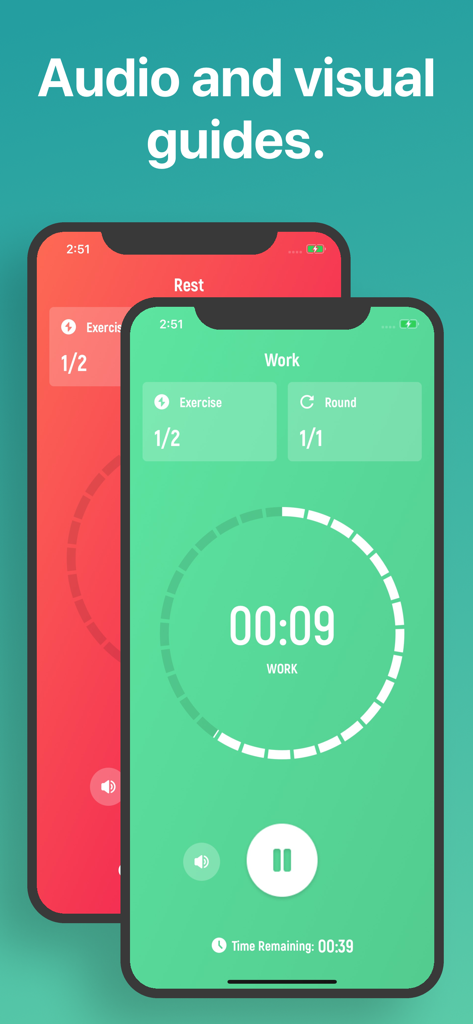
The tools that make this app stand out, trusted by 1M+ users.
Set your work, rest, and rounds with a single swipe. Get into your workout faster without wasting time on complex menus or typing.
Listen to your music or podcasts while our audio cues guide you through every set. Stay in the zone without ever looking at your screen.
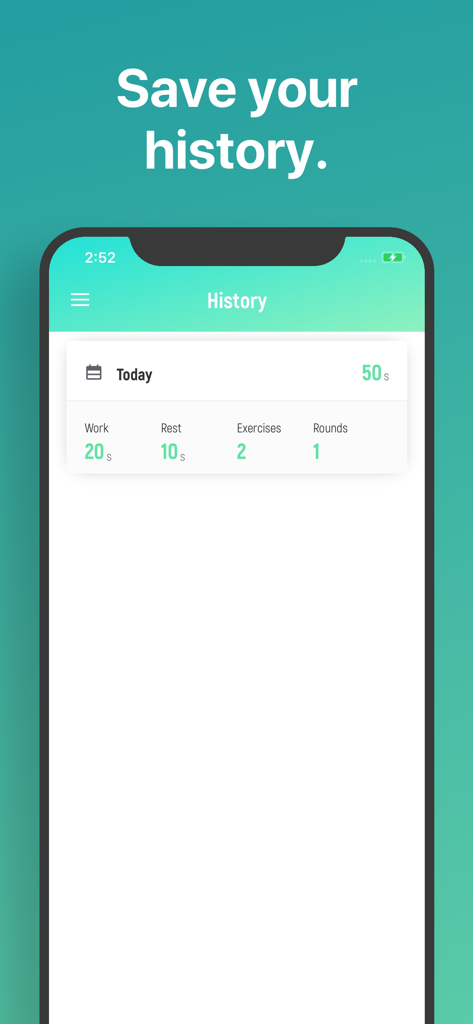
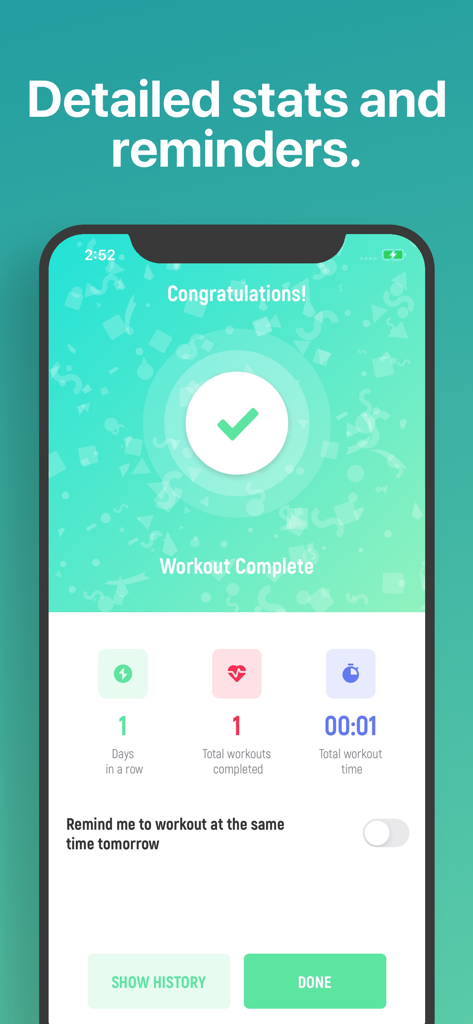
Track your progress with detailed history and statistics. Easily reload your favorite past sessions to beat your personal bests.
Trusted by 1M+ people who love this app.
"As a busy marketing executive with zero time to waste, I love how intuitive this app is. I can set my rounds in seconds and jump straight into my workout. The best part? I can blast my Spotify playlists and the audio cues still guide me perfectly without me ever having to look at the screen."
"The design is incredibly clean and fits the iOS aesthetic perfectly. I use it for my home CrossFit WODs and boxing drills. Being able to track my history and quickly reload my favorite settings has made my training sessions so much more efficient. It is easily the most reliable timer I have ever used."
Everything you need to know about Tabata Timer □.
Description
Latest Version
26.1.4
Size
29.3 MB
First Released
Jul 28, 2016
Join over 1 million athletes who ditch the complexity for the world’s most intuitive HIIT timer. No friction, no setup—just tap, sweat, and see your progress.
Everything you need to know about Tabata Timer □
You set up a Tabata workout in the Tabata Timer app by dragging to adjust settings like rounds, rest, and work duration. After customizing, tap to start your workout.
Yes, the Tabata Timer app allows you to listen to your music apps simultaneously while you are working out. The audio guides function alongside your chosen music.
Yes, you can leave the Tabata Timer app and still receive audio guides. This feature enables you to follow workouts from other sources while using the timer in the background.
Yes, the Tabata Timer app includes history and statistics pages. You can review previous workouts and even load their settings for future use.
To contact support for the Tabata Timer app, simply tap "Contact Support" within the app. You can then provide questions or suggestions directly.
Yes, the Tabata Timer app offers an optional auto-renewable subscription called Premium Pass. It includes a free trial period, followed by a monthly subscription.
You can cancel the Premium Pass subscription for Tabata Timer by visiting your Apple Account Settings after purchase. Ensure auto-renewal is turned off at least 24 hours before the current period ends.
Yes, the Tabata Timer app provides audio guidance throughout your workout. This means you do not have to constantly look at your screen.
In the Tabata Timer app, you can customize workout parameters such as rounds, rest duration, work duration, number of exercises, and round reset time.
The privacy policy for the Tabata Timer app is available at the provided URL: https://float.support/tabata-timer/privacy.
Apps with similar features and user experience
VGFIT LLC
Float Tech, LLC

Oleksandr Serhiienko
SmartWOD GmbH
Su-Au Hwang
Thang Nguyen

Anuj Seth

Alena Kazarova
AppManage LLC