TickTick:To-Do List & Calendar

TickTick:To-Do List & Calendar

Download on App StoreDownload on Google Play
Spark by MWM logo
Logo of TickTick:To-Do List & Calendar

TickTick: Stay Organized with the All-In-One To-Do List & Calendar

The ultimate productivity workspace for busy professionals. Manage tasks, sync calendars, and build habits across all your devices to focus on what truly matters.

Download on App Store

Publisher

Appest Limited

Category

Productivity

Downloads

16M+

User Rating

4.9/5

Total Ratings

300K+

Locales

38

Your Workflow, Visualized

Discover the interface used by 16M+ users.

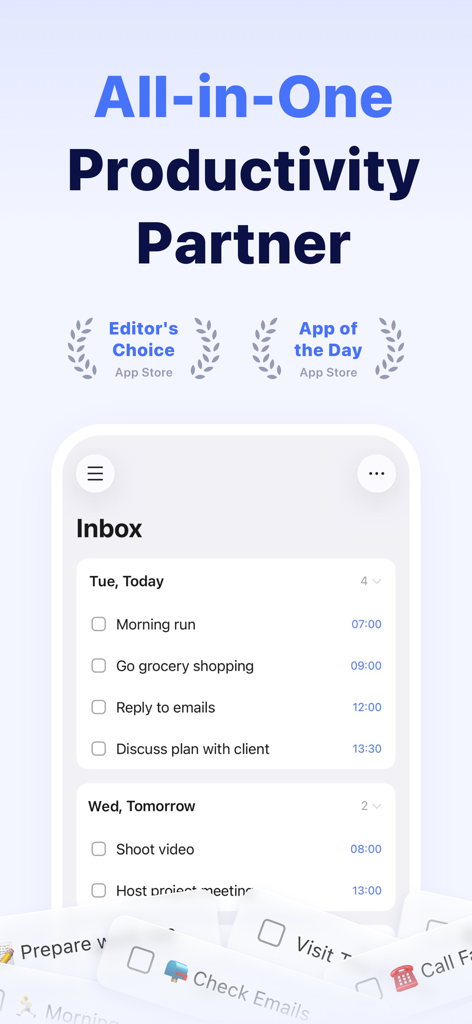
TickTick app screenshot showing a daily to-do list inbox with tasks for today and tomorrow along with App Store awards.

TickTick app screenshot showing a daily to-do list inbox with tasks for today and tomorrow along with App Store awards.

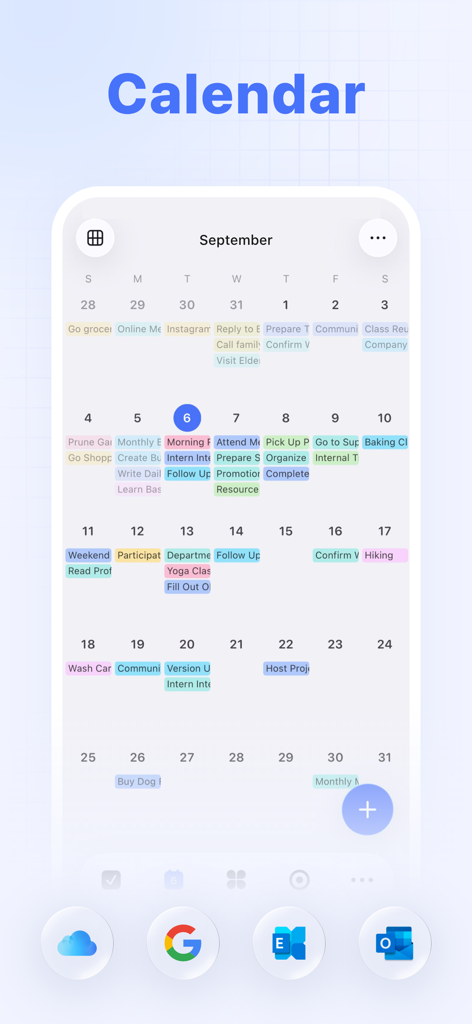
TickTick app calendar showing monthly tasks and integration icons

TickTick app calendar showing monthly tasks and integration icons

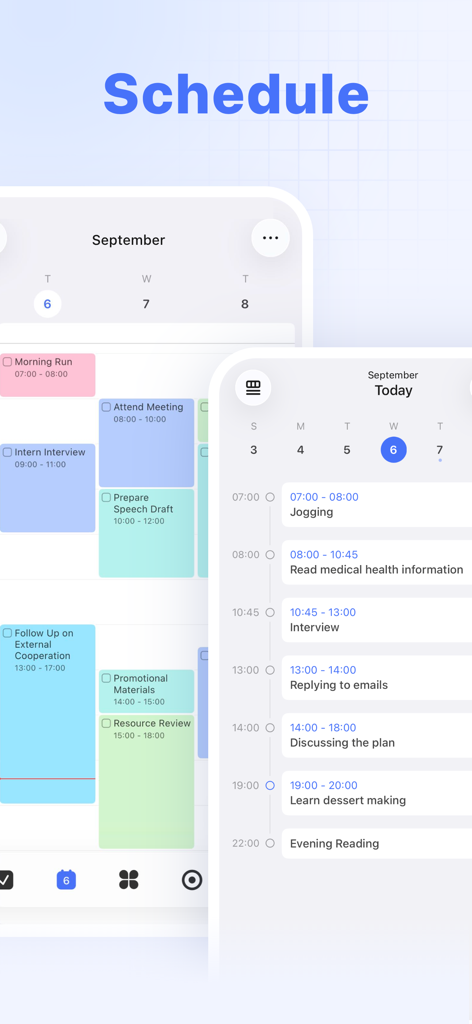
TickTick app interface showing mobile calendar and task schedule views

TickTick app interface showing mobile calendar and task schedule views

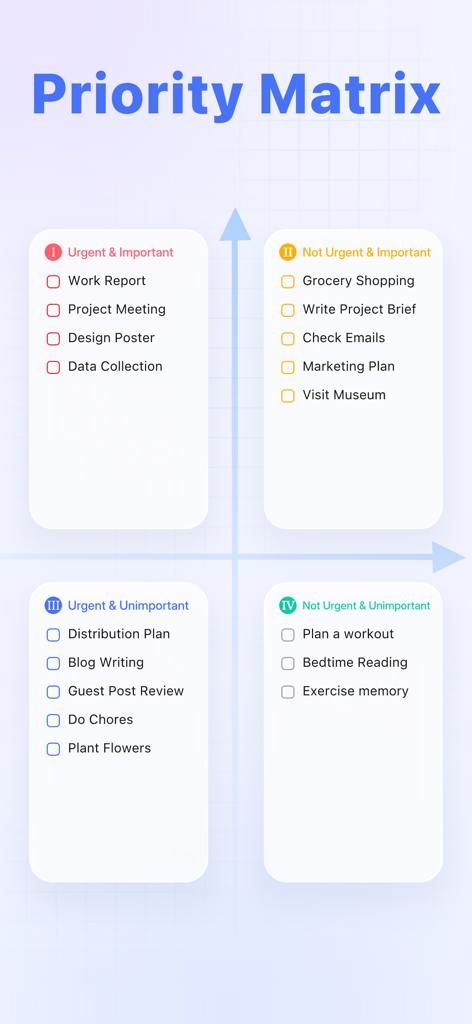
An Eisenhower priority matrix within the TickTick app showing tasks categorized by urgency and importance.

An Eisenhower priority matrix within the TickTick app showing tasks categorized by urgency and importance.

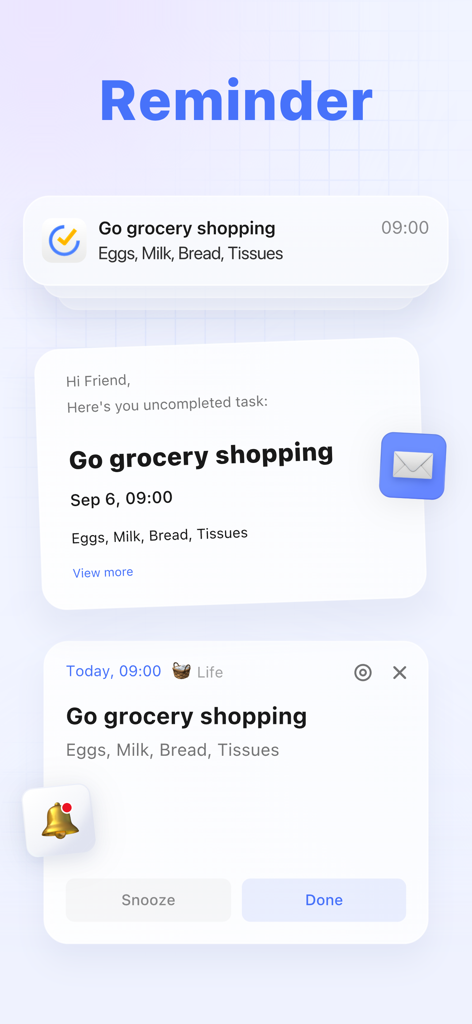
TickTick app interface showing push notification, email task alert, and mobile reminder with snooze and done options for a grocery list.

TickTick app interface showing push notification, email task alert, and mobile reminder with snooze and done options for a grocery list.

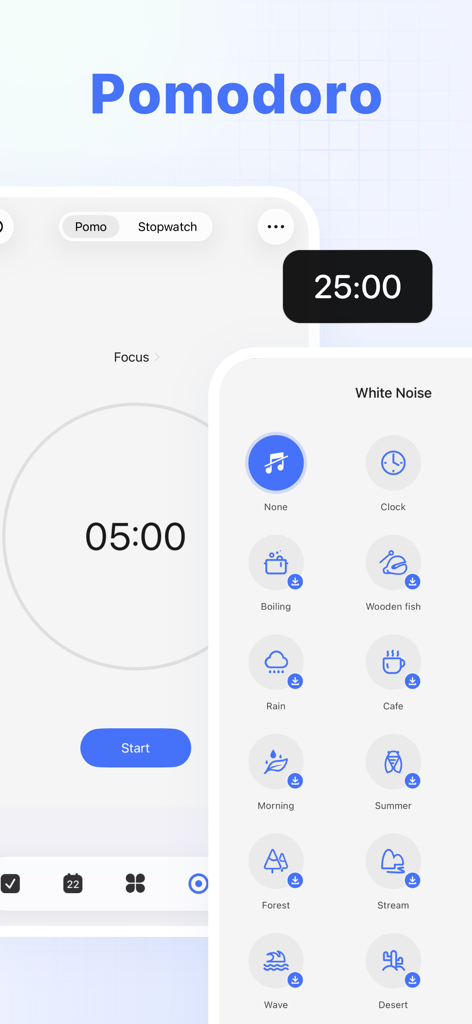
TickTick app Pomodoro focus timer interface with white noise sound options

TickTick app Pomodoro focus timer interface with white noise sound options

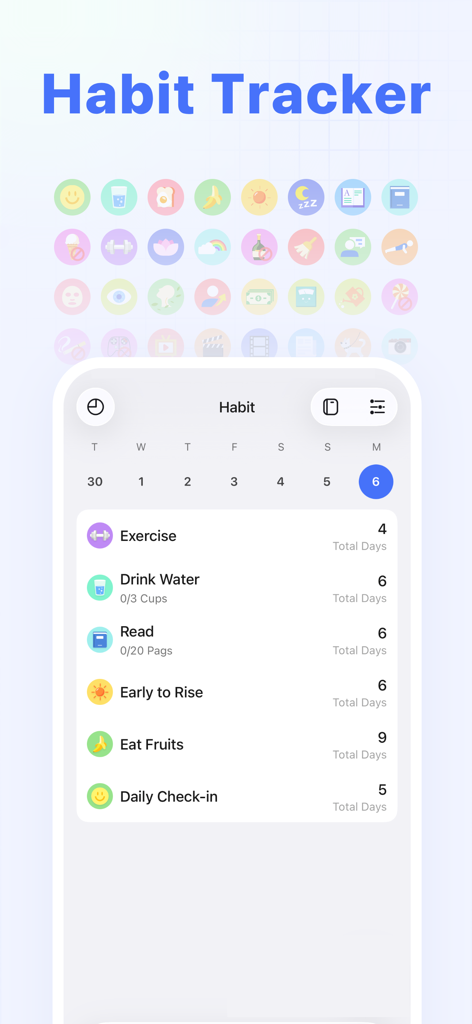
TickTick app habit tracker interface showing daily routines and progress

TickTick app habit tracker interface showing daily routines and progress

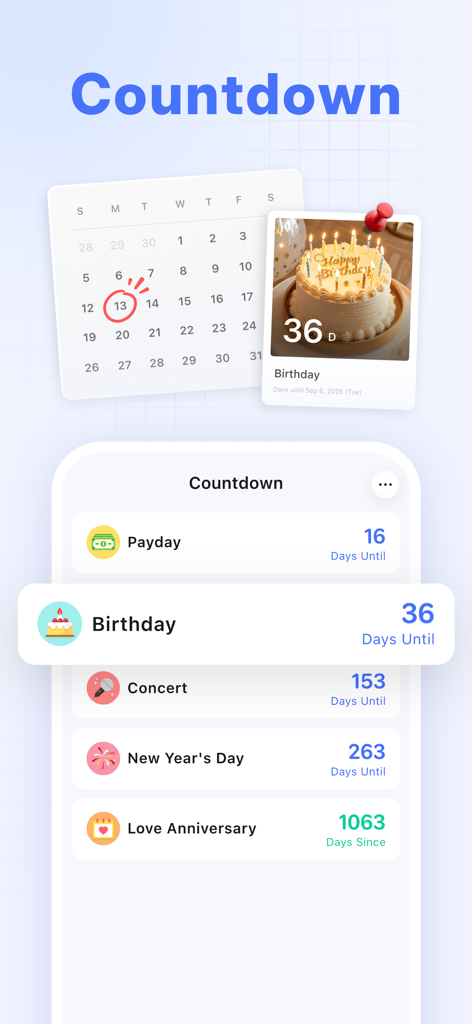
Interface of TickTick app displaying countdowns for birthday and other special events

Interface of TickTick app displaying countdowns for birthday and other special events

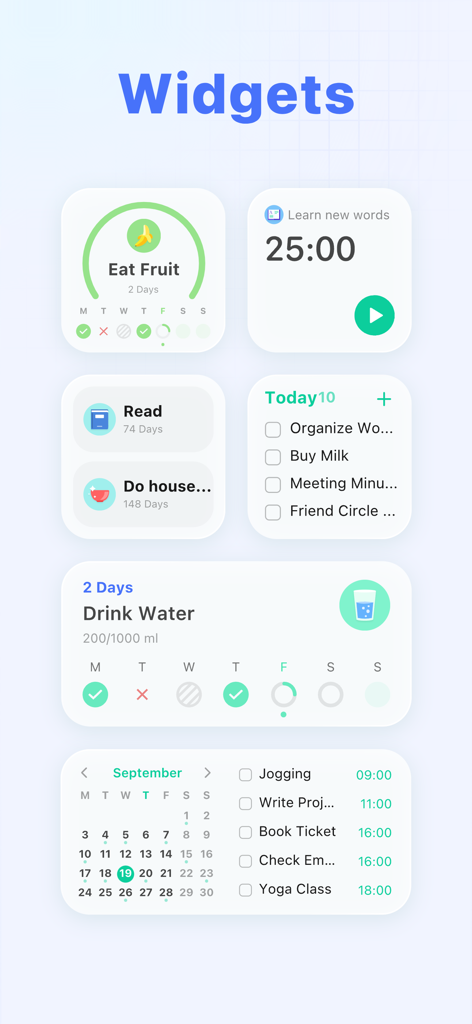
TickTick app widgets for habit tracking, focus timer, and task management

TickTick app widgets for habit tracking, focus timer, and task management

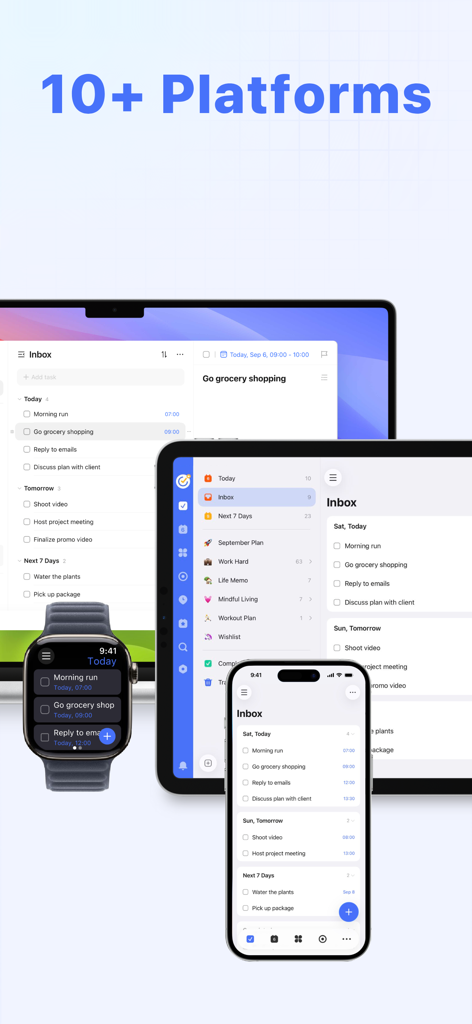
TickTick app showing task synchronization across multiple devices including a laptop, tablet, smartphone, and smartwatch

TickTick app showing task synchronization across multiple devices including a laptop, tablet, smartphone, and smartwatch

Master Your Life in One Single App

The tools that make this app stand out, trusted by 16M+ users.

📅

Calendar & Task Harmony

Stop switching apps. See your deadlines and appointments side-by-side with flexible views that ensure your work and life never overlap.

Focus & Habit Tracking

Beat distractions with the integrated Pomodoro timer and turn long-term goals into daily wins using visual habit streaks designed for high achievers.

🔄

Seamless Cloud Sync

Capture ideas on your Apple Watch and manage them on your MacBook. Your data stays perfectly in sync across all your devices, everywhere you go.

Loved by users worldwide

Trusted by 16M+ people who love this app.

"

"TickTick is a game-changer for my workflow. I used to jump between three different apps for my calendar, habits, and tasks, but having them all in one place with seamless Mac and iPhone sync has saved me hours every week. The Pomodoro timer is a lifesaver for staying focused during deep work sessions."

Sarah Jenkins, Project Manager
"

"I have tried every productivity tool available, but TickTick is the only one that actually stuck. The integration of habit tracking with my daily schedule and the ease of adding tasks via Siri makes staying organized effortless. It is the ultimate all-in-one solution for anyone serious about their time."

David Chen, Software Engineer

About the app

Everything you need to know about TickTick:To-Do List & Calendar.

Description

TickTick is a powerful to-do & task management app with seamless cloud synchronization across all your devices. Whether you need to schedule an agenda, make memos, share shopping lists, collaborate in a team, or even develop a new habit, set countdown for birthdays, TickTick is always here to help you get stuff done and keep life on track. Key features of TickTick: • Sync tasks across all devices • Multiple reminders • Flexible calendar views • Integrate with calendar application • Set flexible recurring tasks • Create checklists • Share task lists for collaboration • Add task via email • Upload attachments to tasks • Classify tasks with tags • Keep track of birthdays, anniversaries with countdown More functions to help you get focused and boost productivity: • Use Siri to create tasks faster and easier • Enable Pomo Timer to stay concentrated • Set a Goal to develop a Habit • Instant time & location reminder • Four priority levels • Different sort options (by order/date/name/priority) • Add description/comments to tasks • Batch edit tasks • Quick search tasks TickTick is always free, while you could also upgrade to Premium account to enjoy full access to the most advanced features. • More lists and tasks: 299 lists, 999 tasks in each list, 199 subtasks in each task • Add up to 5 reminders to each task • Share a task list to up to 29 members for better collaboration • Upload up to 99 attachments every day • Subscribe calendars in TickTick • Grid view of calendar • Custom Smart List • Add more than 5 habits • Add more than 5 countdowns How TickTick makes you more productive? • Get all things done • Never miss a schedule • Collaborate more efficiently • Sync across multiple platforms • Save efforts for stuff that really matters About billing of Premium: Auto-Renewable subscription payment will be charged to your iTunes account as soon as purchase is confirmed. Any unused portion of Premium period you upgraded via other platforms will be forfeited at the same time. Your subscription will get auto renewed unless cancelled at least 24 hours before the end of the current period. Please feel free to manage or cancel the auto-renew subscription at any time from the account settings on iTunes after purchase. TickTick has integrated HealthKit, you can sync your focus time data to Apple Health. Our Privacy Policy: https://www.ticktick.com/about/privacy Our Terms of Use: https://www.ticktick.com/about/tos For questions, feedback, or tips, we're happy to help you at support@ticktick.com Connect with us: Twitter: @ticktick Instagram: @ticktickapp Facebook: @TickTickApp Reddit: r/ticktick

Latest Version

8.0.01

Size

286.5 MB

First Released

Jun 19, 2013

Ready to Reclaim Your Focus? Join 16 Million+ Achievers Today.

Consolidate your tasks, calendar, and habits into one seamless workflow. Download TickTick and experience the ultimate all-in-one productivity toolkit.

Download on App StoreDownload on Google Play
FAQ

Frequently Asked Questions

Everything you need to know about TickTick:To-Do List & Calendar
What is TickTick?

TickTick is a powerful to-do and task management app that helps users organize their agenda, create memos, share lists, collaborate on tasks, and track habits with seamless cloud synchronization.

Does TickTick sync across all my devices?

Yes, TickTick offers seamless cloud synchronization across all your devices. It supports over 10 platforms, including mobile, tablet, desktop, and smartwatch, ensuring tasks are always updated.

Can I integrate TickTick with my existing calendar?

Yes, TickTick integrates with calendar applications and offers flexible calendar views, including a grid view for Premium users. This allows for organized task scheduling within your preferred calendar.

Does TickTick support task collaboration?

Yes, TickTick supports collaboration. You can share task lists for team collaboration. Premium users can share a task list with up to 29 members for enhanced teamwork.

Is TickTick a free application?

TickTick is always free to use, offering core features. Users can upgrade to a Premium account to access advanced features like more lists, reminders, and larger attachment uploads.

Does TickTick include a habit tracker?

Yes, TickTick includes a habit tracker feature. Users can set a Goal to develop habits, with Premium users able to add more than five habits for comprehensive tracking.

Can I use a Pomodoro Timer within TickTick?

Yes, TickTick features an integrated Pomo Timer to help users stay concentrated. This tool assists in boosting productivity by managing focus and break intervals directly within the app.

How many reminders can TickTick set for a task?

TickTick provides multiple reminders for tasks. Premium users can set up to five reminders for each task, ensuring important deadlines and events are not missed.

Does TickTick integrate with Siri?

Yes, TickTick integrates with Siri. Users can use Siri to create tasks faster and easier, streamlining the task creation process through voice commands.

Can TickTick track countdowns for events?

Yes, TickTick tracks countdowns for events. Users can keep track of birthdays, anniversaries, and other significant dates. Premium offers support for more than five countdowns.

How does TickTick Premium subscription billing work?

TickTick Premium subscriptions are auto-renewable. Payment is charged to your iTunes account upon confirmation. The subscription automatically renews unless cancelled at least 24 hours before the current period ends.

Does TickTick integrate with Apple Health?

Yes, TickTick integrates with HealthKit. This allows users to sync their focus time data from the Pomo Timer feature directly to Apple Health.