Touch Portal

Touch Portal

Download on App Store
Spark by MWM logo
Logo of Touch Portal

Touch Portal: The Ultimate Macro Remote for Content Creators and Pros

Transform your phone or tablet into a powerful command center. Take full control of OBS, Twitch, Adobe Creative Cloud, and your entire desktop workflow with a single touch.

Publisher

Rils

Category

Productivity

Downloads

236K+

User Rating

4.5/5

Total Ratings

700

Locales

2

Your Digital Command Center

Discover the interface used by 236K+ users.
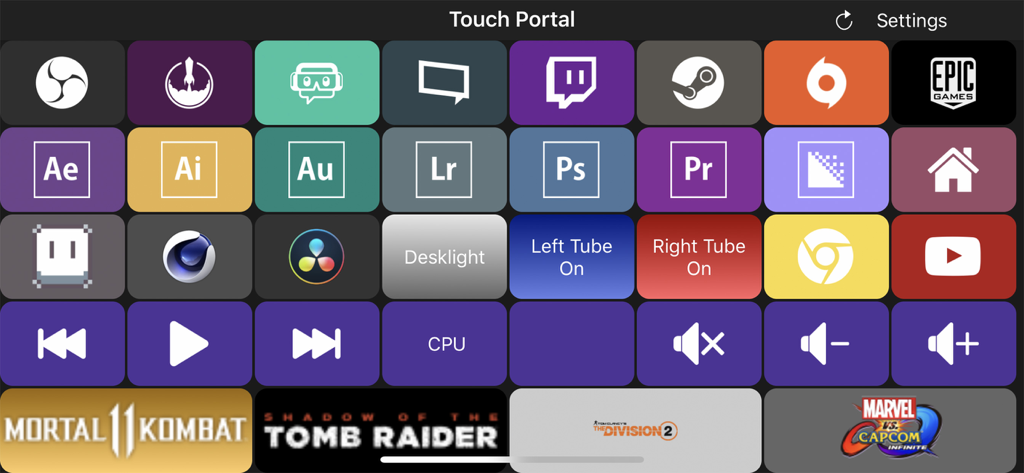
Customizable macro deck interface in Touch Portal featuring shortcut buttons for OBS Adobe Creative Cloud and game launchers.

Customizable macro deck interface in Touch Portal featuring shortcut buttons for OBS Adobe Creative Cloud and game launchers.

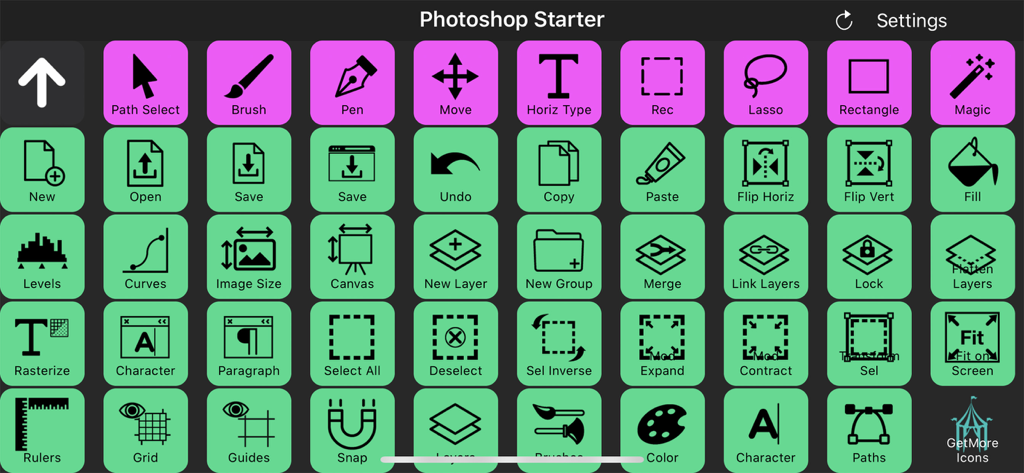
A grid of customizable macro buttons for Adobe Photoshop within the Touch Portal app

A grid of customizable macro buttons for Adobe Photoshop within the Touch Portal app

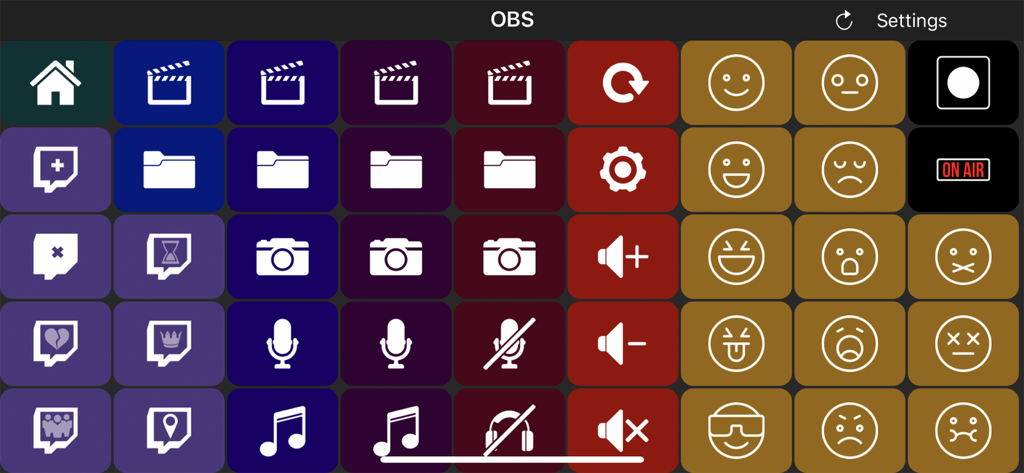
Interface of Touch Portal app showing a customizable grid of macro buttons for OBS stream control

Interface of Touch Portal app showing a customizable grid of macro buttons for OBS stream control

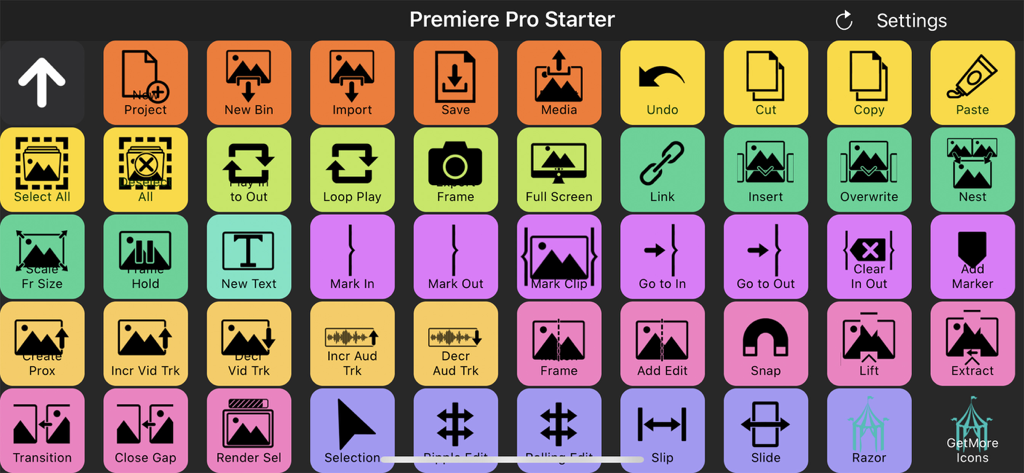
A Touch Portal digital macro deck interface with colorful buttons for Adobe Premiere Pro video editing shortcuts

A Touch Portal digital macro deck interface with colorful buttons for Adobe Premiere Pro video editing shortcuts

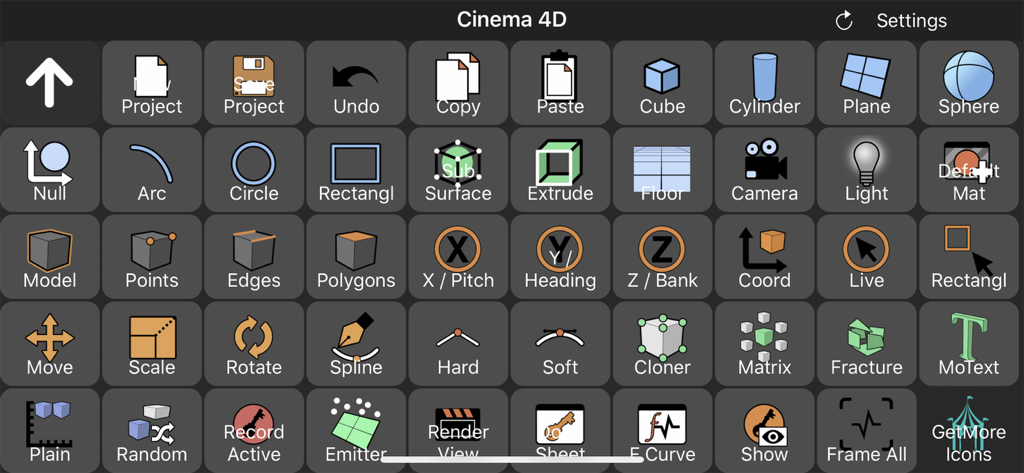
Touch Portal interface showing a custom macro deck with shortcut buttons for Cinema 4D.

Touch Portal interface showing a custom macro deck with shortcut buttons for Cinema 4D.

Take Full Command of Your Workspace

The tools that make this app stand out, trusted by 236K+ users.

🎮

Seamless Stream Control

Master your broadcast with dedicated buttons for OBS, Twitch, and Streamlabs. Change scenes, trigger overlays, and manage chat alerts instantly without ever leaving your game.

🎞️

Pro-Level Editing Workflow

Ditch the complex keyboard shortcuts. Use visual, tactile icons to navigate Adobe Photoshop, Lightroom, and Premiere Pro with lightning speed and precision.

Limitless Macro Power

Automate repetitive tasks with up to 110 customizable buttons per page. From controlling your smart lights to launching complex software chains, everything is one touch away.

Loved by users worldwide

Trusted by 236K+ people who love this app.

"

"Touch Portal is a total game-changer. I turned an old tablet into a professional-grade control deck for my Twitch streams in minutes. It integrates perfectly with OBS and Philips Hue, allowing me to manage my broadcast and lighting without ever breaking my focus. It is honestly more flexible and powerful than the expensive hardware alternatives I was looking at."

Marcus 'Glitch' Thompson, Full-time Streamer
"

"As a freelance editor, efficiency is everything. I have mapped all my complex Adobe Premiere and Photoshop macros to Touch Portal, and it has completely transformed my workflow. The ability to customize every button and have over 100 shortcuts per page is incredible. It is the ultimate productivity hack for any creative professional working from home."

Sarah Chen, Visual Content Creator

About the app

Everything you need to know about Touch Portal.

Description

Touch Portal is the #1 All-in-One Remote Control Macro and Stream app for Phones and Tablets with a deck of buttons as a board on your desk and workspace. You will get the following features: - OBS STUDIO INTEGRATION (OBS web-socket required) - STREAMLABS OBS INTEGRATION - STREAMELEMENTS OBS.LIVE INTEGRATION (OBS web-socket required) - ADOBE PHOTOSHOP INTEGRATION - ADOBE LIGHTROOM CLASSIC INTEGRATION - REMOTE CONTROL PC AND/OR MAC - XSPLIT INTEGRATION - TWITCH INTEGRATION - HOME AUTOMATION - PHILIPS HUE INTEGRATION - MACRO BUTTONS - SMART TOUCH BUTTONS - CUSTOMIZABLE LOOK AND FEEL - COMMUNITY-DRIVEN DEVELOPMENT Touch Portal is a companion app to control a PC or a Mac by using a deck of buttons to improve the workflow & productivity of game streamers, content creators and professionals. Touch Portal gives you all the essential controls you’d need, we keep adding more features every update! With Touch Portal you are allowed up to 110 unique buttons per page for the Pro version, not to mention you could use the pages to even increase this! Use it as a Macro Deckboard or Shortcut Board for your video and photo editing software and edit faster and more efficient. Use cases: - Game streamers: Stream your games while having total control of your broadcast overlays with a deck of buttons. - Video editors: Edit your videos faster, easier and smarter with a fully customizable page with the buttons you use most often on your Touch Portal deck. Create macros and shortcut buttons to optimize your workflow. - Photo editors: Edit your photos faster, you don't have to learn all the shortcuts the photo editing software gives you, just add the action you want to the "Touch Portal Desktop" app and start editing. - Professionals: Create your own customizable page to improve your productivity and workflow. The app is an extension of your keyboard, with much more features. IMPORTANT!: * You need to download the "Touch Desktop" app on your PC or your Mac to use this app. Please go to our website to download it from our website. https://www.touch-portal.com/ Please join us at our Discord server for the fastest help. We are daily available on discord, our community is also willing to help you further with your Touch Portal experience. Discord server: https://discord.gg/MgxQb8r

Latest Version

4.4.2

Size

20.1 MB

First Released

Aug 3, 2018

Take Command of Your Creative Workspace

Stop alt-tabbing and start creating. Join 236,000+ streamers and pros who have optimized their setup with the ultimate macro deck.

Download on App Store