
TP-Link Tether



From effortless setup to advanced parental controls, manage every device and secure your household network with the world’s most intuitive networking app.
Publisher
Category
UtilitiesDownloads
36M+User Rating
Total Ratings
552K+Locales
25Discover the interface used by 36M+ users.
The tools that make this app stand out, trusted by 36M+ users.
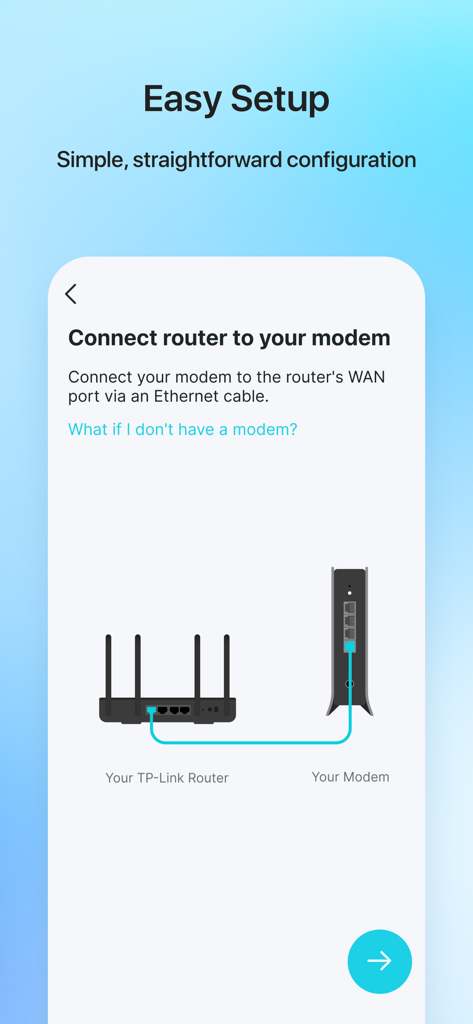
Ditch the complex manuals. Follow simple, visual instructions to get your Wi-Fi up and running in minutes without needing a PC.
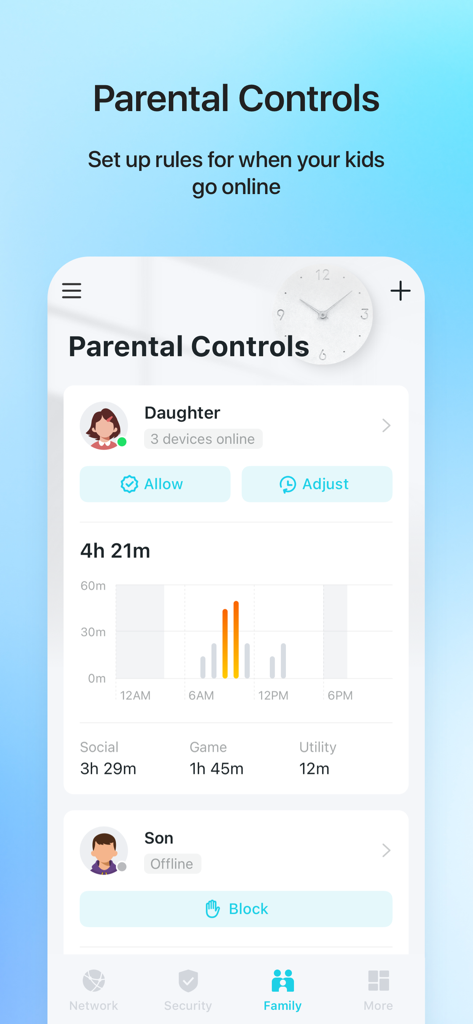
Protect your family by scheduling internet downtime, filtering content, and managing screen time for every device in the house.
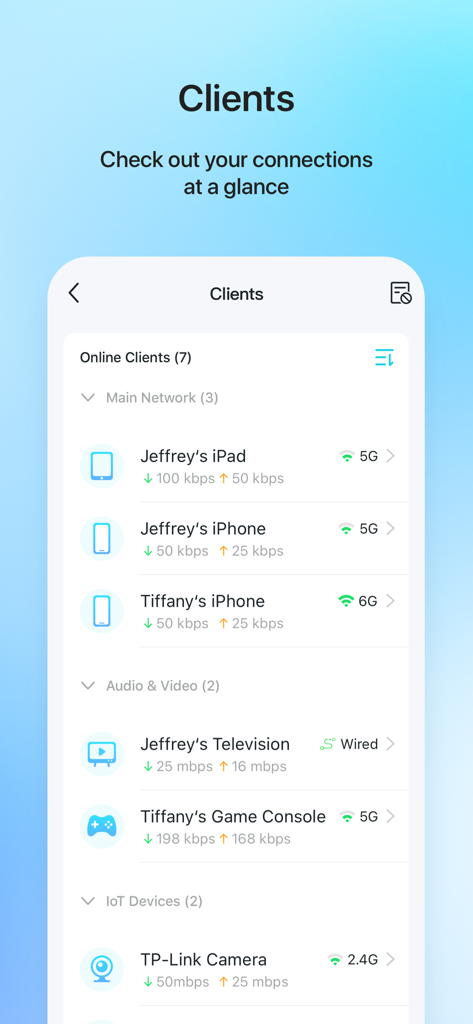
See exactly who is online and instantly block unauthorized users or intruders to keep your home network private and secure.
Trusted by 36M+ people who love this app.
"TP-Link Tether has been a total game-changer for our household. I finally have full control over the kids' screen time with the scheduling feature, and setting up our range extender was incredibly simple thanks to the location finder. No more Wi-Fi dead zones in the upstairs bedrooms!"
"As a remote software engineer, I need a rock-solid connection. Tether allows me to monitor every device on my network and instantly block any unauthorized access. It is much more intuitive than old-school router portals, and the HomeShield integration gives me real peace of mind regarding my data security."
Everything you need to know about TP-Link Tether.
Description
Latest Version
4.12.133
Size
737.3 MB
First Released
May 17, 2013
Join over 36 million users who manage, secure, and optimize their Wi-Fi with the tap of a button. Download TP-Link Tether now for a smarter, safer home.
Everything you need to know about TP-Link Tether
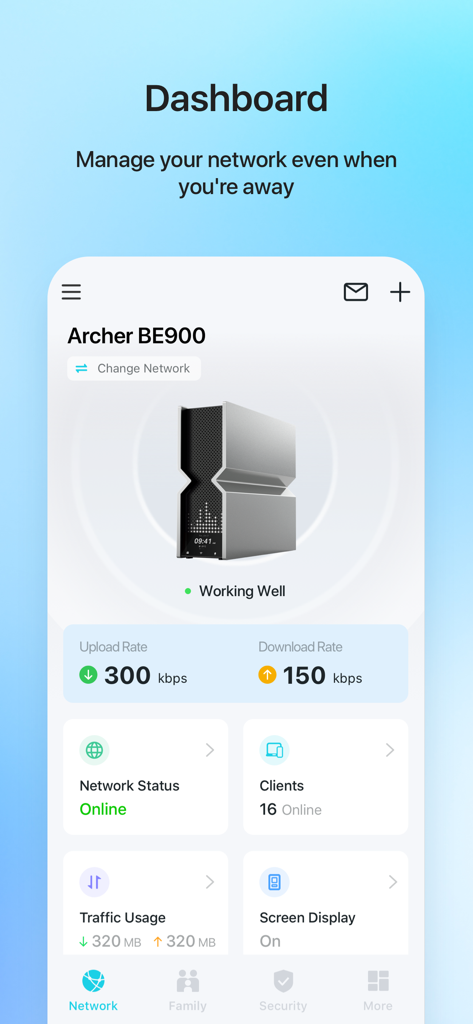
TP-Link Tether is a mobile application that allows users to access and manage their TP-Link Router, xDSL Router, and Range Extender devices. It provides a simple interface for device status, client management, and network settings.
TP-Link Tether facilitates setup by guiding users to connect their TP-Link router to a modem's WAN port via an Ethernet cable. The app then provides an easy, straightforward configuration process for network settings like SSID and passwords.
Yes, TP-Link Tether includes parental control functionality. Users can manage schedules and apply URL-based internet access restrictions for client devices, as well as block or adjust access for specific family members.
Yes, TP-Link Tether allows users to view all online client devices. The app displays a list of connected devices, including their online status, upload/download rates, and connection types like Wi-Fi bands (5G, 6G).
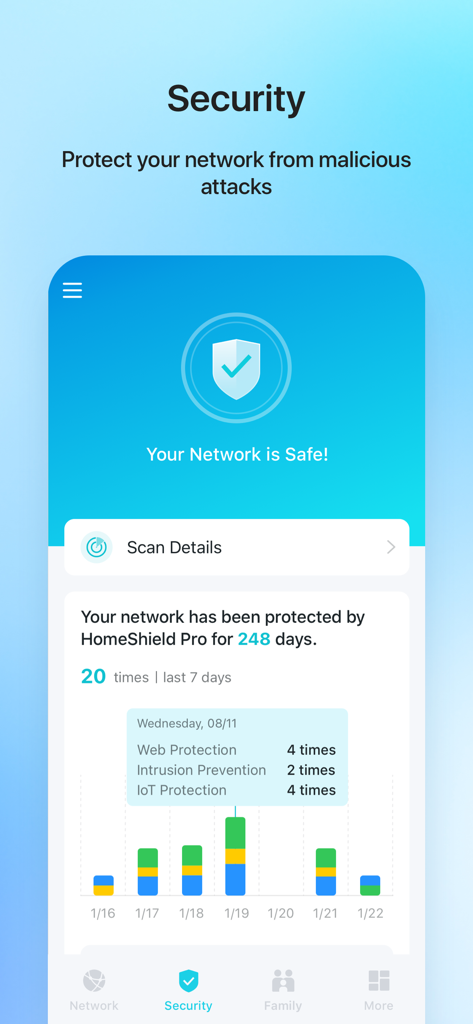
TP-Link Tether includes network security features, enhanced by HomeShield Pro. This protection encompasses web protection, intrusion prevention, and IoT protection, safeguarding the network from malicious attacks.
Yes, TP-Link Tether allows users to block unauthorized devices accessing their network. It provides tools to manage permissions of client devices and control who connects to the network.
Yes, a firmware upgrade is required for TP-Link Tether to function correctly. Users must visit the TP-Link download page to choose and install the correct, latest firmware version for their specific device.
Yes, the TP-Link Tether app allows users to manage most of their compatible TP-Link devices simultaneously. This includes various routers, xDSL routers, and range extenders.
A list of compatible routers for TP-Link Tether is available on the TP-Link website. The app's description provides a direct link to this product list for user reference.
No, TP-Link Tether does not work when connected to a guest network. For proper functionality, the mobile device running the app must be connected to the main network managed by the TP-Link device.
TP-Link Tether helps users find the optimal location to place their range extender. This feature guides users to ensure maximum Wi-Fi coverage and performance for their entire network.
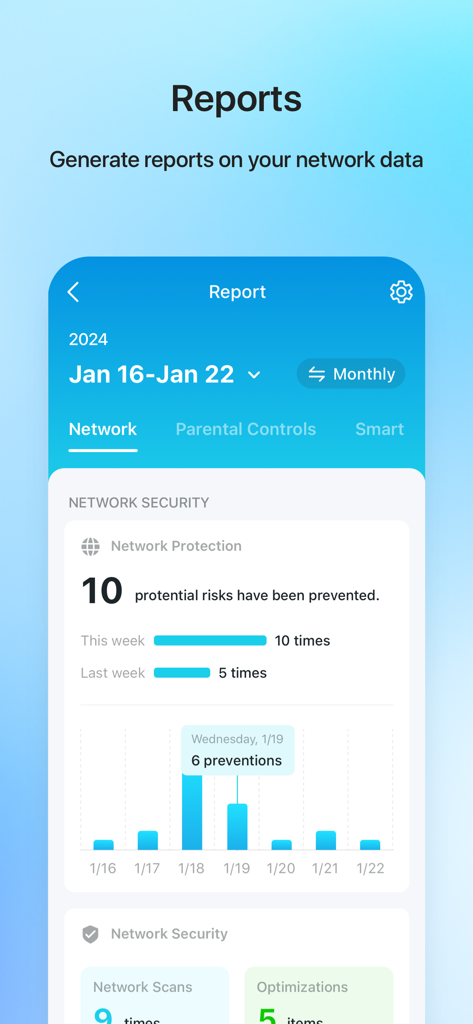
Yes, TP-Link Tether generates reports on network data. These reports can include network protection summaries, detailing potential risks prevented, network scans, and optimizations over specified periods.
Apps with similar features and user experience

AT&T Services, Inc.

TP-Link Systems Inc.

eero LLC

MERCUSYS Technologies Co., Ltd.

TP-Link Systems Inc.

eero LLC

NETGEAR, Inc.

Ubiquiti Inc.

Freebox
