Videoshop - Video Editor

Videoshop - Video Editor

Download on App StoreDownload on Google Play
Spark by MWM logo
Logo of Videoshop - Video Editor

Videoshop - Video Editor: Create Pro-Level Content at the Speed of Social

Join 12 million+ creators using the ultimate mobile studio to trim, add music, and apply viral effects. From TikTok trends to professional vlogs, edit your story in seconds and share it instantly.

Download on App Store

Publisher

Jajijujejo Inc.

Category

Photo & Video

Downloads

12M+

User Rating

4.9/5

Total Ratings

420K+

Locales

8

Inside the Studio

Discover the interface used by 12M+ users.

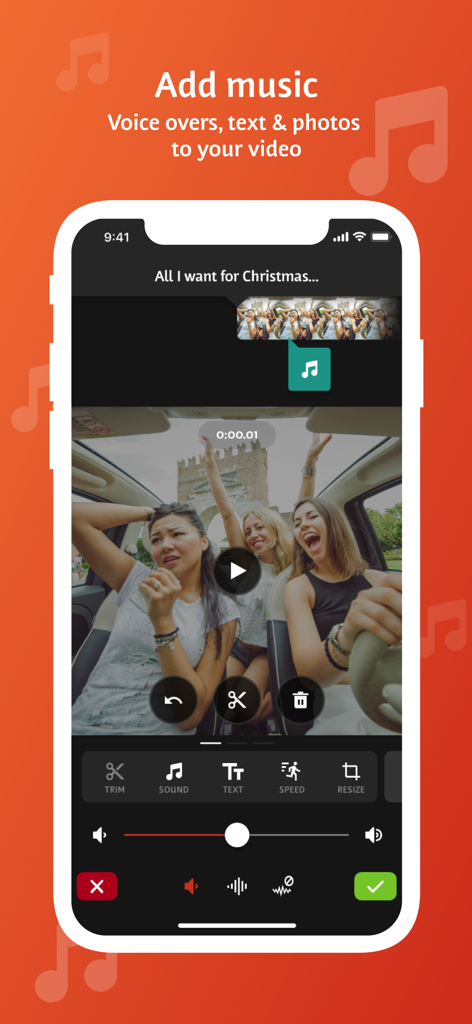
Videoshop app interface showing tools to add music voice overs and text to a video clip

Videoshop app interface showing tools to add music voice overs and text to a video clip

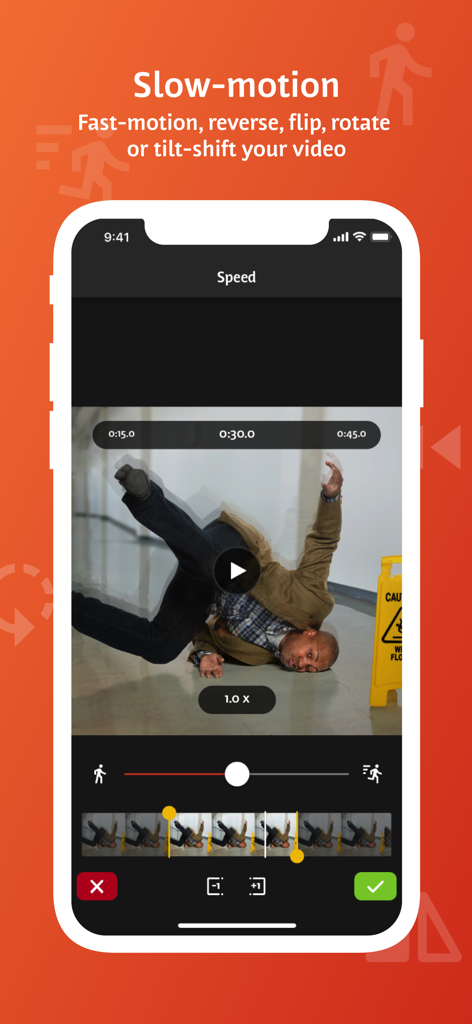
Videoshop mobile app interface showing slow motion and video speed adjustment features.

Videoshop mobile app interface showing slow motion and video speed adjustment features.

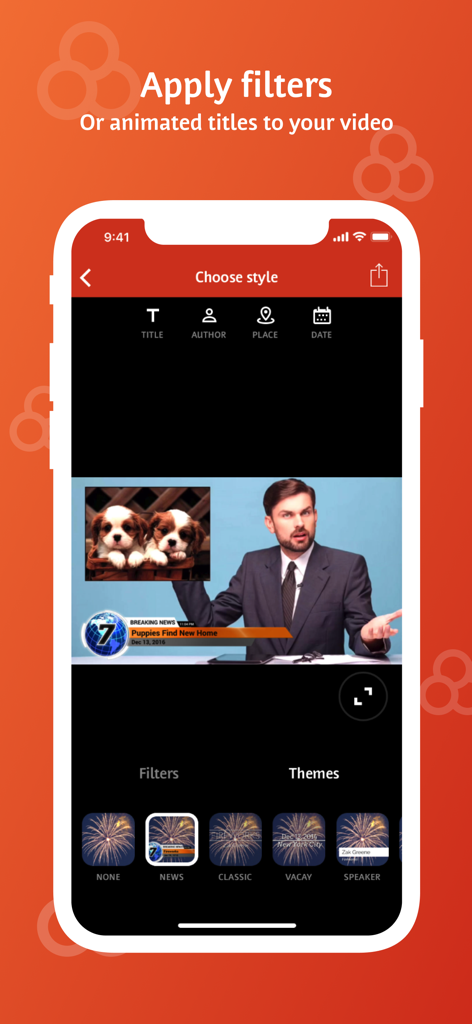
Videoshop app interface showing animated titles and news theme options for mobile video editing

Videoshop app interface showing animated titles and news theme options for mobile video editing

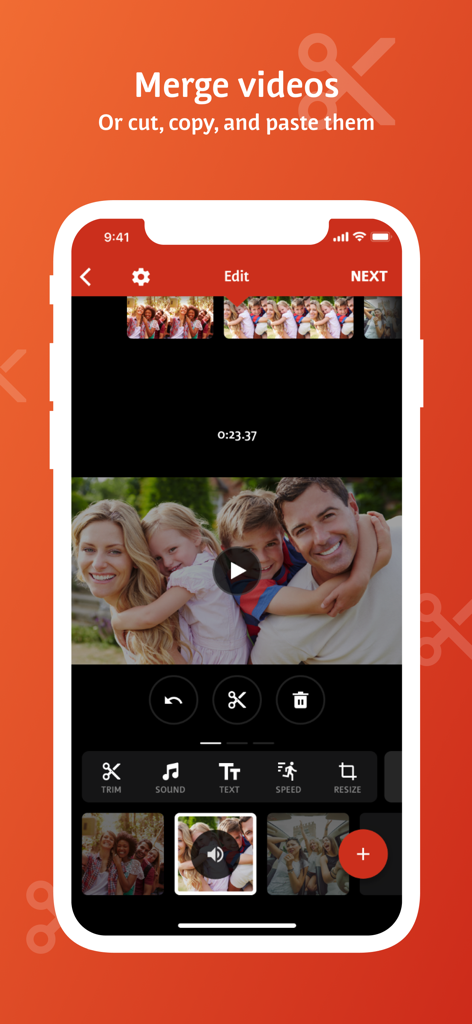
Mobile video editor interface showing options to merge, cut, and paste video clips

Mobile video editor interface showing options to merge, cut, and paste video clips

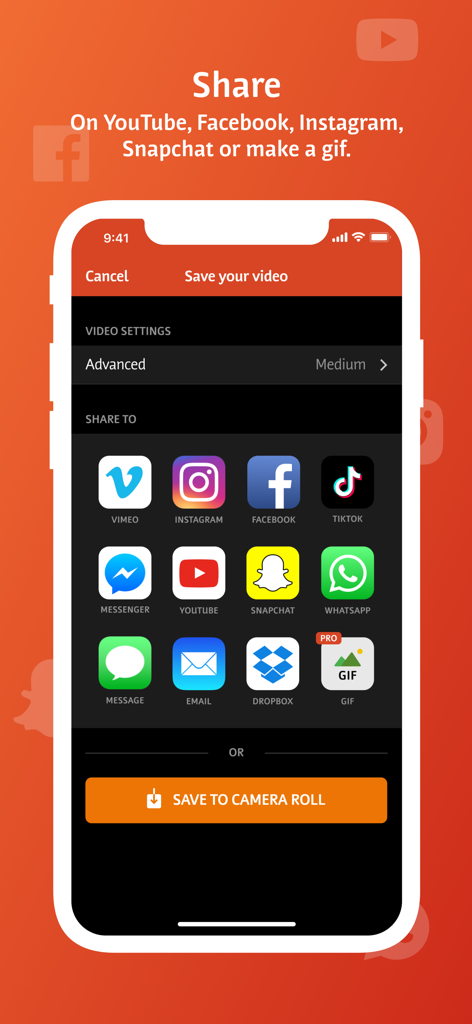
Videoshop app share screen showing icons for social media platforms like TikTok Instagram and YouTube

Videoshop app share screen showing icons for social media platforms like TikTok Instagram and YouTube

Everything you need to go viral

The tools that make this app stand out, trusted by 12M+ users.

Fast & Fluid Editing

Cut, merge, and adjust speed with intuitive gestures designed for creators who need to edit and post on the move.

🎬

Viral-Ready Effects

Master every trend with Chroma Key (Green Screen), Lip Sync, and Stop Motion features that make your content stand out.

📐

Multi-Platform Mastery

Instantly resize and rescale your videos for TikTok, Reels, or YouTube with one-tap exports to your favorite social apps.

Loved by users worldwide

Trusted by 12M+ people who love this app.

"

"Honestly, Videoshop is a lifesaver for my TikToks. I used to jump between three different apps to get the green screen and lip sync right, but now I do everything here. The Resize tool is clutch for posting the same video to Reels and Shorts without it looking weird. Super fast and actually fun to use."

Chloe R.
"

"As a small business owner, I don't have time for complex desktop software. Videoshop gives my product videos that high-end look with the Ken Burns effect and smooth transitions. I love that I can add a voiceover and my own music library in minutes. It is the only editor I have stuck with for years."

Marcus J.

About the app

Everything you need to know about Videoshop - Video Editor.

Description

Videoshop is a FREE and easy video editor with fast editing tools, filters and many other effects for personalizing your videos. FEATURES 1. Trim: Cut out any unwanted moments. You can also split your videos into multiple clips. 2. Music: Add from your iPod library or Buy Clips from the Videomall. 3. Sound effects: Choose from audience noises, ambience, laughter, etc. 4. Slow motion (or fast motion): Adjust video or audio speed to slow or fast. 5. Adjust Display: Change Brightness, Contrast, Saturation, etc. 6. Merger: Combine multiple clips into one. 7. Text: Type your own text with color and various fonts. 8. Voice overs: Record your own voice over the video. 9. Animated titles: Introduce your videos with animated titles. 10. Filters: Select from several filters to enhance your videos. 11. Transitions: Choose from many transitions to animate between video clips. 12. Photos: Create slideshows easily. 13. Stop Motion: Create claymation videos with stop motion recording. 14. Resize: Rescale your video within the video frame. 15. Reverse: Playback videos in reverse. 16. Copy: Create duplicate video clips. 17. Tilt Shift: Add depth to your videos. 18. Rotate: Rotate your videos in 90 degree angles. 19. Undo: Undo any slippery editing mistakes. 20. Stickers: Pin stickers to your videos for added fun! 21. Impose: Add video over video for layered effect! Picture in picture! Pip! 22. Ken Burns: Add movement and focus to your photos and videos 23. Freeze: Screen capture any moment in the video 24. Distort: Apply illusionary effects to your video 25. Lip Sync: Sing and dub to your favorite songs. Lip sync for your life! 26. Flip: Flip and rotate your videos for legibility. 27. Share directly to Snapchat, Instagram, Facebook, YouTube, Vimeo, Dropbox, Whatsapp or by E-mail. 28. Snippets: Bite-sized video clips to expression emotions 29. Chroma: Green screen features and fun backgrounds for your selfies! Note: Videoshop is compatible with iPhone and iPad videos only. Using videos from other platforms may cause instability or crashes. Also, adding an enormous amount of content and effects may overwork your phone's processing power so be modest! Publishers and Business Development can reach us at joe@videoshop.net Marketing and Advertising can reach us at marketing@videoshop.net Unlimited Access Subscription -You can subscribe for unlimited access to all features and content offered for purchase within Videoshop. -Subscriptions are billed monthly or annually at the rate selected depending on the subscription plan. Alternatively, a one time payment plan is available (this is not a subscription). -Payment will be charged to iTunes Account at confirmation of purchase. -Subscription automatically renews unless auto-renew is turned off at least 24-hours before the end of the current period -Account will be charged for renewal within 24-hours prior to the end of the current period, and cost depends on your chosen package. -Subscriptions may be managed by the user and auto-renewal may be turned off by going to the user's Account Settings after purchase. -Any unused portion of a free trial period, if offered, will be forfeited when the user purchases a subscription to that publication, where applicable -Terms of use: https://videoshop.net/terms-of-use -Privacy policy: https://videoshop.net/privacy-policy -Apple Terms: https://www.apple.com/legal/internet-services/itunes/dev/stdeula/

Latest Version

84.5.6

Size

190.2 MB

First Released

Jun 6, 2013

Join 12 Million Creators Making Magic

Download Videoshop today and turn your clips into high-impact content for TikTok, Reels, and YouTube in seconds.

Download on App StoreDownload on Google Play
FAQ

Frequently Asked Questions

Everything you need to know about Videoshop - Video Editor

What is Videoshop - Video Editor?

Videoshop - Video Editor is a free and easy video editor application. It offers fast editing tools, filters, and various effects for personalizing videos.

Can I add music to my videos in Videoshop - Video Editor?

Yes, Videoshop - Video Editor allows you to add music to your videos from your iPod library or by purchasing clips from the Videomall.

Does Videoshop - Video Editor support slow motion effects?

Yes, Videoshop - Video Editor supports slow motion. Users can adjust the video or audio speed to create both slow motion and fast motion effects.

What sharing options are available in Videoshop - Video Editor?

Videoshop - Video Editor allows direct sharing to Snapchat, Instagram, Facebook, YouTube, Vimeo, Dropbox, WhatsApp, or via E-mail. Users can also make a GIF.

Is Videoshop - Video Editor free to use?

Yes, Videoshop - Video Editor is a free application. It also offers an optional Unlimited Access Subscription for additional features and content.

Can I merge multiple video clips with Videoshop - Video Editor?

Yes, Videoshop - Video Editor allows you to merge multiple video clips into one combined video. It also supports cutting and copying clips.

Does Videoshop - Video Editor offer animated titles and filters?

Yes, Videoshop - Video Editor offers animated titles to introduce videos and a selection of filters to enhance video appearance.

How does the Unlimited Access Subscription work in Videoshop - Video Editor?

The Unlimited Access Subscription provides access to all features and content. It bills monthly or annually, or a one-time payment is available. Payment charges to the iTunes Account.

How can I manage my Videoshop - Video Editor subscription?

Users can manage their Videoshop - Video Editor subscription and turn off auto-renewal through their Account Settings after purchase.

Is Videoshop - Video Editor compatible with all video types?

No, Videoshop - Video Editor is compatible only with iPhone and iPad videos. Using videos from other platforms may cause instability or crashes.

Can I add text to my videos using Videoshop - Video Editor?

Yes, Videoshop - Video Editor allows users to type their own text, choose colors, and select from various fonts to add to their videos.

Does Videoshop - Video Editor support green screen features?

Yes, Videoshop - Video Editor includes Chroma features, which provide green screen capabilities and fun backgrounds for selfies.