YouCut - AI Video Editor

YouCut - AI Video Editor

Download on App Store
Spark by MWM logo
Logo of YouCut - AI Video Editor

YouCut - AI Video Editor: Create Pro Content with No Watermarks

Effortlessly edit for TikTok, Reels, and YouTube with AI auto-captions, 4K export, and pro tools. No watermarks and no banner ads—just pure creativity.

Publisher

SHANTANU PTE. LTD.

Category

Photo & Video

Downloads

4M+

User Rating

4.8/5

Total Ratings

196K+

Locales

18

The Studio Experience

Discover the interface used by 4M+ users.
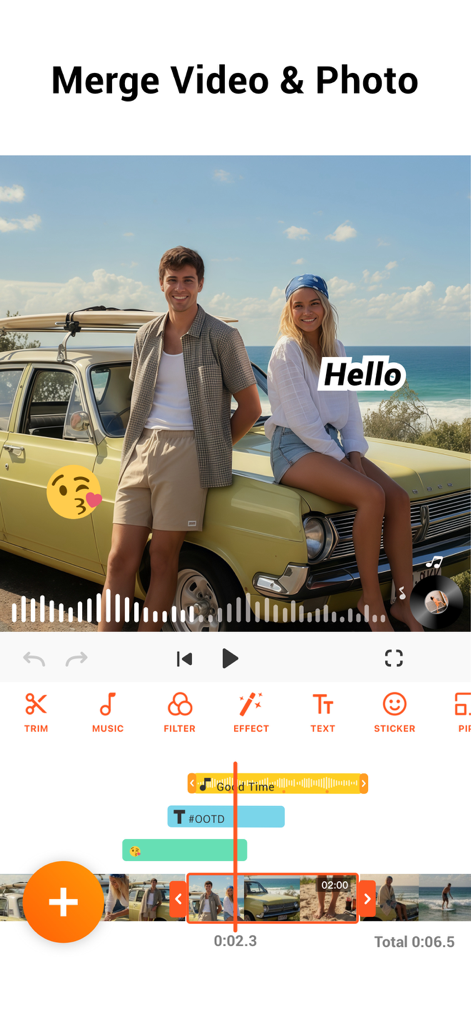
YouCut app interface demonstrating merging video and photos with music and text overlays

YouCut app interface demonstrating merging video and photos with music and text overlays

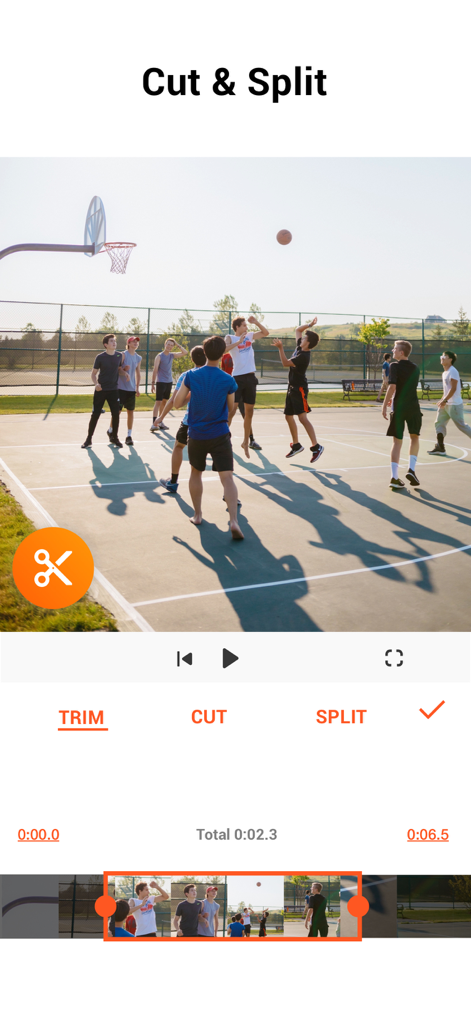
YouCut mobile app screen displaying video cutting and splitting options for a basketball clip

YouCut mobile app screen displaying video cutting and splitting options for a basketball clip

A collage of four different video clips showcasing AI effects like cyberpunk overlays and neon light trails

A collage of four different video clips showcasing AI effects like cyberpunk overlays and neon light trails

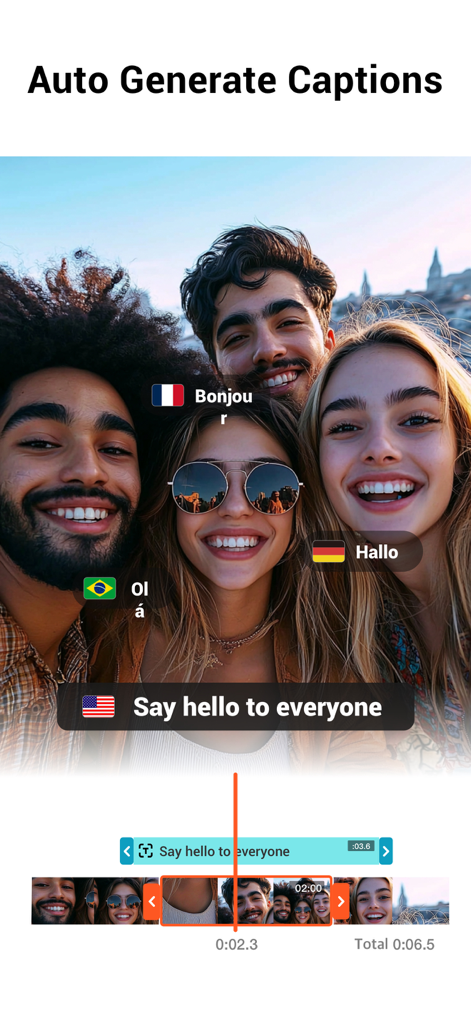
A group video in the YouCut app showing auto generated captions in multiple languages

A group video in the YouCut app showing auto generated captions in multiple languages

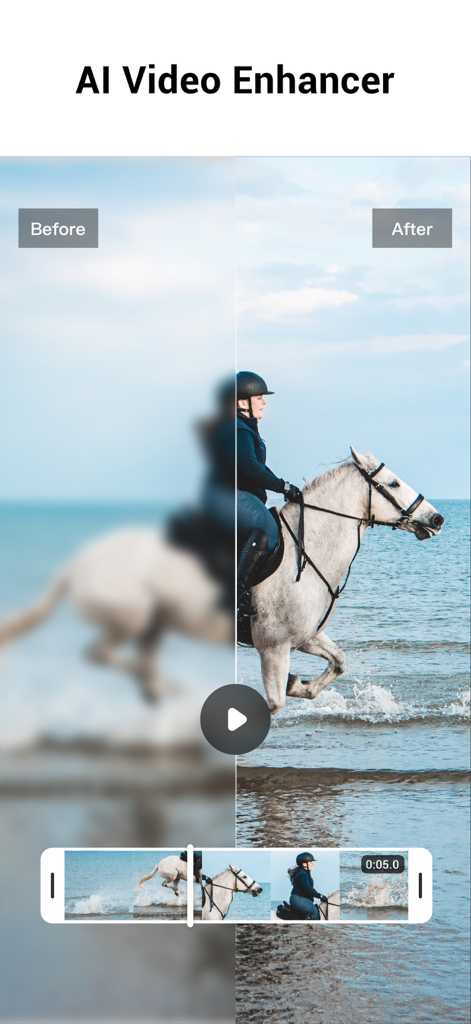
Before and after comparison of a blurry video restored to HD quality using the YouCut AI Video Enhancer feature

Before and after comparison of a blurry video restored to HD quality using the YouCut AI Video Enhancer feature

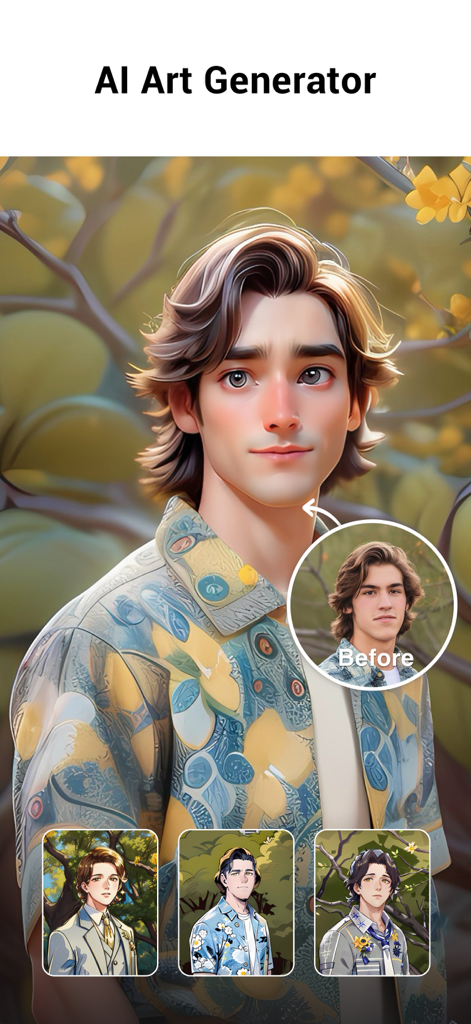
YouCut AI Art Generator feature showing a real photo transformed into a stylized cartoon avatar.

YouCut AI Art Generator feature showing a real photo transformed into a stylized cartoon avatar.

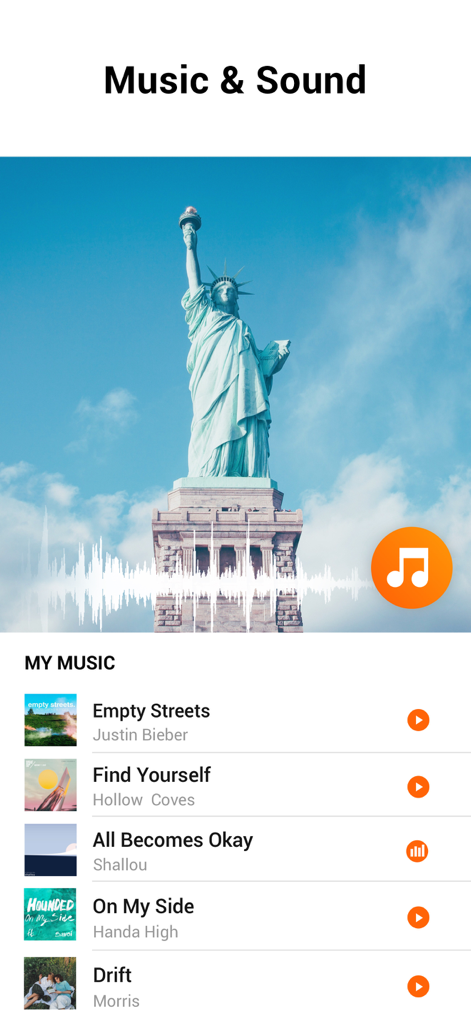
Interface of YouCut AI Video Editor showing the music and sound library for videos.

Interface of YouCut AI Video Editor showing the music and sound library for videos.

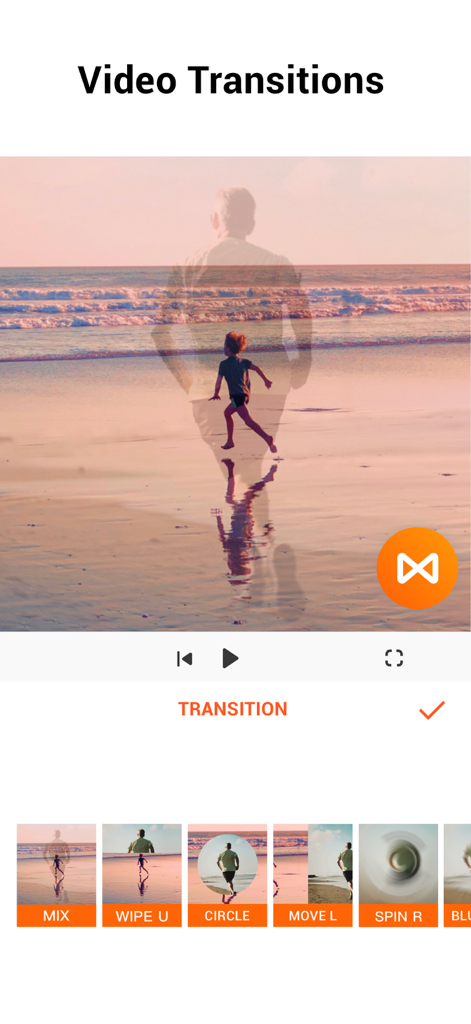
Interface of YouCut mobile app showing various video transition effects.

Interface of YouCut mobile app showing various video transition effects.

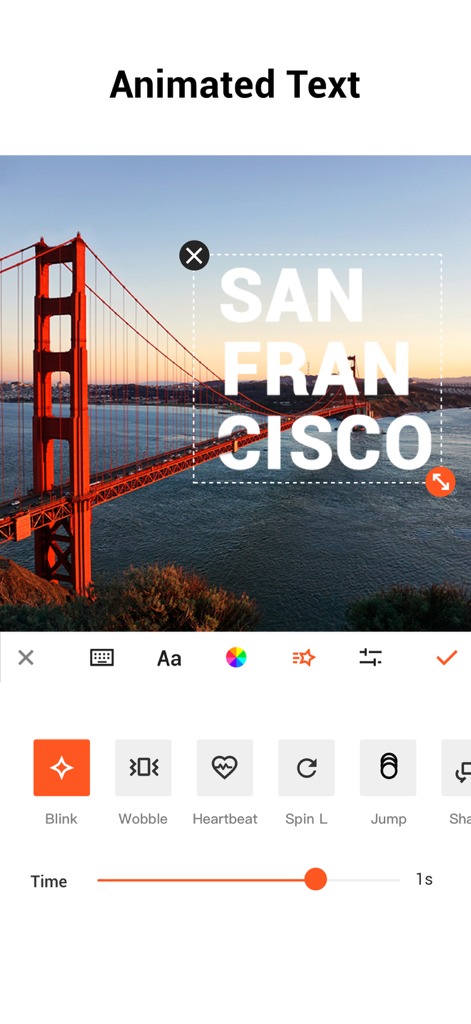
YouCut app interface displaying animated text options for mobile video editing

YouCut app interface displaying animated text options for mobile video editing

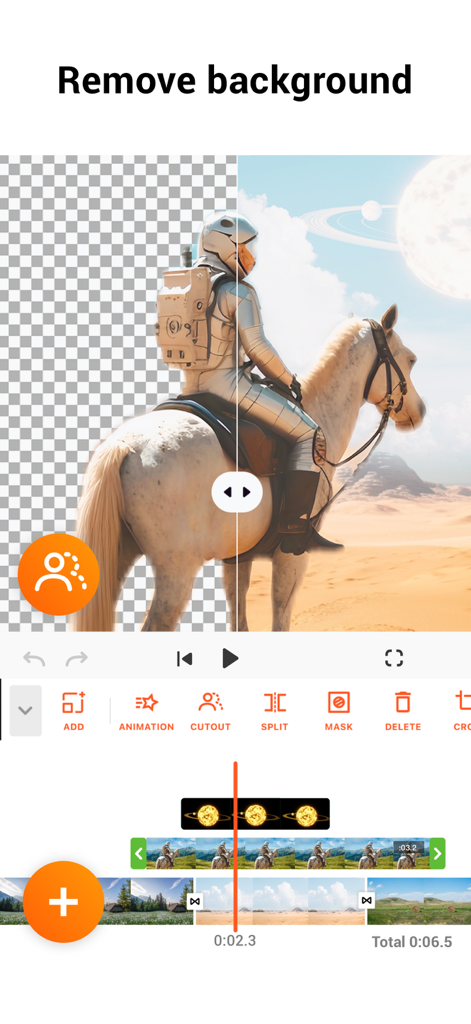
YouCut AI video editor background removal tool interface

YouCut AI video editor background removal tool interface

Professional Content Made Simple

The tools that make this app stand out, trusted by 4M+ users.

AI-Powered Productivity

Save hours of manual work with auto-generated captions, one-tap background removal, and AI video enhancement.

🚫

No Watermarks, No Limits

Keep your personal brand professional. Export your videos in stunning 4K resolution without any distracting logos or intrusive ads.

🎬

Pro-Level Creative Control

Master cinematic speed ramping, precise keyframe animations, and multi-layer PIP editing with our intuitive mobile timeline.

Loved by users worldwide

Trusted by 4M+ people who love this app.

"

"The AI auto-captions are a total game changer for my TikToks. I used to spend hours manually typing out text, but now it's done in seconds with incredible accuracy. Plus, having no watermark on my exports makes my content look so much more professional compared to other apps."

Chloe V., Lifestyle Creator
"

"I run my boutique's social media entirely from my iPhone, and YouCut is the only tool that gives me desktop-level power on the go. The keyframe animations and 4K support allow me to create high-end product showcases that actually drive sales. It is fast, intuitive, and worth every penny."

Marcus J., Small Business Owner

About the app

Everything you need to know about YouCut - AI Video Editor.

Description

YouCut as an AI [Video Editor] & [Video Maker] for YouTube and other social media, features a unique timeline design that makes video editing easier and more efficient. Easy to edit videos with music, AI effects, captions, emoji, text to speech, etc. [Easy & No Watermark] Edit videos like a pro. Whether you want to make photo videos or share moments with friends, YouCut is the best video editing app with all features you need. Features: [Powerful Video Editor and Movie Maker] YouCut as one of top AI video editor apps, provide you with AI Avatar, AI Captions, AI Enhance, AI Cutout, etc. You can zoom in/out timeline for precisely editing. No banner ads. [AI Video Editor] AI Video Enhance - Restore blurry videos and photos to HD. Auto Captions - Generate accurate captions for social media. [Video Speed Control] Fast/slow motion video (Adjust video speed from 0.2× to 100×), Edit video and adjust speed with video filters and effects. [Photo Slideshow Maker] Music video editor with photos, professional video combiner, merge photos to create slideshow. Make video collage easily with Picture-in-Picture (PIP), keyframe. Combine videos with photos, add custom photo cover, auto captions for video, edit videos with music like a pro. [No Watermark] As music video editor and full screen video maker for YouTube, YouCut never add Watermark to your video. There is no banner ads on the screen, unlike other video editing apps. [Add Music to Video] It is a pro TikTok editor and YouTube intro maker that meets all your needs. 1. 100+ music and built-in sound effects. 2. Edit videos with your music. 3. Extract music from video. [Video Filters & AI Effects] Add movie style video filters and AI effects to video. Best Movie maker to enhance quality without watermark. [Video Color Adjust] Adjust video brightness, contrast, saturation, etc. Custom video filters and effects. Best movie cutter and AI captions generator for videos. [Change Video Background] 1. Change background color of your video, blur background. 2. Remove background with AI in a tap. [Keyframe] Add motion to clips by keyframe. [Video Compressor] 1. HD video maker & TikTok editor. 2. YouCut - AI video editor and video maker support resolution up to 4K. [Share Video] Directly share video to YouTube, Instagram, TikTok…to get hundreds of 'likes'! AI Art Generator, Photo Slideshow, Add music, materials, captions for video, Apply transition effects, Apply FX video filters, Rotate video, Share to YouTube... Fast/Slow motion video editor without losing video quality! If you have any question about YouCut (pro video editor, video cutter & video enhancer, photo slideshow maker), please email us at: youcut.ios@inshot.com For more tutorials, subscribe us on YouTube @YouCutApp [YouCut Pro Unlimited Subscription] - With an YouCut Pro Unlimited subscription, you have access to all features and paid editing materials. - YouCut Pro Unlimited subscription is billed annually. In addition, a one-time payment will be offered if needed, which is not one of the subscription plan. - Payment will be charged to iTunes Account at confirmation of purchase. - Subscription automatically renews unless auto-renew is turned off at least 24-hours before the end of the current period. - Account will be charged for renewal within 24-hours prior to the end of the current period, and identify the cost of the renewal. - Subscriptions may be managed by the user and auto renewal may be turned off by going to the user's Account Settings after purchase. - Any unused portion of a free trial period, if offered, will be forfeited when the user purchases a subscription to that publication, where applicable. [Terms of Use] https://inshot.cc/terms/terms_youcut.pdf [Privacy Policy] https://inshot.cc/terms/privacy_youcut.pdf [Disclaimer] YouCut is not affiliated, associated, sponsored, endorsed by, or in any way officially connected with YouTube, Instagram, TikTok, Facebook.

Latest Version

1.26.1

Size

136.0 MB

First Released

Jul 17, 2022

Ready to Go Viral? Create Watermark-Free Videos Today.

Join over 4 million creators using YouCut’s AI-powered tools to produce pro-level content for TikTok and YouTube. No watermarks, no banner ads—just pure creativity in 4K.

Download on App Store
FAQ

Frequently Asked Questions

Everything you need to know about YouCut - AI Video Editor

How does YouCut help users edit videos for social media?

YouCut functions as an AI video editor and maker for YouTube and other social media platforms. It offers tools like music, AI effects, captions, emoji, and text-to-speech for efficient video editing.

Does YouCut add a watermark to edited videos?

No, YouCut does not add a watermark to videos. It provides watermark-free editing, allowing users to create and share videos without branding.

Can YouCut enhance blurry videos and photos to HD quality?

Yes, YouCut features an AI Video Enhance tool. This function restores blurry videos and photos, converting them into high-definition quality.

What AI features does YouCut include for video editing?

YouCut integrates several AI features, including AI Avatar, AI Captions, AI Enhance, and AI Cutout. These tools streamline complex editing tasks for users.

How can I adjust video speed in YouCut?

YouCut offers Video Speed Control, allowing users to adjust video speed from 0.2× to 100×. This feature supports both fast and slow motion effects.

Does YouCut offer auto-caption generation for videos?

Yes, YouCut provides an Auto Captions feature. It generates accurate captions for videos, making content more accessible for social media platforms.

Is it possible to remove the background of a video or photo using YouCut?

Yes, YouCut allows users to remove backgrounds with AI in a single tap. It also offers options to change background color or blur it.

What kind of subscription options are available for YouCut Pro Unlimited?

YouCut Pro Unlimited offers an annual subscription for access to all features and paid materials. A one-time payment option is also available.

Can users extract music from videos within the YouCut app?

Yes, YouCut allows users to extract music directly from videos. This feature is part of its comprehensive music editing capabilities.

What is the maximum video resolution supported by YouCut?

YouCut - AI video editor and video maker supports resolutions up to 4K. This ensures high-quality video output for various platforms.

Does YouCut include an AI Art Generator feature?

Yes, YouCut includes an AI Art Generator. This feature transforms photos into various artistic styles.

Where can I find the Terms of Use and Privacy Policy for YouCut?

The Terms of Use and Privacy Policy for YouCut are available via direct links provided in the app description.