VLLO- Video Editor, Vlog Edits

VLLO- Video Editor, Vlog Edits

Download on App StoreDownload on Google Play
Spark by MWM logo
Logo of VLLO- Video Editor, Vlog Edits

VLLO: Professional Video Editing Made Simple for Every Storyteller

Join 40 million creators making aesthetic vlogs, TikToks, and Reels. Enjoy pro-level features like AI auto-captions and keyframe animation with no watermarks and no complexity.

Download on App Store

Publisher

vimosoft

Category

Photo & Video

Downloads

20M+

User Rating

4.8/5

Total Ratings

831K+

Locales

13

Pro-Level Editing, Simplified

Discover the interface used by 20M+ users.

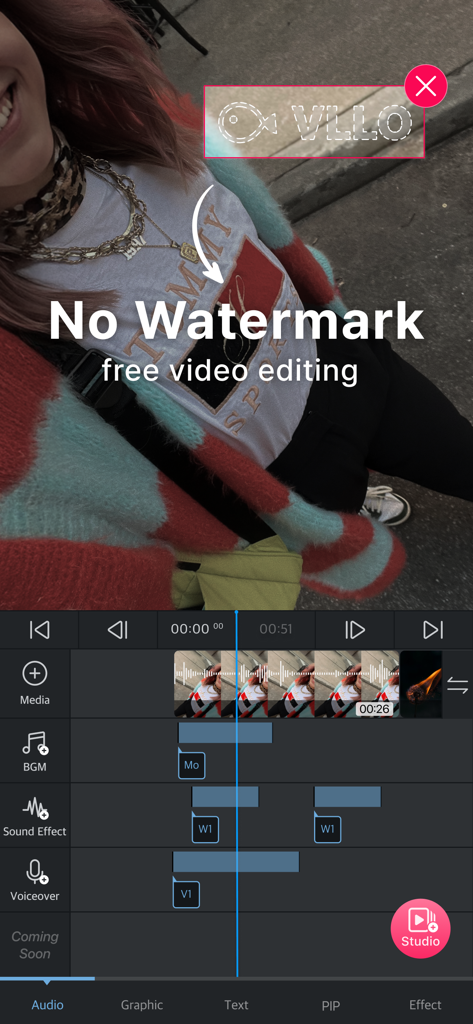
VLLO mobile app interface demonstrating free video editing with no watermark feature

VLLO mobile app interface demonstrating free video editing with no watermark feature

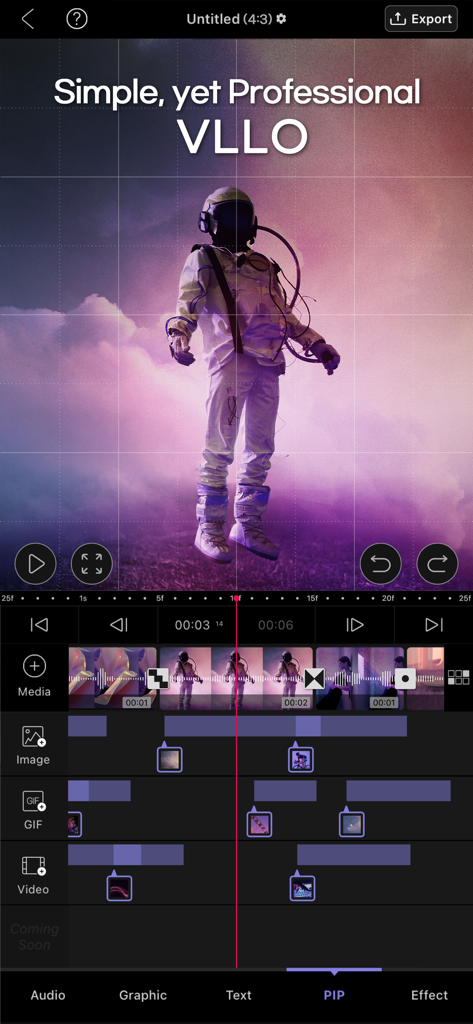
VLLO app interface showing a multi-track video editing timeline and PIP features.

VLLO app interface showing a multi-track video editing timeline and PIP features.

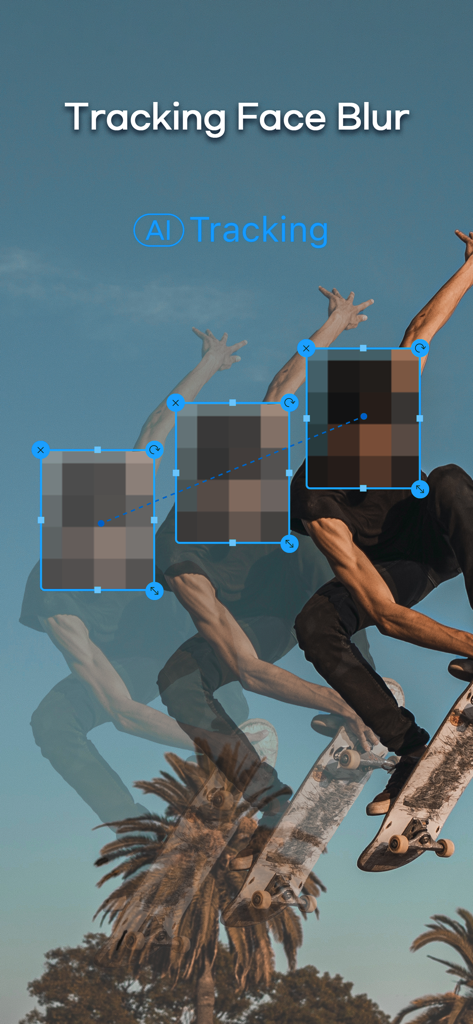
A skateboarder in motion with the VLLO AI tracking feature automatically blurring their face across multiple frames

A skateboarder in motion with the VLLO AI tracking feature automatically blurring their face across multiple frames

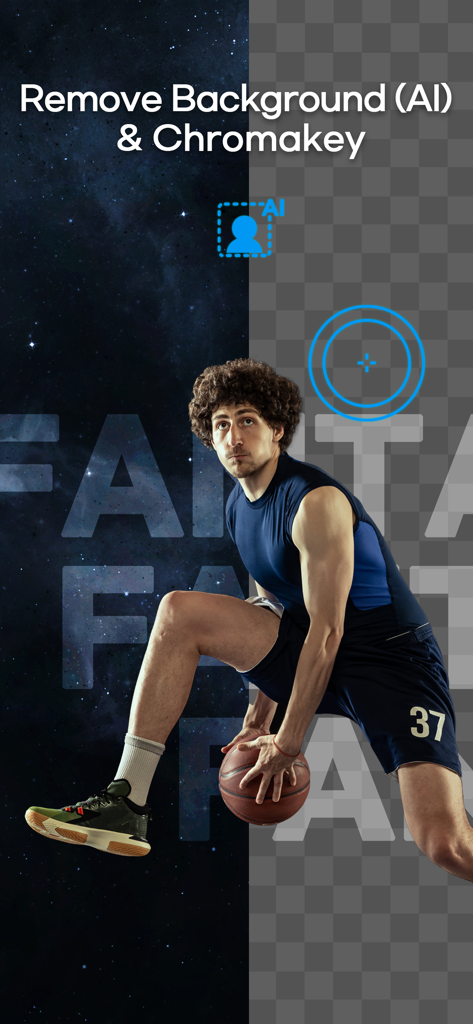
VLLO app feature showcasing AI background removal and chromakey with a basketball player being placed on a space background

VLLO app feature showcasing AI background removal and chromakey with a basketball player being placed on a space background

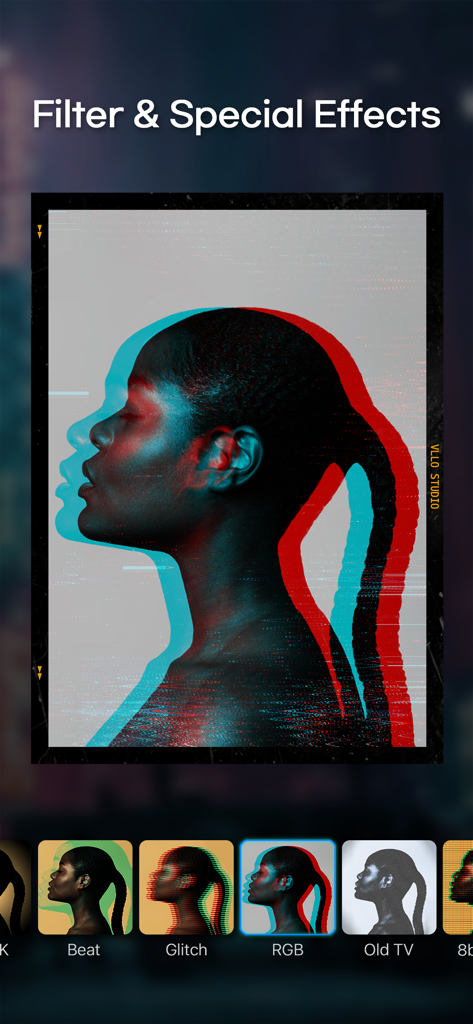
VLLO mobile app interface showcasing a variety of creative video filters and special effects including RGB and glitch styles

VLLO mobile app interface showcasing a variety of creative video filters and special effects including RGB and glitch styles

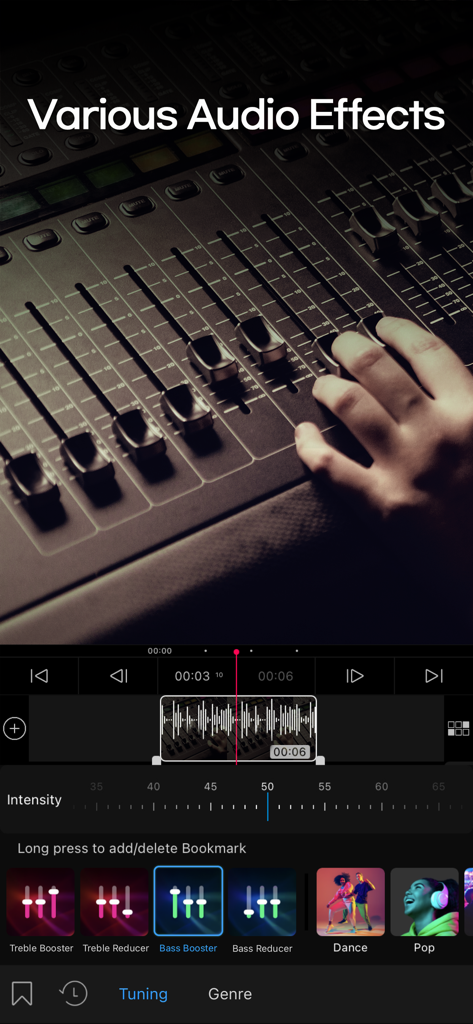
VLLO video editor interface showing various audio effects and tuning presets

VLLO video editor interface showing various audio effects and tuning presets

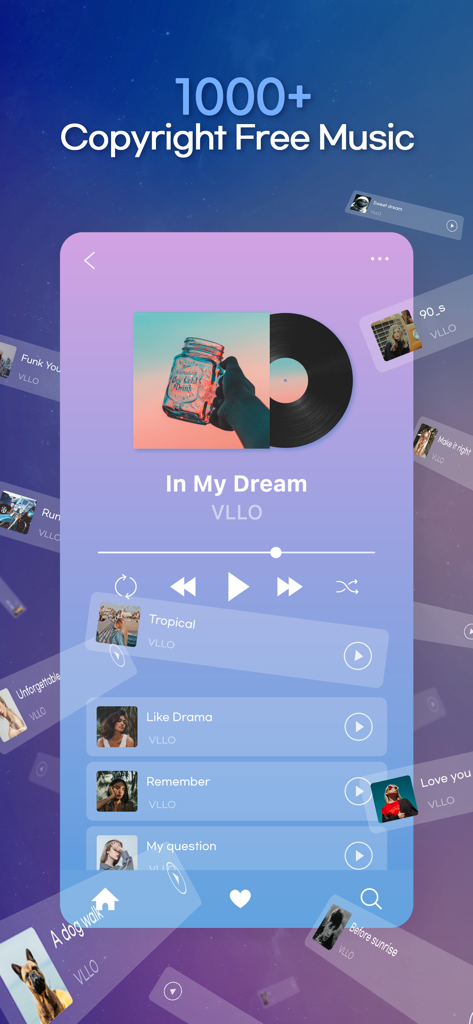
Mobile interface of VLLO app showing a library of over one thousand copyright free music tracks for video editing

Mobile interface of VLLO app showing a library of over one thousand copyright free music tracks for video editing

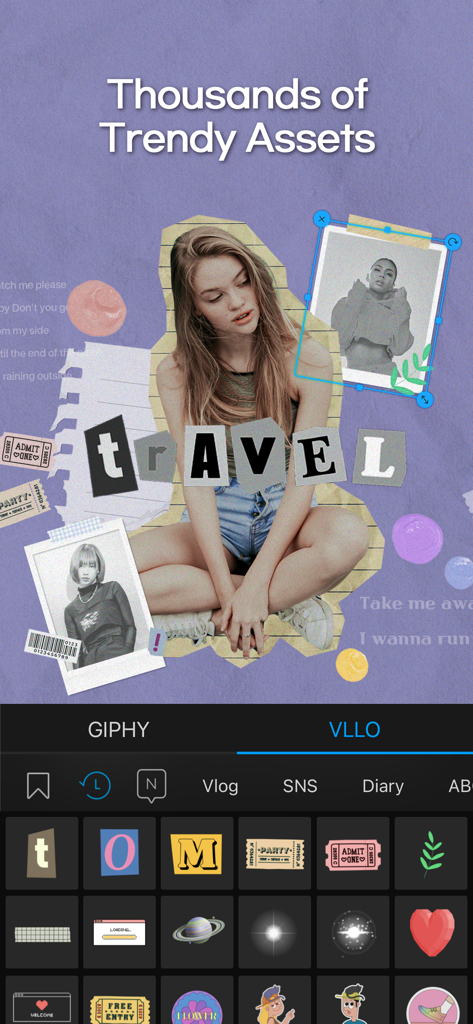
VLLO video editor interface showcasing a library of trendy stickers and assets for creative vlogs

VLLO video editor interface showcasing a library of trendy stickers and assets for creative vlogs

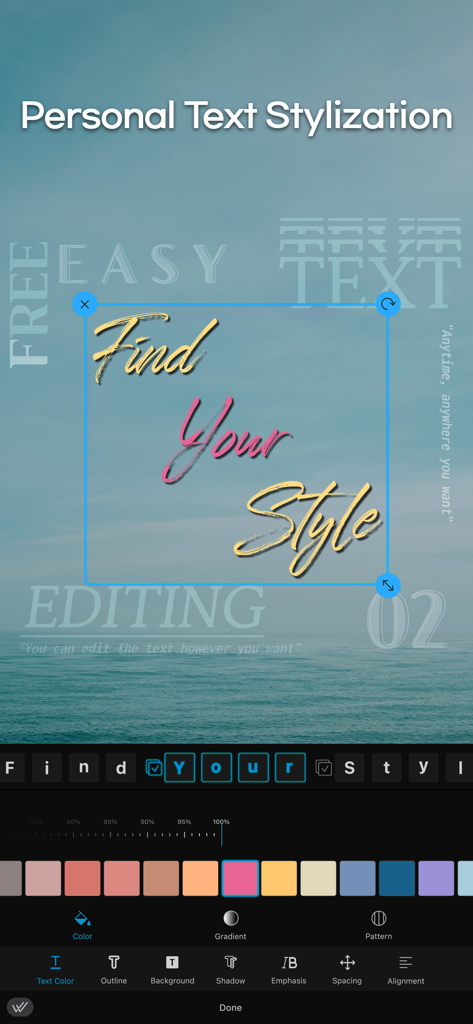
Mobile screen showing the VLLO app text editing interface with custom typography and color options over a sea landscape

Mobile screen showing the VLLO app text editing interface with custom typography and color options over a sea landscape

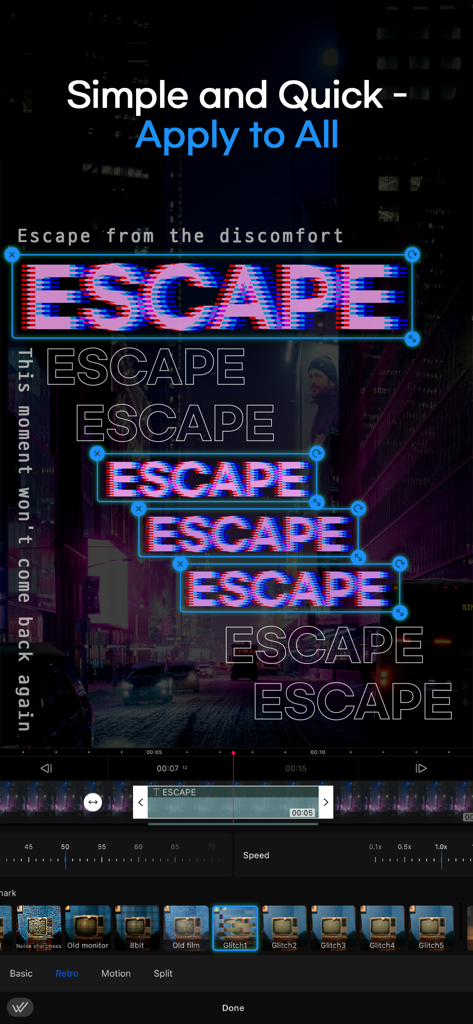
VLLO app interface showing multiple glitch text overlays and a video editing timeline

VLLO app interface showing multiple glitch text overlays and a video editing timeline

Edit Like a Pro, No Experience Required

The tools that make this app stand out, trusted by 20M+ users.

🚫

Watermark-Free Exports

Keep your content professional and clean. Export your masterpieces in stunning 4K without any watermarks or hidden fees.

💬

Smart Auto-Captions

Boost engagement and accessibility. Use AI to generate perfectly synced captions for your TikToks and Reels in a single tap.

🎞️

Advanced Motion Control

Add cinematic flair with intuitive keyframes and transitions designed specifically for mobile-first storytelling.

Loved by users worldwide

Trusted by 20M+ people who love this app.

"

"I have tried every editing app out there, but VLLO is by far my favorite for TikTok and Reels. The no-watermark feature is a game-changer for my brand aesthetic, and the auto-captions save me so much time. It is so easy to add those cute stickers and transitions that make my vlogs look professional without needing a laptop!"

Madison R.
"

"As a small business owner, I need to create high-quality content quickly. VLLO gives me desktop-level power on my iPad. I love the keyframe animations and the huge library of copyright-free music. It makes my YouTube Shorts look amazing, and the 4K export quality is top-notch. Truly the best all-in-one editor I have found."

Marcus J.

About the app

Everything you need to know about VLLO- Video Editor, Vlog Edits.

Description

#Simple Yet Professional #All-in-one Editing VLLO is a powerful video editor trusted by 40 million creators worldwide - perfect for both beginners and pros! Whether you're making your first vlog or creating content for YouTube, Instagram, or TikTok, VLLO's intuitive interface makes video editing feel natural and fun. Beginners love how super simple it is to trim videos, add text, apply transitions, use templates, and add music with just a few taps. And when you're ready to dive deeper, advanced features like auto caption, PIP, AI tracking, and professional keyframe animations are waiting for you. Why Creators Love VLLO: NO WATERMARK • Create unlimited videos without any watermarks • No payment required POWERFUL AI TOOLS • Auto Caption: Generate perfectly synced captions in one tap, available in multiple languages • Auto Tracking: Make stickers, texts and blur to follow moving objects • AI Background Remove: Remove background instantly TRENDY TEMPLATES & GRAPHICS • Decorate your videos with regularly updated trending templates • Create and share your own templates • Stickers, Frames, and Text Labels: Stylize your video with aesthetic, high quality assets FILTERS, EFFECTS & TRANSITIONS • Filters & Color Grading: Enjoy plenty of cinematic filters and professional color grading options • Effects: Instantly elevate your videos with effects like glitch, retro, and zoom • Transitions: Create smooth flows from classic slides and rotates to trendy graphic animations MUSIC & AUDIO • Massive audio library : 1800+ copyright-free musics and sound effects, and you may also import your own music • Audio Effects: Enhance your sound with fade, pitch control, voice changing effects • Voice Over: Record instantly with a single tap • Audio Extract: Extract audio and musics from videos ADVANCED VISUAL EFFECTS • Chroma-key: Remove specific colors from video easily • Blur & Mosaic: Create stylish blur effects • Text Styling: Customize color, shadows, and outline for individual characters • Multi-track Editing: Layer videos, images and GIFs (PIP) and arrange them easily ADVANCED MOTION CONTROL • Keyframe: Create custom motion effects for all media • Speed Control: Adjust video with speed and reverse • Animation: Animate videos with various effects and duration EASY & INTUITIVE EDITING: • Convenient editing with automatic saving and unlimited redo/undo • Precise editing with smart grid and magnetic settings • Multiple video ratios for all platforms • Easy-to-follow tutorials to get you started HIGH QUALITY EXPORT & QUICK SHARE • Export videos in stunning 4K resolution • Share directly to Youtube, Instagram, TikTok, WhatsApp, etc Download VLLO now and experience next-level editing on your iPhone and iPad! VLLO Terms of Use : https://www.vllo.io/vllo-terms-of-use Questions or suggestions? Contact us: cs@vimosoft.com

Latest Version

13.22.1

Size

309.7 MB

First Released

Feb 19, 2015

Ready to Level Up Your Content?

Join 40 million creators making aesthetic, watermark-free vlogs in minutes. Download VLLO today and start sharing your story with the world in stunning 4K.

Download on App StoreDownload on Google Play
FAQ

Frequently Asked Questions

Everything you need to know about VLLO- Video Editor, Vlog Edits

Does VLLO add a watermark to edited videos?

No, VLLO allows users to create unlimited videos without any watermarks, and no payment is required for this feature.

What AI tools does VLLO offer for video editing?

VLLO provides powerful AI tools including Auto Caption for synced captions, Auto Tracking for objects to follow, and AI Background Remove to instantly remove backgrounds.

Can VLLO export videos in high quality?

Yes, VLLO supports exporting videos in stunning 4K resolution.

Does VLLO provide royalty-free music for videos?

Yes, VLLO offers a massive audio library with over 1800 copyright-free music tracks and sound effects. Users can also import their own music.

Can I layer multiple videos and images in VLLO?

Yes, VLLO supports multi-track editing, allowing users to layer videos, images, and GIFs (Picture-in-Picture or PIP) and arrange them easily.

Does VLLO include a chroma-key feature for video editing?

Yes, VLLO features Chroma-key functionality, which allows users to easily remove specific colors from their video footage.

Does VLLO offer templates for video creation?

Yes, VLLO provides regularly updated trendy templates for decorating videos. Users can also create and share their own templates.

How can I customize text in VLLO?

VLLO offers extensive text styling options, allowing users to customize color, shadows, and outline for individual characters in their videos.

Does VLLO support keyframe animation?

Yes, VLLO includes a keyframe feature that enables users to create custom motion effects for all media elements in their video projects.

Can I adjust video speed in VLLO?

Yes, VLLO provides speed control functionality, allowing users to adjust video playback speed and apply reverse effects.