
WavePad Master's Edition



Record, edit, and apply advanced effects with surgical precision. Experience desktop-class waveform power and seamless cloud integration designed for journalists, podcasters, and audio experts on the go.
 WavePad Musik & Audio Editor
 WavePad Editor- Musica e Audio
 WavePad – Éditeur audio
 WavePad, editor de audio
 WavePadマスター版 2022
 WavePad Masters Deutsch 2022
 WavePad Professionale 2022
 WavePad Professionnel 2022
 WavePad Máster 2022
 WavePad 마스터 판 2022
 WavePad音频和音乐编辑器
 WavePad大师版 2022
 WavePad Music and Audio Editor
 WavePad - マスター版
 WavePad Master's Edition 2020
 WavePad音声編集ソフト
 WavePad Master's Edition
 WavePad Audio Editor
 WavePad Master's Edition
 WavePad, editor de audio
 WavePad Professionnel
 WavePadマスター版
![WavePad音声編集アプリ [JP]](https://fastly.mwm-storage.mwmcdn.com/raw_files/39edbf1d-8f3b-4ec8-acf9-b4b59c024283?height=48&format=webp) WavePad音声編集アプリ [JP]
WavePad音声編集アプリ [JP]Publisher
Category
MusicDownloads
10K+User Rating
Total Ratings
100Locales
1Discover the interface used by 10K+ users.
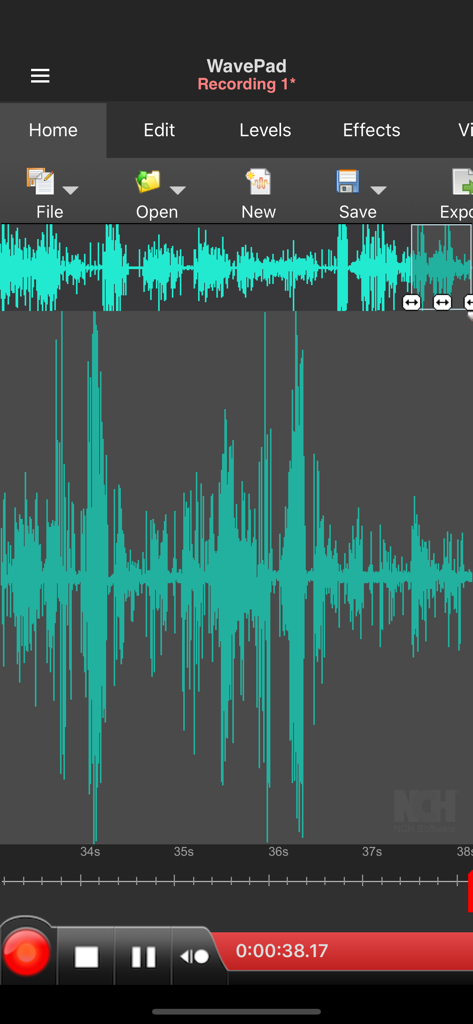
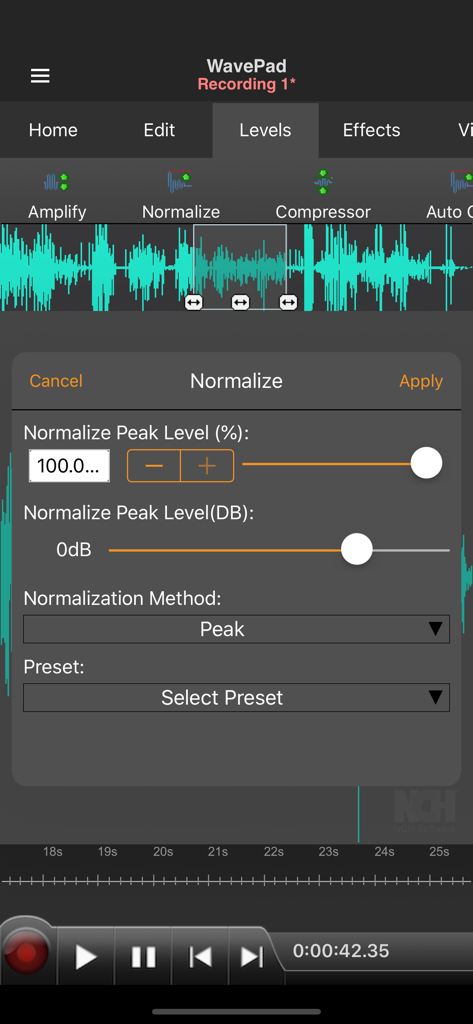
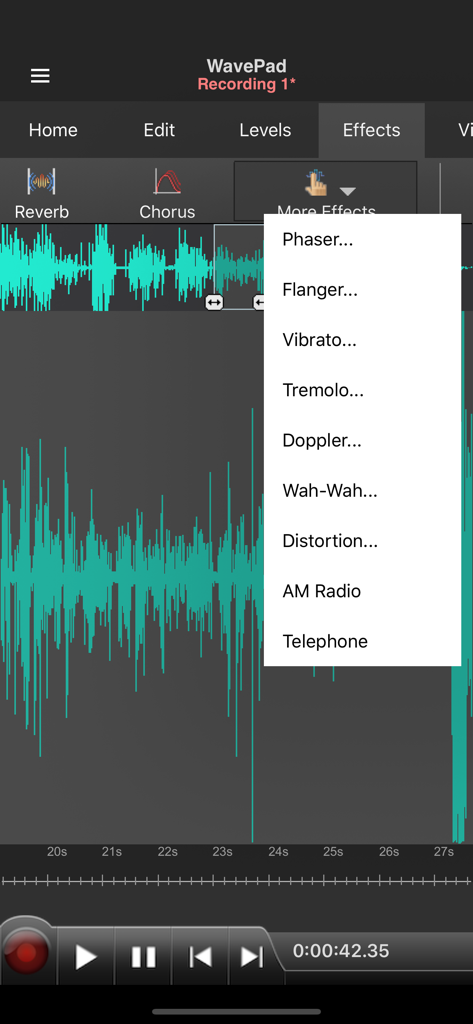
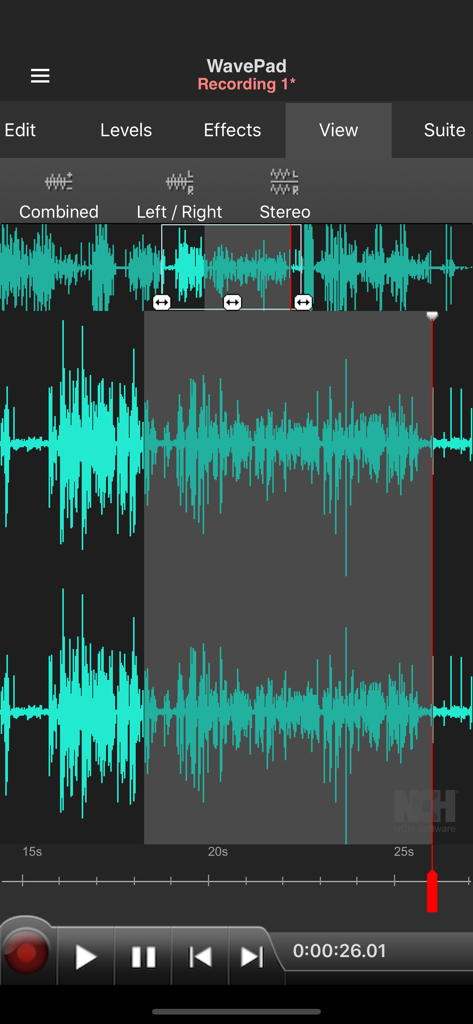
The tools that make this app stand out, trusted by 10K+ users.
Perform surgical edits with cut, copy, and paste tools directly on the waveform for professional-grade accuracy on your mobile device.
Enhance your recordings with high-pass filters, normalization, and echo effects to achieve clean, studio-standard audio every time.
Save time with voice-activated recording and seamless cloud integration to Dropbox or Google Drive for instant file sharing.
Trusted by 10K+ people who love this app.
"As a field journalist, I need to deliver clean audio to my editor immediately. WavePad's surgical waveform editing and seamless Dropbox integration allow me to finalize professional-grade reports directly from my iPhone without ever touching a laptop."
"The Master's Edition is a game-changer for my voice-over auditions. Having access to high-pass filters and normalize tools on the go—with support for 44100hz sample rates—ensures my recordings meet industry standards even when I am away from my studio."
Everything you need to know about WavePad Master's Edition.
Description
Latest Version
20.38
Size
25.3 MB
First Released
Dec 17, 2021
Join thousands of journalists and pro-creators using WavePad for desktop-class editing. Start your 7-day free trial and experience surgical waveform precision on the go.
Everything you need to know about WavePad Master's Edition
WavePad Master's Edition is a professional sound editor for recording, editing, and adding effects to audio. It records voice or music, offering waveform editing and effect application for high-quality audio.
WavePad Master's Edition includes amplify, normalize, echo, high pass filter, phaser, flanger, vibrato, tremolo, doppler, wah-wah, distortion, AM Radio, and telephone effects.
Yes, WavePad Master's Edition provides editing capabilities including cut, copy, paste, insert, and trim. Users also work within audio waveforms to make selections for quick edits.
WavePad Master's Edition supports multiple audio file formats. Specifically, it includes compatibility with wave and aiff files for both import and export functions within the app.
Yes, WavePad Master's Edition integrates with popular cloud storage services. Users can upload to and download audio files from their Google Drive and Dropbox accounts directly.
Yes, WavePad Master's Edition offers a 7-day free trial. After this trial period, a subscription is necessary to access and utilize all of the app's full features.
Yes, WavePad Master's Edition supports background recording. The recording feature continues to operate seamlessly even when the screen is turned off or when the app is in the background.
Yes, WavePad Master's Edition supports stereo audio editing. Users can view and manipulate audio in Combined, Left/Right, or Stereo modes, visible under the View tab.
Apps with similar features and user experience

NCH Software

苏娟 陈

孛 刘

Arpenik Katikyan

Wooji Juice Ltd

NCH Software

Innovation Software Development 360 LLC

龙刚 李

文 夏