Address Label Creator

Address Label Creator

Download on App Store
Spark by MWM logo
Logo of Address Label Creator
Address Label Creator: Professional Labels, Perfectly Aligned

Skip the mail merge headache. Design stunning, custom address and shipping labels on your Mac or iPad with precise alignment for Avery sheets. Perfect for small businesses, Etsy sellers, and the organized home.

Download on App Store

Publisher

Gilbert Hansen

Category

Business

Downloads

17K+

User Rating

1.6/5

Total Ratings

0

Locales

1

A Preview of Perfection

Discover the interface used by 17K+ users.
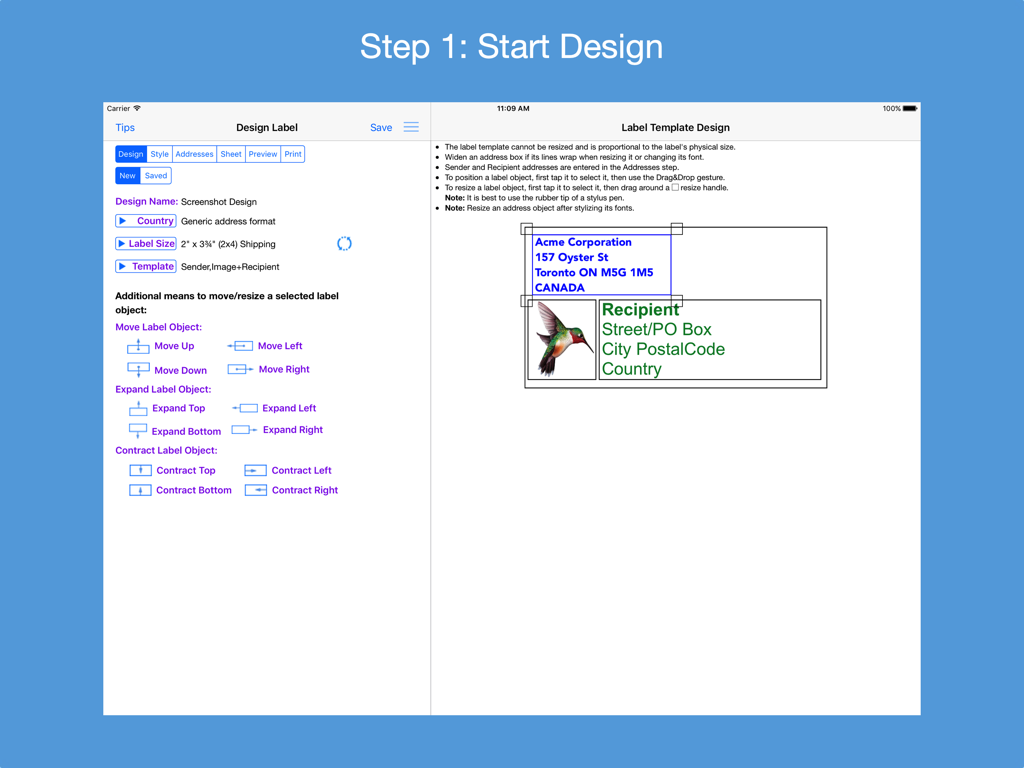
iPad interface of Address Label Creator showing design tools and label template preview.

iPad interface of Address Label Creator showing design tools and label template preview.

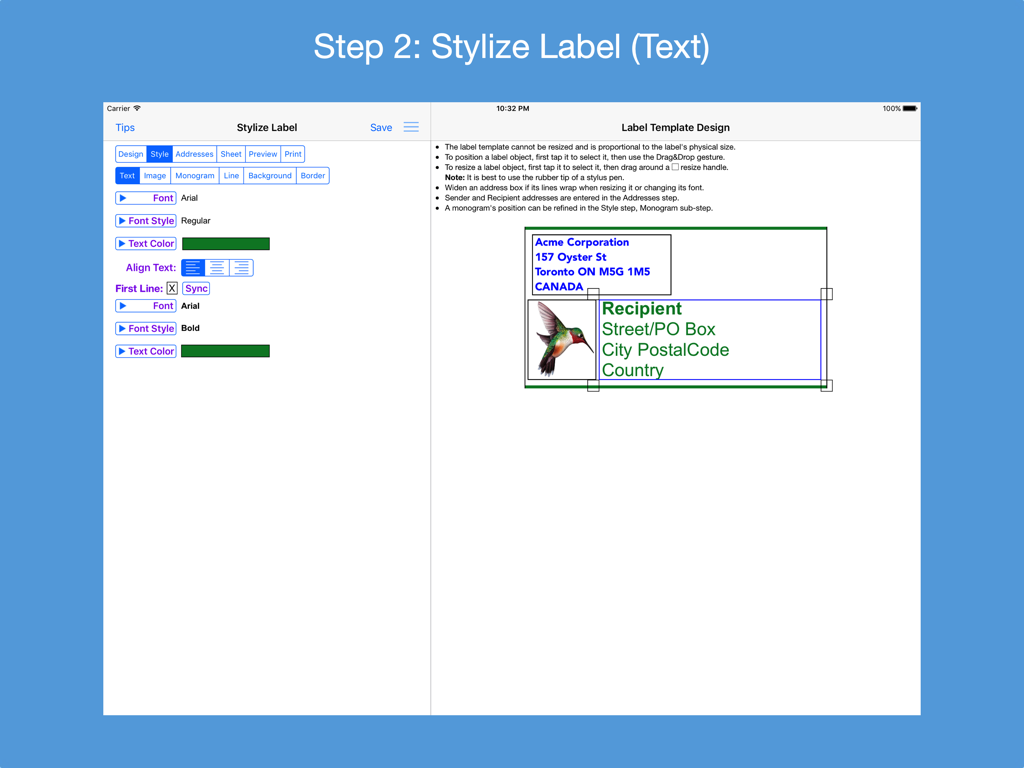
iPad screenshot showing Step 2 of the Address Label Creator app for stylizing label text with a preview

iPad screenshot showing Step 2 of the Address Label Creator app for stylizing label text with a preview

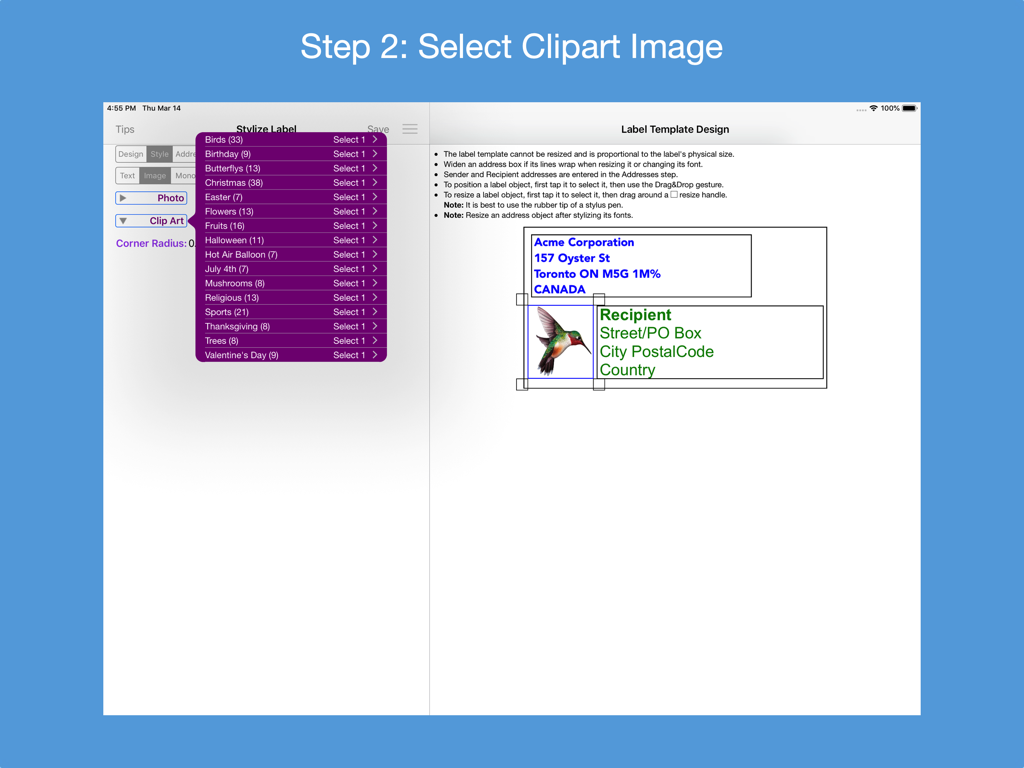
iPad app interface showing clipart selection for custom address label design with a hummingbird illustration

iPad app interface showing clipart selection for custom address label design with a hummingbird illustration

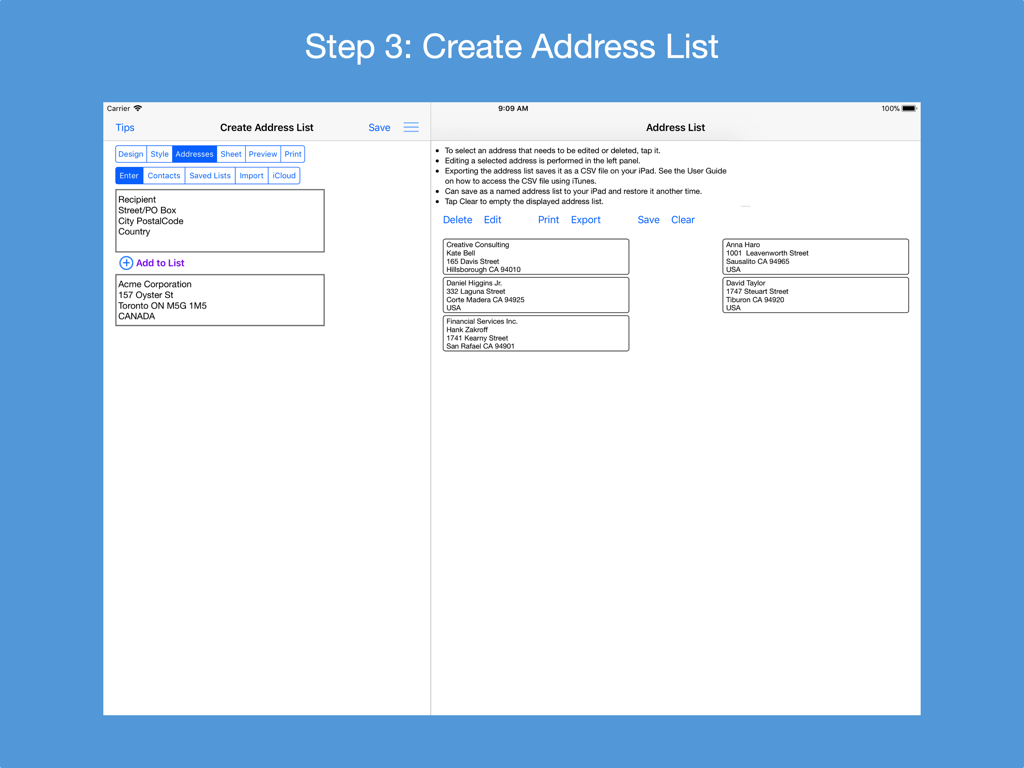
A screenshot of the Address Label Creator app showing the interface for creating and managing an address list on an iPad.

A screenshot of the Address Label Creator app showing the interface for creating and managing an address list on an iPad.

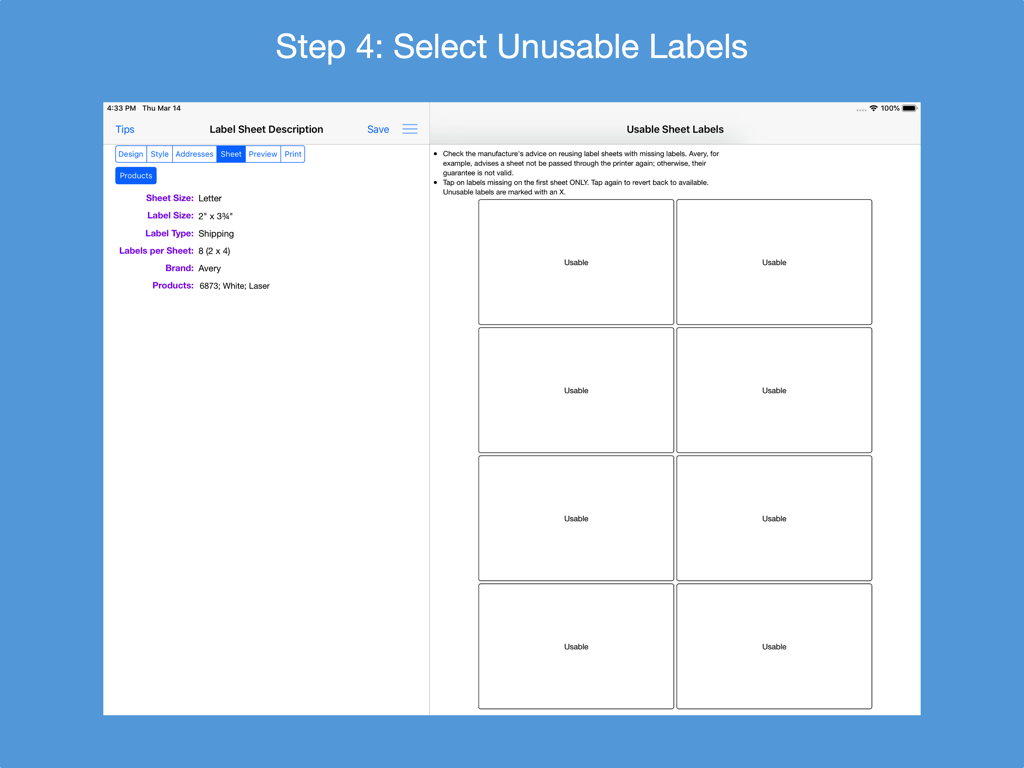
Interface for marking usable and unusable labels on a shipping sheet in the Address Label Creator app

Interface for marking usable and unusable labels on a shipping sheet in the Address Label Creator app

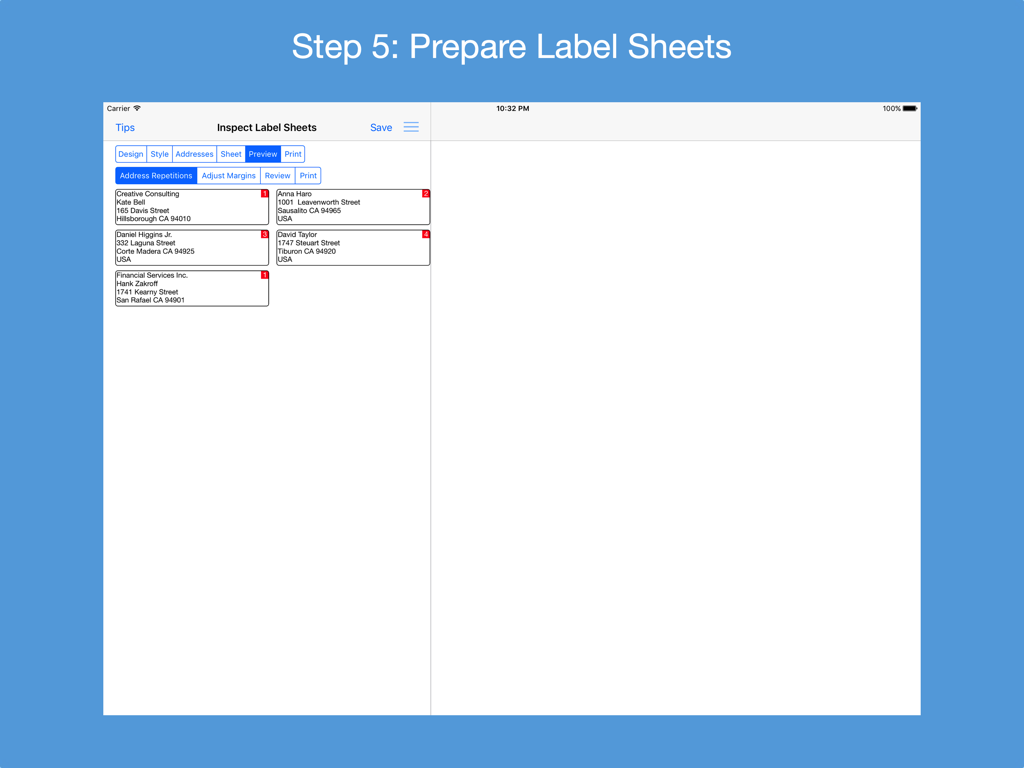
Address Label Creator app interface showing the prepare label sheets step with address previews on an iPad.

Address Label Creator app interface showing the prepare label sheets step with address previews on an iPad.

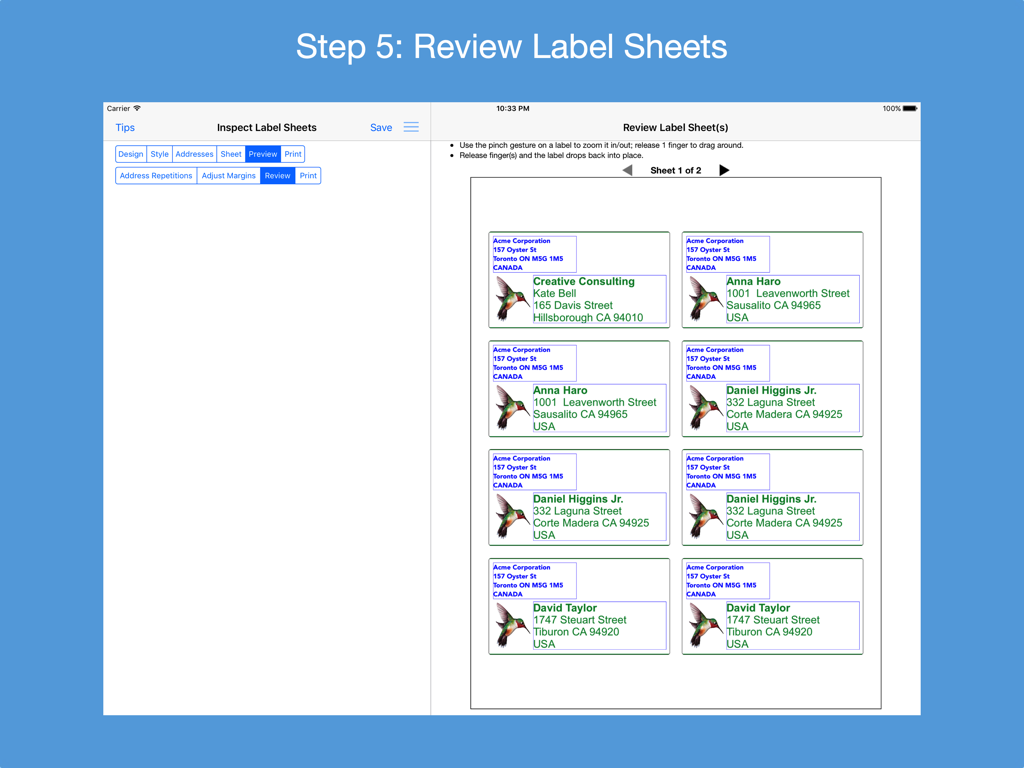
iPad screen showing a preview of a printable sheet with multiple custom address labels

iPad screen showing a preview of a printable sheet with multiple custom address labels

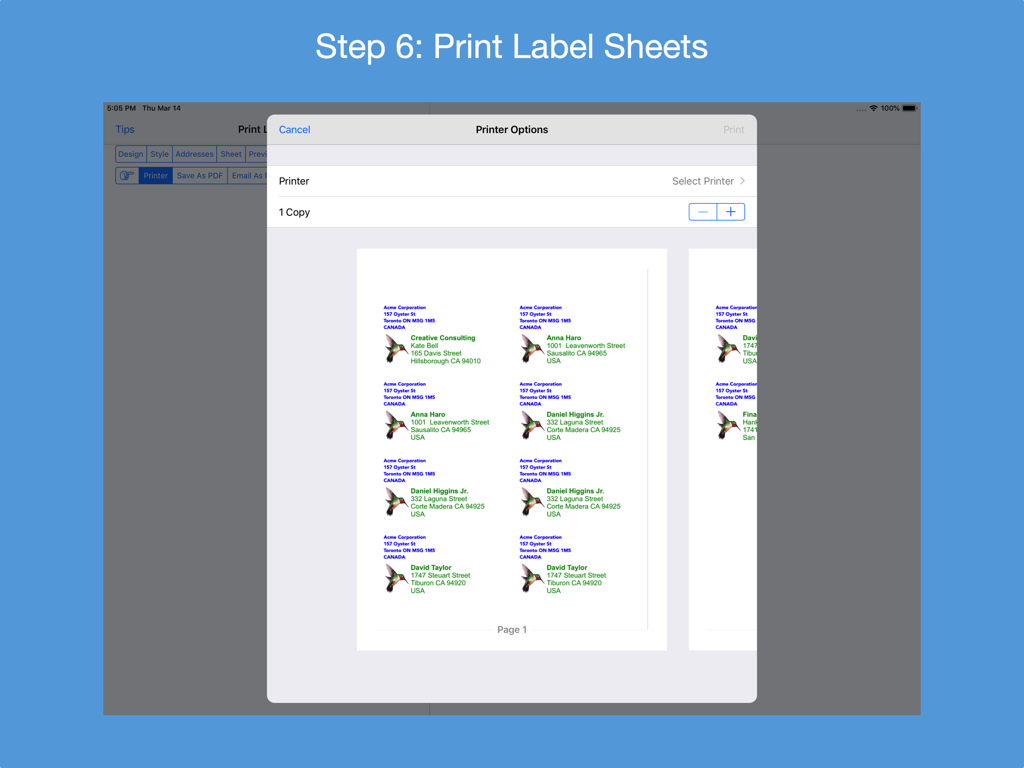
Address Label Creator app printer options screen on iPad showing a preview of customized address labels with illustrations

Address Label Creator app printer options screen on iPad showing a preview of customized address labels with illustrations

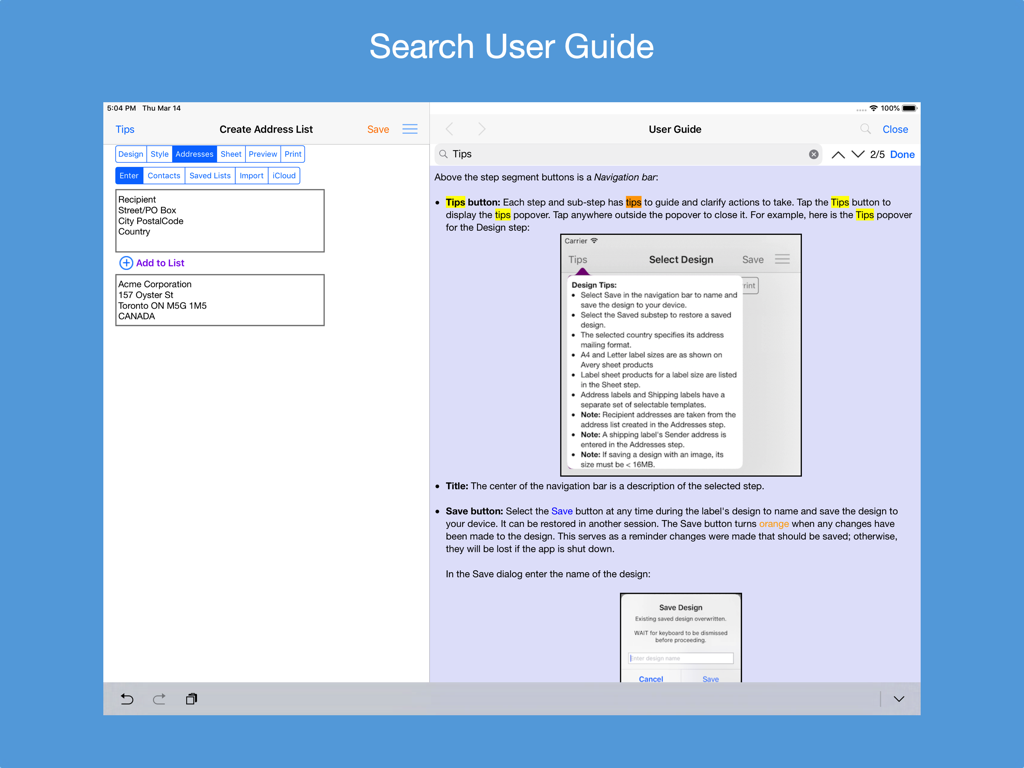
A screenshot of the Address Label Creator app on an iPad showing the searchable user guide alongside the address list creation screen.

A screenshot of the Address Label Creator app on an iPad showing the searchable user guide alongside the address list creation screen.

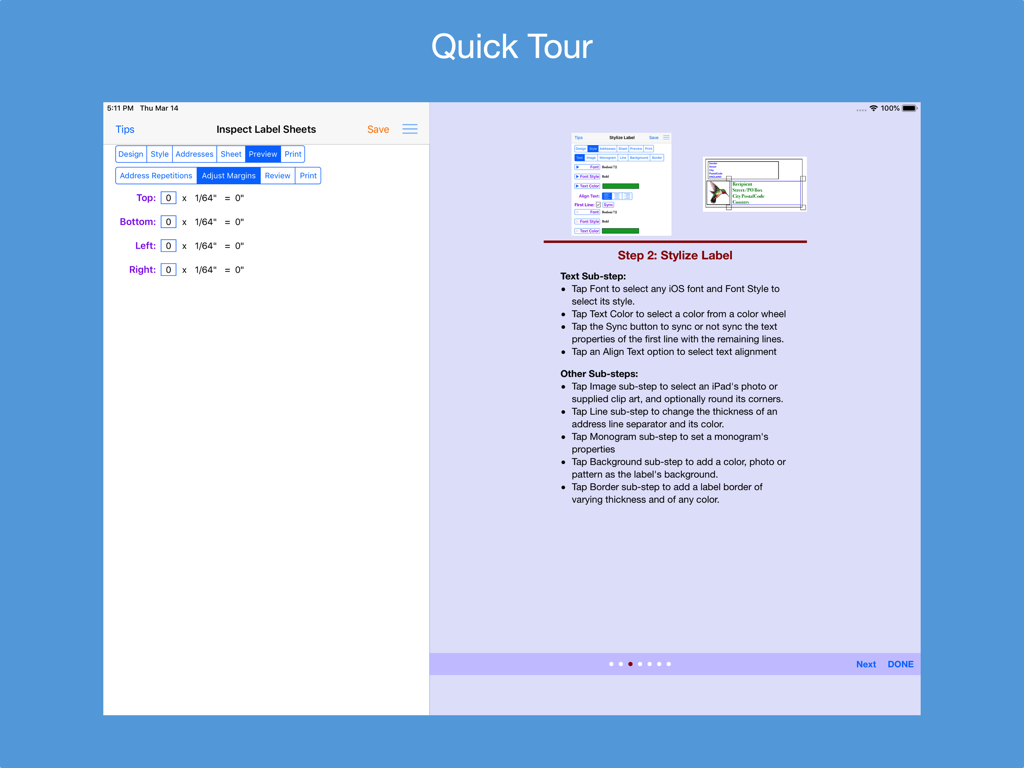
Quick tour screen of Address Label Creator showing margin adjustment settings and styling instructions

Quick tour screen of Address Label Creator showing margin adjustment settings and styling instructions

Professional Labeling Made Effortless

The tools that make this app stand out, trusted by 17K+ users.

🎯

Perfect Print Alignment

End the frustration of wasted sheets. Fine-tune margins and use our layout preview to ensure every label lines up perfectly on Avery and standard US sheets.

Smart Address Importing

Skip the manual entry. Effortlessly import your contacts, CSV spreadsheets, or iCloud files to generate hundreds of labels in just a few taps.

🎨

Custom Brand Styling

Elevate your small business or home organization with professional monograms, custom fonts, and logo integration for a high-end look.

Loved by users worldwide

Trusted by 17K+ people who love this app.

"

"Finally, a solution that actually works for my small business! I use this on my iPad to print branded shipping labels for my Etsy orders. The CSV import is seamless, and the margin adjustment tool has saved me so much money on wasted Avery sheets."

Sarah Jenkins, Small Business Owner
"

"I used this for all our holiday cards and the results were stunning. Being able to choose custom fonts and add a monogram made our mail stand out. The preview mode ensures every label aligns perfectly on the first try. A must-have for anyone who values organization."

Michael Thompson, Family Coordinator

About the app

Everything you need to know about Address Label Creator.

Description

Design custom address and shipping labels from predefined templates. Populate label sheet with addresses from an address list constructed from manual entries, contacts, saved lists and/or spreadsheets, each with its own repetition count. Preview the label sheets before printing. Save design and address list to device. Supports all Avery A4 and Letter return address, address and shipping label products plus all Unistat and Herma rectangular A4 label products. Features: * Step-by-step workflow, each with 1 or more sub-steps: STEP 1: Start new design or restore saved design * Select a country postal format from a list of 58 countries * Select an A4 or Letter return address, address or shipping label size * Turn an address label into a shipping label and vice versa * Select a provided label template * Position and resize label objects using gestures and/or buttons STEP 2: Stylize label * Use any available iOS font or supplied font and its font styles * Text can be any color selected from a color wheel or entered as a hexadecimal value * The first line of text can have its own text properties distinct from those of the remaining lines * Select images from device photos or supplied clip art * Select monogram's font, letter and color, and optionally encase in a circle or oval frame * A shipping address line separator can be of varying thickness and of any color * An optional label background can be any color, device photo or supplied pattern of varying opacity. The pattern can be scaled. * An optional label border can be of varying thickness and of any color STEP 3: Construct address list * Build a list of addresses by 1) entering them manually; 2) selecting contacts with addresses; 3) selecting a saved address list; 4) importing addresses in a CSV file on iPad; 5) importing addresses in a CSV file on iCloud Drive and/or 6) exporting an address spreadsheet as a CSV file and transferring it to the app. * Manage address list - edit or delete an address; print, export to a CSV spreadsheet or clear the list * Save address list to device; restore later STEP 4: Examine label sheet’s product specifications; mark unusable labels on 1st sheet STEP 5: Preview label sheets * Specify how many times each address is to be replicated on the label sheets * Adjust sheet margins when printed results are not perfectly aligned * Review label sheets for alignment accuracy before printing to label sheet * Print outlined labels and overlay on label sheet to check label content lines up correctly STEP 6: Print label sheets to an AirPrint enabled printer, save to a PDF file or e-mail as a PDF for printing later or elsewhere. PDF needed for borderless printing. * The User Guide provides instructions on how to best print the label PDF file and do borderless printing. * Save design to device and restore another time * Detailed User Guide with FAQs within app and on support website verusapps.com. Within the app it can be searched for keywords and phrases. * The Quick Guide and Quick Tour, viewable on-demand, provide a way to quickly learn how to use the app. The app requires permission to access Contacts and Photos on the device; otherwise, an address cannot be selected from Contacts and a label image cannot be selected from Photos. Send e-mail to support@verusapps.com to report issues, make improvement suggestions or ask questions. The app's Privacy Policy is available at http://verusapps.com/index.php/privacy-policy-for-address-label-creator/

Latest Version

4.8.0

Size

179.3 MB

First Released

Sep 23, 2016

Ready to Print Professional Labels Without the Hassle?

Join 17,000+ entrepreneurs and home organizers who trust Address Label Creator for perfect alignment every time. Get started on your iPad or Mac today.

Download on App Store