
Amazon Chime



Simplify your workday with one-tap meeting joins, high-definition video calls, and synchronized business messaging across all your devices—built on the security of AWS.
Publisher
Category
BusinessDownloads
3M+User Rating
Total Ratings
1K+Locales
1Discover the interface used by 3M+ users.
The tools that make this app stand out, trusted by 3M+ users.
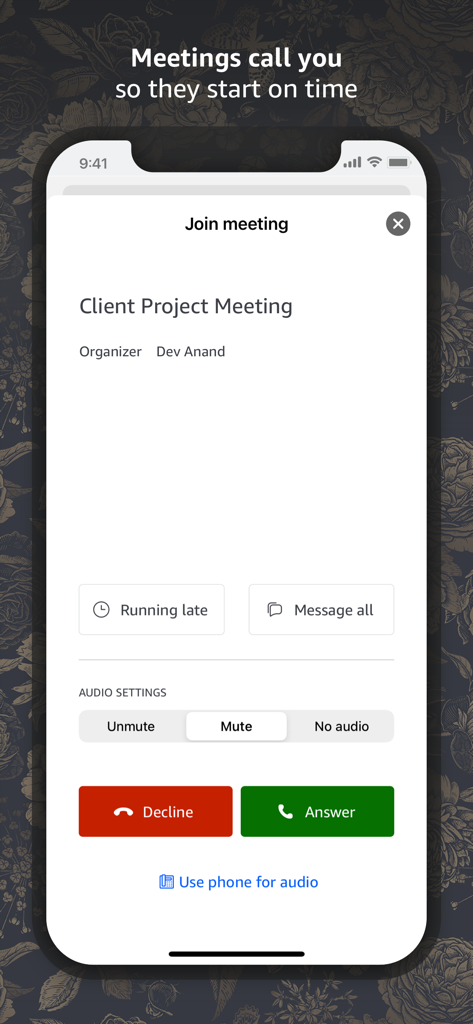
Join conference calls with a single tap. No more hunting for meeting IDs or typing in long PIN numbers on your mobile keyboard.
Communicate with confidence. Leverage the security and reliability of AWS to keep your chats, calls, and shared content protected.
Stay connected on the move. Transition from your desk to your phone seamlessly with synchronized chat history and real-time alerts.
Trusted by 3M+ people who love this app.
"As a cloud architect, I need tools that integrate seamlessly with our AWS infrastructure. Amazon Chime has completely removed the friction from our meetings—the 'tap to join' feature is a life-saver when I'm hopping between sessions. It is secure, reliable, and the synchronization across my MacBook and iPhone is flawless."
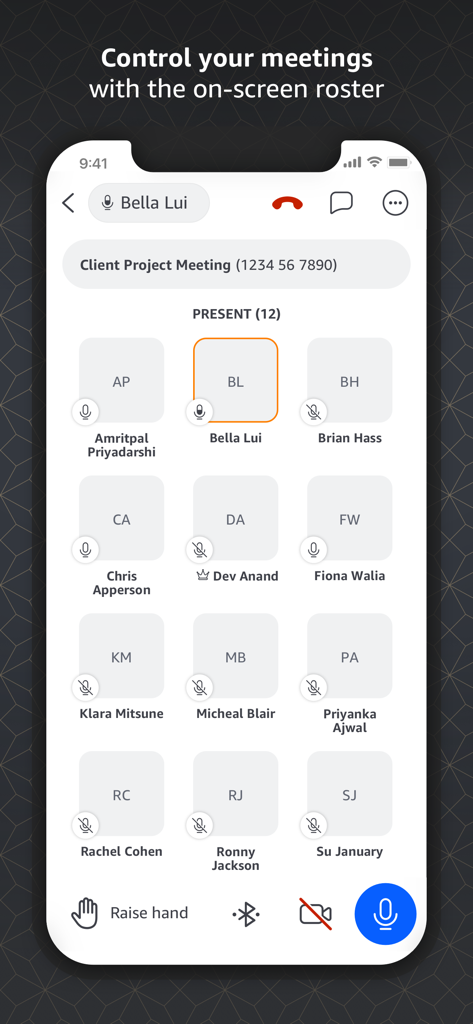
"Managing a remote team means I'm always on the move. Chime's mobile app is the best I've used for staying connected without being tied to my desk. The visual roster makes it easy to manage large calls, and the chat rooms keep our project attachments organized and accessible anywhere."
Insights from user reviews.
Sentiment Score
Summary
User reviews for the Amazon Chime app reveal a predominantly negative experience, with many users reporting critical functionality issues. Key complaints revolve around unreliable meeting controls, including persistent problems with muting/unmuting, video functionality, and difficulty joining calls. Widespread UI and display optimization issues are noted, especially on newer iPhones (14 Pro, 16 series), where text input is often obscured or interface elements are cut off. Additionally, users frequently cite connectivity problems, app crashes, login failures, and poor performance, making the app unreliable for essential business communications despite a few positive remarks about its social features or specific use cases.
Common Themes
Everything you need to know about Amazon Chime.
Description
Latest Version
5.23.3459
Size
118.2 MB
First Released
Feb 14, 2017
Join meetings with a single tap and stay synchronized with the security of AWS. Download Amazon Chime today and take your professional workspace mobile.
Everything you need to know about Amazon Chime
Amazon Chime is a communications service that transforms meetings and video calls with a secure, easy-to-use application. It enables online meetings, video conferencing, calling, chat, and content sharing for organizations.
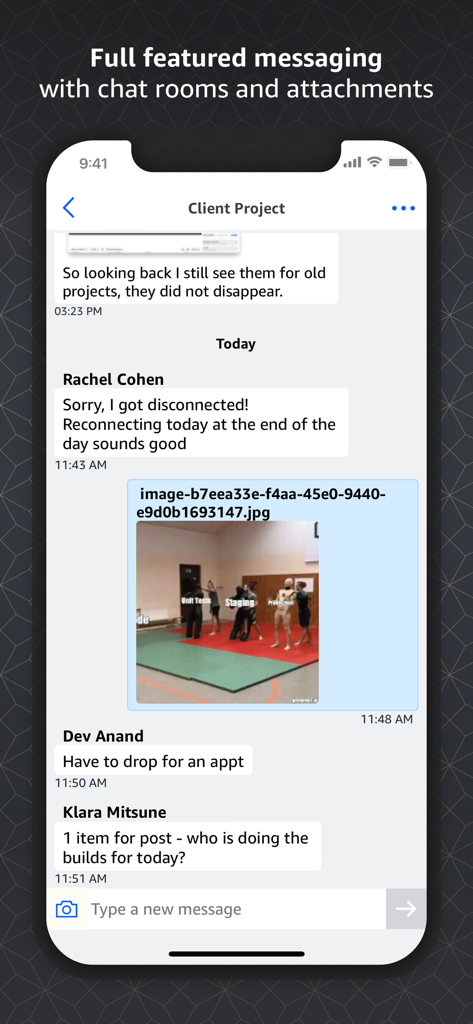
Amazon Chime offers tap-to-join meetings, high-definition video conference calls, a visual roster for meeting control, content sharing, and chat rooms with attachments.
Yes, Amazon Chime is a secure communications service. It transforms meetings and video calls with a secure, easy-to-use application, providing a trusted platform for communication.
Users can join Amazon Chime meetings by simply tapping; lengthy PIN numbers are not required. The app allows users to answer or decline calls directly from the meeting screen.
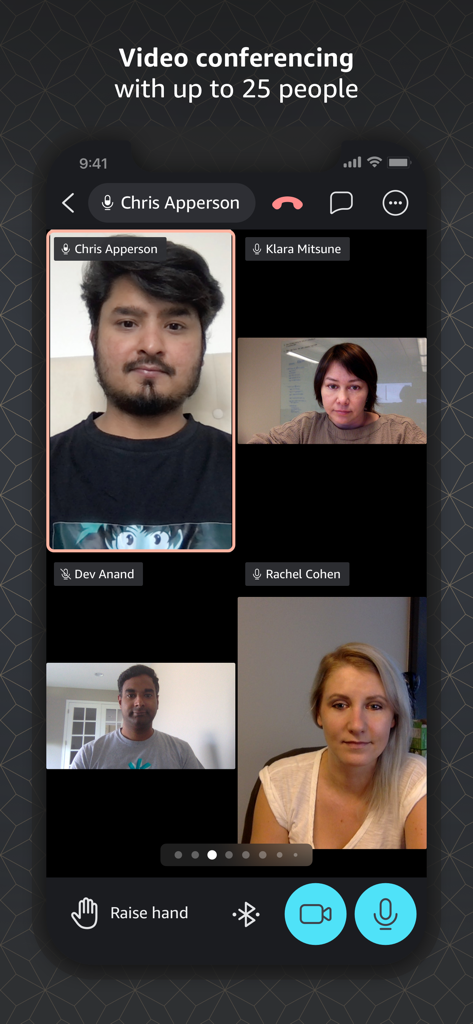
Yes, Amazon Chime supports video conferencing with high-definition video tiles. Meetings can include video calls with up to 25 participants, visible on screen.
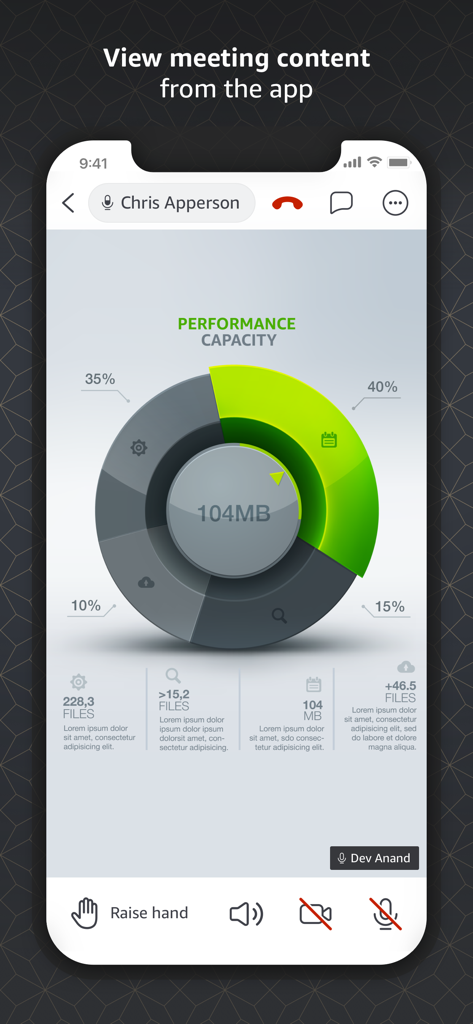
Yes, Amazon Chime allows users to tap and share content, which can be viewed on any device. The application supports displaying various forms of shared meeting content.
Yes, Amazon Chime includes full-featured messaging with chat rooms. Users can send messages and attachments within conversations, ensuring comprehensive communication.
Amazon Chime is available on any device. Your meetings and conversations are always synchronized across all devices, ensuring continuous connectivity.
Users control meetings with a visual roster. This on-screen roster displays all present participants, facilitating easy management during the meeting.
By using Amazon Chime, users agree to the AWS Customer Agreement, AWS Service Terms, and AWS Privacy Notice. These legal documents are linked in the app's description.
Apps with similar features and user experience

GoTo Group, Inc.

LARK TECHNOLOGIES PTE. LTD.

RingCentral, Inc

VEBINAR TEKHNOLOGII, OOO

Hit Labs, Inc.

Zoho Corporation

Microsoft Corporation

Zoom Communications, Inc.

Google LLC