Blur Photo Effect Background

Blur Photo Effect Background

Download on App Store
Spark by MWM logo
Logo of Blur Photo Effect Background

Blur Photo Effect Background: AI-Powered Precision for Professional Edits

Transform your photos with DSLR-quality bokeh, remove distractions, and protect your privacy with ease. The ultimate tool for creating aesthetic social media content and custom wallpapers in seconds.

Download on App Store

Publisher

Honk Honk Punch Pty Ltd

Category

Photo & Video

Downloads

10M+

User Rating

4.7/5

Total Ratings

57K+

Locales

15

A Glimpse of Precision

Discover the interface used by 10M+ users.
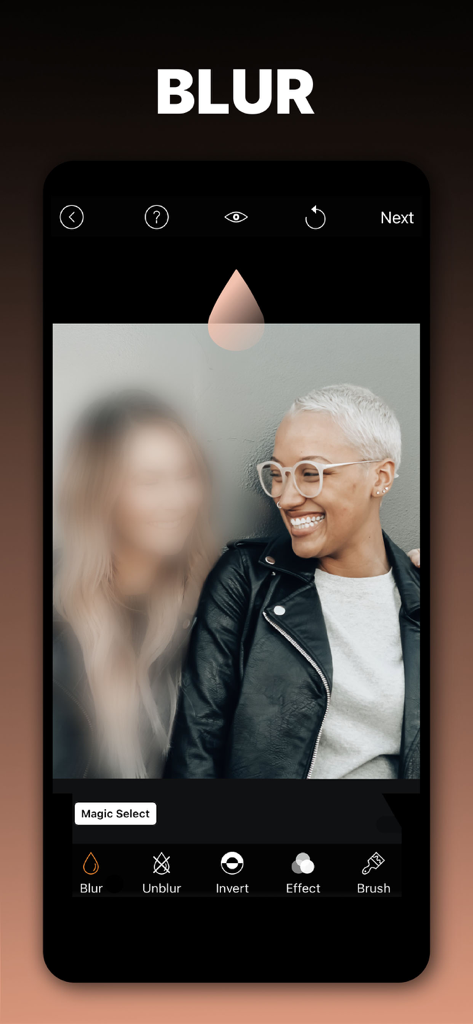
A mobile app interface demonstrating selective blur on a portrait of two people.

A mobile app interface demonstrating selective blur on a portrait of two people.

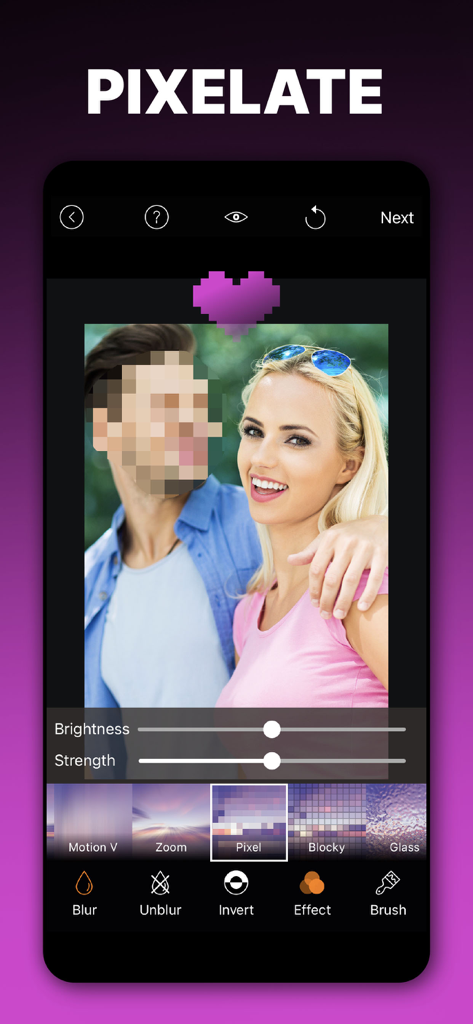
A smartphone screen showing the pixelate feature of the Blur Photo Effect app used to hide a face

A smartphone screen showing the pixelate feature of the Blur Photo Effect app used to hide a face

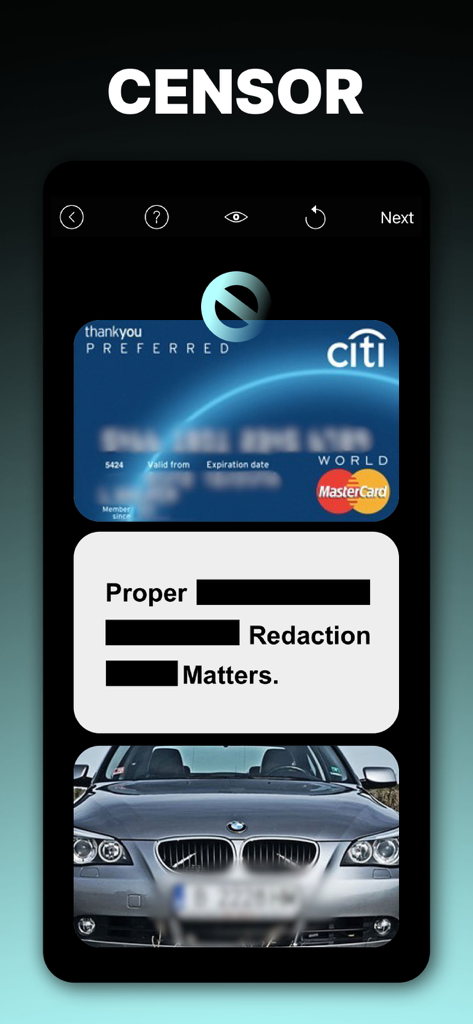
App interface demonstrating blurring a credit card and car license plate and using black redaction bars on text.

App interface demonstrating blurring a credit card and car license plate and using black redaction bars on text.

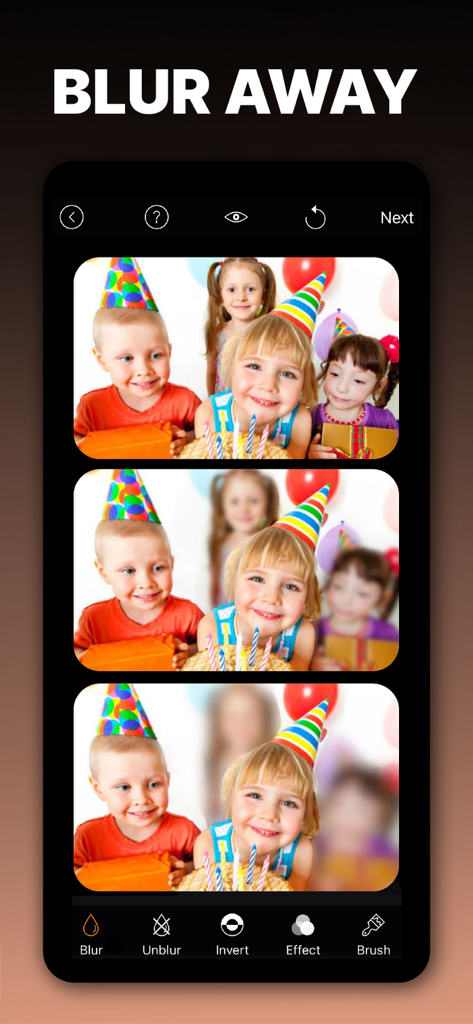
Smartphone screen showing the Blur Photo app interface with a photo of children being edited to blur out background faces for privacy.

Smartphone screen showing the Blur Photo app interface with a photo of children being edited to blur out background faces for privacy.

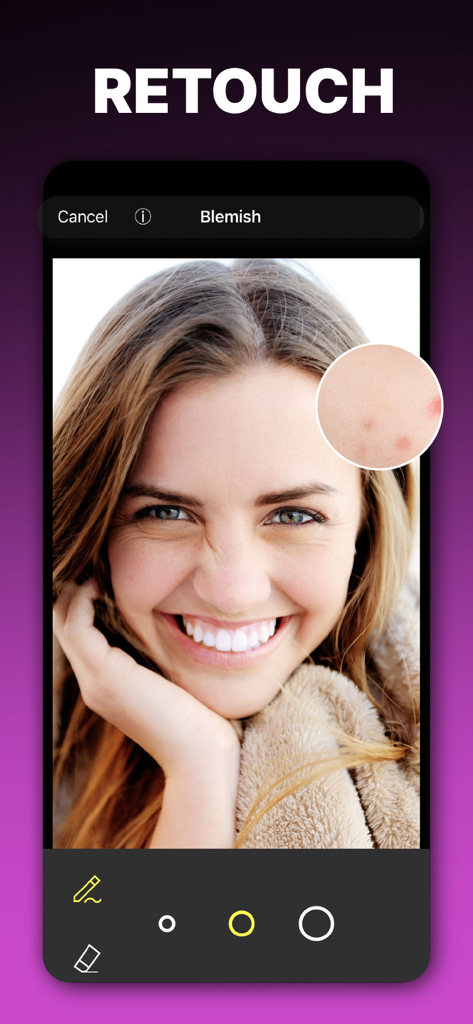
Blemish removal and photo retouching tool on a smartphone screen

Blemish removal and photo retouching tool on a smartphone screen

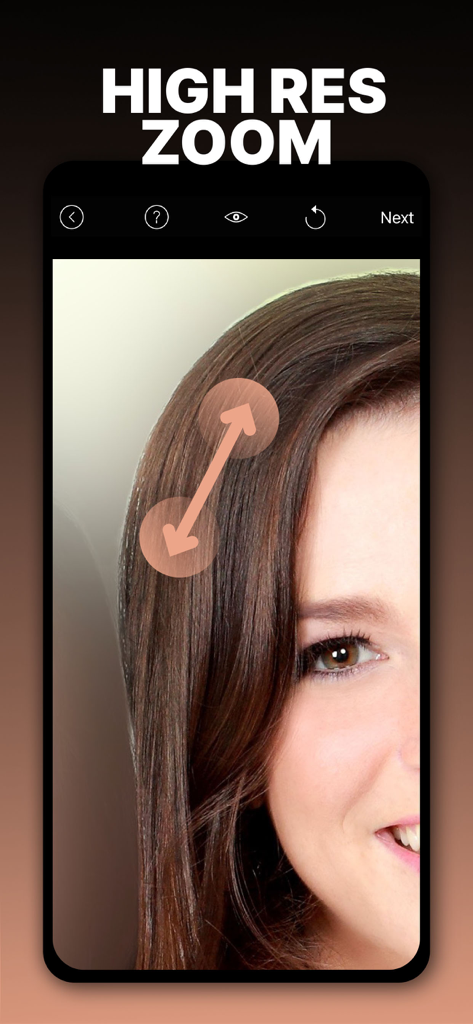
High resolution zoom feature for precision photo editing in the Blur Photo Effect app

High resolution zoom feature for precision photo editing in the Blur Photo Effect app

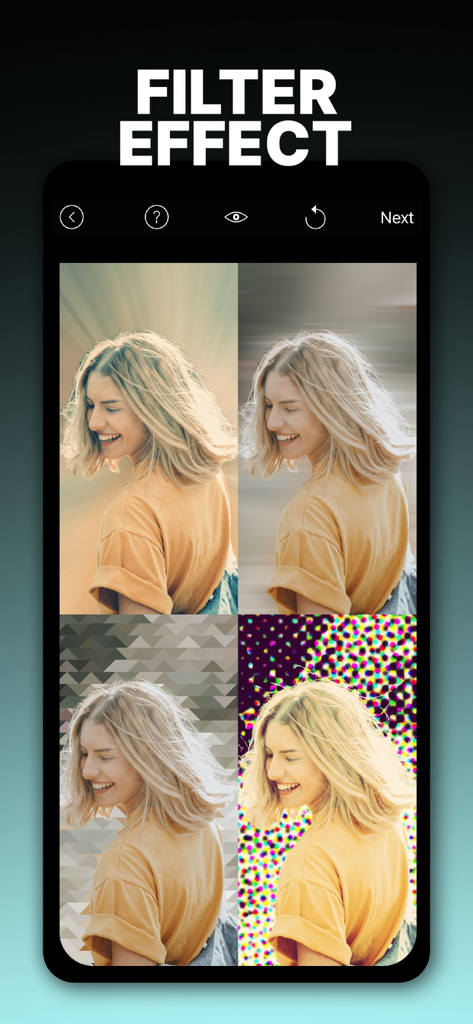
Mobile app interface showing four different artistic background filter effects applied to a portrait of a woman

Mobile app interface showing four different artistic background filter effects applied to a portrait of a woman

Professional Results, Zero Effort

The tools that make this app stand out, trusted by 10M+ users.

Smart AI Background Blur

Instantly isolate subjects and create professional depth-of-field effects that make your social media feed stand out.

🎯

Total Precision Control

Edit with confidence using brush offset and deep zoom, ensuring every edge is perfect without your finger blocking the view.

🛡️

Privacy & Aesthetic Utility

Easily pixelate sensitive data or transform busy photos into soft-blur wallpapers for a clean and organized home screen.

Loved by users worldwide

Trusted by 10M+ people who love this app.

"

"Finally, an app that gets the 'portrait mode' look right! The AI detection is incredibly accurate, even with messy hair. I love how I can turn a cluttered city background into a beautiful, soft blur in seconds. It has completely leveled up my Instagram game."

Chloe M., Content Creator
"

"The brush offset feature is a total game-changer for precision. I use it to blur sensitive info on documents and to hide license plates before posting car photos. It's fast, high-res, and doesn't ruin the image quality. Definitely worth the premium upgrade!"

David T., Real Estate Agent

About the app

Everything you need to know about Blur Photo Effect Background.

Description

The ultimate Blur & Photo Editing App to blur out unwanted details, remove blemishes, enhance your photos, or create beautiful custom wallpapers — all with precision and ease. Whether you're editing selfies, documents, or backgrounds, our app gives you powerful tools to blur and beautify your images while maintaining high resolution and full creative control. Why You’ll Love It: AI Smart Detection: Automatically detect and blur faces, objects, or backgrounds using advanced AI. Precision Editing: Work in high resolution with full zoom, pan, rotate, and brush offset control for pixel-perfect results. Complete Photo Editor: Go beyond blur — apply filters, remove blemishes, and fine-tune every detail. Key Features: - Adjustable Blur Brush with soft and hard options - Focus Blur to draw attention where it matters - AI-powered Object, Face, and Background Detection - Blemish Remover - 13 Custom Filters for creative effects - High-resolution editing with deep zoom support - Brush Offset for unobstructed accuracy - Rotate image for easier editing — no need to rotate your device - Undo & Redo options for mistake-free control I- nvert Blur: Blur the entire image and selectively unblur with ease - Export in 14 aspect ratios - Save in high or low resolution - Create pixelated mosaic, halftone, or soft blur wallpapers - Easy in-app help and instructions Create Stunning Wallpapers Use your own photos to design unique wallpapers with built-in cropping presets. Simply select "Wallpaper" size when cropping for the perfect fit. SUBSCRIPTION INFO: ================== PREMIUM You can subscribe to PREMIUM for unlimited access to premium content, including: Unlocking all Blur Effects, All Filters, No Ads, and much more Prices: - $2.99 per month - $11.99 per year with 3 day free trial - You'll be able to use unlimited features for the duration of your subscription - Payment will be charged to your iTunes Account at confirmation of purchase - The subscription renews automatically unless auto-renewal is turned off for at least 24-hours before the end of the current period - The account will be charged for renewal within 24-hours prior to the end of the current period at the cost of the chosen package - Subscriptions may be managed by the user and auto-renewal may be turned off by going to the user's Account Settings after purchase - Any unused portion of a free trial period, if offered, will be forfeited when the user purchases a subscription Terms of use: http://cushwayapps.com/app-privacy/blurphoto/terms.html Privacy policy: http://cushwayapps.com/app-privacy/blurphoto/privacy.html Have you found a bug, got a suggestion, or want a new feature? Email us at: support@honkhonkpunch.com

Latest Version

3.5.0

Size

40.8 MB

First Released

Sep 3, 2015

Ready to Elevate Your Aesthetic?

Join over 10 million creators using AI-powered precision to blur distractions, protect privacy, and turn everyday shots into professional masterpieces.

Download on App Store
FAQ

Frequently Asked Questions

Everything you need to know about Blur Photo Effect Background

What is Blur Photo Effect Background?

Blur Photo Effect Background is an app for blurring unwanted details, removing blemishes, enhancing photos, and creating custom wallpapers. It offers precision editing and AI smart detection.

Does Blur Photo Effect Background offer AI-powered blur features?

Yes, Blur Photo Effect Background includes AI Smart Detection to automatically detect and blur faces, objects, or backgrounds. It uses advanced AI for precision.

Can I remove blemishes with the Blur Photo Effect Background app?

Yes, the Blur Photo Effect Background app features a Blemish Remover. It is part of the complete photo editor tools to fine-tune every detail.

How much does Blur Photo Effect Background Premium cost?

Blur Photo Effect Background Premium costs $2.99 per month or $11.99 per year. The yearly subscription includes a 3-day free trial.

What editing controls are available in Blur Photo Effect Background?

Blur Photo Effect Background provides precision editing with high-resolution support, zoom, pan, rotate, and brush offset control. It also includes adjustable blur brushes and undo/redo options.

Can Blur Photo Effect Background create custom wallpapers?

Yes, Blur Photo Effect Background allows users to create stunning custom wallpapers using their own photos. It includes built-in cropping presets for perfect fit.

Does Blur Photo Effect Background support high-resolution photo editing?

Yes, Blur Photo Effect Background supports high-resolution editing with deep zoom. This enables pixel-perfect results and maintains image quality.

What types of blur effects does Blur Photo Effect Background offer?

Blur Photo Effect Background offers an adjustable blur brush, focus blur, and invert blur. It also includes options for pixelated mosaic, halftone, or soft blur effects.

How can I contact support for Blur Photo Effect Background?

You can contact support for Blur Photo Effect Background by emailing support@honkhonkpunch.com for bugs, suggestions, or new feature requests.

Can I use Blur Photo Effect Background to censor sensitive information?

Yes, Blur Photo Effect Background can be used to censor sensitive information by applying blur or pixelation effects. This allows for proper redaction of details.