
Canon DPP Express


Transform your iPad and iPhone into a powerful mobile darkroom. Experience Canon's legendary color science with native CR3 support, intuitive touch controls, and high-dynamic-range processing designed for the modern professional workflow.
Publisher
Category
Photo & VideoDownloads
487K+User Rating
Total Ratings
6K+Locales
12Discover the interface used by 487K+ users.
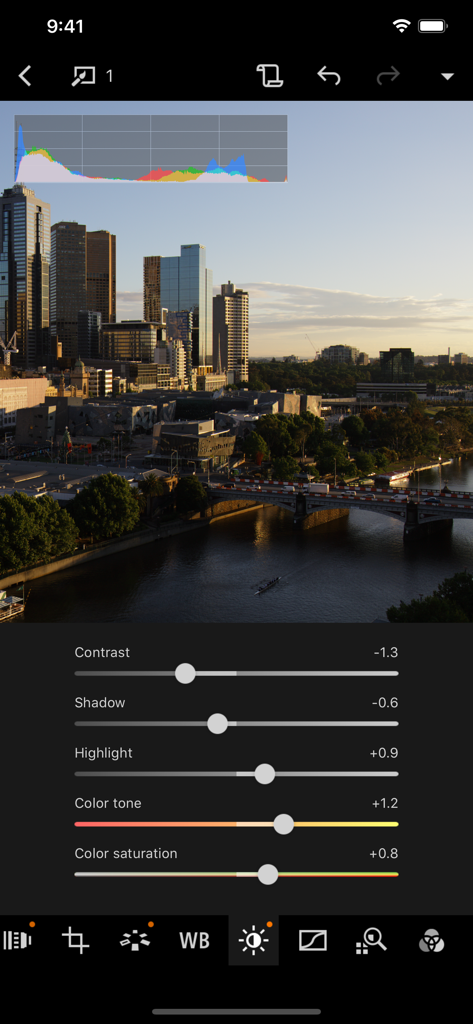
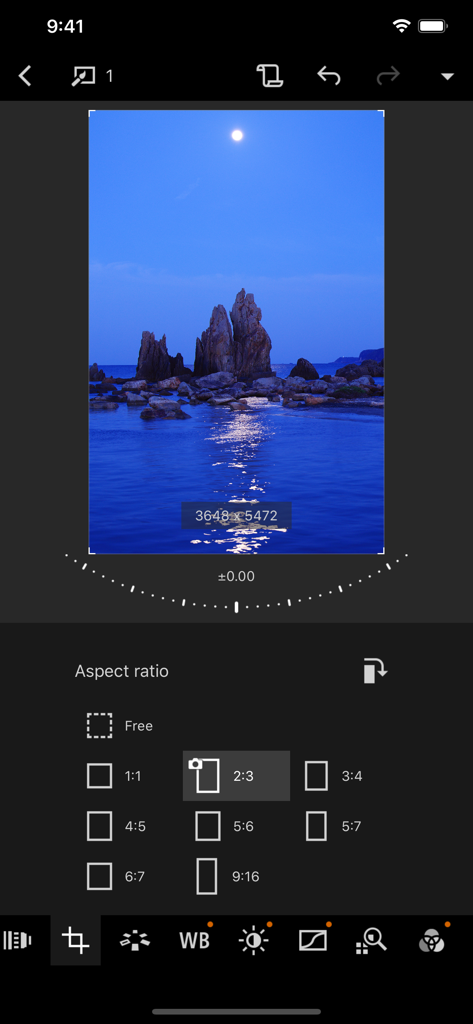
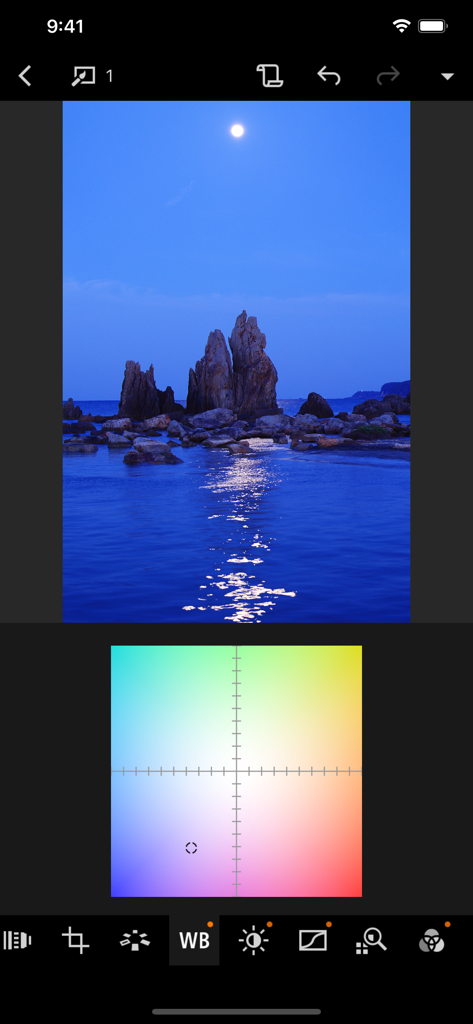
The tools that make this app stand out, trusted by 487K+ users.
Process CR3 and CR2 files with Canon’s legendary color science, giving you the same high-quality results as your desktop, optimized for mobile.
Skip the laptop. Transfer images directly from your camera and edit on-site so you can deliver perfect shots to clients or social media instantly.
Visualize your full dynamic range. Leverage the power of Super Retina XDR and Liquid Retina XDR displays for precise exposure and color grading.
Trusted by 487K+ people who love this app.
"As a landscape photographer, carrying a laptop on long hikes is a burden. Canon DPP Express allows me to process my CR3 files directly on my iPad Pro with incredible precision. The color science is exactly what I expect from Canon, and the HDR PQ support makes my shots pop on XDR displays."
"This app has completely revolutionized my wedding workflow. I can now send high-quality, professionally edited RAW previews to my clients before the reception is even over. The touch-optimized interface is so intuitive, and not having watermarks on the export is a game-changer for my brand."
Insights from user reviews.
Sentiment Score
Summary
Most users express significant dissatisfaction with the app, primarily due to its mandatory subscription model for a raw converter, which many feel is egregious given the high cost of Canon cameras and the desktop version being free. Users frequently criticize the app for its limited functionality compared to the PC version, including lack of DLO support, missing filters, and an inability to undo changes. There are also widespread complaints about poor camera compatibility, with many popular older models like the 5D Mark II/III, 7D Mark II, M6, 77D, and 1200D not being supported, alongside frustrating import/export processes for RAW and HEIF files, and a lack of proper photo management features like search and sort. Despite these significant drawbacks, a few users did find the app's editing capabilities for exposure, color, and focus to be effective and time-saving, and some praised its ease of use.
Common Themes
Everything you need to know about Canon DPP Express.
Description
Latest Version
1.12.10
Size
114.0 MB
First Released
Oct 9, 2018
Join thousands of Canon photographers transforming their iPad and iPhone into a professional editing suite. Download Canon DPP Express and master your CR3 files on the go.
Everything you need to know about Canon DPP Express
Canon Digital Photo Professional Express (Canon DPP Express) is an iPad/iPhone application for color editing RAW images with intuitive touch operation, converting them to JPEG files.
Canon DPP Express supports RAW (CR3/CR2), JPEG, and HEIF (10 bit) formats. It does not support .CRW or video file formats.
Yes, Canon DPP Express enables users to adjust RAW images freely and quickly on iPad/iPhone devices. It supports CR3 and CR2 RAW formats.
A paid subscription to Canon DPP Express enables recorded image adjustments and allows exporting images without watermarks.
Canon DPP Express subscriptions automatically renew. Users must cancel at least 24 hours before the end of the current period to prevent charges. Management occurs in App Store account settings.
Yes, Canon DPP Express provides sliders to adjust image contrast, shadow, highlight, color tone, and color saturation.
Yes, Canon DPP Express allows users to change the image aspect ratio. Options include Free, 1:1, 2:3, 3:4, 4:5, 5:6, 6:7, and 9:16.
Canon DPP Express requires iOS 17, 18, or 26 and iPadOS 17, 18, or 26.
Yes, devices running iOS 12.1 and later can import CR3 files directly from the Camera Roll into Canon DPP Express.
Canon DPP Express saves adjusted images to your Camera Roll in JPEG format. This conversion happens after color editing RAW images.
Yes, Canon DPP Express offers white balance adjustments using a color grid for precise control over the image's color temperature.
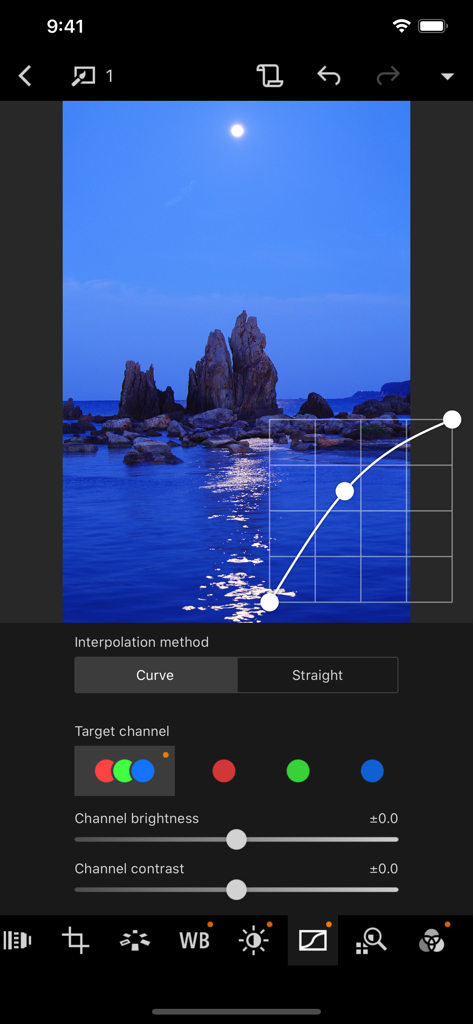
Yes, Canon DPP Express allows curve adjustments with options for 'Curve' or 'Straight' interpolation methods and control over individual 'Target channel' brightness and contrast.
Apps with similar features and user experience

TRUESIGHT PTE. LTD.

Bergen Co.

Lens Distortions, LLC

Mosaic S.r.l.

Mathaeus Jagielski

Polarr Inc

Apple Inc.

Google LLC

Beijing Kwai Technology Co., Ltd.