Evoto-AI Photo Editor&Retouch

Evoto-AI Photo Editor&Retouch

Download on App Store
Spark by MWM logo
Logo of Evoto-AI Photo Editor&Retouch

Evoto-AI: Pro-Grade Retouching and AI Editing Made Instant

The full-suite AI editor designed for professional photographers and creators. Master skin retouching, clothing enhancement, and batch processing with desktop-level power on your mobile device.

Download on App Store

Publisher

TRUESIGHT PTE. LTD.

Category

Photo & Video

Downloads

90K+

User Rating

4.9/5

Total Ratings

1K+

Locales

11

A Glimpse of Perfection

Discover the interface used by 90K+ users.
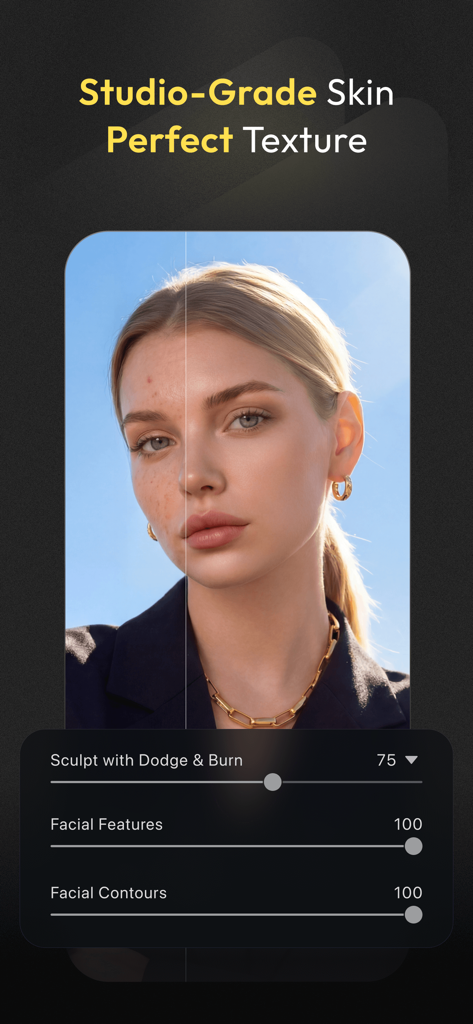
Before and after comparison of professional AI skin retouching and facial sculpting on a portrait

Before and after comparison of professional AI skin retouching and facial sculpting on a portrait

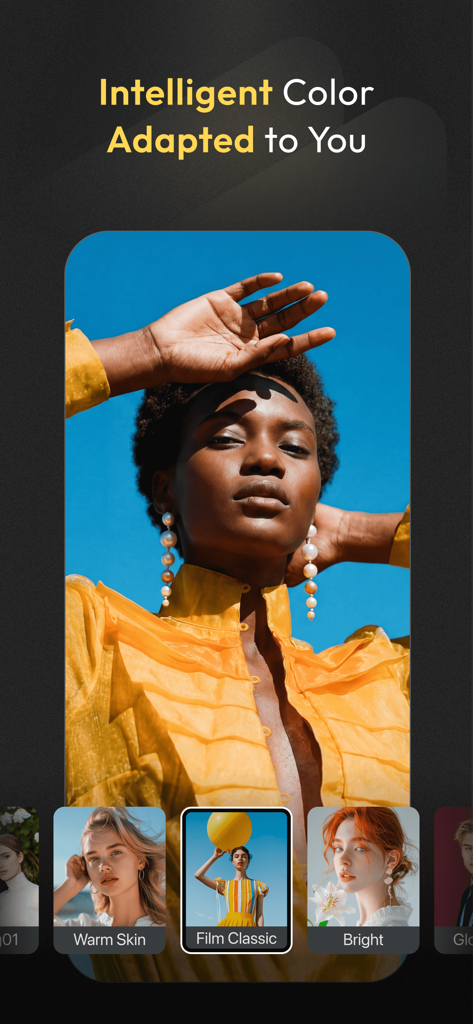
Interface of Evoto-AI app showing intelligent color adaptation and professional film presets on a fashion portrait.

Interface of Evoto-AI app showing intelligent color adaptation and professional film presets on a fashion portrait.

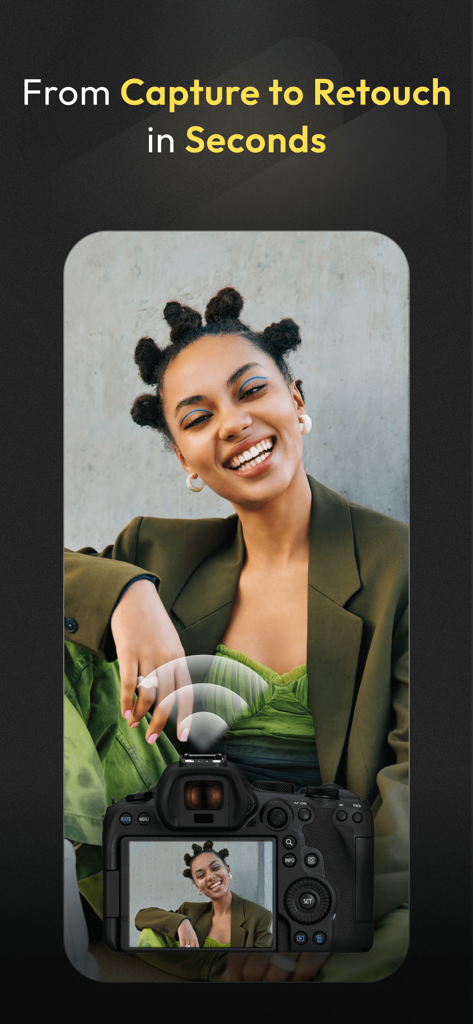
A professional camera wirelessly tethered to a smartphone showing instant photo retouching with Evoto AI

A professional camera wirelessly tethered to a smartphone showing instant photo retouching with Evoto AI

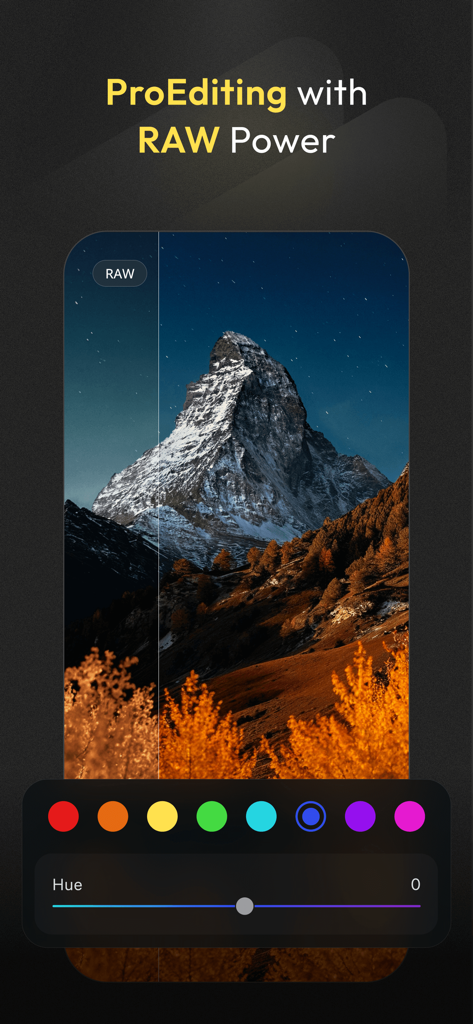
Evoto-AI mobile app interface showing professional RAW landscape photo editing with HSL color controls and hue slider.

Evoto-AI mobile app interface showing professional RAW landscape photo editing with HSL color controls and hue slider.

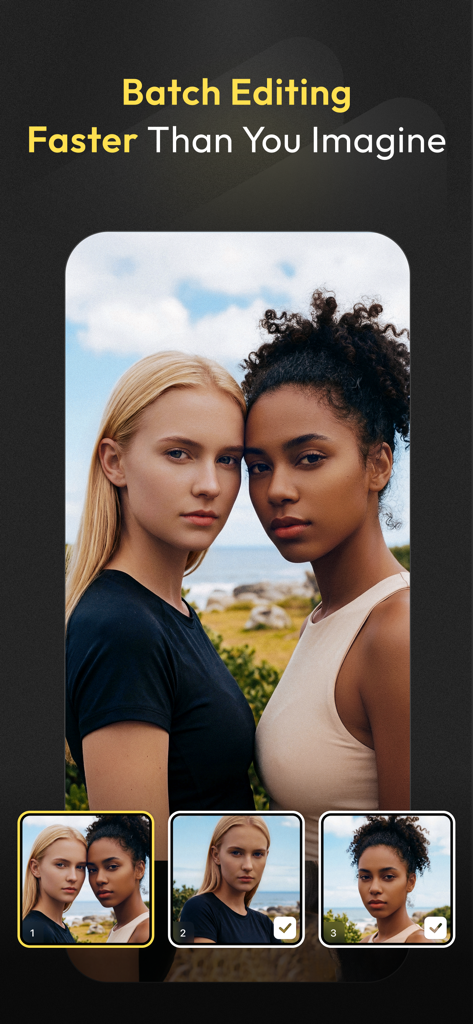
Evoto AI app interface showing professional portrait batch editing feature

Evoto AI app interface showing professional portrait batch editing feature

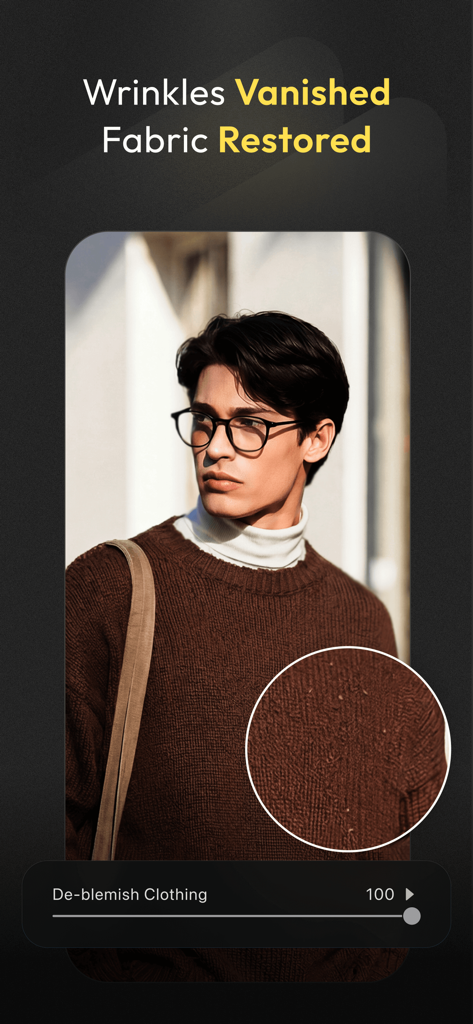
Evoto AI photo editor interface showing the de-blemish clothing feature for fabric restoration on a sweater

Evoto AI photo editor interface showing the de-blemish clothing feature for fabric restoration on a sweater

The Professional Workflow, Reimagined

The tools that make this app stand out, trusted by 90K+ users.

AI Portrait Perfection

Master skin retouching, hair volume, and facial features with pixel-level precision using advanced 3D bone mapping for natural, commercial-grade results.

Instant On-Set Tethering

Connect your professional camera wirelessly or via cable to view RAW shots in real-time, applying instant retouches for immediate client feedback.

🔄

Smart Batch Processing

Eliminate the bottleneck of manual editing by syncing professional color looks and AI enhancements across hundreds of photos in a single click.

Loved by users worldwide

Trusted by 90K+ people who love this app.

"

"The batch editing and AI de-wrinkle tools are game-changers for my wedding photography business. I can now handle a 500-photo gallery with pixel-level precision in half the time. It's the professional mobile workflow I've been waiting for."

Marcus Rivera
"

"Finally, a mobile editor that doesn't sacrifice quality. The RAW processing and intelligent skin retouching allow me to post high-end editorial content right from the set. The tethering feature alone makes it a permanent part of my production kit."

Sarah Chen

About the app

Everything you need to know about Evoto-AI Photo Editor&Retouch.

Description

Evoto: Master Editing, Anytime, Anywhere The full-suite AI Photo Editor for on-the-go PRO-GRADE AI PHOTO EDITOR AT YOUR FINGERTIPS · Skin Retouching via blemish removal, dodge & burn, and more · Hair Editing: Stray Hairs Removal, Hair Part Line, Top Hair Volume, Hair Color, all done with one click, no complex operations required · Facial Reshape and Liquify: Smile generation and fine-tune facial features with pixel-level accuracy, sculpting natural beauty · Full Body Reshape: Using 3D bone mapping technology, adjust body shape and posture to create natural, beautiful results · The best choice for Photographers and amateurs who capture Headshots, Wedding, School, Kids & Newborn, Events, Editorial, Fine Art, and more · With a single slider, you can achieve pixel-level professional results EFFORTLESS CLOTHING ENHANCEMENT · Smart De-Wrinkle: AI-powered wrinkle removal for smooth, camera-ready clothing in every shot · Instant Defuzzing: Clear lint and pilling from fabrics to achieve commercial-grade quality · Edge Refinement: Automatically clean up clothing edges for sharp, defined garment contours A GAME-CHANGING TETHER EXPERIENCE · Wireless Tethering: Shoot anywhere, hassle-free, with Evoto · Wired Tethering: Fast, reliable photo transfer and camera control · Real-Time Edits: Apply retouching instantly to streamline the feedback experience · Broad Compatibility: Works with Canon, Sony, Nikon, Fujifilm, Leica, Panasonic, and more INTELLIGENT COLOR ADJUSTMENT TOOLS · RAW Image Processing: Non-destructive editing that preserves every detail for stunning, high-fidelity results. Pure quality in every pixel · AI Color Looks: Intelligently matches optimal colour parameters for each image, and easily maintains consistent style across photo sets · Professional Colour Adjustments: Master your colours with precision tools like HSL, Grain, Noise Reduction, and Colour Calibration, ensuring perfect tones every time · Extensive Filters: Access an ever-expanding library of filters, crafted for every moment and mood EFFORTLESS BATCH EDITING FOR MAXIMUM EFFICIENCY · Save time and maintain your images perfectly in sync with seamless batch processing About Evoto subscriptions: · We provide monthly subscription and annual subscription for you to choose one best fit your needs. The Evoto subscription plans include different amounts of credits based on the tier you choose. Unused credits roll over to the next cycle if you renew your subscription. Only charged upon exporting. Subscriptions will auto-renew every year unless turned off at least 24 hours before the end of the current period. Your Apple account will be charged for renewal within 24 hours prior to the end of the current period. To stop auto renewal, visit Account Settings in App Store after purchase. Terms of Use: https://res.evoto.ai/ui/www/policy/terms.html Privacy Policy: https://res.evoto.ai/ui/www/policy/privacy.html

Latest Version

2.2.0

Size

1.1 GB

First Released

Nov 1, 2024

Ready to Elevate Your Professional Workflow?

Join the elite circle of photographers and creators delivering magazine-quality results in record time. Download Evoto and experience pro-grade AI retouching on the go.

Download on App Store
FAQ

Frequently Asked Questions

Everything you need to know about Evoto-AI Photo Editor&Retouch

What are the main photo editing features of Evoto-AI Photo Editor?

Evoto-AI Photo Editor offers pro-grade AI features including skin retouching, hair editing, facial and full-body reshaping, clothing enhancement, intelligent color adjustments, RAW image processing, and batch editing capabilities.

Does Evoto-AI Photo Editor support skin retouching?

Yes, Evoto-AI Photo Editor provides comprehensive skin retouching features. These include blemish removal and dodge & burn capabilities to achieve studio-grade skin texture.

Can Evoto edit hair in photos?

Yes, Evoto-AI Photo Editor can edit hair. It offers one-click operations for stray hair removal, adjusting hair part lines, increasing top hair volume, and changing hair color.

Does Evoto-AI Photo Editor allow facial reshaping?

Yes, Evoto-AI Photo Editor enables facial reshaping. Users can generate smiles and fine-tune facial features with pixel-level accuracy, sculpting natural beauty.

What clothing enhancement features does Evoto offer?

Evoto offers effortless clothing enhancement. Features include AI-powered smart de-wrinkle for smooth fabrics, instant defuzzing to clear lint, and edge refinement for sharp garment contours.

Does Evoto support camera tethering?

Yes, Evoto supports both wireless and wired camera tethering. This allows for fast, reliable photo transfer, camera control, and real-time editing with broad compatibility across major camera brands.

Which camera brands are compatible with Evoto's tethering feature?

Evoto's tethering feature is broadly compatible with major camera brands. These include Canon, Sony, Nikon, Fujifilm, Leica, and Panasonic, among others.

Can Evoto-AI Photo Editor process RAW images?

Yes, Evoto-AI Photo Editor processes RAW images. It provides non-destructive editing to preserve every detail for high-fidelity results, ensuring pure quality in every pixel.

Does Evoto include batch editing capabilities?

Yes, Evoto includes effortless batch editing capabilities. This feature allows users to save time and maintain perfect image synchronization across multiple photos for maximum efficiency.

What types of subscriptions does Evoto offer?

Evoto offers both monthly and annual subscription plans. These plans provide different amounts of credits based on the chosen tier, designed to fit user needs.

Do unused credits roll over with an Evoto subscription?

Yes, unused credits roll over to the next cycle with an Evoto subscription. This occurs if the user renews their subscription. Credits are charged only upon exporting.

When is my Apple account charged for Evoto subscriptions?

Your Apple account is charged for Evoto subscription renewal within 24 hours prior to the end of the current period. Auto-renewal can be turned off in Account Settings.

How can I stop the auto-renewal of my Evoto subscription?

To stop the auto-renewal of your Evoto subscription, you must turn it off at least 24 hours before the current period ends. This is done via Account Settings in the App Store after purchase.