Snapseed: Photo Editor

Snapseed: Photo Editor

Download on App StoreDownload on Google Play
Spark by MWM logo
Logo of Snapseed: Photo Editor

Snapseed: Professional Photo Editing Without the Subscription

Master your mobile photography with over 25 precision tools, from RAW development to selective healing. Get total creative control with no ads and no hidden fees—just pure, powerful editing for the serious hobbyist.

Publisher

Google LLC

Category

Photo & Video

Downloads

119M+

User Rating

4.1/5

Total Ratings

161K+

Locales

38

Precision in Every Pixel

Discover the interface used by 119M+ users.

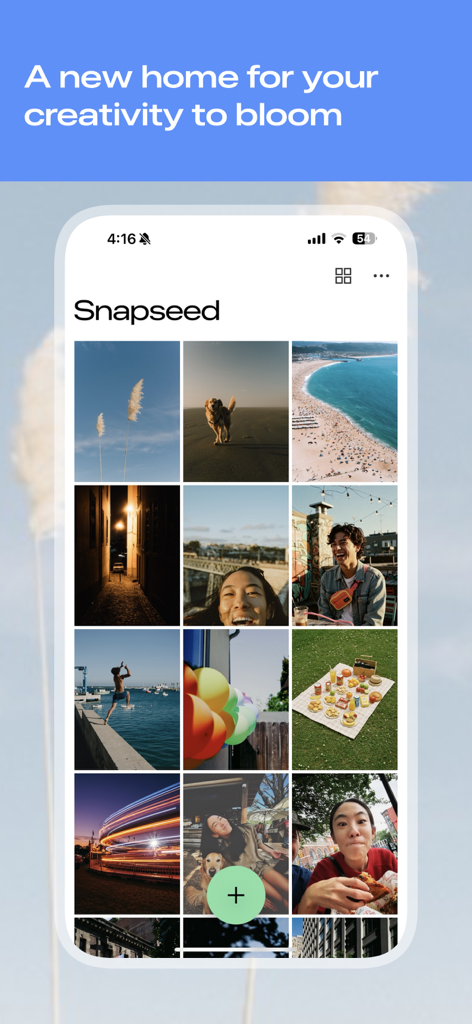
Snapseed mobile app home screen showing a grid of photos and a green plus button for editing

Snapseed mobile app home screen showing a grid of photos and a green plus button for editing

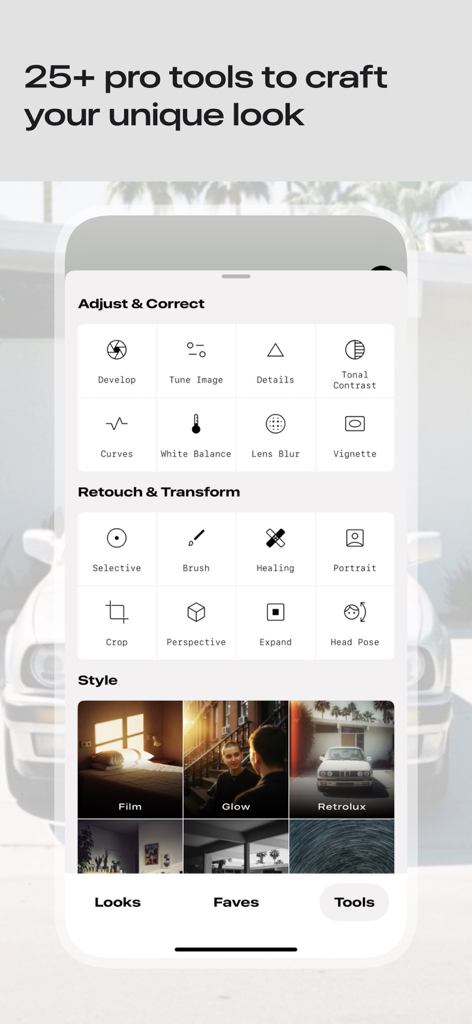
Interface of the Snapseed photo editor app showing categories of professional tools for image adjustment retouching and styling

Interface of the Snapseed photo editor app showing categories of professional tools for image adjustment retouching and styling

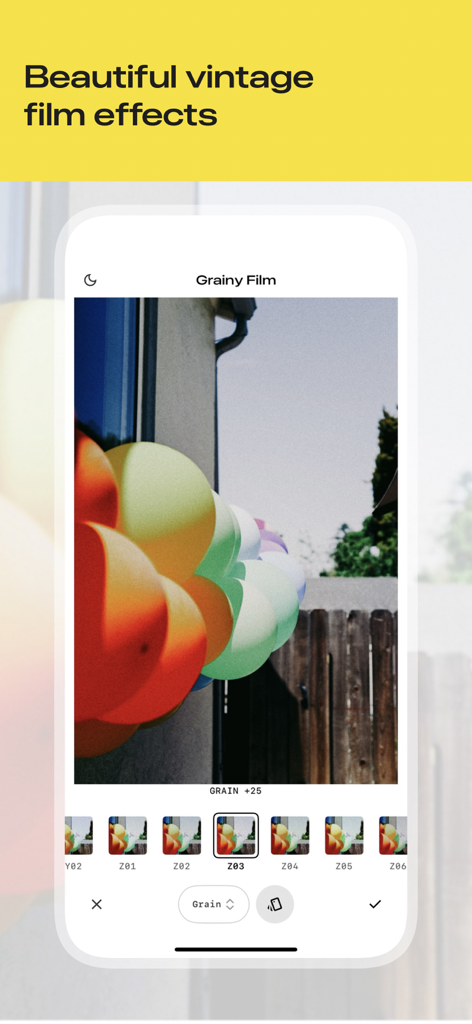
Snapseed app interface showing the grainy film tool applied to a photo of colorful balloons

Snapseed app interface showing the grainy film tool applied to a photo of colorful balloons

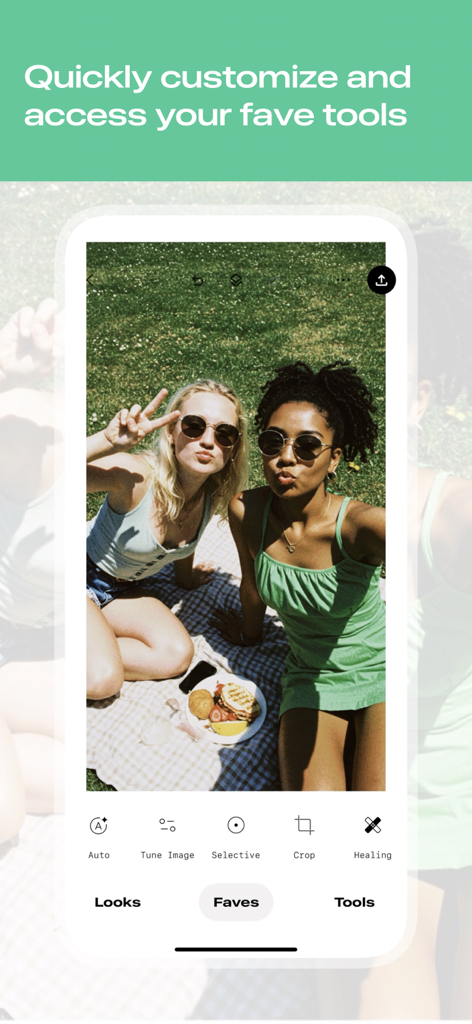
Snapseed mobile app screen showing a picnic photo with the favorite tools menu open

Snapseed mobile app screen showing a picnic photo with the favorite tools menu open

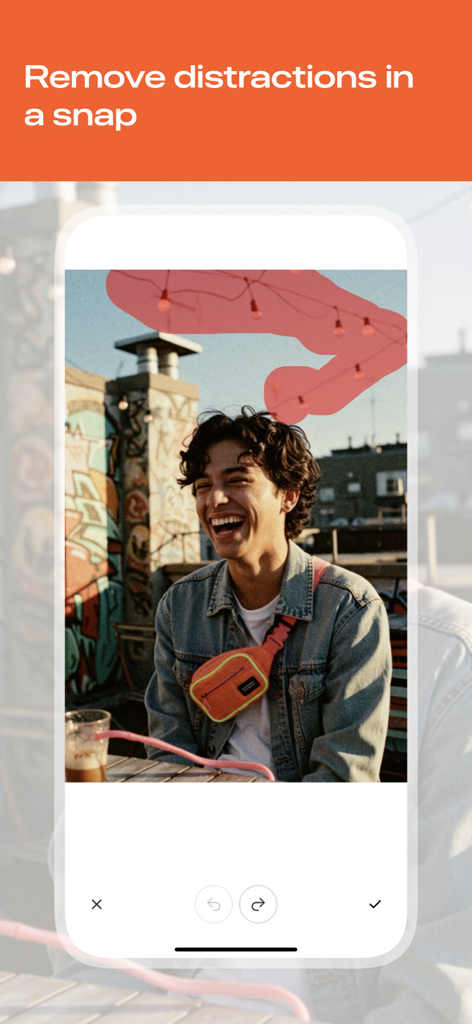
Snapseed interface showing a user selecting background distractions to remove with the healing tool

Snapseed interface showing a user selecting background distractions to remove with the healing tool

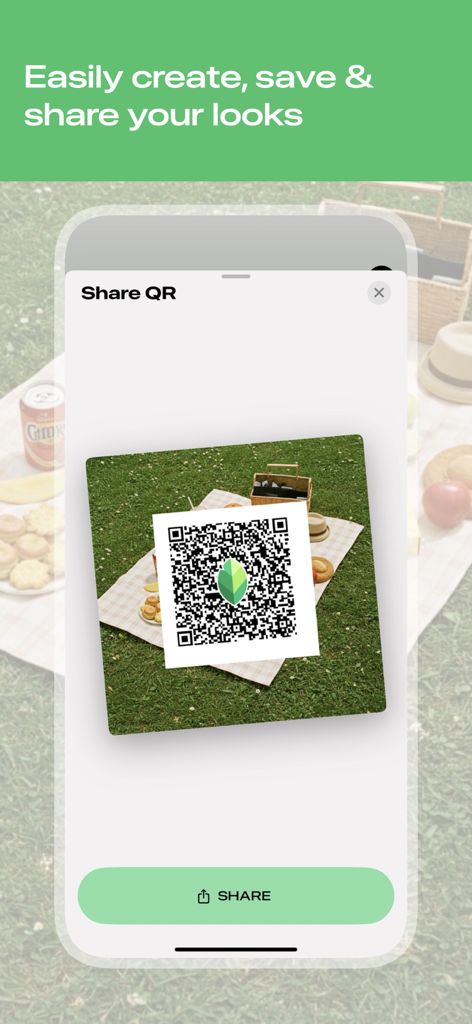
Interface of the Snapseed app showing a QR code for sharing custom photo editing looks and presets

Interface of the Snapseed app showing a QR code for sharing custom photo editing looks and presets

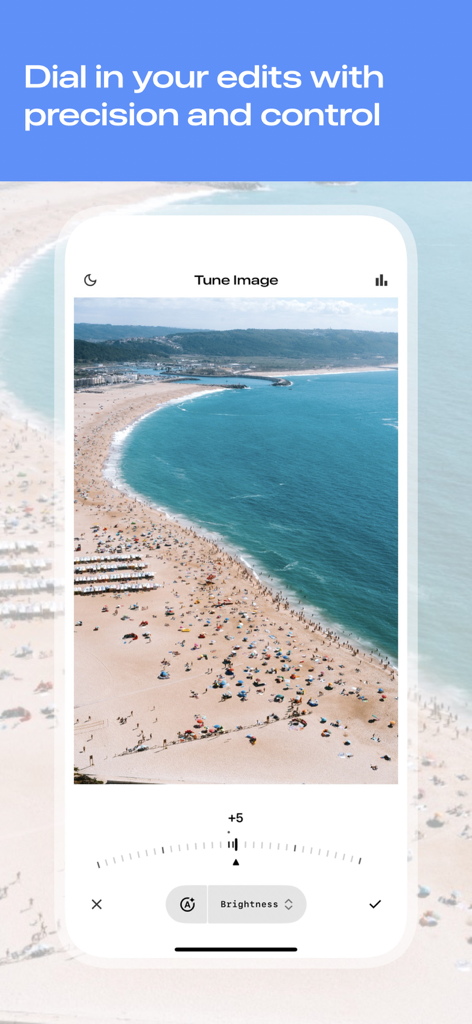
Snapseed app interface showing the Tune Image tool with a precision dial to adjust brightness on a beach photograph.

Snapseed app interface showing the Tune Image tool with a precision dial to adjust brightness on a beach photograph.

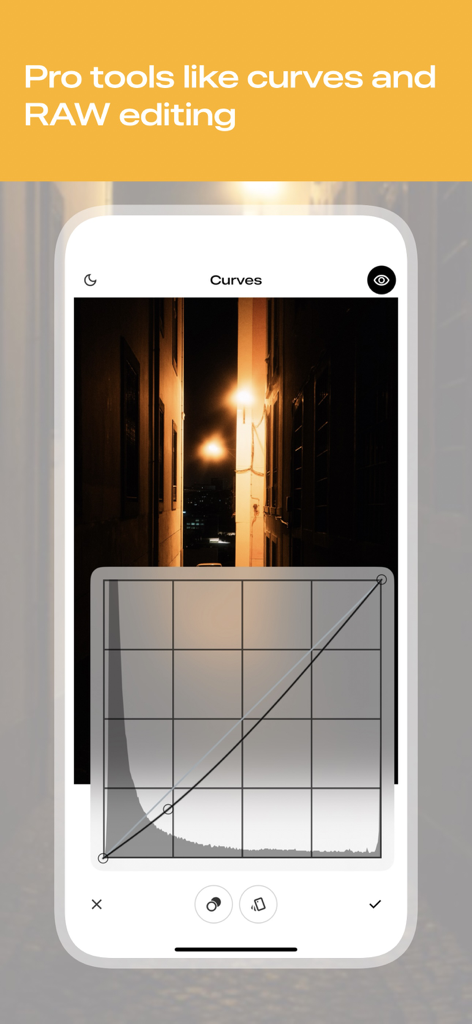
Snapseed app interface showing professional curves tool for precise photo editing

Snapseed app interface showing professional curves tool for precise photo editing

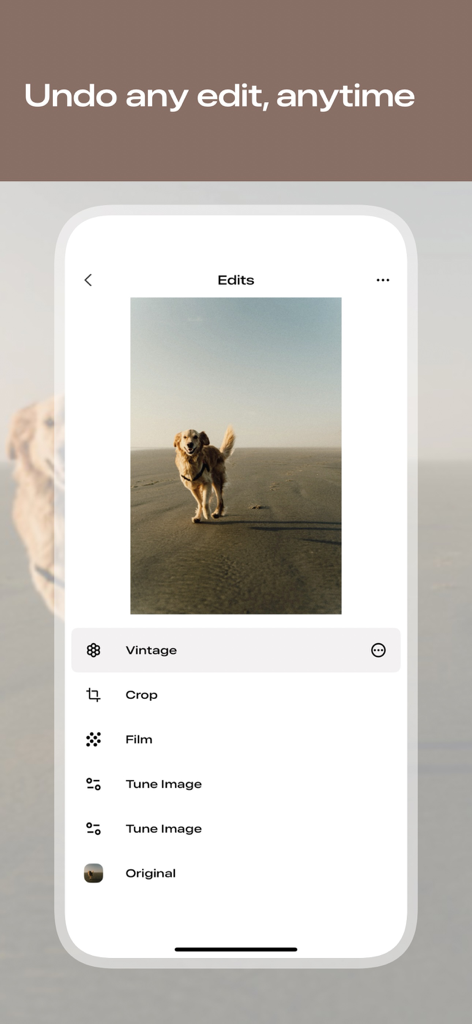
A mobile interface showing the Snapseed edit stack with a list of applied filters like Vintage and Film over a photo of a dog

A mobile interface showing the Snapseed edit stack with a list of applied filters like Vintage and Film over a photo of a dog

Professional Power, Mobile Simplicity

The tools that make this app stand out, trusted by 119M+ users.

🎯

Surgical Precision

Edit specific areas with patented Control Point technology. Adjust lighting and color exactly where you need it without affecting the rest of your image.

📸

Pro-Level RAW Processing

Tweak native camera files directly on your device. Adjust exposure and white balance non-destructively to maintain the highest possible image quality.

Flawless Composition

Remove unwanted objects with the Healing tool and fix skewed horizons with Perspective. Perfect your frame with tools usually reserved for desktop software.

Loved by users worldwide

Trusted by 119M+ people who love this app.

"

"As someone who shoots RAW on my DSLR and transfers to my iPhone, Snapseed is an absolute game-changer. The selective editing and curves give me the same precision as desktop software without the monthly subscription fees. It's the most powerful, ad-free tool in my photography kit."

Marcus J., Outdoor Photographer
"

"I love that I can make my travel photos look professional without using fake-looking filters. The healing tool is perfect for removing distractions from the background, and the perspective adjustment is a lifesaver for my architecture shots. It is simply the best editor for anyone who cares about quality."

Elena S., Lifestyle Content Creator

About the app

Everything you need to know about Snapseed: Photo Editor.

Description

Snapseed is a complete photo editor developed by Google. No ads, just editing. == KEY FEATURES== • Over 25 Tools and Filters, including: Healing, Brush, Structure, HDR, Perspective (see list below) • Opens JPG and RAW files • Save your personal looks and apply them to new photos later • Selective filter brush • All styles can be tweaked with fine, precise control == TOOLS, FILTERS AND FACE == • RAW Develop – open and tweak native camera files; save non-destructively or export as JPG • Tune image – adjust exposure and color automatically or manually with fine, precise control • Details – magically brings out surface structures in images • Crop – crop to standard sizes or freely • Rotate – rotate by 90°, or straighten a skewed horizon • Perspective – fix skewed lines and perfect the geometry of horizons or buildings • White Balance – adjust the colors so that the image looks more natural • Brush – selectively retouch exposure, saturation, brightness or warmth • Selective – the renown “Control Point” technology: Position up to 8 points on the image and assign enhancements, the algorithm does the rest magically • Healing – remove the uninvited neighbor from a group picture • Vignette – add a soft darkness around the corners like a beautiful, wide-aperture would do • Text – add both stylized or plain text (38 predefined styles) • Curves - have precise control over the brightness levels in your photos • Expand - increase the size of your canvas and fill up the new space in smart ways with content of your image • Lens Blur – add a beautiful Bokeh to images (background softening), ideal for photographic portraits • Glamour Glow – add a fine glow to images, great for fashion or portraits • Tonal Contrast – boost details selectively in the shadows, midtones and highlights • HDR Scape – bring a stunning look to your images by creating the effect of multiple exposures • Drama – add a hint of doomsday to your images • Grunge – an edgy look with strong styles and texture overlays • Grainy Film – get modern film looks with realistic grain • Vintage – the style of color film photo from the 50’s, 60’s or 70’s • Retrolux – go retro with light leaks, scratches, film styles • Noir – Black and White film looks with realistic grain and the “wash” effect • Black & White – classic Black and White look straight out of the darkroom • Frames – add frames with adjustable size • Double Exposure - blend two photos, choosing from blend modes that are inspired by shooting on film and by digital image processing • Face Enhance – add focus to the eyes, add face-specific lighting, or smoothen skin • Face Pose - correct the pose of portraits based on three dimensional models

Latest Version

3.12

Size

177.5 MB

First Released

Jun 7, 2011

Professional Photo Editing. No Subscriptions.

Join over 100 million creators. Download Snapseed today for precise control, RAW support, and powerful tools—completely ad-free.

Download on App StoreDownload on Google Play
FAQ

Frequently Asked Questions

Everything you need to know about Snapseed: Photo Editor

What is Snapseed?

Snapseed is a comprehensive photo editor developed by Google. It offers a wide range of tools and filters for editing JPG and RAW files without displaying any advertisements.

Does Snapseed display advertisements?

No, Snapseed does not display advertisements. It is an ad-free photo editing application developed by Google, focusing solely on providing editing functionalities.

What types of files can Snapseed open for editing?

Snapseed is capable of opening both JPG and RAW files for editing. Users can develop and tweak native camera RAW files non-destructively or export them as JPGs.

How many editing tools and filters does Snapseed offer?

Snapseed provides over 25 tools and filters for photo editing. These include features like Healing, Brush, Structure, HDR, Perspective, and various film-inspired styles.

Can users save custom editing styles in Snapseed?

Yes, users can save their personal editing looks within Snapseed and apply them to other photos later. This feature allows for consistent editing across multiple images.

How can Snapseed remove unwanted objects from a photo?

Snapseed features a "Healing" tool that allows users to remove unwanted elements or distractions from their pictures. This tool helps clean up images by seamlessly blending the surrounding areas.

Does Snapseed allow for non-destructive editing?

Yes, Snapseed supports non-destructive editing. It maintains an "Edits" history, allowing users to undo any modification at any time and revert to the original or any previous editing step.

Can custom looks be shared with others from Snapseed?

Yes, Snapseed allows users to easily share their custom-created looks. The application includes a "Share QR" option, enabling convenient sharing of these personalized editing styles.