
Epson TM Print Assistant




The professional bridge between your iOS apps and Epson thermal printers. Effortlessly convert XML and PDF data into physical receipts via Bluetooth, Wi-Fi, or USB to keep your checkout line moving.
Publisher
Category
BusinessDownloads
44K+User Rating
Total Ratings
0Locales
2Discover the interface used by 44K+ users.
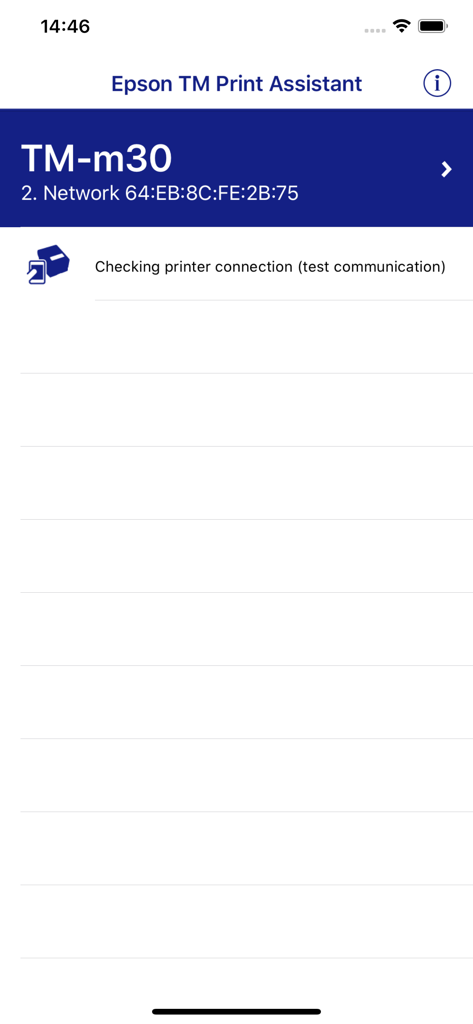
The tools that make this app stand out, trusted by 44K+ users.
Print via Bluetooth, Wi-Fi, or USB. Stay flexible and keep your business running from any location, even without a stable network.
Convert XML and PDF data from your web apps or FileMaker into professional receipts instantly—no complex engineering required.
Built for high-traffic environments. Minimize downtime and keep your customers happy with fast, consistent printing you can trust.
Trusted by 44K+ people who love this app.
"The perfect bridge for our iPad POS system. We needed a reliable way to print receipts from our web app to our Epson TM-m30, and this assistant made the setup incredibly easy. It's been rock solid for our daily operations."
"As a mobile vendor, Bluetooth connectivity is everything. This app allows me to print professional receipts directly from my iPhone to my portable TM-P20II without any technical headaches. Truly a lifesaver for my business on the go."
Everything you need to know about Epson TM Print Assistant.
Description
Latest Version
1.17.0
Size
25.5 MB
First Released
Jan 15, 2018
Join thousands of businesses streamlining their operations. Download the Epson TM Print Assistant today and bridge the gap between your iOS apps and industry-standard receipt printing.
Top-ranked apps in the same category

Microsoft Corporation

Zoom Communications, Inc.

WhatsApp Inc.

Indeed Inc.

LinkedIn Corporation

Adobe Inc.

Tencent Technology (Shenzhen) Company Limited

Beijing China Product Bo Farce Network Technology Co., Ltd.

DingTalk Technology Co., Ltd.
