
Eraser Background


The easiest way to create custom stickers, logos, and high-quality product images for your business or social media. Skip the complex software and get pixel-perfect precision right on your phone.
Publisher
Category
BusinessDownloads
429K+User Rating
Total Ratings
3K+Locales
10Discover the interface used by 429K+ users.
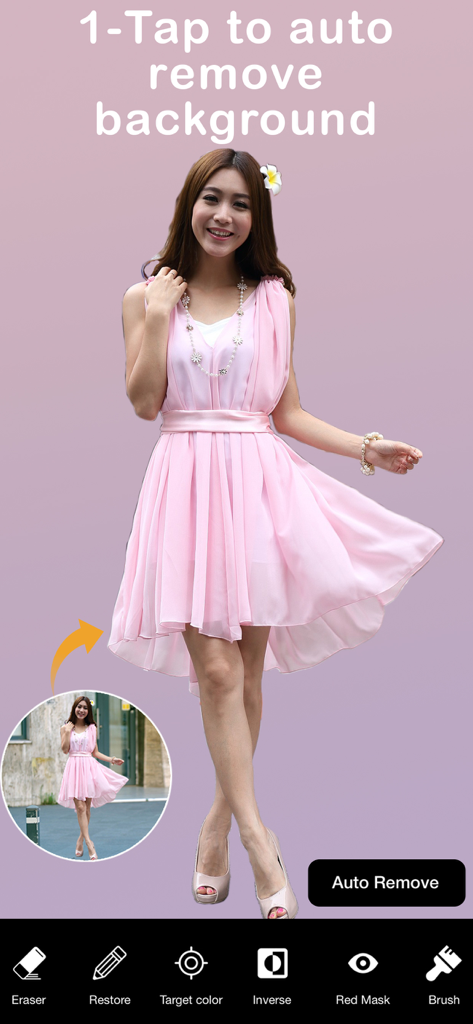
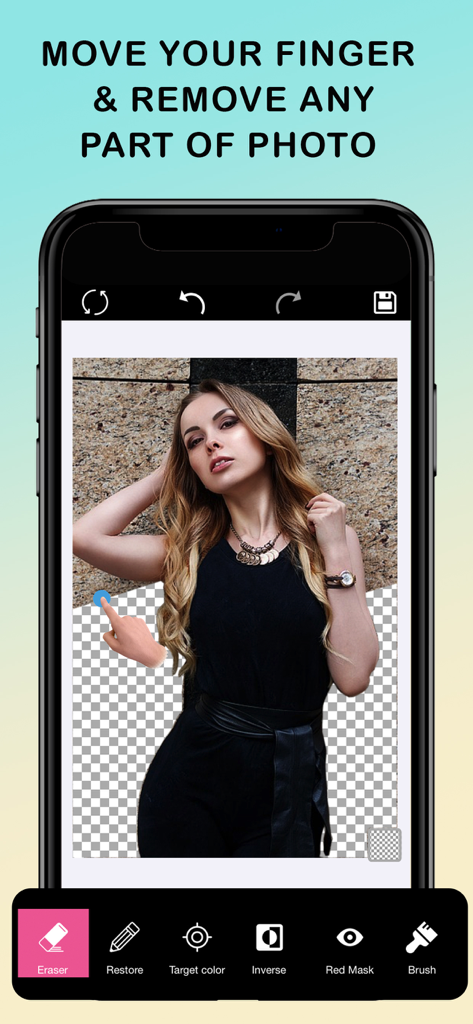
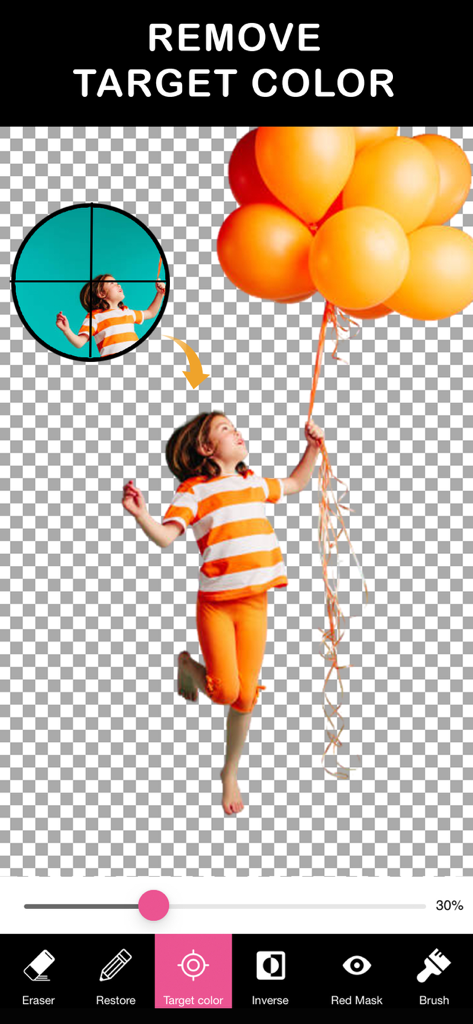
The tools that make this app stand out, trusted by 429K+ users.
Instantly remove similar colors with our AI-powered Magic Tool. Perfect for batch-editing product photos for Etsy or Poshmark in record time.
Achieve professional-grade cutouts with our zoom and fine-tuning tools. Ensure your logos and stickers have clean, sharp edges without needing Photoshop.
Save your work in high-resolution PNG or JPEG formats. Your assets are ready for professional Keynote presentations, social media branding, or printing.
Trusted by 429K+ people who love this app.
"This app is an absolute lifesaver for my online boutique. I can take product photos anywhere and remove the messy background in seconds to get that professional studio look. It is so much faster and more intuitive than trying to use Photoshop on a computer."
"I love making custom stickers for my IG Stories and WhatsApp groups, and this is the best tool I've found for it. The magic tool makes cutting out complex shapes super easy, and the zoom feature allows for really precise edges. My social media game has never been better!"
Insights from user reviews.
Sentiment Score
Summary
The app receives predominantly negative feedback, with many users expressing frustration over its core functionality. While some users find the app easy to use and effective for automatic background removal, significant issues plague the user experience. Frequent complaints highlight an overwhelming number of intrusive advertisements, even after purchasing subscriptions, and critical bugs such as app crashes, inability to save images, and poor output image quality. Additionally, several users report compatibility problems with newer iOS versions and specific iPhone models (like the iPhone 11, 12 Pro, and 12 Pro Max), leading to display issues and non-functional tools.
Common Themes
Everything you need to know about Eraser Background.
Description
Latest Version
1.7
Size
30.8 MB
First Released
Sep 24, 2018
Join 429K+ creators and small business owners who skip the complex software to get pixel-perfect cutouts and custom stickers in just one tap.
Top-ranked apps in the same category

Microsoft Corporation

Zoom Communications, Inc.

WhatsApp Inc.

Indeed Inc.

LinkedIn Corporation

Adobe Inc.

Tencent Technology (Shenzhen) Company Limited

Beijing China Product Bo Farce Network Technology Co., Ltd.

DingTalk Technology Co., Ltd.