Genki Studio

Genki Studio

Download on App Store
Spark by MWM logo
Logo of Genki Studio

Genki Studio: Transform your iPad into a Pro-Grade Portable Monitor

Unlock the power of your iPad to play console games, monitor professional cameras, and record high-quality video directly to your device or external SSD.

Publisher

Human Things, Inc

Category

Utilities

Downloads

120K+

User Rating

4.6/5

Total Ratings

0

Locales

4

Pro Studio at a Glance

Discover the interface used by 120K+ users.
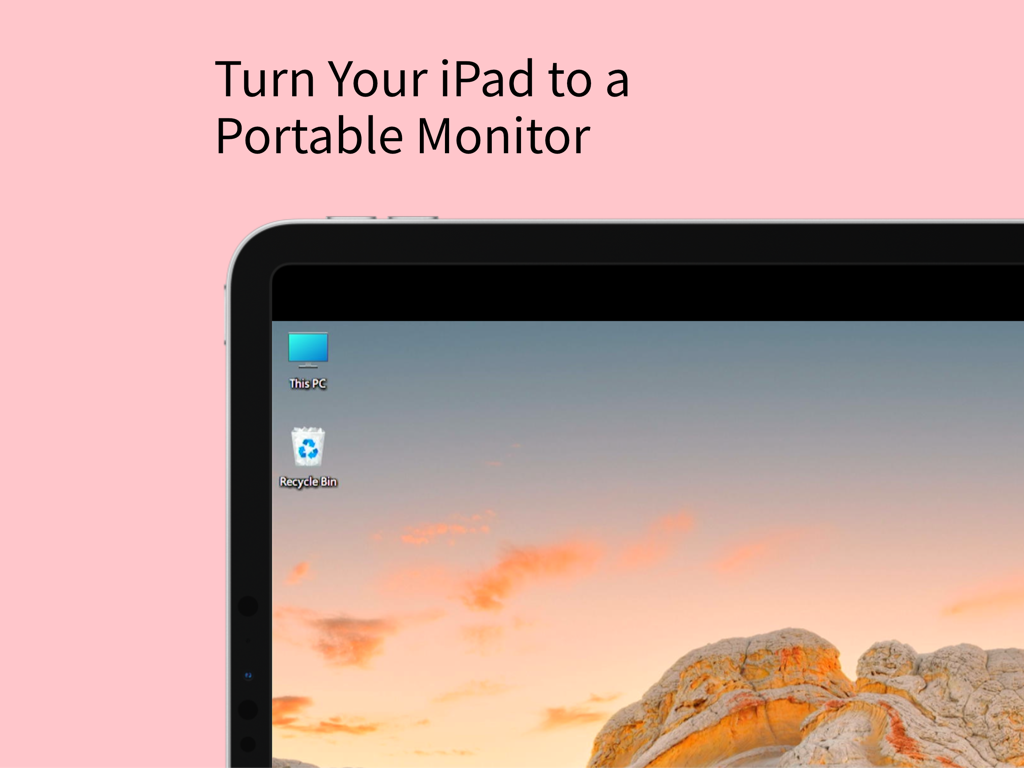
iPad screen displaying a Windows desktop acting as a portable monitor

iPad screen displaying a Windows desktop acting as a portable monitor

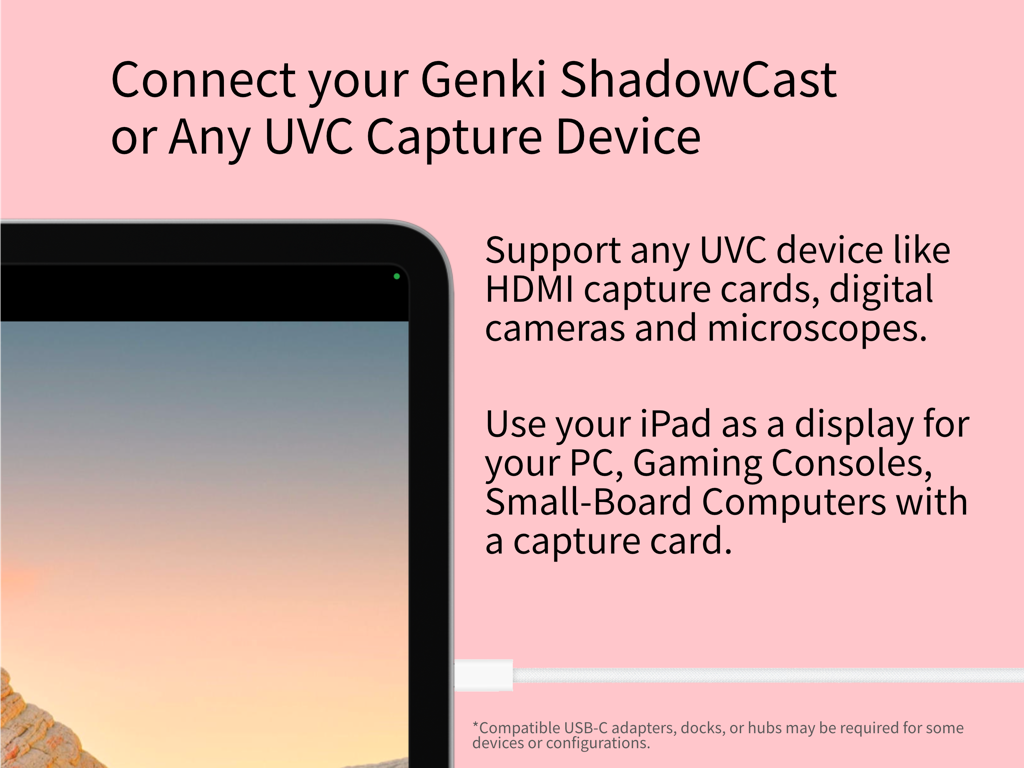
iPad display connected to a UVC capture device for gaming and professional use

iPad display connected to a UVC capture device for gaming and professional use

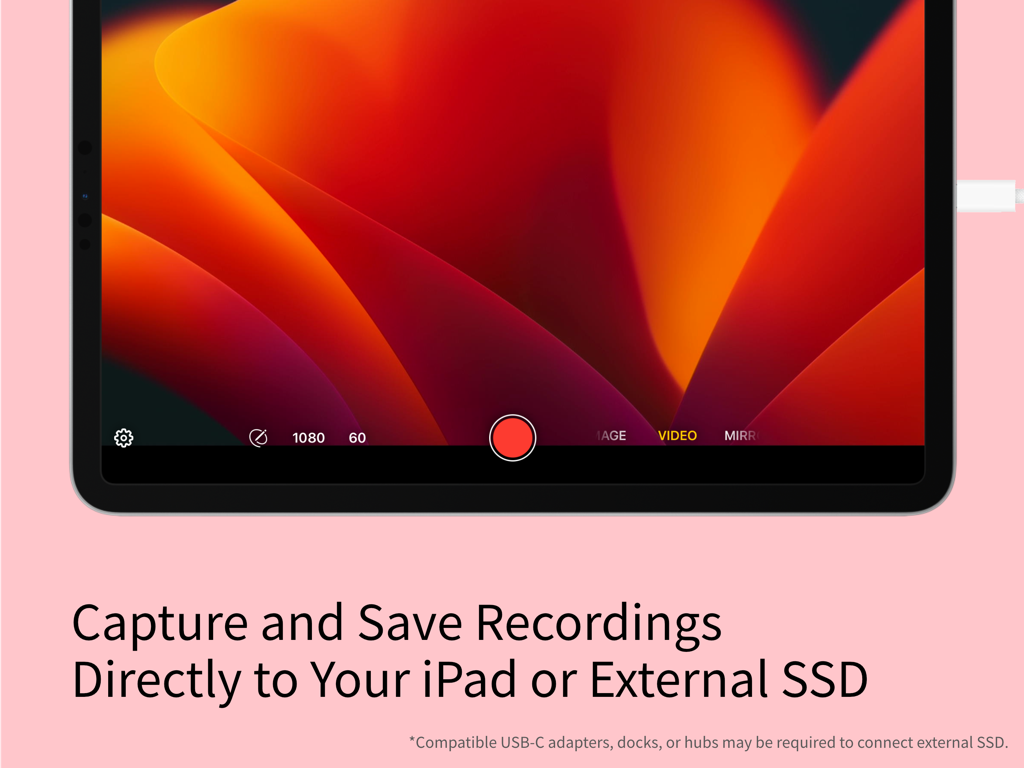
Genki Studio app interface on iPad showing the video recording feature and external storage options.

Genki Studio app interface on iPad showing the video recording feature and external storage options.

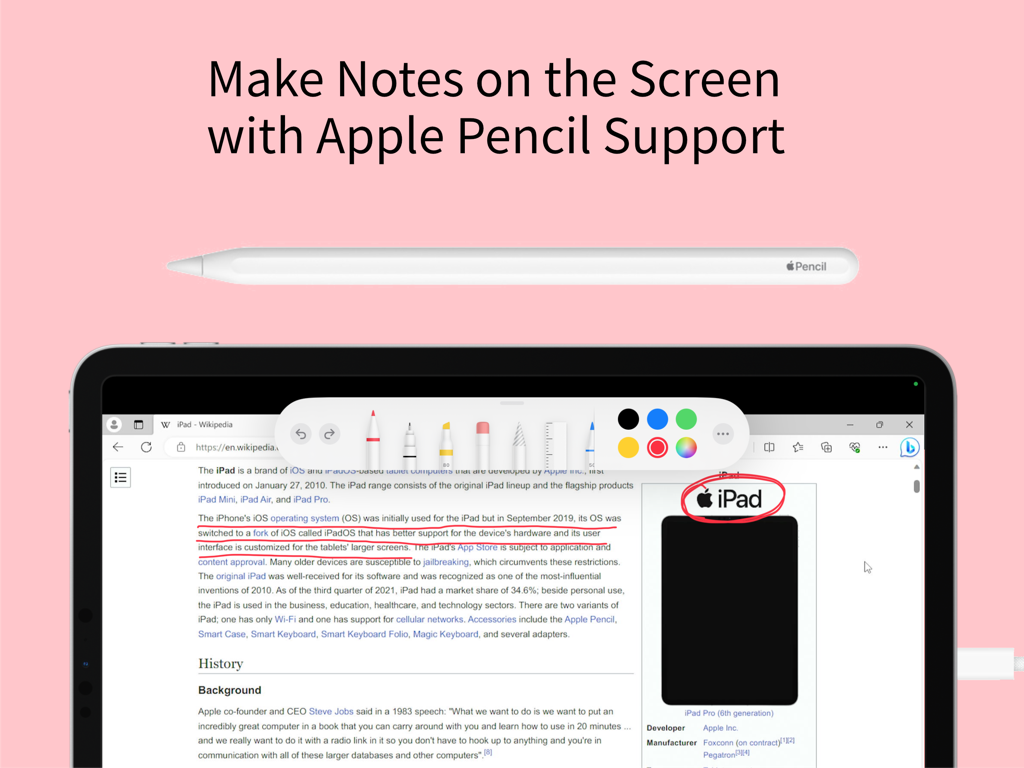
iPad screen showing Apple Pencil support for making notes and annotations in the Genki Studio app

iPad screen showing Apple Pencil support for making notes and annotations in the Genki Studio app

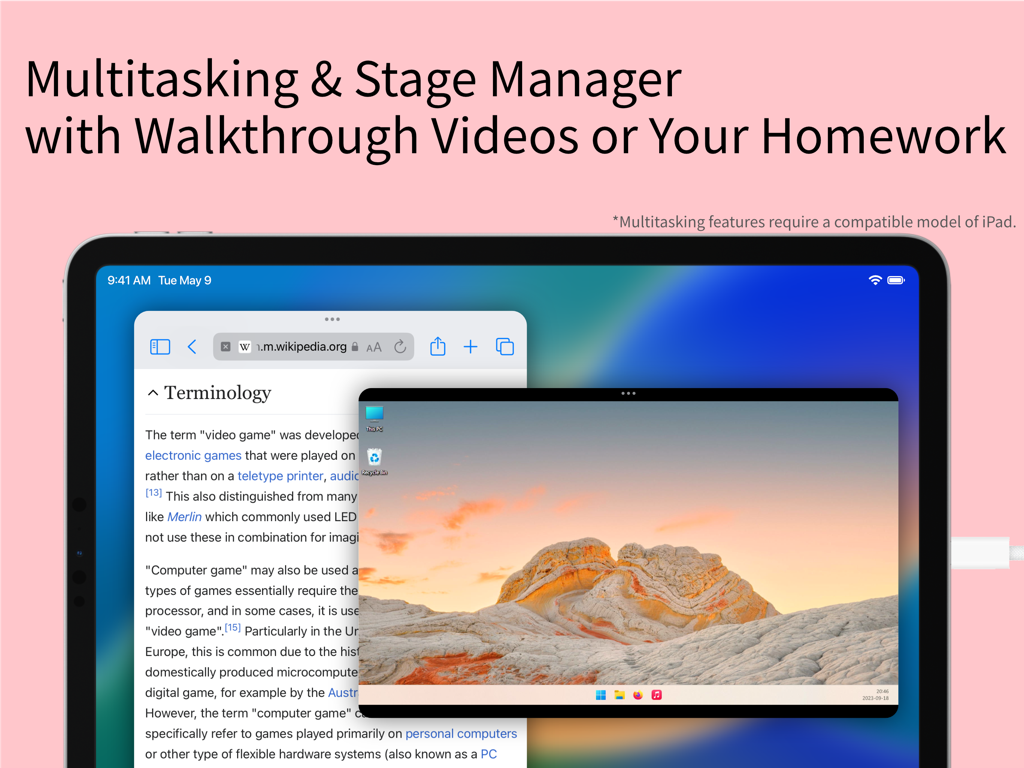
iPad screen displaying Genki Studio using Stage Manager to multitask with a Wikipedia article and a remote PC desktop video feed

iPad screen displaying Genki Studio using Stage Manager to multitask with a Wikipedia article and a remote PC desktop video feed

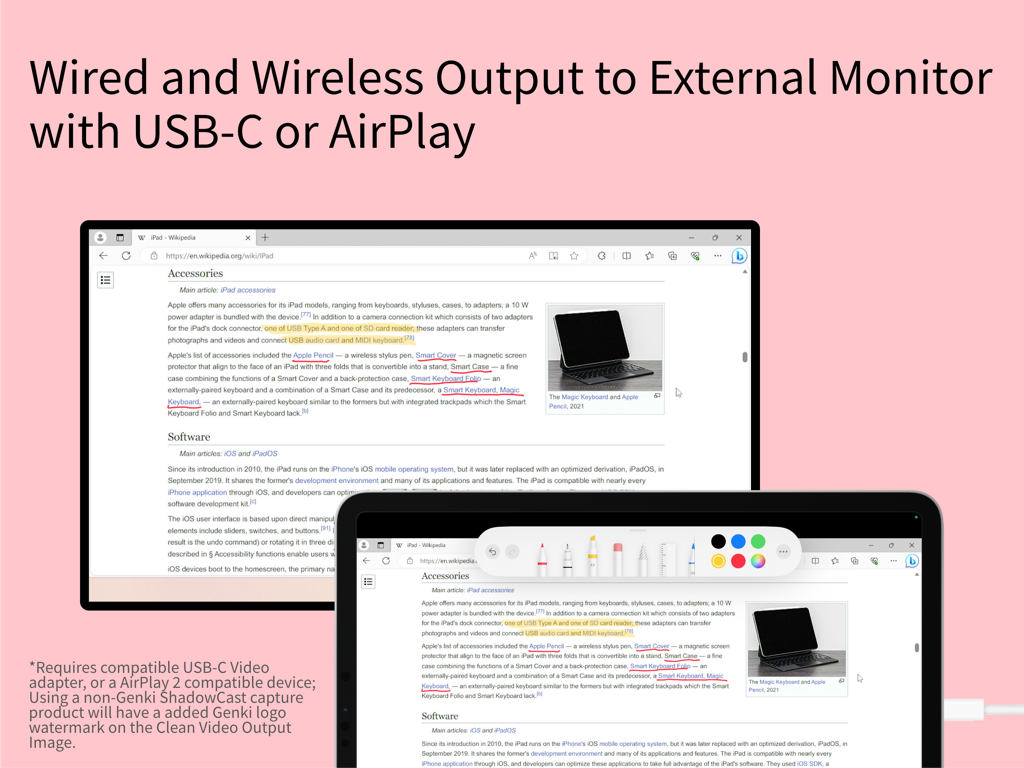
iPad screen mirrored to an external monitor with markup tools

iPad screen mirrored to an external monitor with markup tools

Unleash Your iPad’s Hidden Potential

The tools that make this app stand out, trusted by 120K+ users.

🎮

The Ultimate Portable Display

Plug in your Nintendo Switch, Steam Deck, or PC to enjoy a premium, lag-free gaming experience on the best screen you own—no TV required.

🎥

Pro-Level Video Capture

Monitor your camera feed with professional grid overlays and record high-quality footage directly to your iPad or an external SSD for a seamless workflow.

✏️

Live Markup & Presentation

Use your Apple Pencil to sketch over live video in real-time. Perfect for coaching, teaching, or delivering interactive presentations via Clean Video Output.

Loved by users worldwide

Trusted by 120K+ people who love this app.

"

"Genki Studio is a total game-changer for my travel setup. I can now use my iPad Pro as a high-definition monitor for my Nintendo Switch while on the train, and the Stage Manager support lets me keep a game walkthrough open on the side. The latency is practically non-existent, making it the perfect portable gaming station."

Alex Rivera, Tech Enthusiast & Digital Nomad
"

"As a freelance videographer, this app saved me from buying an expensive dedicated field monitor. I connect my mirrorless camera via UVC and get a gorgeous, large-screen preview with professional grid overlays. Being able to record the feed directly to an external SSD while marking up shots with my Apple Pencil has streamlined my entire workflow."

Sarah Chen, Content Creator

About the app

Everything you need to know about Genki Studio.

Description

Genki Studio turns your iPad into a portable monitor and advanced video capture and presentation device. Connect your Genki ShadowCast or any compatible USB UVC input device to start using your iPad as a portable monitor for your gaming console, PC, digital camera, small board computer, or microscope. Record the input at maximum quality and save the media file directly to your iPad or an external SSD to save storage space on your iPad. With external monitor support, your iPad can output full-screen content to another external display via AirPlay or USB-C to HDMI/DisplayPort adapters while continuing recording to your iPad, or use mirror mode and Apple Pencil markup for a quick presentation. Highlights of this app: · Connect your Genki ShadowCast or any compatible USB UVC input device to your iPad. · View the UVC input directly on your iPad. · Capture images or videos with audio with maximum quality, to your iPad storage or directly to an external storage device like a portable SSD. · Fully compatible with Stage Manager and Multitasking features of the iPad, enjoy music or play the video guide of your game while playing your game all on an iPad. · Grid and Ratio Overlay for easy monitoring of professional cameras. · Clean Video Output to display input on an external monitor with AirPlay or a wired connection, while continuing recording to your iPad at the same time. · Mark Up with Apple Pencil support lets you scribble on the screen. · Connecting to an external monitor and using Mark Up to enable Mirroring Mode, which turns your iPad into a portable notepad perfect for any live events. · Optimized for accessibility with VoiceOver support. * Connecting to UVC devices requires a compatible model of iPad. Using this app requires additional UVC accessories; this app supports Genki ShadowCast, and any other USB UVC input device including capture cards, professional cameras, microscopes, or webcams that conform with UVC standards. Appropriate USB-C adapters, docks, or hubs are required for some devices or configurations. Multitasking features require a compatible model of iPad. Using Clean Video Output with a wirelessly connected monitor requires AirPlay 2-enabled TVs, streaming boxes or sticks, or a compatible Mac with the latest macOS update installed; also, using a non-Genki ShadowCast capture product will have an added Genki logo watermark on the Clean Video Output Image. UVC input are supported on iPad with a USB-C port: · iPad Pro 11-inch and 13-inch (M4) · iPad Pro 12.9-inch (3rd generation and later) · iPad Pro 11-inch (1st generation and later) · iPad Air 11-inch and 13-inch (M2) · iPad Air (4th and 5th generation) · iPad mini (A17 Pro) · iPad mini (6th generation) · iPad (A16) · iPad (10th generation) USB-C ports on some iPad only supports maximum USB 3.0 SuperSpeed 5Gbps or USB 2.0 High-Speed, which may limit the formats you can use with your UVC devices. Please check your iPad’s support before downloading this app or buying accessories.

Latest Version

1.5.2

Size

7.3 MB

First Released

Sep 19, 2023

Transform Your iPad Into a Pro-Grade Display

Join 120,000+ creators and gamers who use Genki Studio to play, record, and present with zero limits. Start your portable setup today.

Download on App Store
FAQ

Frequently Asked Questions

Everything you need to know about Genki Studio

What is Genki Studio?

Genki Studio transforms your iPad into a portable monitor and advanced video capture and presentation device. It connects to UVC input devices like Genki ShadowCast to display and record video from various sources.

Can Genki Studio record video input?

Yes, Genki Studio records UVC input at maximum quality, including audio. Users can save media files directly to their iPad's storage or to an external SSD.

What devices can I connect to my iPad using Genki Studio?

Genki Studio connects to Genki ShadowCast or any compatible USB UVC input device. This includes capture cards, professional cameras, microscopes, gaming consoles, PCs, and small board computers.

Does Genki Studio support external monitors?

Yes, Genki Studio supports external monitors. Your iPad can output full-screen content via AirPlay or USB-C to HDMI/DisplayPort adapters, even while recording continues on the iPad.

Is Apple Pencil supported in Genki Studio?

Yes, Genki Studio supports Apple Pencil. Users can mark up or scribble on the screen, enabling Mirroring Mode for presentations by turning the iPad into a portable notepad.

What iPad models are compatible with Genki Studio for UVC input?

Genki Studio supports UVC input on iPads with a USB-C port, including various generations of iPad Pro, iPad Air, iPad mini (6th gen and A17 Pro), and iPad (10th gen and A16).

Can Genki Studio work with multitasking features like Stage Manager?

Yes, Genki Studio is fully compatible with Stage Manager and Multitasking features of the iPad. Users can enjoy music or watch video guides while simultaneously using the app.

Will there be a watermark if I use a non-Genki ShadowCast device for Clean Video Output?

Yes, using a non-Genki ShadowCast capture product will add a Genki logo watermark on the Clean Video Output Image.

What are the storage options for recordings in Genki Studio?

Genki Studio allows users to save recordings directly to their iPad's internal storage or to an external storage device, such as a portable SSD.

Can Genki Studio be used for presentations?

Yes, Genki Studio supports presentations. Users can utilize mirror mode and Apple Pencil markup to turn their iPad into a portable notepad, ideal for live events.