Intune Company Portal

Intune Company Portal

Download on App StoreDownload on Google Play
Spark by MWM logo
Logo of Intune Company Portal

Intune Company Portal: Your Secure Gateway to Work Anywhere

Empowering modern professionals with seamless access to corporate apps, email, and files. Connect your device to work resources in minutes while keeping your personal data private and secure.

Download on App Store

Publisher

Microsoft Corporation

Category

Business

Downloads

37M+

User Rating

4.6/5

Total Ratings

2M+

Locales

22

Your Workspace, Visualized

Discover the interface used by 37M+ users.

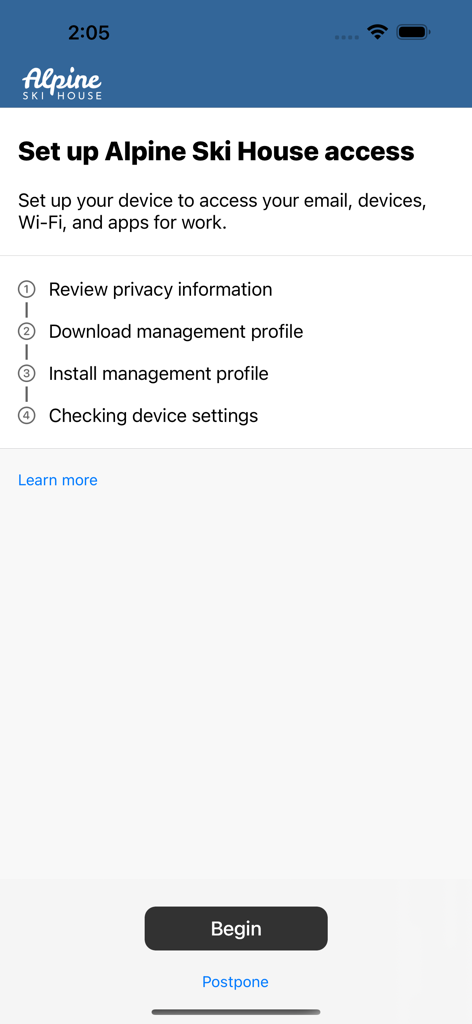
Enrollment screen for Microsoft Intune Company Portal listing device setup steps for corporate access

Enrollment screen for Microsoft Intune Company Portal listing device setup steps for corporate access

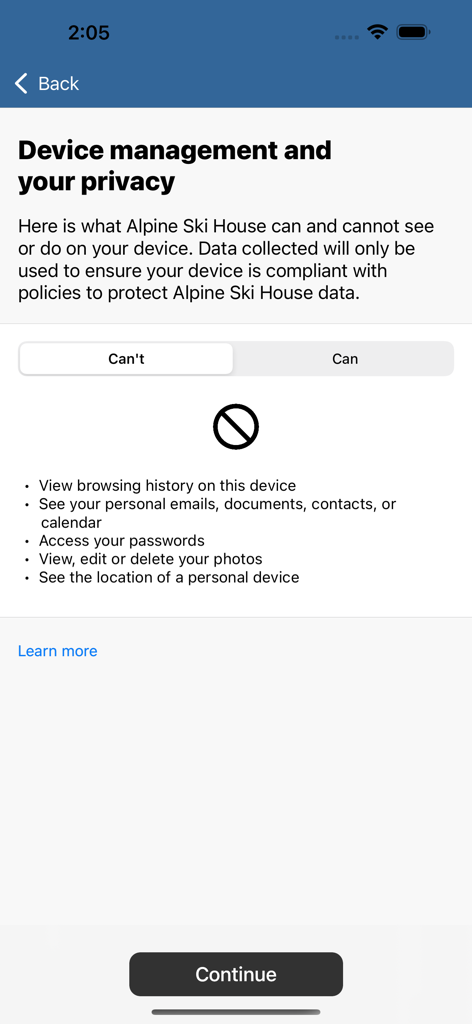
Privacy information screen showing data your employer cannot access in Intune

Privacy information screen showing data your employer cannot access in Intune

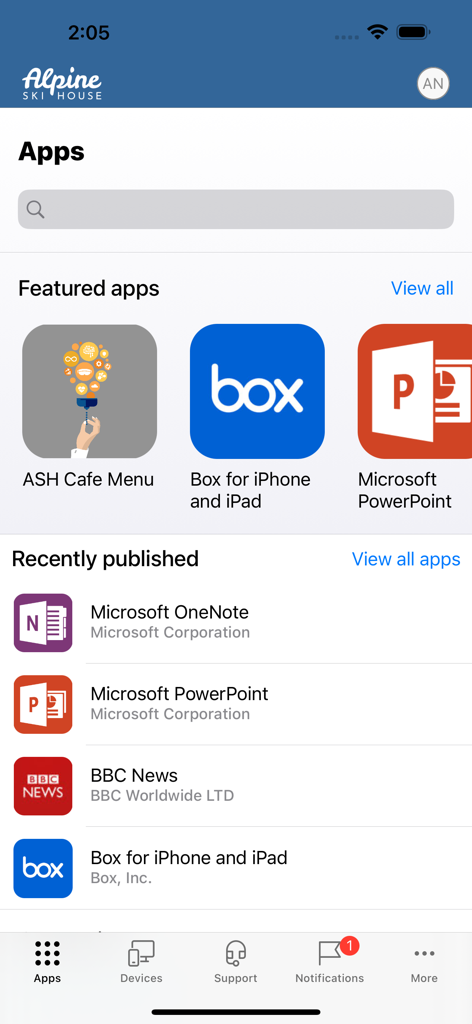
Dashboard of the Intune Company Portal app displaying available corporate applications for an employee

Dashboard of the Intune Company Portal app displaying available corporate applications for an employee

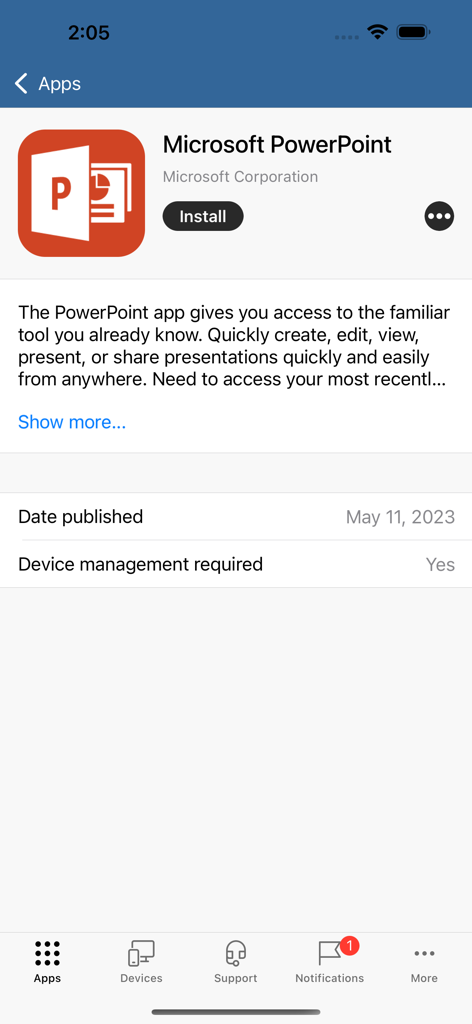
Interface of Intune Company Portal showing details and install button for Microsoft PowerPoint

Interface of Intune Company Portal showing details and install button for Microsoft PowerPoint

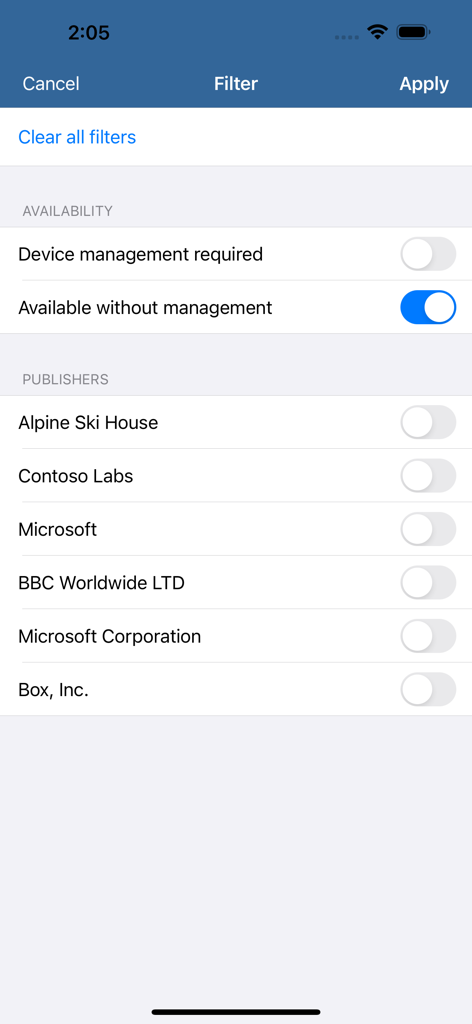
Filter screen in the Intune Company Portal app showing availability and publisher options

Filter screen in the Intune Company Portal app showing availability and publisher options

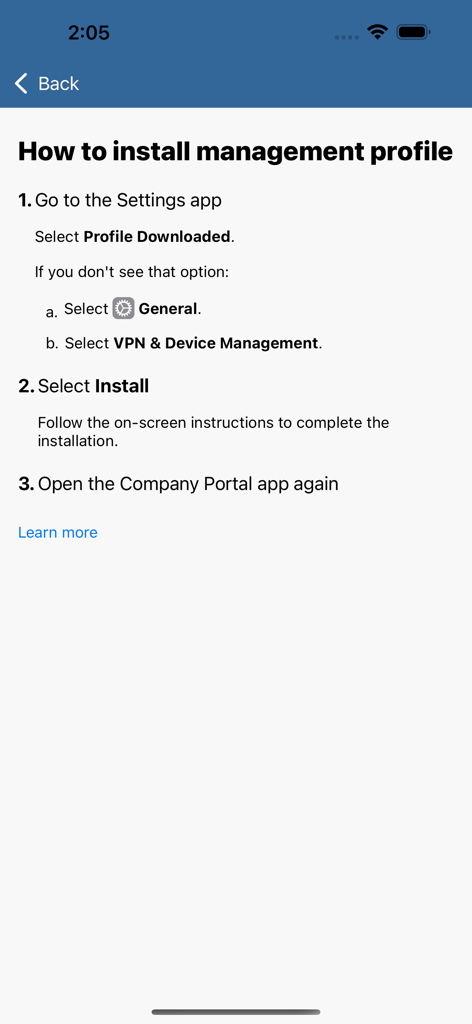
Step by step instructions for installing a management profile on an iPhone within the Intune Company Portal app.

Step by step instructions for installing a management profile on an iPhone within the Intune Company Portal app.

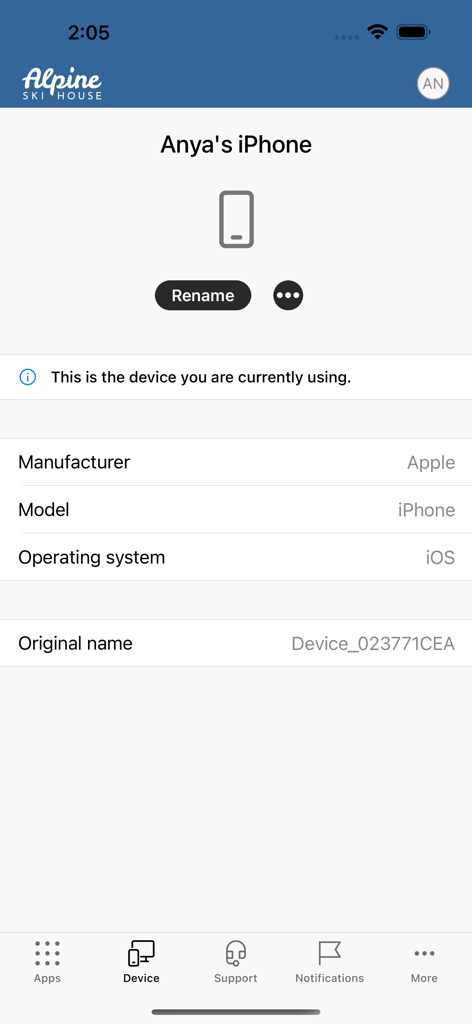
A device information screen in the Intune Company Portal app showing iPhone details and management options

A device information screen in the Intune Company Portal app showing iPhone details and management options

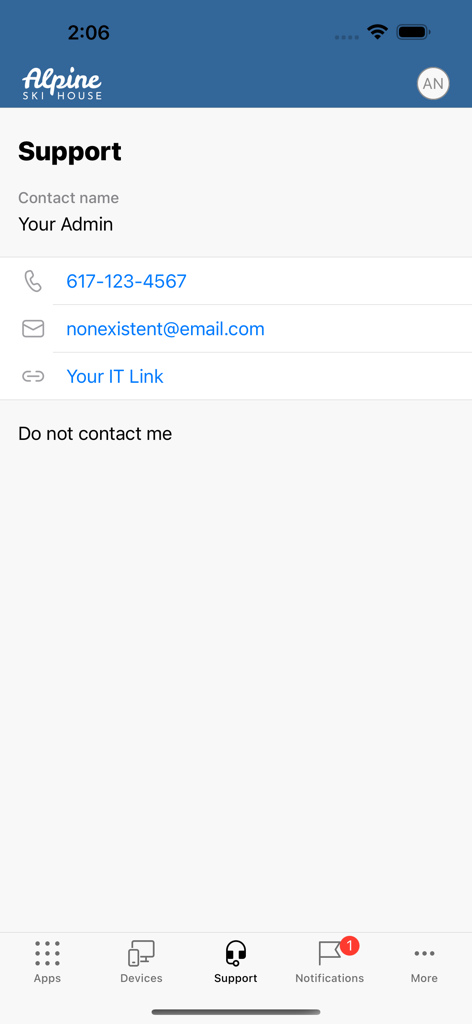
Intune Company Portal support screen displaying IT administrator contact information

Intune Company Portal support screen displaying IT administrator contact information

Work from Anywhere, Securely

The tools that make this app stand out, trusted by 37M+ users.

🔓

Instant Corporate Access

Securely connect to your work email, Teams, and OneDrive files in seconds, allowing you to stay productive whether you are at the gym or on your commute.

🛡️

Personal Privacy First

Enjoy a clear boundary between your personal and professional life. Your company manages work data while your personal photos and messages remain strictly private.

Self-Service Freedom

Skip the IT help desk queue by resetting your work passwords and managing your enrolled devices directly through our intuitive mobile interface.

Loved by users worldwide

Trusted by 37M+ people who love this app.

"

"As a project manager constantly on the move, the Company Portal is a lifesaver. It made setting up my work email and Teams on my personal iPhone incredibly easy without needing to call IT. I love that I can handle password resets myself and keep my work life separate from my personal apps."

Sarah Miller
"

"I was worried about privacy when my company asked me to enroll my device, but this app makes the boundaries clear. It's the ultimate key to my remote office, giving me secure access to OneDrive and internal tools from anywhere. It's seamless, professional, and reliable."

David L. Chen

About the app

Everything you need to know about Intune Company Portal.

Description

Microsoft Intune helps organizations manage access to corporate apps, data, and resources. Company Portal is the app that lets you, as an employee of your company, securely access those resources. Before you can use this app, make sure your IT admin has set up your work account. Your company must also have a subscription to Microsoft Intune. Company Portal helps simplify the tasks you need to do for work: • Enroll your device to access corporate resources, including Office, email, and OneDrive for Business • Quickly reset the password to your work account if you should forget it • Find apps that will help you with your daily tasks as provided by your company • View and manage all your enrolled devices – and wipe them yourself if they get lost or stolen • Get help from your IT department with easy-to-find contact information A note about Intune: every organization has different access requirements, and will use Intune in ways that they determine will best manage their information. Some functionality might be unavailable in certain countries. If you have questions about how this app is being used within your organization, your company’s IT administrator should have those answers for you. Microsoft, your network provider, and your device’s manufacturer do not know how Intune will be used by your organization.

Latest Version

5.2511.0

Size

120.6 MB

First Released

Nov 19, 2013

Ready to Work from Anywhere?

Join 37 million+ professionals using Intune to securely access work apps and resources. Get the flexibility you need while keeping your personal data private.

Download on App StoreDownload on Google Play
FAQ

Frequently Asked Questions

Everything you need to know about Intune Company Portal

Does Microsoft Intune Company Portal help simplify work-related tasks for employees?

Yes, Microsoft Intune Company Portal simplifies tasks like enrolling your device to access corporate resources, resetting work account passwords, finding company-provided apps, and managing enrolled devices.

What are the requirements to use the Intune Company Portal app?

To access corporate resources through Intune Company Portal, your IT admin must set up your work account, and your company must have a subscription to Microsoft Intune.

Can my company see my personal data through Intune Company Portal?

No, your company cannot view your browsing history, personal emails, contacts, calendar, passwords, photos, or the location of a personal device via Intune Company Portal.

How do I find and access company apps using Intune Company Portal?

You can find apps provided by your company within the Intune Company Portal by navigating to the 'Apps' section, which displays featured and recently published applications.

Is device management required to install apps from Intune Company Portal?

Yes, some applications found in Intune Company Portal, such as Microsoft PowerPoint, require device management for installation and access to corporate resources.

How do I install the management profile for Intune Company Portal on my device?

To install the management profile for Intune Company Portal, go to the Settings app, select 'Profile Downloaded,' then navigate to 'General' > 'VPN & Device Management,' and follow installation instructions.

Can I view details about my enrolled devices using Intune Company Portal?

Yes, you can view and manage all your enrolled devices, including their manufacturer, model, and operating system, within the Intune Company Portal's 'Device' section.

Can I remotely wipe my device if it is lost or stolen using Intune Company Portal?

Yes, Intune Company Portal allows you to wipe your enrolled device yourself if it gets lost or stolen, helping protect corporate data and resources.

How can I contact my IT department for support with Intune Company Portal?

You can get help from your IT department by finding their contact information (phone, email, IT link) in the 'Support' section of the Intune Company Portal app.