Kiosk Pro Basic

Kiosk Pro Basic

Download on App Store
Spark by MWM logo
Logo of Kiosk Pro Basic

Kiosk Pro Basic: Professional iPad Lockdown & Self-Service Browser

Transform your iPads into secure, branded terminals for retail, trade shows, and exhibits. Lock down navigation, protect visitor privacy, and manage your content remotely with the industry-leading kiosk solution.

Download on App Store

Publisher

Kiosk Group, Inc.

Category

Business

Downloads

239K+

User Rating

3.6/5

Total Ratings

100

Locales

30

Complete Brand Control

Discover the interface used by 239K+ users.
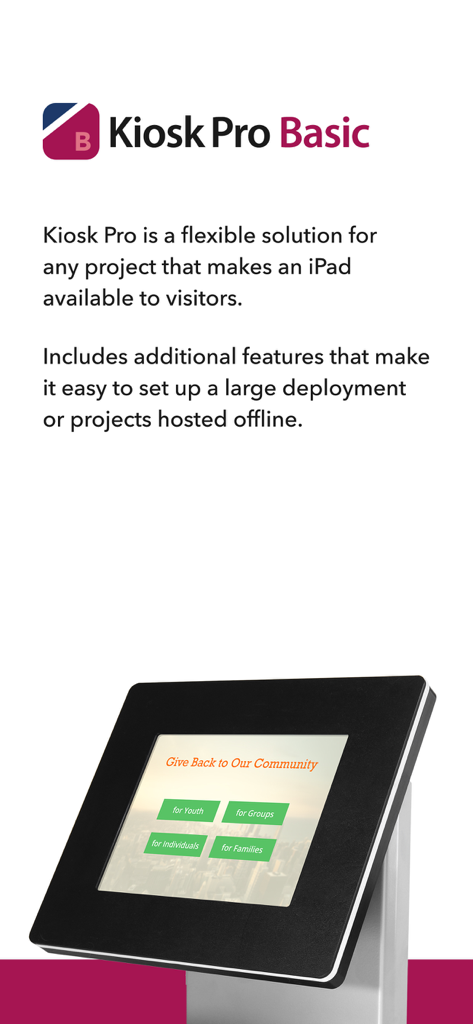
Kiosk Pro Basic introduction showing an iPad in a professional kiosk stand

Kiosk Pro Basic introduction showing an iPad in a professional kiosk stand

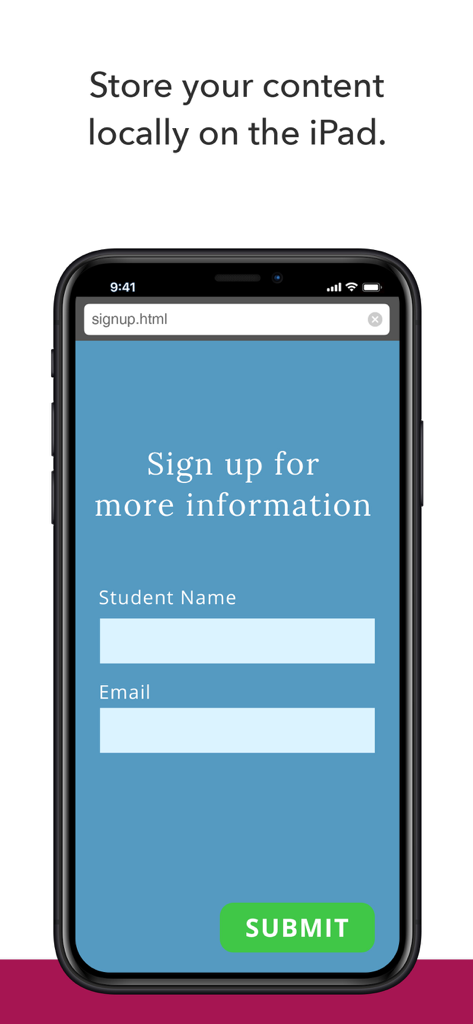
iPhone screen showing a sign up form for more information using locally stored HTML content in Kiosk Pro Basic

iPhone screen showing a sign up form for more information using locally stored HTML content in Kiosk Pro Basic

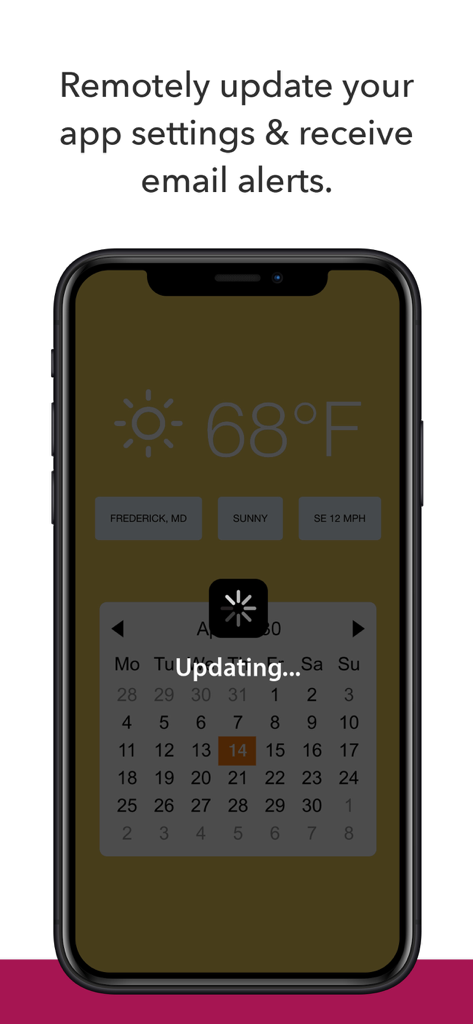
Smartphone screen showing remote update notification for Kiosk Pro Basic

Smartphone screen showing remote update notification for Kiosk Pro Basic

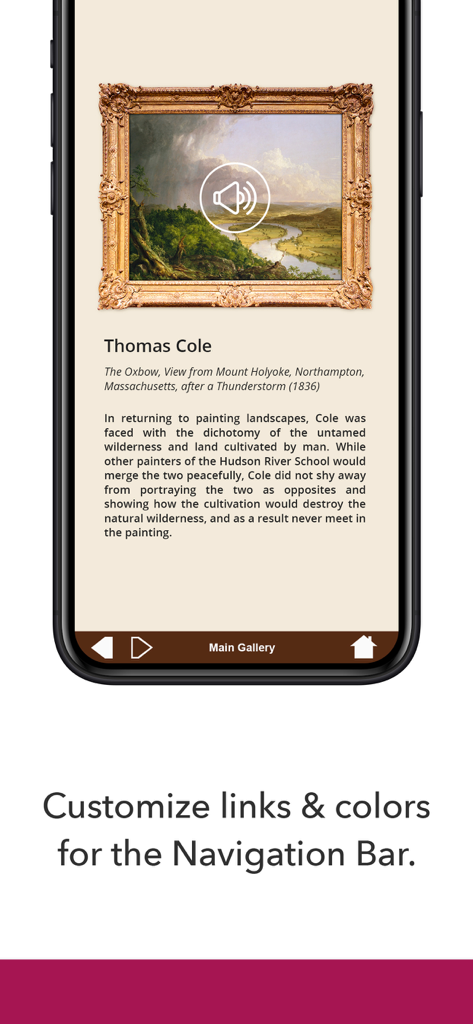
Museum exhibit display in Kiosk Pro Basic with a customized bottom navigation bar

Museum exhibit display in Kiosk Pro Basic with a customized bottom navigation bar

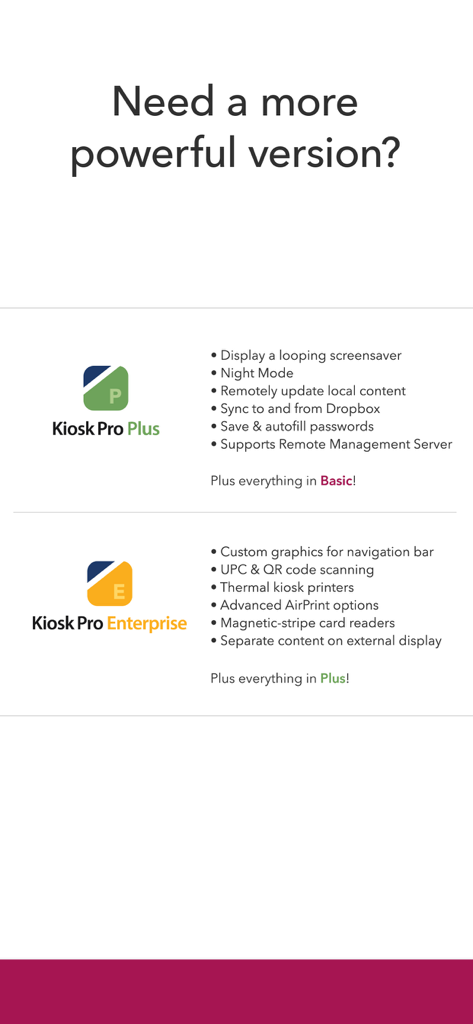
Comparison table of features for Kiosk Pro Plus and Kiosk Pro Enterprise versions including remote management and hardware support

Comparison table of features for Kiosk Pro Plus and Kiosk Pro Enterprise versions including remote management and hardware support

Professional Control for Your Public Displays

The tools that make this app stand out, trusted by 239K+ users.

šŸ”’

Ironclad Security & Lockdown

Eliminate tampering by restricting navigation to approved domains and automatically clearing user data between sessions to ensure privacy and safety.

šŸ“

Reliable Offline Performance

Ensure zero downtime at trade shows or remote venues by hosting your videos, PDFs, and web content directly on the device—no Wi-Fi required.

šŸŽØ

Seamless Brand Integration

Hide browser bars and customize navigation to make your web content look like a high-end native app that aligns perfectly with your brand identity.

Loved by users worldwide

Trusted by 239K+ people who love this app.

"

"We used Kiosk Pro Basic for our booth at a major trade show, and it was a lifesaver. Even when the venue's Wi-Fi cut out, our interactive catalog kept running perfectly thanks to the offline storage feature. It looks incredibly professional—most visitors thought we’d built a custom app just for the event."

Sarah Jenkins, Marketing Director
"

"This is the perfect solution for our boutique hotel's lobby check-in. I was constantly worried about visitors accidentally closing our registration form or browsing other sites. Now, the iPad is completely locked down, and the automated cache clearing gives our guests peace of mind. It’s truly a set-it-and-forget-it tool."

Michael Rodriguez, Operations Manager

About the app

Everything you need to know about Kiosk Pro Basic.

Description

Kiosk Pro is a flexible solution for any project that makes an iPad available to visitors. As a specialized web browser, Kiosk Pro Basic can display web pages, documents or audio & video files. Show content that’s hosted online or stored locally on the device. Kiosk Pro Basic builds on the functionality included in our Lite version, adding offline access to locally-stored content, remote update of app settings, the ability to set custom links in the navigation bar, and connecting to AirPrint enabled printers. ATTRACT VISITORS • Define a homepage as the starting place for the presentation. • Set an idle timer so that when a visitor walks away, the next person will have a fresh experience, starting right at the beginning. • Increase visitor turnover at your kiosk by setting a browsing time limit. • Clear the cache and/or cookies to secure personal information. LIMIT NAVIGATION • Specify what’s off limits on the web by creating lists of allowed & restricted domains. • Block access to other apps, including the native email or phone, that could otherwise be opened through links. • Disable touch interaction when used for digital signage. CONTROL THE DISPLAY • Hide status, address, and/or navigation bars to make your content look like a native app. • Customize the navigation with your own color scheme and bookmarked links. • Works in any language - add your own translated text for on-screen alerts and navigation. WORKS OFFLINE • Store content locally for offline viewing. • Shift between online and offline content automatically if your device drops its Internet connection. REMOTE MANAGEMENT • Update your app settings by uploading a setting configuration onto your own servers. • Set up email alerts for power loss and/or remote updates. USE ADVANCED FUNCTIONS WITH OUR JAVASCRIPT API • Save visitor form data locally on the device. • Access current device orientation data to optimize how your content is displayed. Support is built right into our apps with documentation of every feature and direct access to our extensive Knowledge Base. Kiosk Pro Basic is compatible with most web content, including HTML web pages, PDFs, and multimedia (including .mp4 video). While certain Powerpoint, Keynote, and Word files are also supported, they are displayed as static documents. Kiosk Pro Basic cannot display multiple tabs or pop-ups, other apps, or Flash-based content. To prevent visitors from exiting Kiosk Pro Basic, you must enable Guided Access in the iPad settings or use Apple’s Configurator app to supervise the iPad into Single App Mode. Our professional kiosk enclosures secure your iPad from theft or damage. See KioskGroup.com for more details!

Latest Version

11.3

Size

9.4 MB

First Released

Dec 21, 2010

Ready to Transform Your iPads into Professional Kiosks?

Join thousands of businesses deploying secure, branded, and reliable interactive experiences. Secure your content and manage your fleet with confidence today.

Download on App Store