
Ivanti Mobile@Work™ Client



Connect to corporate email, VPN, and apps instantly with enterprise-grade security that respects and protects your personal privacy.
Publisher
Category
BusinessDownloads
4M+User Rating
Total Ratings
4K+Locales
18Discover the interface used by 4M+ users.
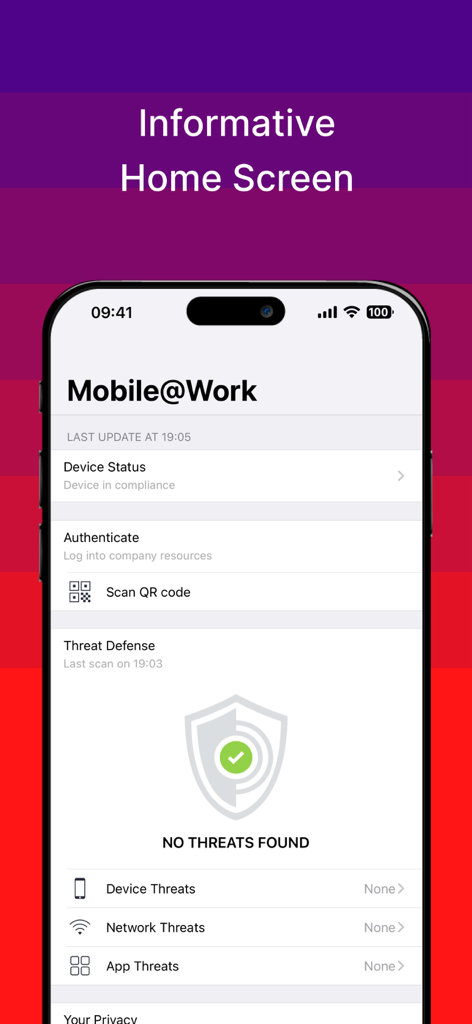
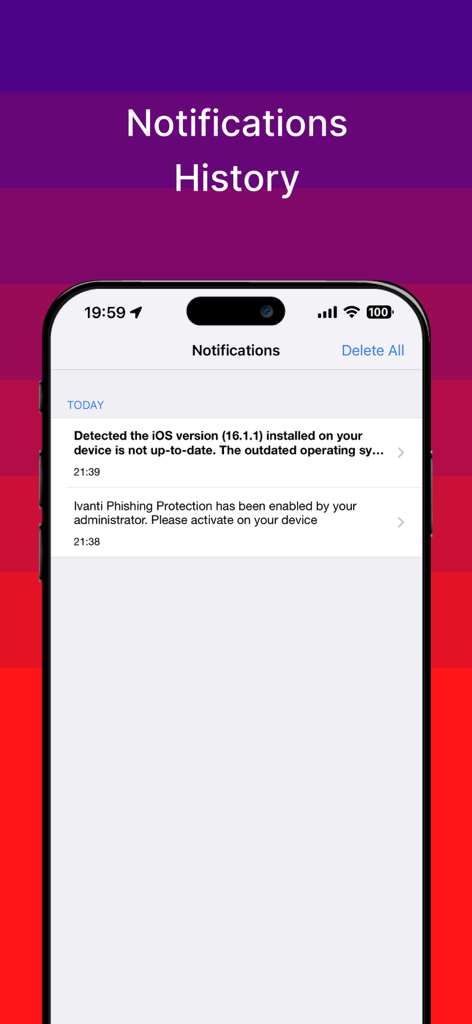
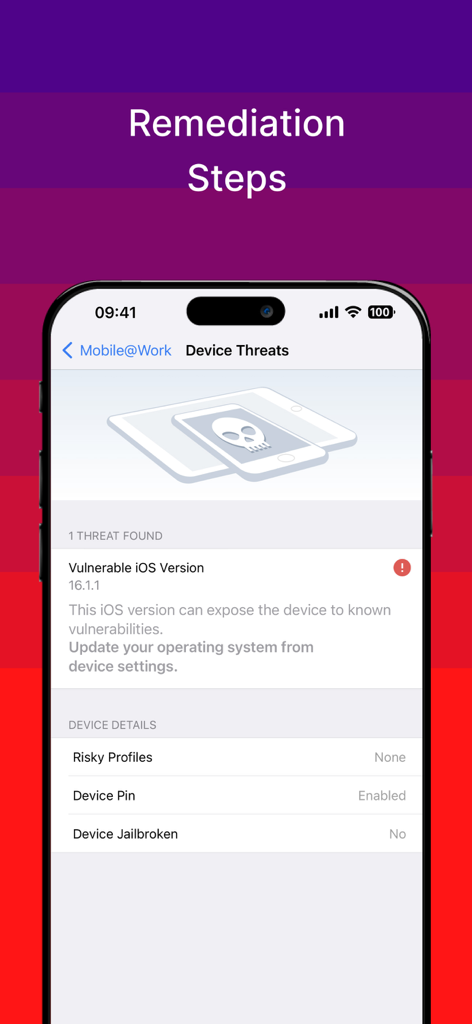
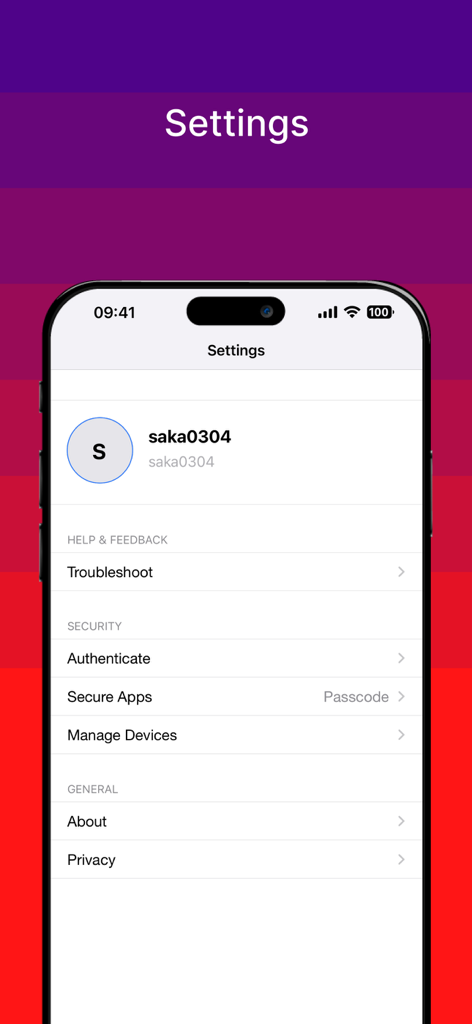
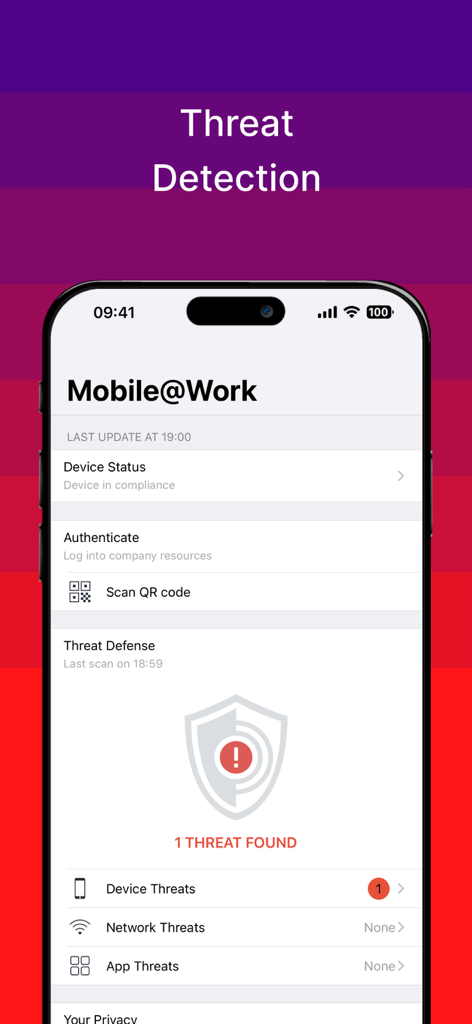
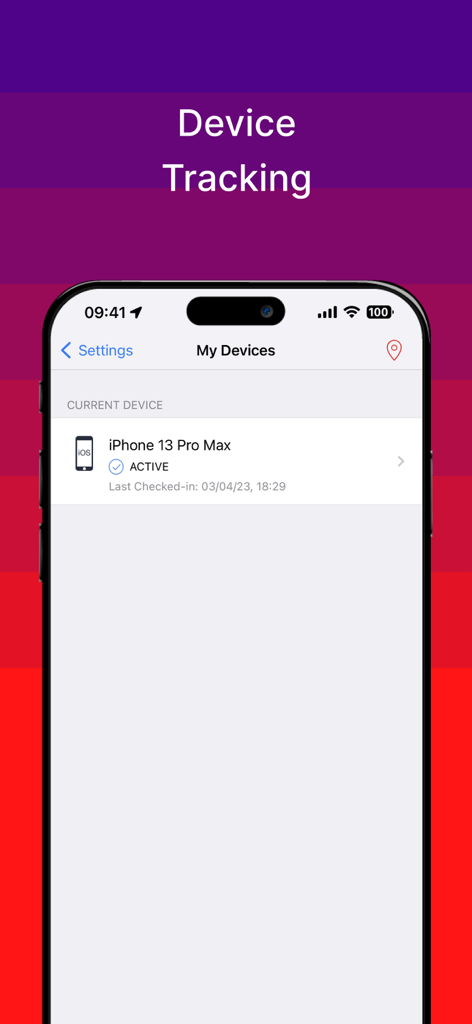
The tools that make this app stand out, trusted by 4M+ users.
Full transparency into your data. See exactly what your company can access and rest easy knowing your personal photos, texts, and apps remain private.
Eliminate manual setups. Automatically connect to corporate Wi-Fi and VPN networks to access your email, calendar, and contacts instantly.
Discover and install the professional tools you need to succeed. Access a curated library of business applications authorized by your organization.
Trusted by 4M+ people who love this app.
"As a hybrid worker, this app is a total game-changer. It automatically configures my VPN and corporate Wi-Fi, allowing me to access my emails and calendar instantly from anywhere. It just works in the background, making my mobile workflow completely seamless."
"I was hesitant about using my personal phone for work, but the Visual Privacy feature completely put my mind at ease. I love being able to see exactly what my IT department can and cannot access, ensuring my personal photos and texts remain private while I stay productive."
Insights from user reviews.
Sentiment Score
Summary
The mobile app receives overwhelmingly negative feedback from users, reflected in a low global sentiment score of 26 out of 100. Many users report critical issues such as frequent crashes, freezing, and general instability, often citing compatibility problems with specific iOS versions including iOS 12, 17, 17.1, 18, and Apple Vision Pro. Key functionalities like notifications are consistently non-operational, and users struggle with difficult installation, persistent login errors, and challenges in removing the application. This results in a poor user experience, marked by performance issues like excessive battery drain and overall unreliability.
Common Themes
Everything you need to know about Ivanti Mobile@Work™ Client.
Description
Latest Version
12.12.71
Size
111.0 MB
First Released
Jul 27, 2009
Join millions of professionals who enjoy instant access to corporate email, VPN, and apps with the industry's leading privacy-first mobile client.
Everything you need to know about Ivanti Mobile@Work™ Client
Ivanti Mobile@Work securely connects iOS devices to a company network. It provides access to corporate email, calendar, contacts, Wi-Fi, VPN, and work-related applications, ensuring secure and automated resource access.
Yes, Ivanti Mobile@Work features Visual Privacy. This allows employees to view exactly what data their company can see and the actions their company can take on the device, ensuring transparency.
Yes, Ivanti Mobile@Work includes a "Find My Phone" capability. This feature allows users or IT administrators to locate lost or stolen devices and perform remote management actions as needed.
Your IT organization can see device details like the model name, OS version, roaming status, and company applications. They cannot see personal information such as personal emails, text messages, photos, or contacts.
Yes, Ivanti Mobile@Work includes Threat Defense capabilities. It actively scans for and detects device, network, and app threats, displaying the compliance status and offering remediation steps if issues are found.
Ivanti Mobile@Work ensures automated compliance with corporate security policies. It integrates with Ivanti Core, deployed by your company's IT organization, to maintain a secure device environment.
No, Ivanti Mobile@Work is required to access corporate resources. You should not remove the app without first consulting your company's IT organization to avoid losing access to essential work tools.
Yes, Ivanti Mobile@Work detects outdated iOS versions. It notifies users when an operating system is not up-to-date, providing warnings and suggesting updates to address potential vulnerabilities.
Apps with similar features and user experience

Microsoft Corporation

Zoom Communications, Inc.

Top North AB

Wandering WiFi LLC

Kiosk Group, Inc.

Top North AB

Kiosk Group, Inc.

MARS BROTHERS LIMITED

Apple Inc.