Layout - Photo Collage Maker

Layout - Photo Collage Maker

Download on App Store
Spark by MWM logo
Logo of Layout - Photo Collage Maker

Layout - Photo Collage Maker: Turn Your Best Memories into Aesthetic Stories

The ultimate creative tool for social storytellers. Effortlessly combine photos and videos with stylish layouts to make your Instagram feed stand out in seconds.

Publisher

Fitness Labs SRL

Category

Graphics & Design

Downloads

21M+

User Rating

4.6/5

Total Ratings

526K+

Locales

33

The Art of the Grid

Discover the interface used by 21M+ users.
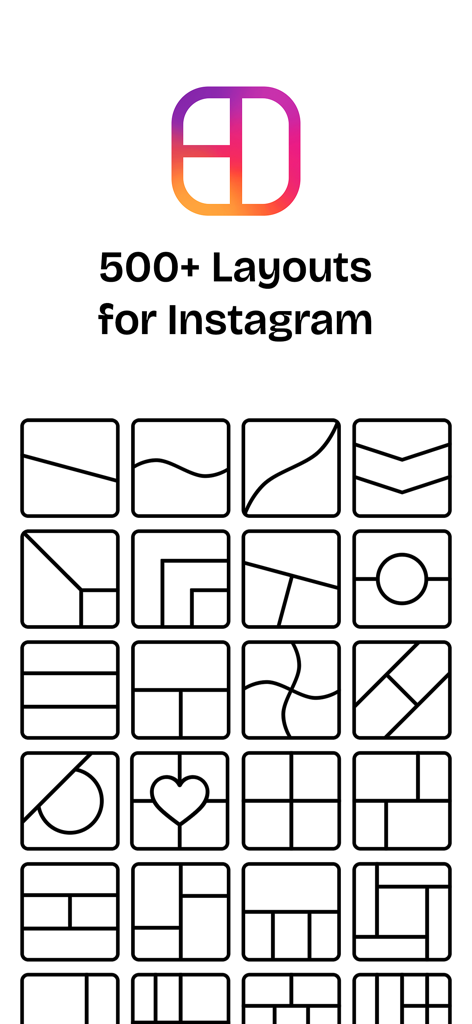
A collection of diverse grid templates and photo collage layouts for Instagram stories and posts.

A collection of diverse grid templates and photo collage layouts for Instagram stories and posts.

A stylish family photo collage with a heart shaped center and smiling parents with their baby

A stylish family photo collage with a heart shaped center and smiling parents with their baby

Example of a photo collage maker app showing winter themed photos of a woman in various aesthetic layout options

Example of a photo collage maker app showing winter themed photos of a woman in various aesthetic layout options

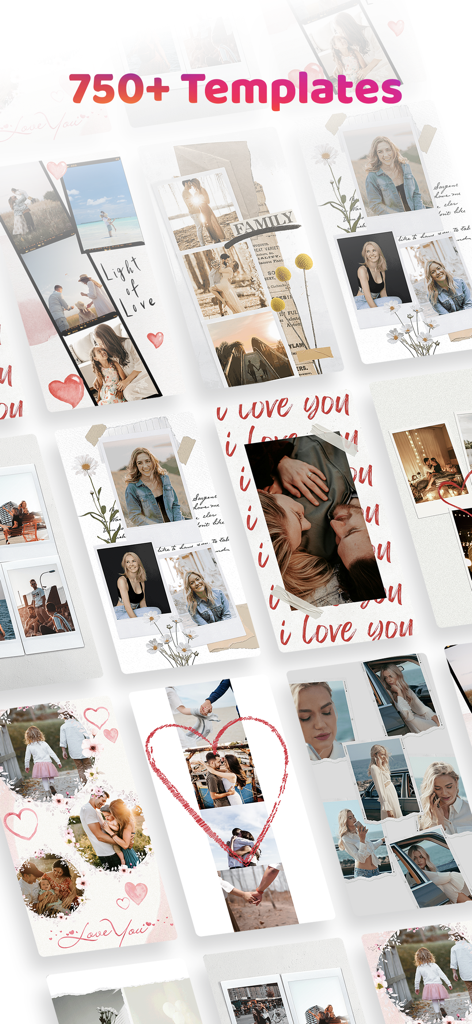
A collection of diverse and stylish photo collage templates for social media storytelling

A collection of diverse and stylish photo collage templates for social media storytelling

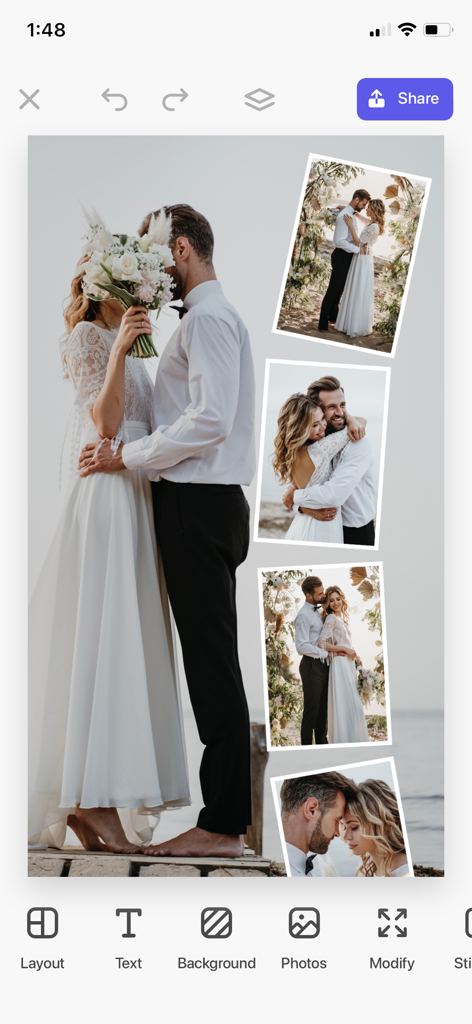
A wedding photo collage being edited in the Layout app interface

A wedding photo collage being edited in the Layout app interface

Vintage style digital scrapbook layouts for photo collages

Vintage style digital scrapbook layouts for photo collages

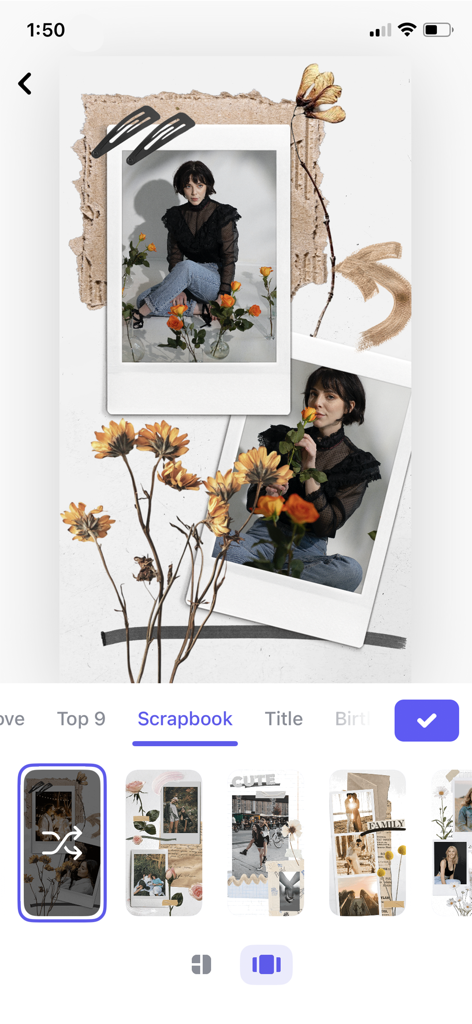
aesthetic digital scrapbook with polaroid photos and dried flower decorations

aesthetic digital scrapbook with polaroid photos and dried flower decorations

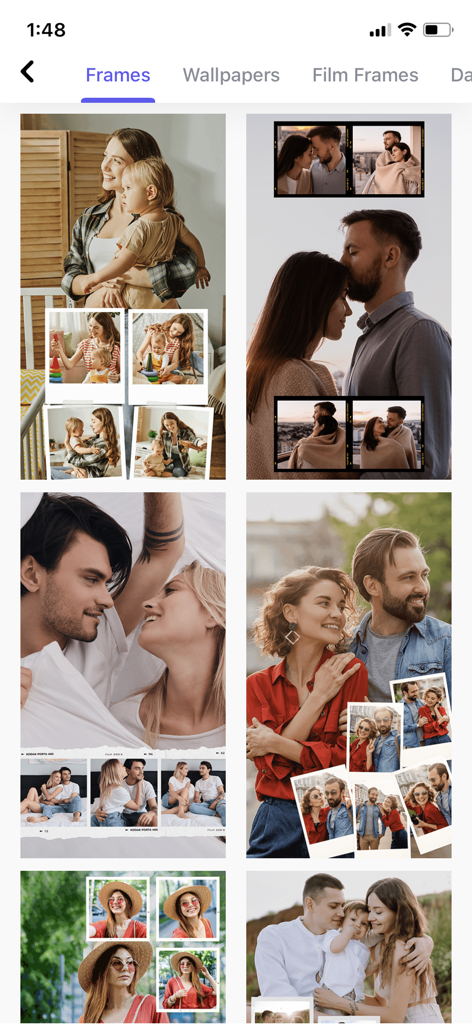
A selection of aesthetic photo collage frames and templates for social storytelling

A selection of aesthetic photo collage frames and templates for social storytelling

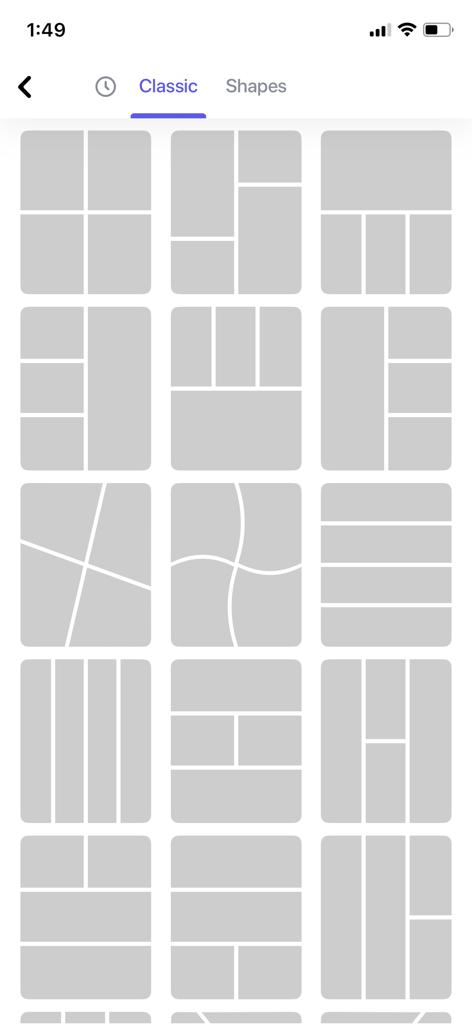
A grid of classic photo collage layout templates for mobile editing.

A grid of classic photo collage layout templates for mobile editing.

Curate Your Perfect Aesthetic

The tools that make this app stand out, trusted by 21M+ users.

Instant Social Layouts

Skip the complex tools with intuitive designs built specifically for Instagram Stories and your grid.

🎬

Dynamic Video Collages

Stand out from the crowd by mixing photos and videos to tell a richer, more engaging story.

Pro-Grade Filters & Styles

Give your memories a signature look with high-end filters that make every post feel cohesive and polished.

Loved by users worldwide

Trusted by 21M+ people who love this app.

"

"I've tried so many collage apps, but this one is by far the most intuitive. Being able to combine my travel videos and photos into one seamless layout is exactly what my Instagram feed was missing. It's fast, stylish, and super easy to use!"

Chloe Martinez
"

"As someone who posts daily, I need tools that don't waste my time. This app has no unnecessary fluff—just beautiful, modern layouts and great filters. It has completely streamlined my content creation process while keeping my aesthetic on point."

Jordan Rivers

About the app

Everything you need to know about Layout - Photo Collage Maker.

Description

Do you have some cool memories from your last holiday? Use Layout to combine the best of your experiences! Bring your ideas to life with this super fun and easy to use the app. Equipped with a wide array of layouts, shapes, and styles, you can rotate, resize or rearrange freely the photos in the collage. The great number of filters will help to enhance the aspect of your creation. Be ready to share with the world a unique story! No unnecessary features or complicated UI Very flexible, quick, and simple workflow Extensive collection of beautifully designed layouts for Instagram. Mix your photos and choose the size and style that fits you best Add a personalized touch by picking the right filter. Standout on Instagram Layout with video collages. ---- Subscribe to take advantage of the features described above. Subscription length: weekly, monthly, yearly By subscribing you get unlimited edits and access to our tools.Payment will be charged to iTunes Account at confirmation of purchase. Your subscription will automatically renews unless auto-renew is turned off at least 24-hours before the end of the current period. Your account will be charged for renewal within 24-hours prior to the end of the current period. Subscriptions may be managed and auto-renewal may be turned off by going to the Account Settings after purchase. No cancellation of the current subscription is allowed during active subscription period. Any unused portion of a free trial period, if offered, will be forfeited when the user purchases a subscription to that publication, where applicable For the Terms of service and privacy policy, please check: http://braincake.net/collage_privacy.html http://braincake.net/collage_terms.html

Latest Version

2.9.7

Size

194.6 MB

First Released

Dec 11, 2019

Ready to Elevate Your Aesthetic?

Join over 21 million creators and turn your favorite memories into stunning, Instagram-ready stories and video collages in seconds.

Download on App Store
FAQ

Frequently Asked Questions

Everything you need to know about Layout - Photo Collage Maker

What is Layout - Photo Collage Maker?

Layout - Photo Collage Maker is an app that combines photos into collages using various layouts, shapes, and styles. Users can rotate, resize, rearrange photos, and apply filters to their creations.

Does Layout - Photo Collage Maker offer pre-designed layouts?

Yes, Layout - Photo Collage Maker offers an extensive collection of beautifully designed layouts. Screenshot #1 explicitly states the app provides '500+ Layouts for Instagram'.

Can users edit photos within the Layout app?

Yes, Layout - Photo Collage Maker allows users to rotate, resize, and rearrange photos freely within their collages. The app also includes a great number of filters to enhance the visual aspect.

How many layouts and templates does Layout - Photo Collage Maker offer?

Layout - Photo Collage Maker offers over 500 layouts specifically for Instagram and more than 750 templates for various collage styles, as shown in the app's visuals.

Can I create video collages with Layout - Photo Collage Maker?

Yes, Layout - Photo Collage Maker supports the creation of video collages. This feature enables users to create unique stories and stand out on platforms like Instagram.

What subscription options are available for Layout - Photo Collage Maker?

Layout - Photo Collage Maker offers subscription lengths of weekly, monthly, and yearly. Subscribing grants unlimited edits and full access to all app tools and features.

How does payment for Layout - Photo Collage Maker subscriptions work?

Payment for Layout - Photo Collage Maker subscriptions is charged to the iTunes Account upon purchase confirmation. Subscriptions automatically renew unless auto-renew is turned off at least 24 hours prior to the current period's end.

Where can I find the Terms of Service for Layout - Photo Collage Maker?

The Terms of Service for Layout - Photo Collage Maker are available for review at http://braincake.net/collage_terms.html. The privacy policy is also linked on the same page.

Does Layout - Photo Collage Maker have a complex user interface?

No, Layout - Photo Collage Maker is designed with no unnecessary features or complicated UI. It provides a flexible, quick, and simple workflow for creating photo collages.

Can I add text to collages in the Layout - Photo Collage Maker app?

Yes, users can add text to their collages within the Layout app. Screenshot #5 shows a 'Text' option prominently available in the editing menu.

Does Layout - Photo Collage Maker support scrapbook-style collages?

Yes, Layout - Photo Collage Maker supports scrapbook-style collages. Screenshots #6 and #7 display various aesthetic designs available under a 'Scrapbook' tab.

Is a free trial available for Layout - Photo Collage Maker?

If a free trial period is offered for Layout - Photo Collage Maker, any unused portion of it is forfeited when the user purchases a subscription to the application.