Lightspeed Scanner (X)

Lightspeed Scanner (X)

Download on App StoreDownload on Google Play
Spark by MWM logo
Logo of Lightspeed Scanner (X)

Lightspeed Scanner (X): Professional Retail Management in Your Pocket

Turn your smartphone into a powerful barcode reader and mobile register. Manage your catalog, perform real-time inventory counts, and sell to customers from anywhere on the shop floor.

Download on App StoreDownload on Google Play

Publisher

Lightspeed Commerce Inc.

Category

Business

Downloads

34K+

User Rating

4.5/5

Total Ratings

1K+

Locales

3

Your Store at a Glance

Discover the interface used by 34K+ users.

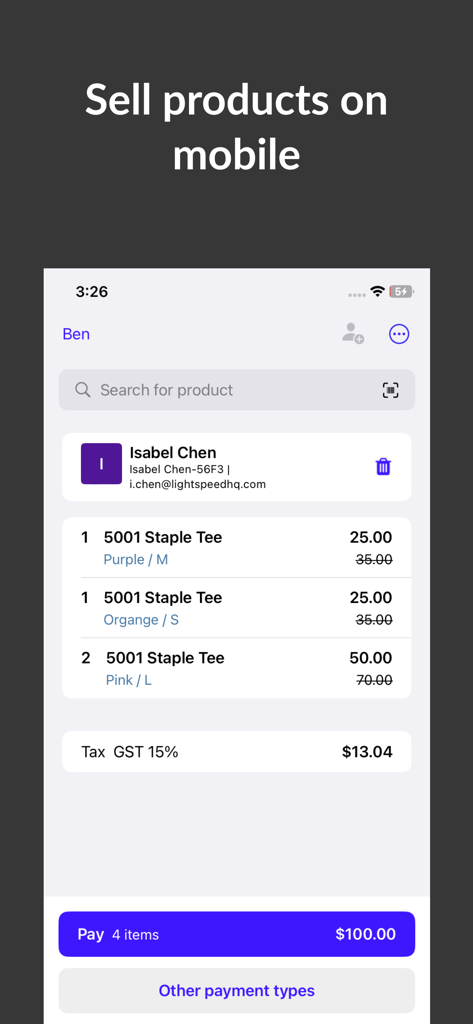
A mobile checkout screen in the Lightspeed Scanner app showing a product list for a customer named Isabel Chen

A mobile checkout screen in the Lightspeed Scanner app showing a product list for a customer named Isabel Chen

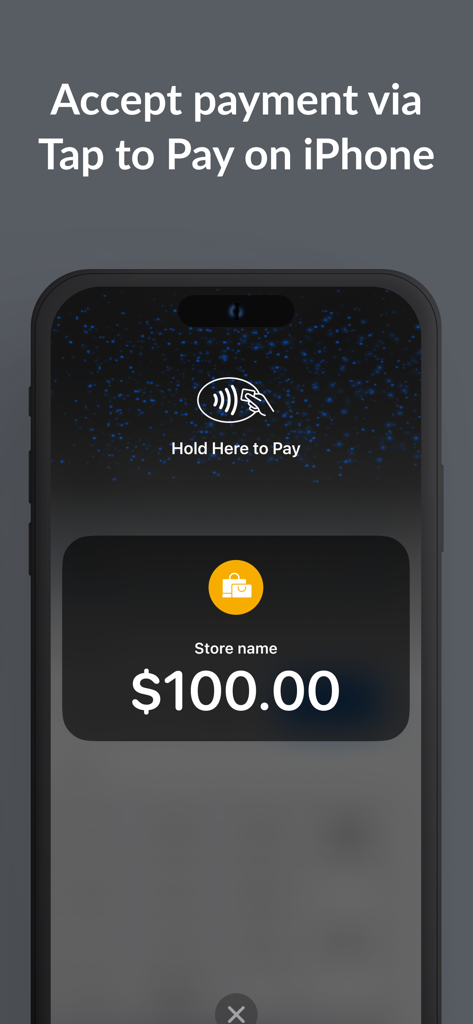
Lightspeed Scanner app interface showing the Tap to Pay on iPhone feature for a retail payment

Lightspeed Scanner app interface showing the Tap to Pay on iPhone feature for a retail payment

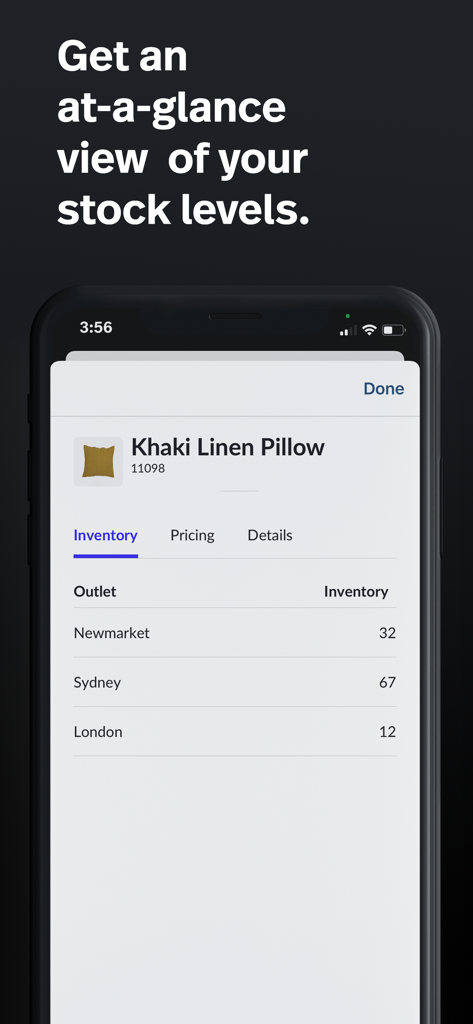
Interface of Lightspeed Scanner app displaying real-time stock levels for a product across different store outlets

Interface of Lightspeed Scanner app displaying real-time stock levels for a product across different store outlets

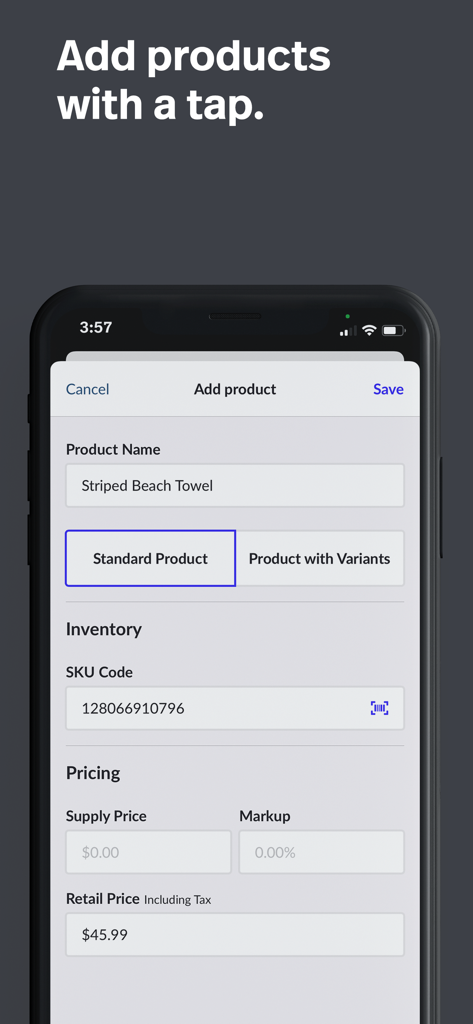
Add product screen in Lightspeed Scanner app showing inventory and pricing fields

Add product screen in Lightspeed Scanner app showing inventory and pricing fields

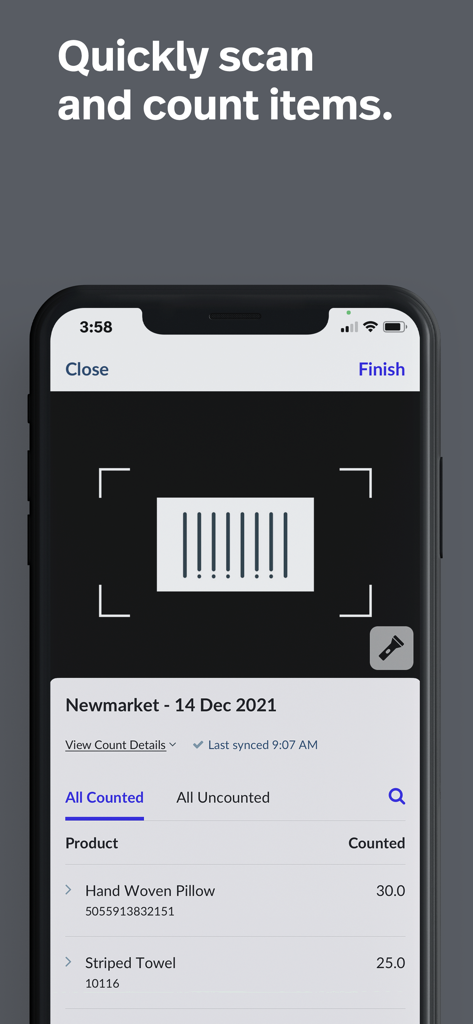
Mobile interface of the Lightspeed Scanner app featuring a barcode scanner and a list of counted retail items like pillows and towels

Mobile interface of the Lightspeed Scanner app featuring a barcode scanner and a list of counted retail items like pillows and towels

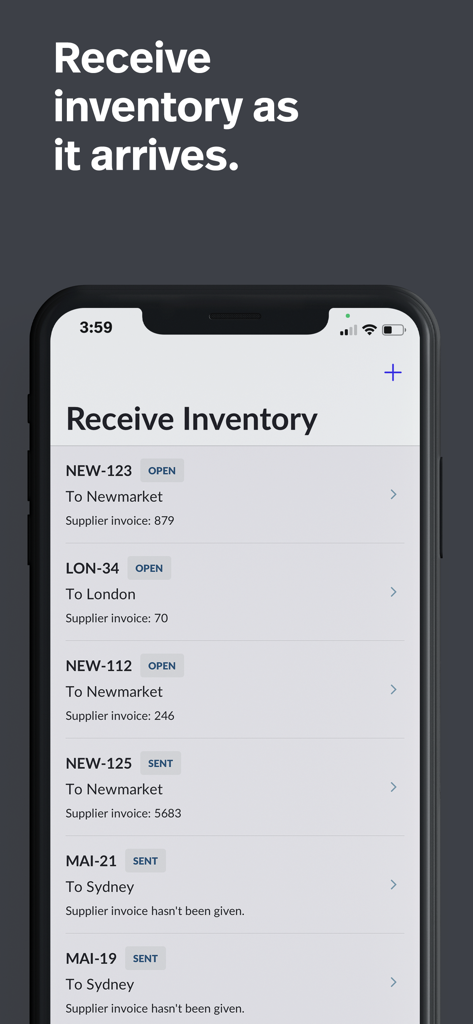
Interface of the Lightspeed Scanner app displaying a list of incoming inventory shipments for different retail store locations

Interface of the Lightspeed Scanner app displaying a list of incoming inventory shipments for different retail store locations

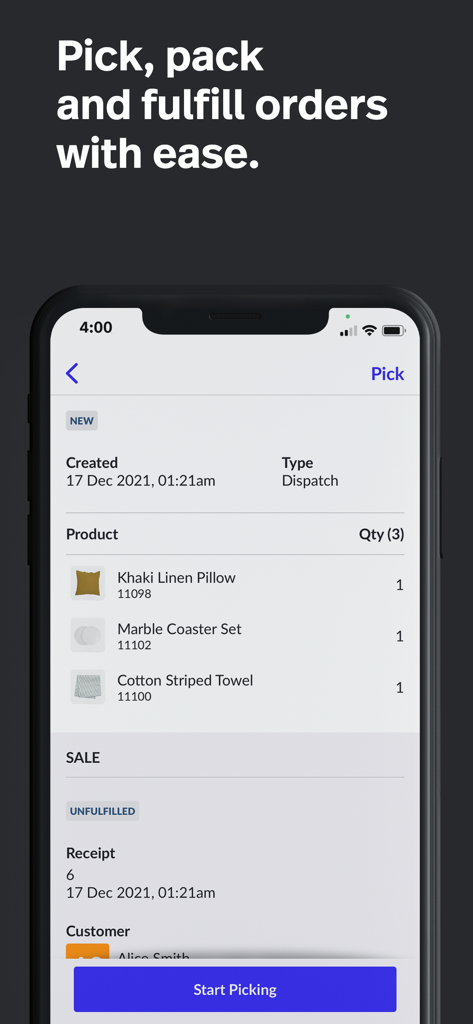
Mobile app interface of Lightspeed Scanner showing an order picking and fulfillment screen with a list of retail products.

Mobile app interface of Lightspeed Scanner showing an order picking and fulfillment screen with a list of retail products.

Power Your Retail Operations from Your Phone

The tools that make this app stand out, trusted by 34K+ users.

📦

Effortless Inventory Counts

Ditch the expensive handhelds. Use your phone's camera to scan items, perform stocktakes, and manage supplier orders in seconds.

💳

Mobile Checkout & Clienteling

Check availability instantly and close sales anywhere on the floor with Tap to Pay—perfect for pop-ups and line-busting.

🔄

Real-Time Catalog Sync

Update product details, images, and pricing on the go. Your POS and e-commerce store stay perfectly aligned with instant syncing.

Loved by users worldwide

Trusted by 34K+ people who love this app.

"

"As a boutique owner, I used to dread inventory days and the cost of bulky hardware. Lightspeed Scanner has been a total game-changer, allowing me to manage my entire catalog and perform stock counts right from my iPhone. The real-time sync ensures my online store and physical shop are always in perfect harmony."

Sarah Jenkins, Independent Boutique Owner
"

"The 'Tap to Pay' feature and mobile clienteling have completely transformed our customer experience. I can check stock levels and process sales right on the floor without ever leaving a customer's side. It’s the most efficient tool we’ve added to our retail toolkit in years."

Marcus Thorne, Retail Store Manager

About the app

Everything you need to know about Lightspeed Scanner (X).

Description

Lightspeed Scanner is the mobile companion app for the Lightspeed Retail (X-Series) Point-of-Sale (POS) system. This app allows users to manage their Lightspeed product catalog, sell to customers, and handle product inventory from the convenience of a mobile phone. Lightspeed Scanner turns your device's camera into a powerful barcode reader, making it fast and easy to identify and count products from your Retail catalog. Key features of Lightspeed Scanner: • Add or edit products: Record Name, Description, Price, SKU Codes, Locations, and Product Images directly to your Lightspeed Retail catalog. • Sell from anywhere: Turn your phone into a mobile register. Accept payment via Tap to Pay for iPhone (Lightspeed Payments users only), sell On Account, or Park sales to complete them on any in-store register. • View product information: Search your product catalog and view details like price, stock levels, descriptions, and images. • Inventory management: Perform or schedule full and partial inventory counts. Create or add to supplier purchase orders and outlet transfer orders. You can also receive stock, fulfill transfers, and record inventory adjustments. For additional accuracy, inventory and orders counted on the app must be completed on the Lightspeed Retail POS system, giving managers ultimate control of inventory movements. Key use cases for Lightspeed Scanner: • Mobile clienteling: Quick access to the catalog makes this a great tool for sales associates assisting customers on the shop floor. Staff can check pricing and availability without leaving the customer's side. • Mobile selling: Enable stores to sell from anywhere, such as pop-up events or on the shop floor. Lightspeed Scanner allows you to offer dynamic, personalized shopping experiences. • Mobile catalog management: Edit your Lightspeed product catalog from anywhere to ensure details are always up to date. Changes made in the app sync directly with ecommerce systems connected to Lightspeed Retail. • Mobile order management: Picking and packing orders is simple on Lightspeed Scanner. With the app installed on your phone, you can pick orders without carrying additional hardware. • Finding inventory quickly: Check inventory levels across multiple outlets. Product locations are visible and editable within the app, allowing staff to quickly navigate to where products are stored. • Recording needs: Use the List building function to easily record products that need to be re-stocked, re-labelled, marked as damaged, or transferred to another outlet. Hardware and Syncing: • The app syncs directly with your POS system via WiFi or mobile network, ensuring all actions are visible instantly on the Lightspeed Retail system. • Users of Lightspeed Retail who prefer infrared barcode readers over the built-in camera scanner can connect Socket barcode readers directly to Lightspeed Scanner. Submit feedback or feature requests: We’re always improving Lightspeed Scanner to help users perform their daily tasks more efficiently. Submit feedback anytime by navigating to the Account page, then selecting ‘Send us your feedback’. Visit the Lightspeed Retail (X-Series) help centre for guided assistance on using Lightspeed Scanner.

Latest Version

7.8.1

Size

111.9 MB

First Released

May 19, 2016

Transform Your iPhone Into Your Most Powerful Retail Tool

Download Lightspeed Scanner to manage stock, assist customers, and close sales from anywhere on your store floor.

Download on App StoreDownload on Google Play
FAQ

Frequently Asked Questions

Everything you need to know about Lightspeed Scanner (X)

What is Lightspeed Scanner and how does it function?

Lightspeed Scanner is a mobile companion app for Lightspeed Retail (X-Series) POS. It transforms a device's camera into a barcode reader, enabling users to manage product catalogs, sell to customers, and handle inventory from their mobile phone.

Does Lightspeed Scanner support mobile payment acceptance?

Yes, Lightspeed Scanner allows users to accept payments. It supports Tap to Pay for iPhone (for Lightspeed Payments users), selling On Account, or parking sales to complete them on an in-store register.

How do I add or edit products in Lightspeed Retail using Lightspeed Scanner?

Yes, Lightspeed Scanner allows users to add or edit products directly. You can record product name, description, price, SKU codes, locations, and product images within the app, which syncs to your Lightspeed Retail catalog.

Does Lightspeed Scanner provide current stock levels for products?

Yes, Lightspeed Scanner displays product information including current stock levels. Users can view inventory details across multiple outlets, ensuring quick access to availability for sales associates on the shop floor.

Does Lightspeed Scanner facilitate inventory management and counts?

Yes, Lightspeed Scanner supports full and partial inventory counts. Users can also create purchase orders, manage outlet transfers, receive stock, and record inventory adjustments directly from the app for precise control.

What types of barcode readers are compatible with Lightspeed Scanner?

Lightspeed Scanner uses your device's camera as a barcode reader. Additionally, users preferring infrared barcode readers can connect Socket barcode readers directly to the Lightspeed Scanner app for enhanced functionality.

Can Lightspeed Scanner assist with picking, packing, and fulfilling orders?

Yes, Lightspeed Scanner simplifies mobile order management. It enables staff to pick, pack, and fulfill orders efficiently using their phone, removing the need for additional hardware during the entire picking process.

How does Lightspeed Scanner synchronize data with the Lightspeed Retail POS system?

Yes, Lightspeed Scanner syncs directly with the Lightspeed Retail POS system. All actions performed within the app are visible instantly on the POS system via WiFi or mobile network connection, ensuring real-time updates.