LINE WORKS: Team Communication

LINE WORKS: Team Communication

Download on App StoreDownload on Google Play
Spark by MWM logo
Logo of LINE WORKS: Team Communication

LINE WORKS: The All-in-One Workspace for Seamless Team Productivity

Bring your team together with an easy-to-use platform that separates work from your private life. Chat, manage tasks, and sync calendars in one secure app—free for up to 100 members.

Publisher

LINE WORKS Corp.

Category

Business

Downloads

7M+

User Rating

4.6/5

Total Ratings

96K+

Locales

5

Efficiency at a Glance

Discover the interface used by 7M+ users.

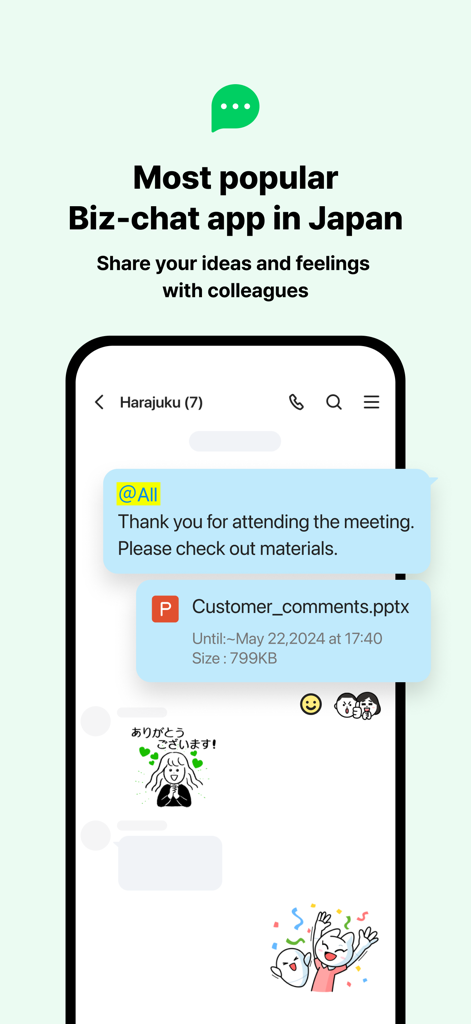
LINE WORKS mobile app interface for business chat and team communication

LINE WORKS mobile app interface for business chat and team communication

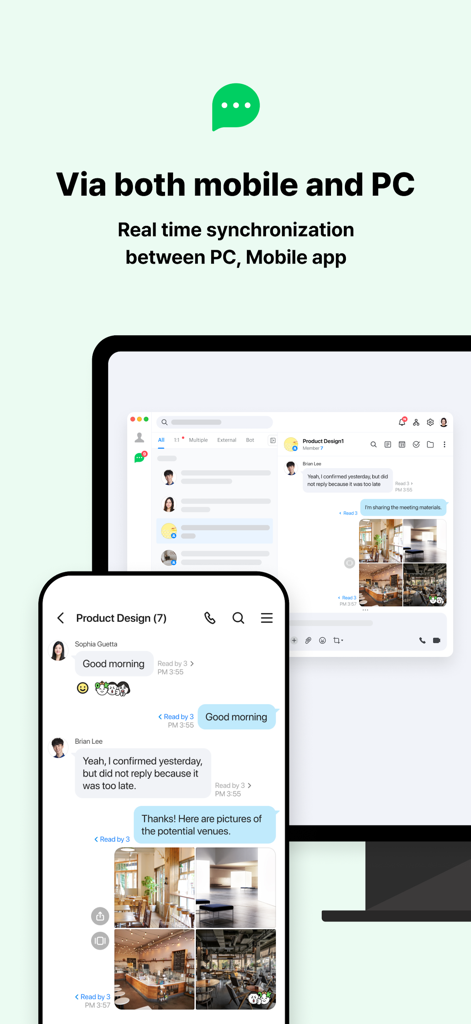
LINE WORKS team communication app showing real time synchronization between mobile and PC interfaces

LINE WORKS team communication app showing real time synchronization between mobile and PC interfaces

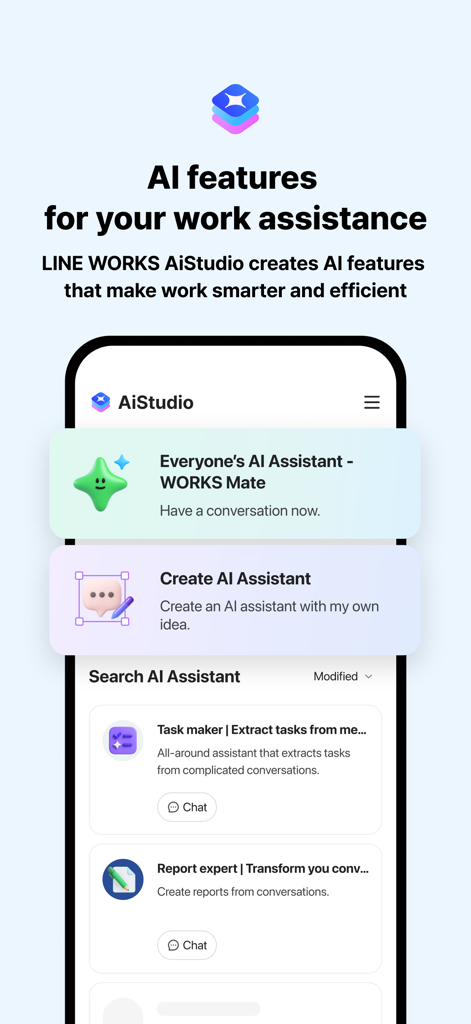
LINE WORKS AiStudio mobile interface showing AI assistants for work productivity

LINE WORKS AiStudio mobile interface showing AI assistants for work productivity

Line Works mobile app interface showing a group video meeting with six participants

Line Works mobile app interface showing a group video meeting with six participants

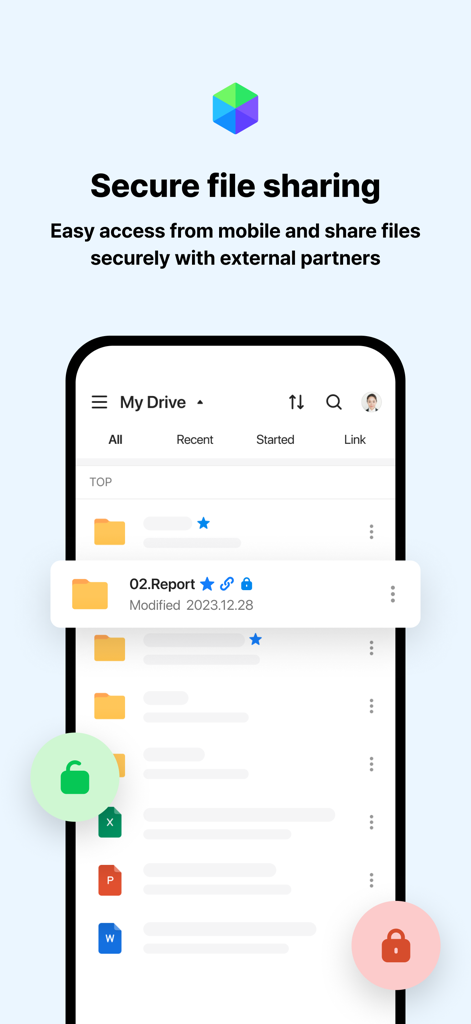
LINE WORKS mobile app interface displaying secure file sharing and drive management features

LINE WORKS mobile app interface displaying secure file sharing and drive management features

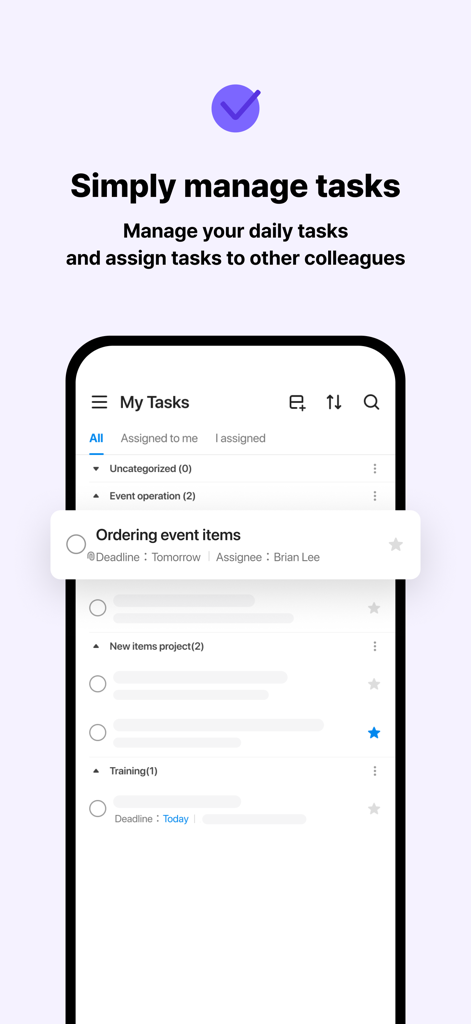
A mobile screen showing the LINE WORKS task management feature for organizing daily work and assigning tasks to colleagues

A mobile screen showing the LINE WORKS task management feature for organizing daily work and assigning tasks to colleagues

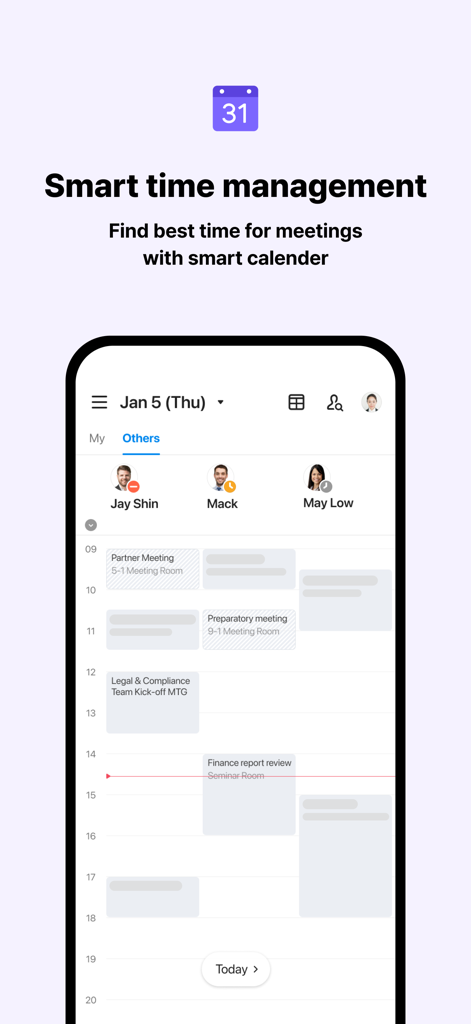
LINE WORKS mobile app screen showing smart calendar for team meeting coordination

LINE WORKS mobile app screen showing smart calendar for team meeting coordination

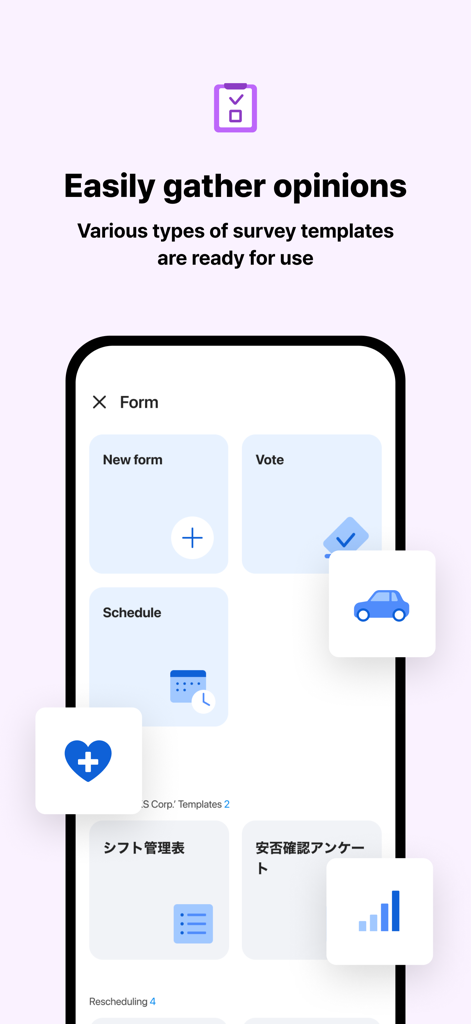
LINE WORKS mobile app screen showing various survey and form templates for team communication

LINE WORKS mobile app screen showing various survey and form templates for team communication

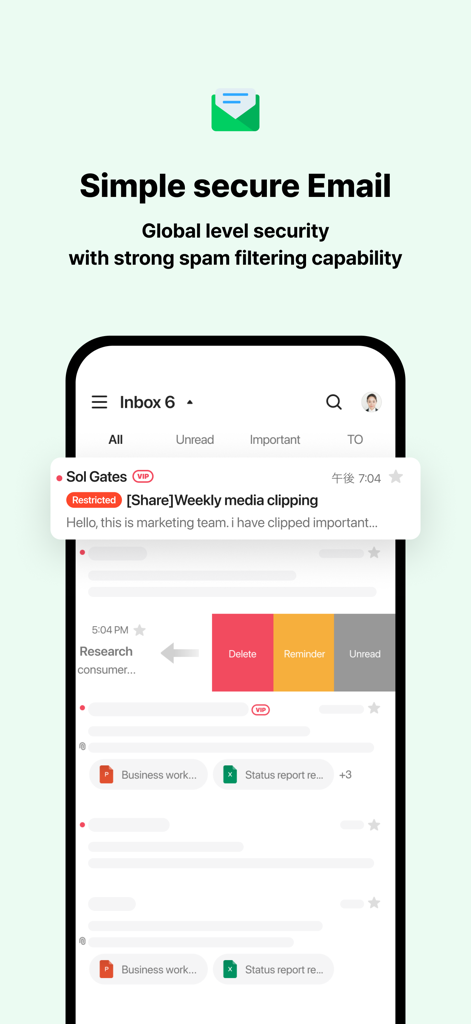
A mobile interface of the LINE WORKS email feature showing an organized inbox with swipe actions like delete and reminder

A mobile interface of the LINE WORKS email feature showing an organized inbox with swipe actions like delete and reminder

Everything Your Team Needs to Get Work Done

The tools that make this app stand out, trusted by 7M+ users.

💬

Professional Chat, Private Life

Communicate with your team in a familiar interface without mixing business with your personal messaging apps.

🗓️

Integrated Productivity Tools

Manage schedules, assign tasks, and run surveys all in one place—no more jumping between five different apps.

👥

Teamwork Without the Tech Headache

From retail floors to office desks, our intuitive design ensures every member of your team is synced from day one.

Loved by users worldwide

Trusted by 7M+ people who love this app.

"

"Finally, a way to keep my work chats away from my personal messages! My retail team loves how easy it is to use—it feels just like texting but keeps our professional life organized. The Board feature is a lifesaver for making sure everyone sees the shift updates without missing a thing."

Sarah Jenkins
"

"Managing a field crew used to mean juggling three different apps for scheduling and tasks. LINE WORKS puts everything in one spot. I can check the Calendar, assign a Task, and send site photos instantly from my phone. It is perfect for a team that is always on the move and needs a reliable tool."

Michael Chen

Review Analysis

Insights from user reviews.

Sentiment Score

22%
Negative

Summary

General feedback for the app is overwhelmingly negative, with many users experiencing critical issues preventing basic functionality such as account creation, phone number verification, and OTP receipt. Significant complaints revolve around poor app performance, including frequent freezing, crashing, lag, and slow message/photo loading, severely impacting productivity. Users also highlight numerous bugs affecting core features like text input, PDF viewing, notifications, calendar updates, and disappearing tasks. Notably, specific issues were reported, such as crashes following the R7.7 update and compatibility problems for iPhone SE (iOS 15.8.4) users encountering persistent update prompts.

Common Themes

Performance and Stability(14)
Messaging Features(12)
Bugs and Glitches(9)
Missing Core Functionality(8)
Account Registration Issues(6)
Usability(5)
Privacy and Data Handling(2)

About the app

Everything you need to know about LINE WORKS: Team Communication.

Description

Each company, organization, or team can register and use LINE WORKS, and the first person to start LINE WORKS can add/invite members to start communication. With LINE WORKS, people of different generations and IT experience can communicate more smoothly, regardless of the size of the company, the type of industry, or the type of job!!   ■ RECOMMENDED FOR SUCH ORGANIZATIONS AND GROUPS - For people who want to keep their work and private lives separate. - For organizations that want their employees to communicate smoothly regardless of where they are at. - For people who want to communicate more quickly than by email or phone. - For people who need to eliminate omissions in business communications and easily announce notices.   ■ HOW TO START First, add someone close to you at work or in your group to LINE WORKS and let's get started! 1. Starting a Talk Session Try out the basic functions such as sending messages and photos, voice and video calls, and more! 2. Use different functions In addition to talk, there are a variety of other functions that are useful for work.   [Board] You can post a message to your entire department or organization. You can also check the read status of your own postings to prevent omissions. [Calendar] You can check the free time of meeting participants and easily grasp the schedules of members. [Task] You can select the requestor and the person in charge, set the deadline, and easily create tasks from the content of the talk. [Form] You can easily create and distribute various types of surveys from your mobile device. [Contact] The address book is always linked to the organization structure, so you can see the members at a glance even when they change jobs or form a team. [Mail] You can use useful business functions such as read receipts and reminders, and more. (Basic plan and above) [Drive] Manage your files safely and efficiently with online storage. (Basic Plan and above) 
3. Expand the scope of use Once you've tried it out, consider expanding its use from teams to departments, and from departments to the entire organization. The free plan can be used by up to 100 people at no cost.   ■ FREQUENTLY ASKED QUESTIONS AND ANSWERS 
Q. With LINE WORKS, can I automatically connect with the people I am already friends with on LINE?
 A. No, LINE WORKS will NOT be linked to your existing LINE user account or friend list. The "Start with LINE Account" and "Login with LINE" functions allow you to use your LINE account in place of your login ID and password. This is a convenient feature for people who are not confident enough to remember their ID and password.
 Contact us at https://line-works.com/en/

Latest Version

4.4.3

Size

322.7 MB

First Released

Jul 14, 2016

Ready to Professionalize Your Team Communication?

Join over 7 million users who trust LINE WORKS to separate work from life. Get started for free with up to 100 members and keep your tasks, calendar, and chat in one place.

Download on App StoreDownload on Google Play
FAQ

Frequently Asked Questions

Everything you need to know about LINE WORKS: Team Communication

What is LINE WORKS?

LINE WORKS is a team communication application for companies, organizations, or teams. It enables smooth communication by allowing members to register, invite others, and utilize various collaboration features.

Does LINE WORKS link with my personal LINE account or friends list?

No, LINE WORKS does not link to your existing LINE user account or friend list. The "Start with LINE Account" and "Login with LINE" functions are solely for convenient ID and password management.

Is there a free plan available for LINE WORKS?

Yes, LINE WORKS provides a free plan. This free plan supports up to 100 people at no cost, enabling organizations to expand their usage without initial financial commitment.

Can I use LINE WORKS on both mobile and PC?

Yes, LINE WORKS functions across both mobile and PC platforms. It offers real-time synchronization between devices, ensuring continuous and accessible communication for all users.

Does LINE WORKS include AI features for work assistance?

Yes, LINE WORKS integrates AI features through AiStudio. This offers tools like "WORKS Mate" and capabilities to create AI assistants, task makers, and report experts for enhanced work efficiency.

Does LINE WORKS support mobile online meetings?

Yes, LINE WORKS supports mobile online meetings. Users can participate in voice and video meetings directly from their mobile devices, allowing them to view members' faces during calls.

How does LINE WORKS handle file sharing and storage?

LINE WORKS manages file sharing and storage via its Drive function. This feature ensures secure access to files and allows for safe sharing with both internal colleagues and external partners.

Can LINE WORKS help manage tasks within an organization?

Yes, LINE WORKS includes a dedicated Task function. Users can easily create, assign, and manage tasks directly from talk content, setting deadlines and ensuring organized workflow.

Does LINE WORKS offer a calendar for scheduling?

Yes, LINE WORKS features a Calendar function for smart time management. It allows users to quickly check meeting participants' availability and efficiently manage team members' schedules.

Can I create and distribute surveys using LINE WORKS?

Yes, LINE WORKS offers a Form function to create and distribute surveys. Users can easily generate various types of surveys from mobile devices, utilizing available templates for convenience.

Does LINE WORKS include email capabilities?

Yes, LINE WORKS integrates email capabilities. It provides secure business functions such as read receipts and reminders, along with robust spam filtering, enhancing professional communication.