Screen Mirroring – Chromecast

Screen Mirroring – Chromecast

Download on App StoreDownload on Google Play
Spark by MWM logo
Logo of Screen Mirroring – Chromecast

Screen Mirroring – Chromecast: Your iPhone Screen on the Big Screen, Without Subscriptions

Experience low-latency HD mirroring for videos, games, and presentations. The perfect bridge between your iOS devices and Google TV, Sony, or Vizio—no monthly fees required.

Publisher

Kraus und Karnath GbR 2Kit Consulting

Category

Utilities

Downloads

3M+

User Rating

4.0/5

Total Ratings

54K+

Locales

1

See It in Action

Discover the interface used by 3M+ users.

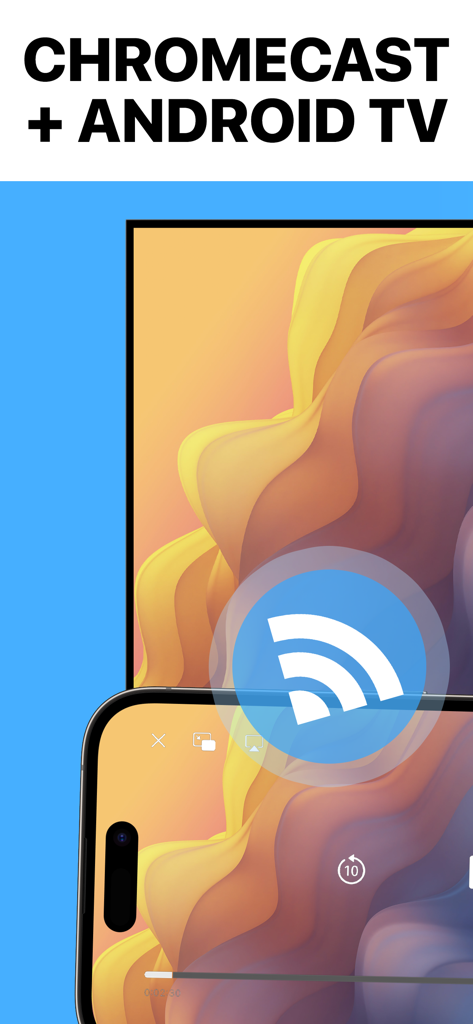
iPhone screen mirroring to Chromecast and Android TV

iPhone screen mirroring to Chromecast and Android TV

Screen Mirroring app promotional screen featuring 5 million users and a 5 star rating

Screen Mirroring app promotional screen featuring 5 million users and a 5 star rating

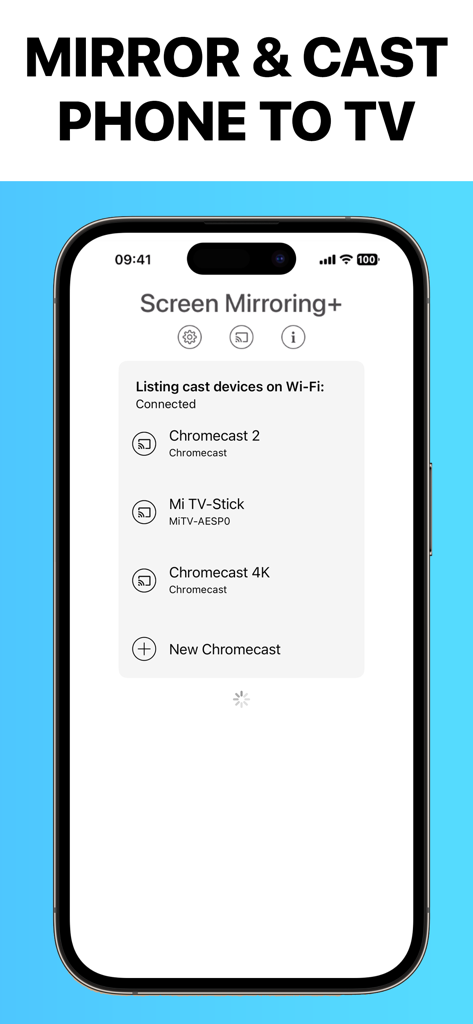
iPhone screen showing the Screen Mirroring app interface with a list of available Chromecast and Google TV devices

iPhone screen showing the Screen Mirroring app interface with a list of available Chromecast and Google TV devices

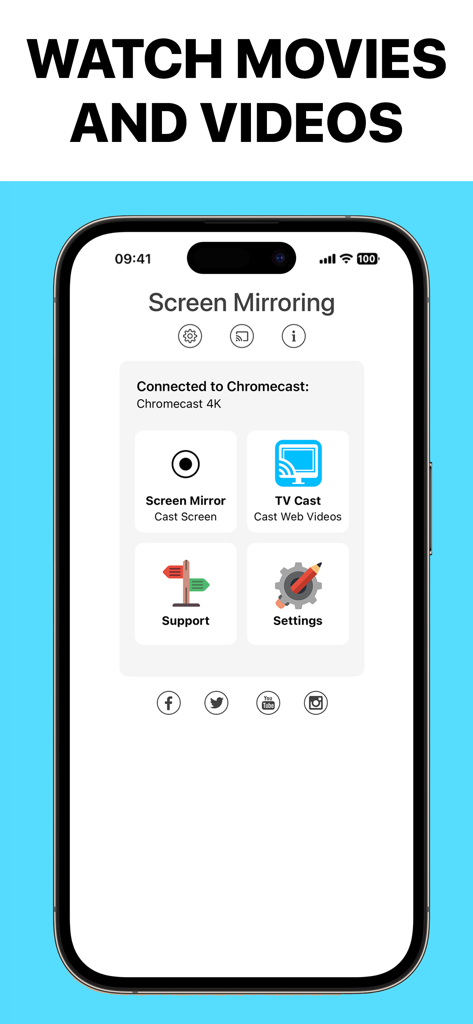
Screen Mirroring app interface on an iPhone showing options to cast screen and web videos to a Chromecast 4K device

Screen Mirroring app interface on an iPhone showing options to cast screen and web videos to a Chromecast 4K device

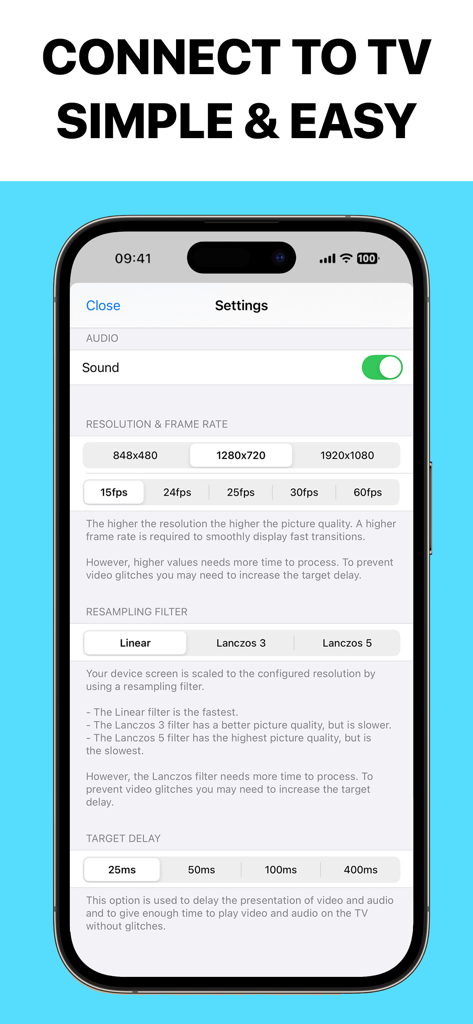
Settings screen of the Screen Mirroring app showing options for audio, resolution, frame rate, and target delay

Settings screen of the Screen Mirroring app showing options for audio, resolution, frame rate, and target delay

Powerful Screen Mirroring Without the Limits

The tools that make this app stand out, trusted by 3M+ users.

Ultra-Low Latency Performance

Enjoy a seamless lag-free experience with synchronized sound and Full HD quality—perfect for gaming or real-time scrolling.

💸

No Hidden Subscription Fees

Stop paying weekly fees for basic utility. Mirror for free or unlock premium features forever with a single, small one-time purchase.

📺

All-in-One Content Sharing

Cast anything from your iPhone or iPad—including photos, websites, documents, and apps—directly to your Google TV or Chromecast.

Loved by users worldwide

Trusted by 3M+ people who love this app.

"

"I was so frustrated that I couldn't share my iPhone photos on my Sony TV without buying an expensive Apple TV box. This app is a lifesaver! The setup took seconds, and the latency is almost non-existent. It is perfect for showing family videos in Full HD."

Sarah J.
"

"Finally, a mirroring app that doesn't try to trap me in a weekly subscription! I use it every morning to beam my workout apps from my iPad to the Chromecast in my garage. It is smooth, reliable, and the one-time upgrade is totally worth it for the extra features."

Mike D.

About the app

Everything you need to know about Screen Mirroring – Chromecast.

Description

Chromecast Mirroring & Remote mirrors your iPhone or iPad screen with sound, full HD quality and low-latency to Chromecast and Google TV Streamer. You can mirror videos, websites, photos, games, apps, presentations, spreadsheets and documents and to your Chromecast. You can also remote control your Chromecast. * Supported devices: Chromecast, Google TV Streamer and TVs with Chromecast built-in or Google Cast. * Supported TVs and streaming players: Xiaomi MI Box, NVIDIA Shield TV and all TVs with Google Cast or Chromecast built-in, e.g. Sony, TCL, Vizio, Sharp, Philips, Hisense, Skyworth, Soniq. * Your iPhone/iPad and your Chromecast must be connected to the same Wi-Fi to make screen mirroring work. * Latency is very low (below 1 second) when you have good Wi-Fi network conditions. * The app has no hidden subscriptions or costs and mirroring can be used for free and without time limitations. Some extra features are available as a upgrade and can be purchased for a small one-time fee. * If a third party app, for example Spotify, does not mirror sound correctly, please FORCE CLOSE and restart Spotify while the mirroring session is active. Please check the Apple Support page to learn how to FORCE CLOSE an app: https://support.apple.com/en-us/HT201330. * Black screen problems: Some third party apps don not allow screen mirroring. When you try to mirror their content, a black screen will appear on your TV, for example with Amazon Prime, HBO and other services. This is a restriction chosen by the content providers. * This unique app is developed and maintained since 2019. With every update we improve the quality of the app. * Our support team is here to help you via email. Please don't hesitate to reach out if there's anything we could do to improve the app for you. Disclaimer: This app is not affiliated with Google or any other trademark mentioned here. Chromecast and Google TV Streamer are trademarks of Google LLC.

Latest Version

3.5

Size

56.1 MB

First Released

Feb 5, 2019

Ready to Mirror Your iPhone in Full HD?

Join 3 million users and enjoy low-latency streaming to your Chromecast today. Experience the most reliable screen sharing with sound and no hidden subscriptions.

Download on App StoreDownload on Google Play
FAQ

Frequently Asked Questions

Everything you need to know about Screen Mirroring – Chromecast
What is Screen Mirroring – Chromecast?

Screen Mirroring – Chromecast mirrors your iPhone or iPad screen with sound, full HD quality, and low-latency to Chromecast and Google TV Streamer devices, including remote control functionality.

Which devices are compatible with Screen Mirroring – Chromecast?

Screen Mirroring – Chromecast is compatible with Chromecast, Google TV Streamer, Xiaomi MI Box, NVIDIA Shield TV, and all Google Cast or Chromecast built-in TVs, including brands like Sony, TCL, and Vizio.

Is the Screen Mirroring – Chromecast app free to use?

Yes, Screen Mirroring – Chromecast offers free mirroring without hidden costs or time limitations. Some extra features are available as an upgrade, purchasable for a small one-time fee.

How does Screen Mirroring – Chromecast handle sound from third-party apps?

If a third-party app, such as Spotify, does not mirror sound correctly, users must force close and restart the app while the mirroring session is active. This action resolves the issue.

Why do some apps show a black screen when mirrored with Screen Mirroring – Chromecast?

Black screen issues with certain third-party apps like Amazon Prime or HBO occur because content providers restrict screen mirroring. This is a content provider limitation, not an app defect.

What is the required Wi-Fi setup for Screen Mirroring – Chromecast?

Both your iPhone/iPad and your Chromecast device must be connected to the same Wi-Fi network for Screen Mirroring – Chromecast to establish and maintain a screen mirroring connection.

Can users adjust the resolution and frame rate in Screen Mirroring – Chromecast?

Yes, Screen Mirroring – Chromecast allows users to adjust mirroring resolution (e.g., 1920x1080) and frame rate (e.g., 60fps) within the app's settings. Higher settings improve quality.

Does Screen Mirroring – Chromecast offer low latency for mirroring?

Yes, Screen Mirroring – Chromecast provides very low latency, typically below one second, when good Wi-Fi network conditions are present. This ensures smooth and responsive mirroring.

What types of content can Screen Mirroring – Chromecast mirror?

Screen Mirroring – Chromecast can mirror videos, websites, photos, games, apps, presentations, spreadsheets, and documents directly from your iPhone or iPad to your Chromecast-enabled TV.