Termius - Modern SSH Client

Termius - Modern SSH Client

Download on App StoreDownload on Google Play
Spark by MWM logo
Logo of Termius - Modern SSH Client

Termius: The Modern SSH Client for Engineers on the Move

Command your infrastructure from anywhere. Securely manage servers, run snippets, and sync your entire workflow across mobile and desktop with desktop-grade terminal power.

Publisher

Termius Corporation

Category

Developer Tools

Downloads

1M+

User Rating

4.7/5

Total Ratings

69K+

Locales

1

Your Command Center

Discover the interface used by 1M+ users.

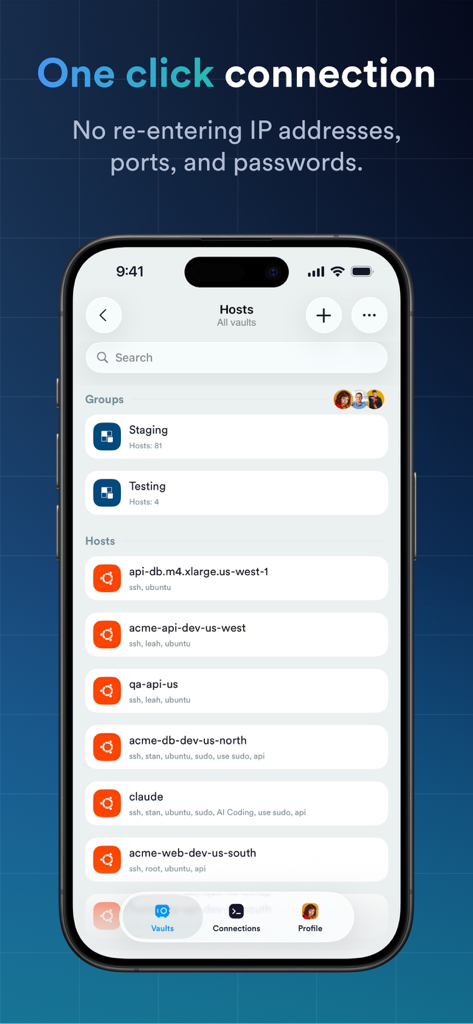
Interface of Termius app showing a list of server hosts for one click SSH connection

Interface of Termius app showing a list of server hosts for one click SSH connection

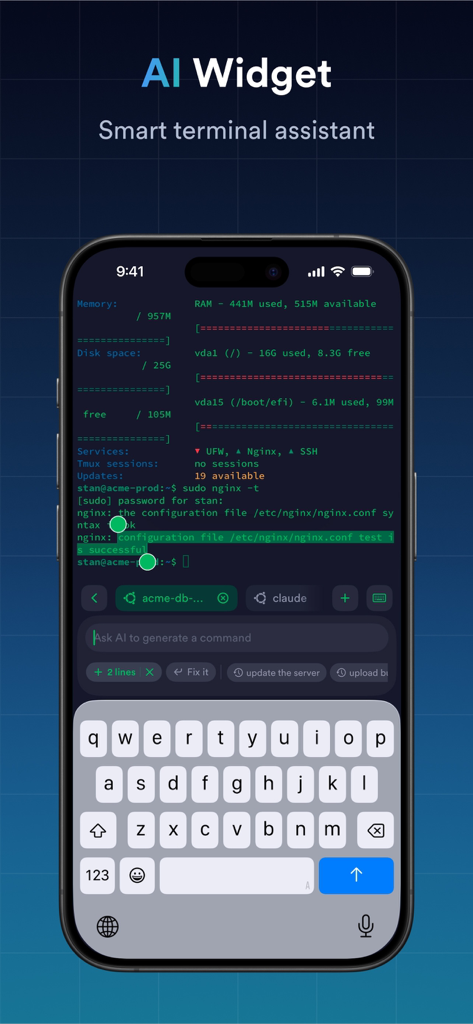
Termius app interface showing the AI Widget smart terminal assistant for command generation.

Termius app interface showing the AI Widget smart terminal assistant for command generation.

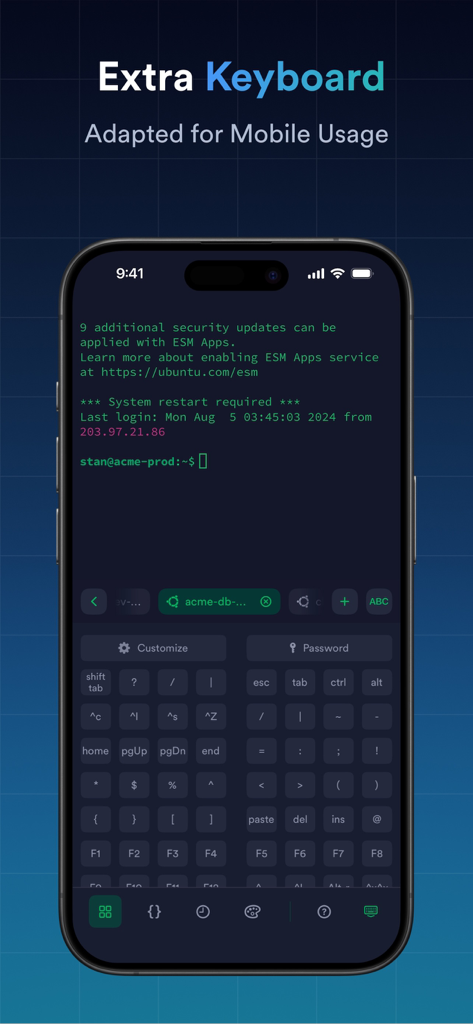
Termius app interface showing a specialized extra virtual keyboard with special keys and command line terminal on a mobile device.

Termius app interface showing a specialized extra virtual keyboard with special keys and command line terminal on a mobile device.

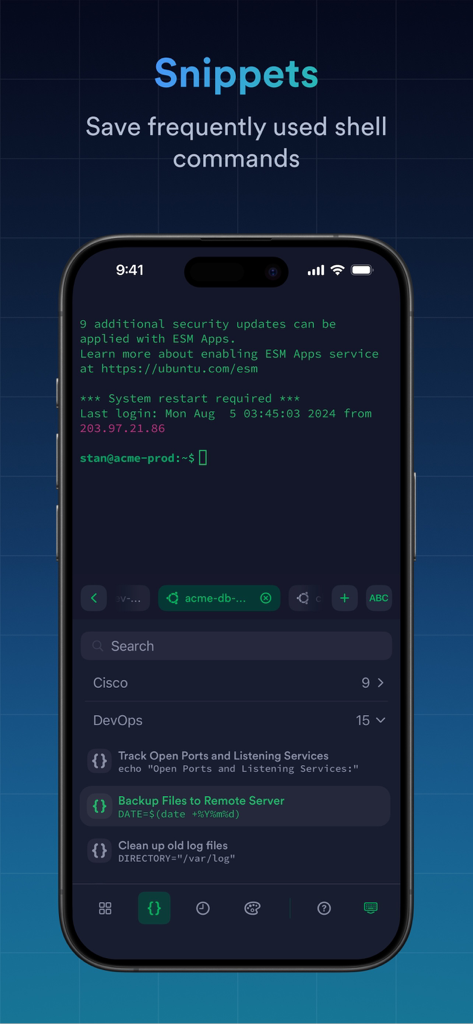
A screenshot of the Termius app displaying the snippets feature with saved shell commands for DevOps tasks like backing up files and cleaning log files.

A screenshot of the Termius app displaying the snippets feature with saved shell commands for DevOps tasks like backing up files and cleaning log files.

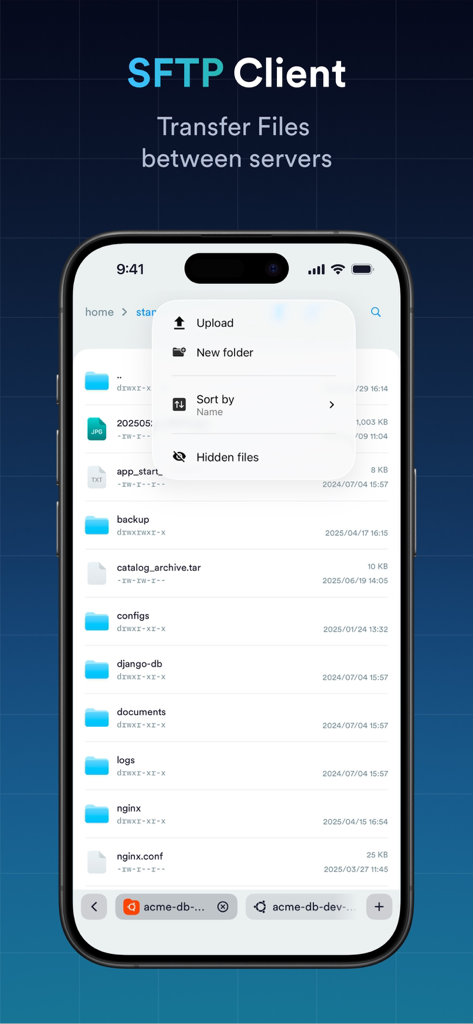
iPhone screenshot showing the Termius SFTP client interface for transferring files between servers with a list of directories and a menu for uploading and sorting files

iPhone screenshot showing the Termius SFTP client interface for transferring files between servers with a list of directories and a menu for uploading and sorting files

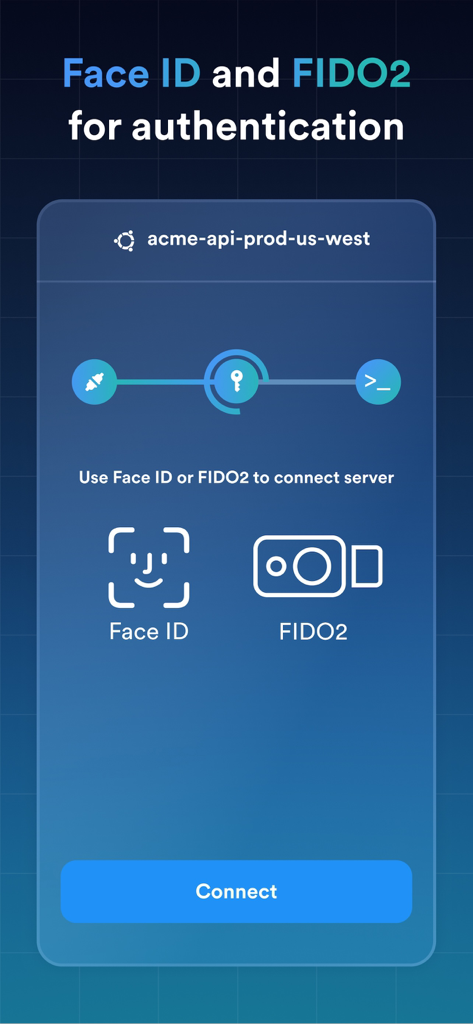
Termius SSH client interface displaying Face ID and FIDO2 authentication options for secure server connection

Termius SSH client interface displaying Face ID and FIDO2 authentication options for secure server connection

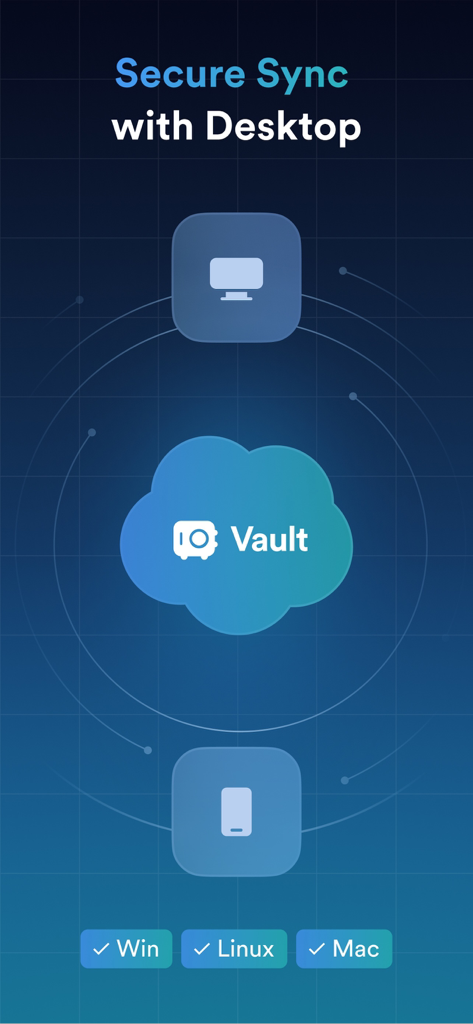
Illustration showing secure data synchronization between desktop and mobile devices through the Termius Vault.

Illustration showing secure data synchronization between desktop and mobile devices through the Termius Vault.

Take Command of Your Infrastructure Anywhere

The tools that make this app stand out, trusted by 1M+ users.

⌨️

Desktop-Grade Mobile Terminal

Master the CLI on the go with a specialized virtual keyboard, gesture support, and a multi-tab interface designed for professional efficiency.

🔄

Seamless Cross-Device Sync

Access your connections and credentials securely across iOS, iPadOS, and Desktop. Your encrypted cloud vault ensures you never re-enter an IP again.

One-Tap Automation & Snippets

Execute frequently used shell scripts instantly. Save time during emergencies by triggering complex commands with a single tap instead of typing.

Loved by users worldwide

Trusted by 1M+ people who love this app.

"

"As a DevOps engineer who is frequently on-call, Termius is an absolute lifesaver. Being able to fix a critical server issue from my phone while out for dinner without needing to open a laptop is incredible. The cross-device sync and custom virtual keyboard make mobile terminal work actually productive and stress-free."

Alex Thompson
"

"Termius has completely reinvented my workflow. The UI is sleek and modern, which is a breath of fresh air compared to old-school clients. I love the snippet library and the seamless SFTP integration; it makes managing my AWS fleet and home lab setup from my iPad Pro feel like a dream."

Sarah Chen

About the app

Everything you need to know about Termius - Modern SSH Client.

Description

Termius is an SSH client and terminal, as it should be. Connect with one tap from any mobile and desktop device—no re-entering IP addresses, ports, and passwords. With a free Termius Starter plan, you can: · Connect from your mobile and desktop device with SSH, Mosh, Telnet, Port Forwarding, and SFTP. · Get a desktop-grade terminal experience with a virtual keyboard covering all the special keys required, or connect your Bluetooth keyboard. · Use gestures or shake the device while in the terminal to emulate stroking of Tab, arrows, PgUp/Down, Home, and End, etc. · Work in several sessions simultaneously with a multi-tab interface and split-view support. · Authenticate using hardware FIDO2 keys. · Set custom environment variables. · Customize your terminal themes and fonts for each connection. · Save your favorite and frequently used commands and shell scripts to execute them with a tap instead of typing. · Quickly access the unified history of your terminal commands. · Get the support of ECDSA and ed25519 keys and a chacha20-poly1305 cipher. · Ad-free. With the Termius Pro plan, you can also: · Access your connection settings and credentials from any device, anytime, with an encrypted cloud vault. · No limitations on the number of devices to sync. · Run your saved commands on multiple sessions or servers, or instantly get them autocompleted in the terminal. · Connect through Proxy and jump servers. · Integrate with AWS and DigitalOcean. · Protect your credentials with Touch ID or Face ID and your account with two-factor authentication. · Keep your keys on your machine with SSH agent forwarding. Termius reinvents the command line experience. We strive to make remote access for admins and engineers a more productive and enjoyable experience. Termius Pro Subscription is available through auto-renewable annual or monthly subscriptions (prices vary by region). It attaches to the Termius account to enable access to backup, sync, and all Pro benefits on multiple devices across all platforms supported by Termius. A subscription may be used both for personal and business purposes. Payment will be charged to your iTunes Account at confirmation of purchase. The subscription will renew automatically. Cancellation of a future subscription may be made up to 24 hours before the end of the trial period. The actual subscription may not be manually canceled before its termination date. Subscriptions may be managed, ​including disabling auto-renewal, in the Account Settings after purchase. Please review our privacy policy https://termius.com/privacy_policy.html and terms of use https://termius.com/terms_of_use.html.

Latest Version

7.3.1

Size

250.1 MB

First Released

Aug 7, 2012

Master Your Infrastructure from Anywhere

Join over 1 million engineers who trust Termius for secure, desktop-grade terminal access on the go. Stop carrying your laptop and start managing your fleet with ease.

Download on App StoreDownload on Google Play
FAQ

Frequently Asked Questions

Everything you need to know about Termius - Modern SSH Client
What is Termius?

Termius is an SSH client and terminal that allows users to connect from mobile and desktop devices. It supports SSH, Mosh, Telnet, Port Forwarding, and SFTP.

Can Termius connect from multiple devices?

Yes, Termius allows connection from any mobile and desktop device. The Pro plan offers unlimited device syncing with an encrypted cloud vault.

Does Termius offer a virtual keyboard for mobile use?

Yes, Termius provides a desktop-grade virtual keyboard covering all special keys required for terminal operations, optimized for mobile usage.

What authentication methods does Termius support?

Termius supports authentication using hardware FIDO2 keys. The Pro plan also offers protection with Touch ID or Face ID and two-factor authentication.

Can Termius save and execute commands?

Yes, Termius allows users to save favorite and frequently used commands and shell scripts. These can be executed with a single tap.

Does Termius support SFTP?

Yes, Termius includes SFTP functionality, enabling secure file transfers between servers.

What protocols does Termius support for connection?

Termius supports SSH, Mosh, Telnet, Port Forwarding, and SFTP for connections from mobile and desktop devices.

Does Termius offer multi-session support?

Yes, Termius supports working in several sessions simultaneously with a multi-tab interface and split-view support.

Can I integrate Termius with cloud providers?

Yes, with the Termius Pro plan, you can integrate Termius with AWS and DigitalOcean.

Does Termius have an AI assistant?

Yes, Termius features an AI Widget as a smart terminal assistant, which helps with generating and fixing commands.

Does Termius offer a free plan?

Yes, Termius offers a free Starter plan with core features including SSH, Mosh, Telnet, Port Forwarding, and SFTP.

How do I get Termius Pro features?

Termius Pro features are available through auto-renewable annual or monthly subscriptions. These subscriptions enable access to all Pro benefits.

How can I manage my Termius subscription?

Subscriptions for Termius can be managed, including disabling auto-renewal, in the Account Settings after purchase on your iTunes Account.

Does Termius use an encrypted cloud vault for credentials?

Yes, the Termius Pro plan includes an encrypted cloud vault to access connection settings and credentials securely from any device.

Where can I find the Termius privacy policy?

The Termius privacy policy is available at termius.com/privacy_policy.html. Users can review it for detailed information.