TV Remote Control “Universo”

TV Remote Control “Universo”

Download on App Store
Spark by MWM logo
Logo of TV Remote Control “Universo”
TV Remote Control “Universo”: The Ultimate Command Center for Your Smart Home

Stop hunting for lost remotes and ditch the clutter. Turn your iPhone into a high-precision universal controller with touchpad navigation, easy keyboard typing, and one-tap access to every TV in your house.

Download on App Store

Publisher

Nemo Apps LLC

Category

Utilities

Downloads

464K+

User Rating

4.7/5

Total Ratings

8K+

Locales

23

Control at Your Fingertips

Discover the interface used by 464K+ users.
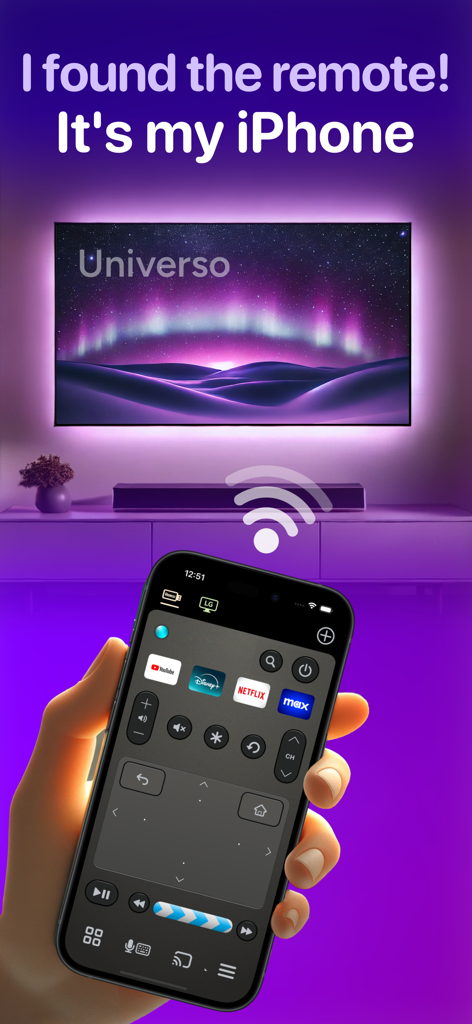
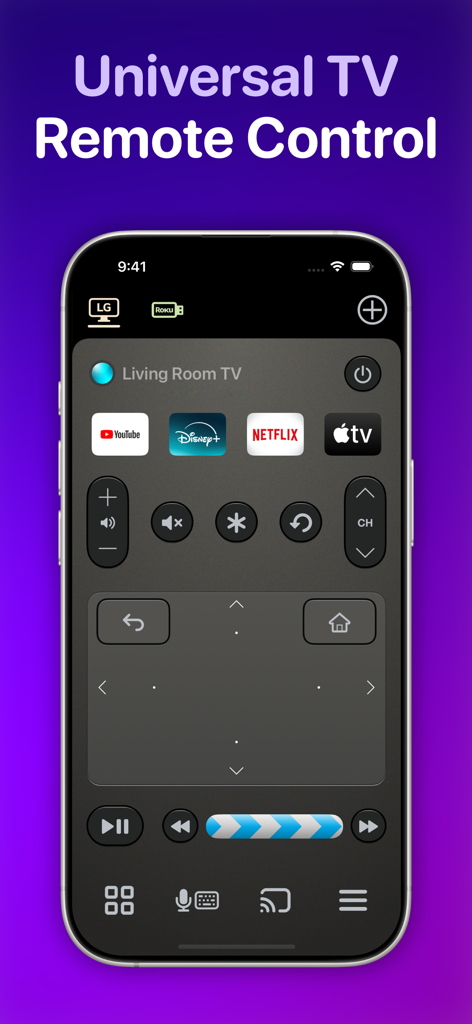
iPhone screen showing the Universo TV remote control app with a touchpad and streaming shortcuts.

iPhone screen showing the Universo TV remote control app with a touchpad and streaming shortcuts.

Universo universal TV remote control app interface on an iPhone featuring a touch pad and streaming app shortcuts

Universo universal TV remote control app interface on an iPhone featuring a touch pad and streaming app shortcuts

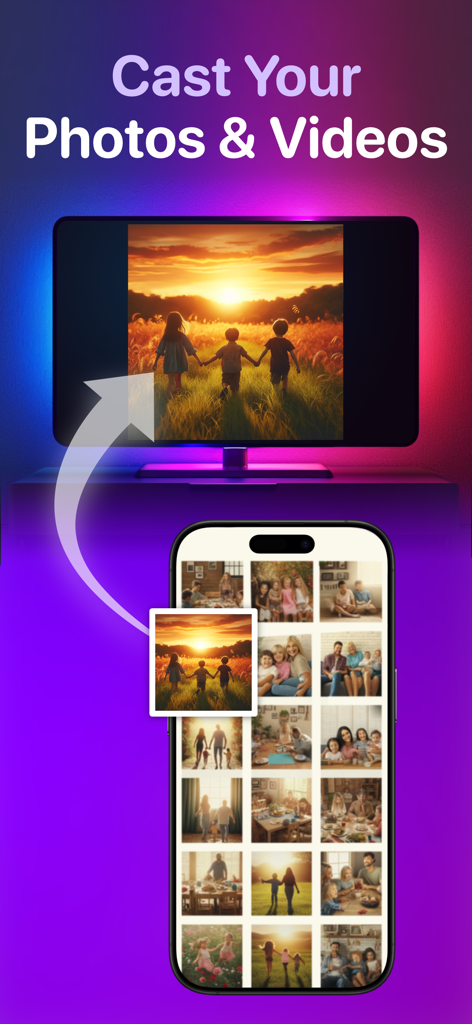
IPhone app interface showing the feature to cast photos and videos to a smart TV

IPhone app interface showing the feature to cast photos and videos to a smart TV

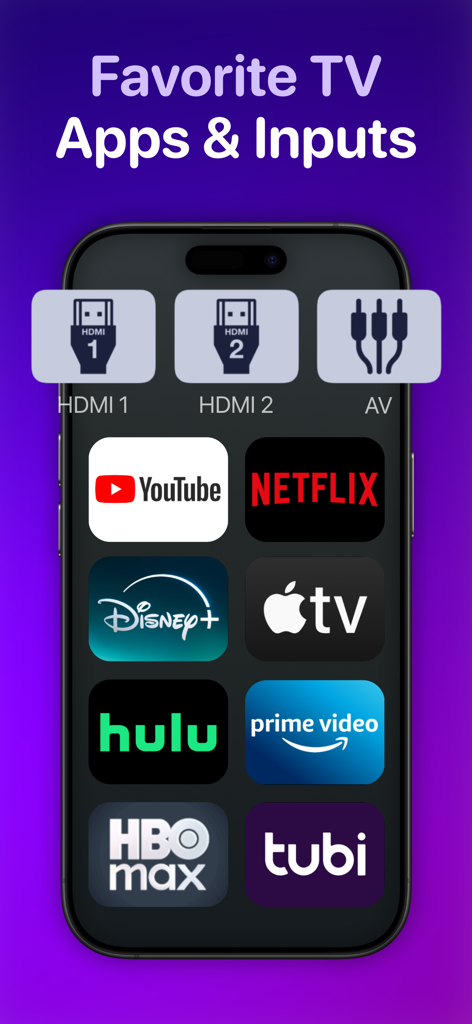
A smartphone screen displaying shortcuts for popular streaming apps and TV inputs.

A smartphone screen displaying shortcuts for popular streaming apps and TV inputs.

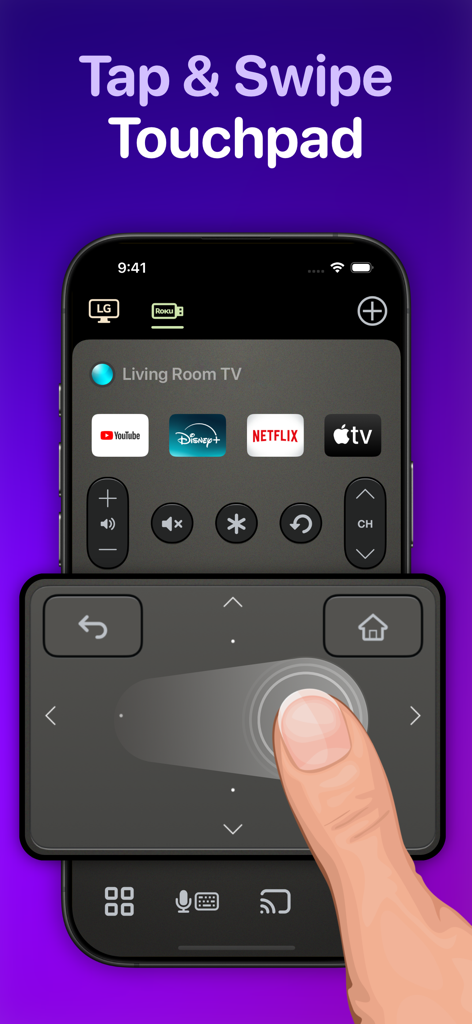
User navigating a smart TV using the swipe touchpad on the Universo remote app

User navigating a smart TV using the swipe touchpad on the Universo remote app

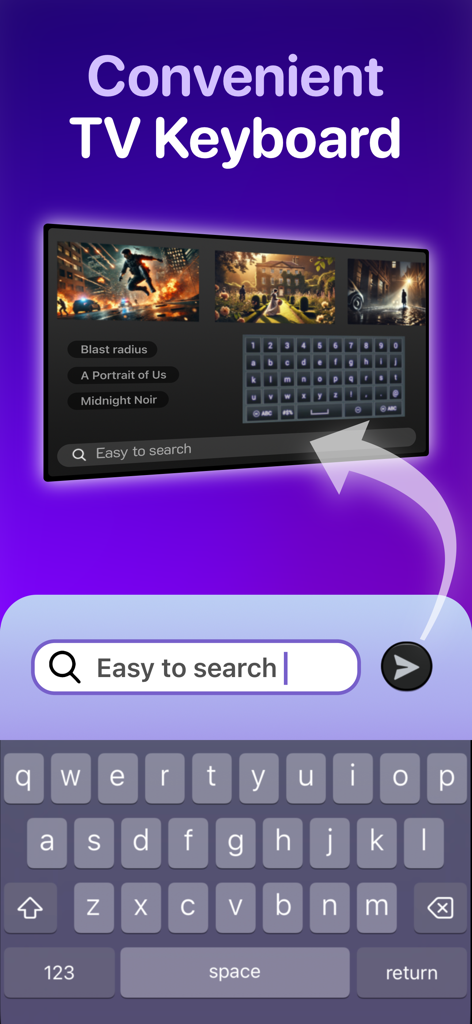
iPhone keyboard used to search for content on a smart TV screen

iPhone keyboard used to search for content on a smart TV screen

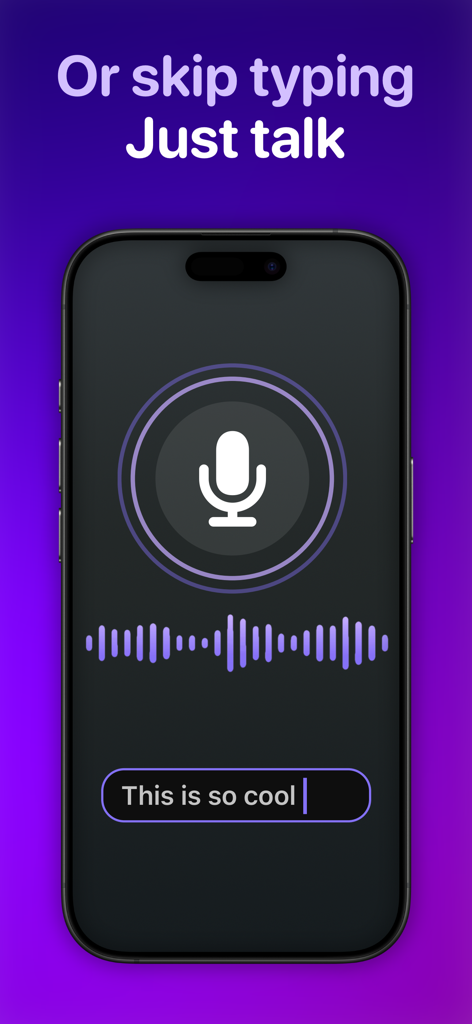
iPhone screen showing the voice to text transcription feature for a universal TV remote app

iPhone screen showing the voice to text transcription feature for a universal TV remote app

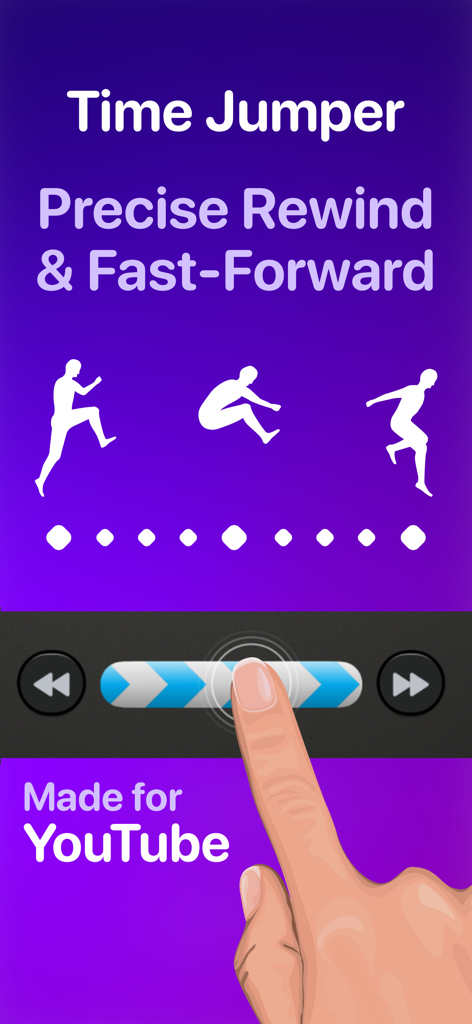
Interface showing the Time Jumper feature for precise rewind and fast forward on YouTube

Interface showing the Time Jumper feature for precise rewind and fast forward on YouTube

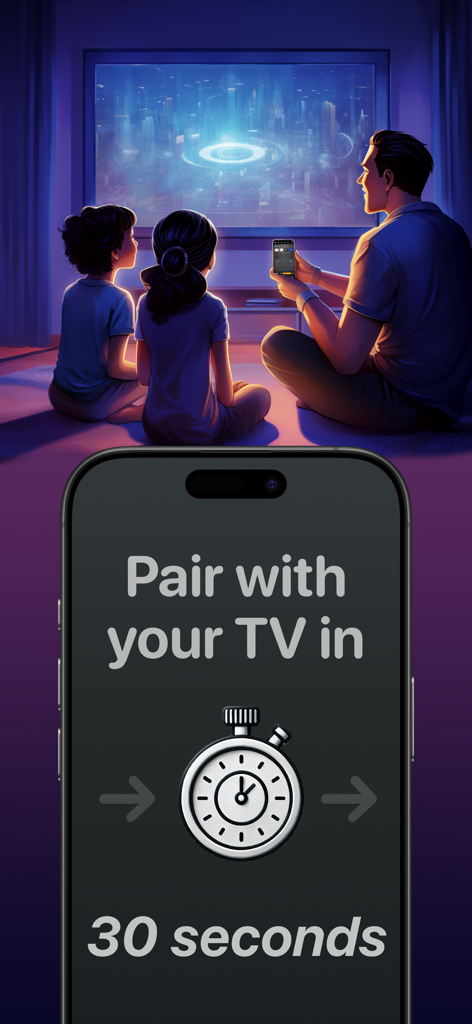
A family watching TV with an iPhone display showing a thirty second pairing timer for the Universo remote app

A family watching TV with an iPhone display showing a thirty second pairing timer for the Universo remote app

Master Your Home Entertainment

The tools that make this app stand out, trusted by 464K+ users.

⌨️

Search at the Speed of Thought

Stop hunting for letters on a D-pad. Use your iPhone keyboard or voice transcription to find movies and type passwords in seconds.

🖐️

Eyes-Free Precision Control

Navigate menus using a spacious swipe touchpad designed for one-handed use, so you never have to look down at your phone while watching.

🏠

The Ultimate Universal Hub

Seamlessly switch between your Living Room Samsung, Bedroom Roku, and gaming consoles with custom shortcuts for your favorite apps and HDMI inputs.

Loved by users worldwide

Trusted by 464K+ people who love this app.

"

"Finally, a universal remote that actually feels premium. Between our Samsung in the living room and the Roku in the bedroom, I used to juggle three different remotes. Now, I just use the custom HDMI buttons to jump straight to my PS5 or Netflix. The keyboard input is a total lifesaver for logging into streaming apps!"

Sarah Miller
"

"The Time Jumper feature is a game changer for watching YouTube—I can finally scrub through videos with actual precision. I love the swipe touchpad because I can navigate menus without taking my eyes off the TV. It’s way more responsive than the physical remote that came with my LG."

Jason Chen

About the app

Everything you need to know about TV Remote Control “Universo”.

Description

Turn your iPhone into a universal remote control for smart televisions and streaming devices. Simplify Entertainment When you’re ready to relax at the end of a hard day, do you want to spend the next 10 minutes hunting for a lost TV remote in the sofa cushions? Place this app on all your iPhones, and a fully functional remote control is always one tap away. Designed to Keep Your Eyes on the TV • With a spacious swipe touchpad right under your thumb, you can navigate the user interface of your TV without needing to look down at your phone. • Make a long swipe to take several steps in one motion. • Tap a side of the pad to step once. • Long press a side of the pad to smoothly scroll through menus and program lists. • Built-in back and home buttons keep all navigation convenient in one spot. Skip to the Action • Introducing the Time Jumper. It’s a media “scrubber” that gives you precision control over the current play position in a video. Slowly shift it to rewind or advance 10 seconds at a time. Flick it rapidly to leap to a far-off scene in the video. • Time Jumper works great with YouTube and apps that implement rewind and fast forward similarly. • Our remote control includes standard playback buttons like play, pause, rewind and fast-forward. Multi-Device Support • Set up remote controls for multiple TV’s and streaming devices in one place. One tap switches between them. Cast Your Photos and Home Movies to Your TV • Make it family slideshow time by sharing photos and videos from your iPhone onto the big screen. Keyboard Input and Voice Search • Enter text on your TV easily with the standard iOS keyboard or with automatic voice transcription. Customizable App and Input Buttons • Launch apps like YouTube, Netflix, Max, and Disney with one tap. Switch TV inputs/sources like HDMI1, HDMI2, or Antenna (“Live TV”). • For your most-used apps and TV inputs, make quick access buttons on the main panel. For example, if you have a PlayStation on HDMI1, and an Xbox on HDMI2, make a button for each. Other Features offered on many TV’s: • Power on/off. This app uses Wake-on-LAN (WoL) to power on TV’s that support it. • Audio buttons for volume control and mute. • Inputs, settings, menu, caption buttons. • Change channels with channel up/down buttons and numpad. • Previous channel button to flip between two channels. Great for sports. • TV guide button to see an on-TV program list. • Haptic feedback when command is sent to TV. How Does This App Work? • This app connects with your TV securely on your home wireless network. It doesn’t use IR (Infrared) like a traditional remote control. • Wi-Fi connection is great. You don’t need to point your phone at the TV for it to work. Also, there is no cross-interference between two TV’s. • This app uses Apple Bonjour (zeroconf) and Universal Plug and Play (UPnP) discovery to detect devices on your home network automatically to make setup easy. Compatibility This app is compatible with the latest versions of most major TV platforms, including: • Samsung Tizen • LG WebOS • Sony Bravia • Vizio SmartCast • Roku • Fire TV OS • Google TV Supports devices including: • Chromecast • Roku Streaming Stick • Amazon Fire TV Stick • Nvidia Shield And many TV models from: • Samsung (2016+) • LG • Sony • Vizio (2016+) • TCL • Hisense • Sharp • Toshiba Also: Philips, Insignia, Panasonic, JVC, RCA, Onn, Element, Magnavox, Grundig, Onida, OnePlus, Realme, Xiaomi, Skyworth, Blaupunkt, Metz, XGIMI, Haier, Pioneer, Westinghouse This app is not affiliated with the TV brands mentioned here. All trademarks are property of their respective owners. We try to make the most out of the functionality offered by the TV platform for control by apps. But the capabilities offered vary by manufacturer and model. So some of the remote control features listed here may not be available for your TV. Terms of use: https://www.apple.com/legal/internet-services/itunes/dev/stdeula

Latest Version

3.4.0

Size

112.7 MB

First Released

Mar 4, 2024

Upgrade to the Pro-Grade Remote Your TV Deserves

Stop hunting for lost remotes and start controlling. Join 464,000+ users who have transformed their iPhone into the ultimate command center for every screen in their home.

Download on App Store