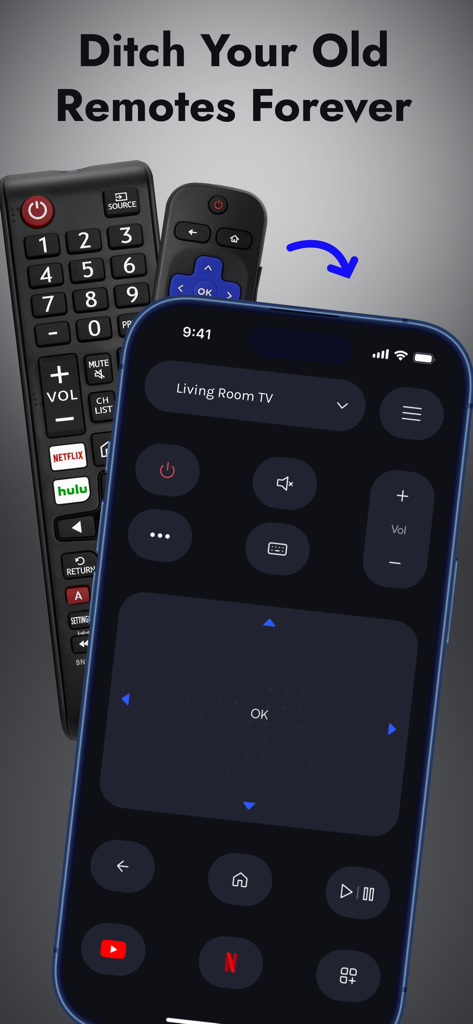
Universal TV Remote Control .

Universal TV Remote Control .

Download on App Store
Spark by MWM logo
Logo of Universal TV Remote Control .
Universal TV Remote Control .: The Only Remote Your Smart Home Needs

Control Roku, Samsung, LG, and more directly from your iPhone. Effortlessly navigate menus, type with your keyboard, and manage every TV in your home with one simple app.

Publisher

Apps Venture Inc.

Category

Utilities

Downloads

614K+

User Rating

4.9/5

Total Ratings

9K+

Locales

11

A Glimpse of Total Control

Discover the interface used by 614K+ users.
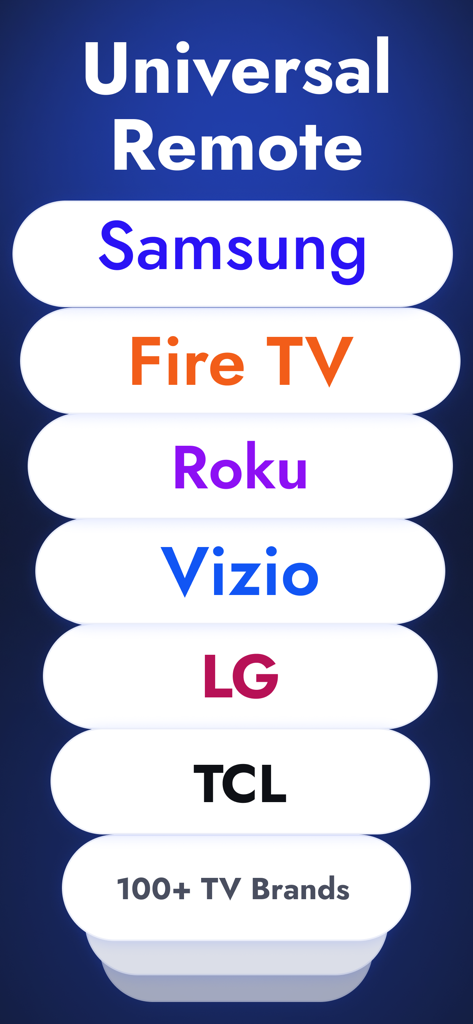
A list of smart TV brands compatible with the universal remote app including Samsung, Fire TV, Roku, Vizio, LG, and TCL.

A list of smart TV brands compatible with the universal remote app including Samsung, Fire TV, Roku, Vizio, LG, and TCL.

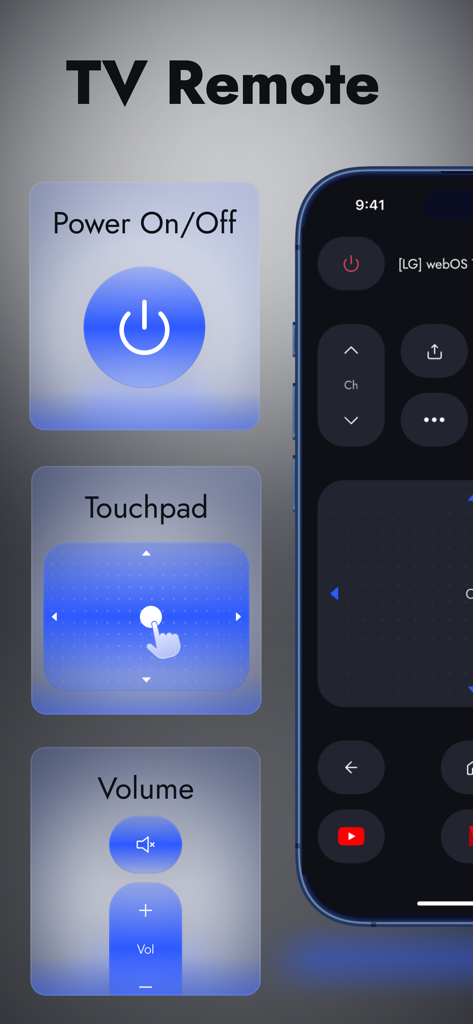
Smartphone displaying the universal tv remote app with power touchpad and volume controls

Smartphone displaying the universal tv remote app with power touchpad and volume controls

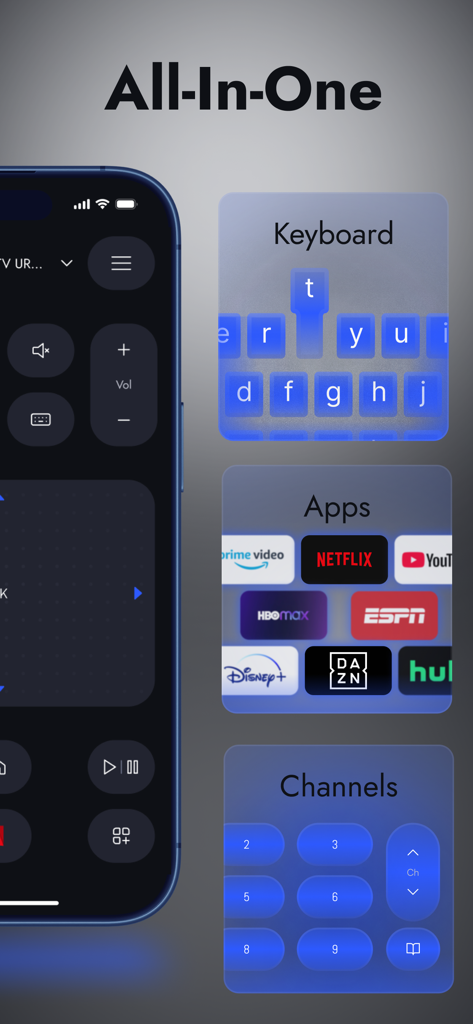
Universal TV remote app interface featuring keyboard apps and channel controls

Universal TV remote app interface featuring keyboard apps and channel controls

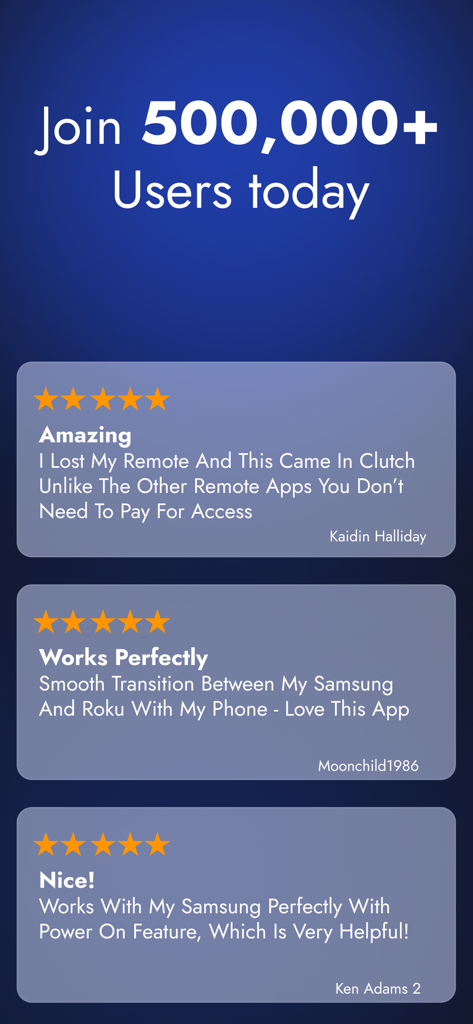
Positive user reviews and testimonials for the Universal TV Remote Control app showing high user satisfaction and 5-star ratings

Positive user reviews and testimonials for the Universal TV Remote Control app showing high user satisfaction and 5-star ratings

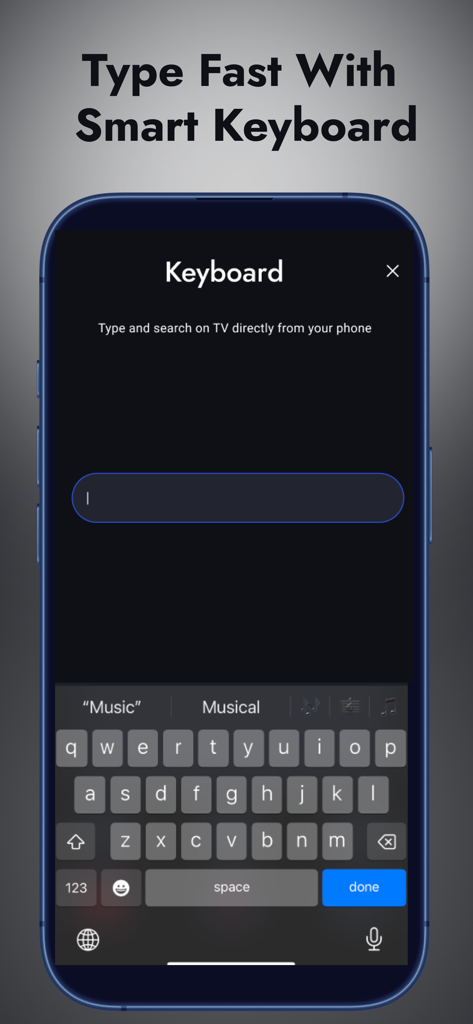
iPhone screen displaying the smart keyboard feature for typing and searching on a TV via the Universal TV Remote app

iPhone screen displaying the smart keyboard feature for typing and searching on a TV via the Universal TV Remote app

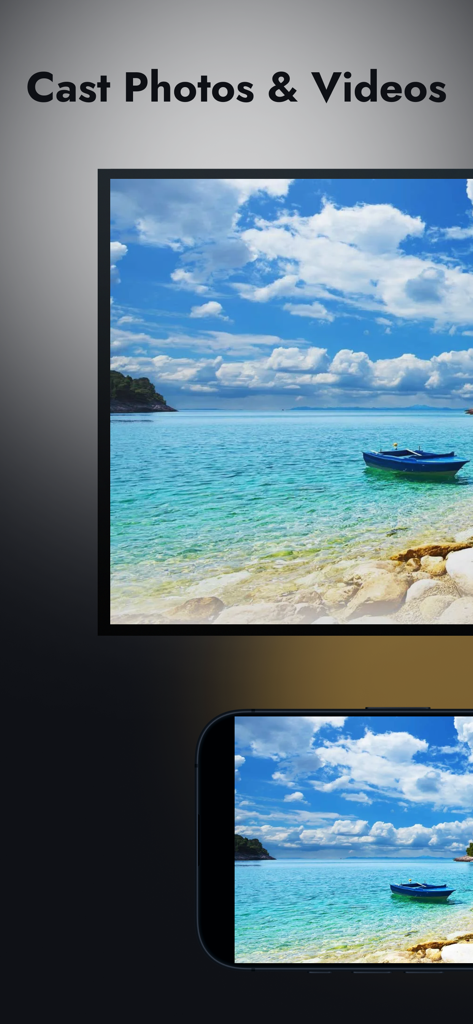
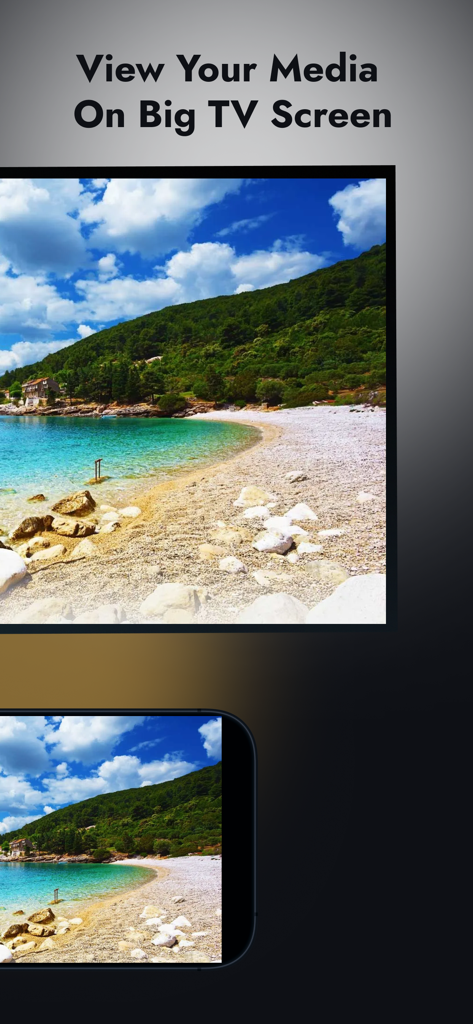
Smartphone casting a photo of a tropical beach to a smart TV screen

Smartphone casting a photo of a tropical beach to a smart TV screen

A smartphone casting a beach landscape photo to a large television screen

A smartphone casting a beach landscape photo to a large television screen

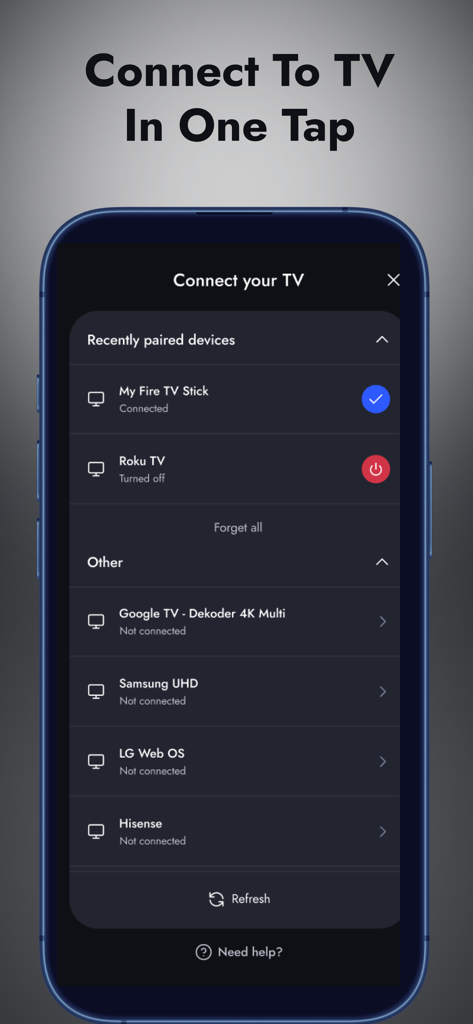
Interface of the universal TV remote app showing a list of compatible devices including Fire TV, Roku, and Samsung for quick connection

Interface of the universal TV remote app showing a list of compatible devices including Fire TV, Roku, and Samsung for quick connection

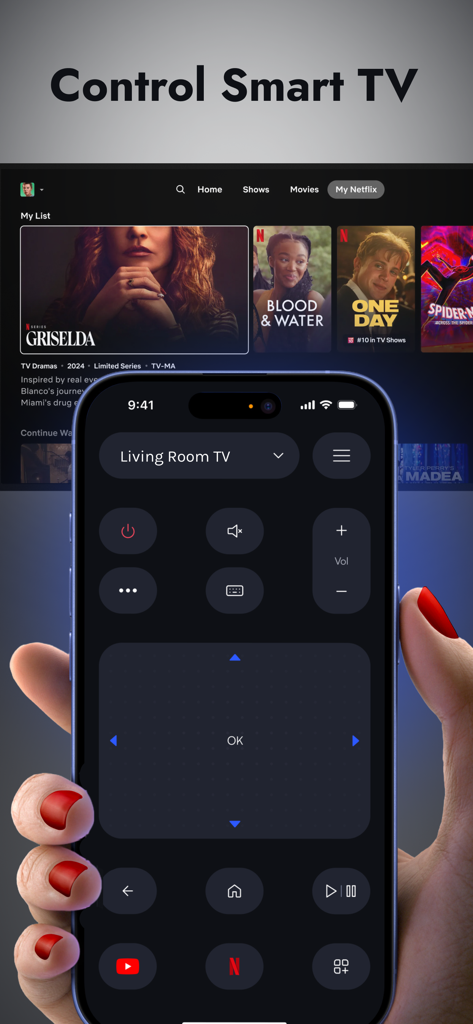
A person using a universal TV remote app on an iPhone to control a Smart TV

A person using a universal TV remote app on an iPhone to control a Smart TV

Smartphone displaying a universal TV remote control app interface replacing physical remotes

Smartphone displaying a universal TV remote control app interface replacing physical remotes

Simplify Your Home Entertainment

The tools that make this app stand out, trusted by 614K+ users.

⌨️

Lightning-Fast Typing

Forget the frustration of on-screen hunting. Use your phone keyboard to search for shows or enter passwords in seconds.

🏠

True Universal Control

From Roku and Fire TV to Samsung and LG, manage every screen in your house with one powerful, seamless app.

📱

Smooth Touch Navigation

Glide through menus with a responsive touchpad or use classic controls—engineered for comfort and precision.

Loved by users worldwide

Trusted by 614K+ people who love this app.

"

"With two toddlers in the house, our physical remote is constantly disappearing into couch cushions or toy boxes. This app has been an absolute lifesaver! The setup was incredibly fast, and being able to type movie titles using my iPhone keyboard instead of clicking through an on-screen alphabet has saved me so much frustration."

Sarah Miller
"

"I have a Samsung TV in the living room and a Roku in the bedroom, and I love that I can control both from a single app. The touchpad mode is way more responsive than the original remotes, and it's so convenient to have everything on my phone since it's always in my hand anyway. Highly recommended for any smart home setup."

David Chen

About the app

Everything you need to know about Universal TV Remote Control ..

Description

TV Remote. Made Simple. Are you struggling with outdated remote controls? Say goodbye to frustration! Transform your phone into a universal remote for smart TV, streaming stick, or set-top box. No more juggling remotes, replacing dead batteries, or searching between couch cushions. Designed for simplicity, speed, and compatibility, our app works with an extensive range of TV devices from world’s top brands: * Roku, TLC, Amazon Fire TV, Vizio, Toshiba, Onn, Element * Samsung, LG, Google TV, Sony, Philips, Panasonic, Sony Bravia * Hisense, Xiaomi, Changhong, Sharp, Telefunken, Orange, Hitachi and many more. Key Features: * Power ON/OFF directly from your phone or tablet. * Volume Control. Adjust volume, mute sound, or fine-tune audio output effortlessly. * Dual Navigation Modes. Switch between touchpad mode for swiping and D-pad mode for classic directional control. Navigate menus, apps, and settings with ease. * Keyboard. Enter text on your TV the smart way using your device’s keyboard. Perfect for typing search queries, passwords, and more. * Media Player and Apps Control. Manage playback with play, pause, rewind, and fast forward. Launch and control your favorite streaming apps right from your phone. * Numeric Keypad. Directly enter channel numbers using the built-in numpad for quick channel surfing. Quick Connection. Reliable Control. Our app is designed for quick pairing and instant use. Connect to your Smart TV or streaming device over your Wi-Fi network without any additional hardware or complex setup steps. Even if your physical remote is lost or broken, you can connect and control your device with ease. Optimized Interface Whether you're casually watching your favorite series or exploring advanced settings, our interface is crafted for comfort and precision. Every feature is designed to be intuitive and accessible, offering responsive, ergonomic controls that suit both everyday use and tech-savvy users. Ongoing Support and Compatibility We are dedicated to keeping our app up-to-date and compatible with the latest devices and OS updates. Our support team is always ready to assist if you need help or have questions. Reach us directly at support@appsventure.co. Legal Notice This app is an independent product and is not affiliated with or endorsed by Samsung, Roku, LG, Sony, Philips, Panasonic, Hisense, TCL, Fire TV, or any of the mentioned brands. Brand names are used solely for compatibility reference. Privacy Policy: https://appsventure.co/privacy-policy Terms of Use: https://appsventure.co/terms-of-use Download today and streamline your TV experience.

Latest Version

3.0.0

Size

138.1 MB

First Released

Mar 10, 2025

Ready to Stop Searching for the Remote?

Join over 600,000 users who have ditched the clutter. Turn your iPhone into the only controller you'll ever need—perfect for every TV and streaming device in your home.

Download on App Store
FAQ

Frequently Asked Questions

Everything you need to know about Universal TV Remote Control .

What TV brands are compatible with the Universal TV Remote Control app?

The Universal TV Remote Control app is compatible with numerous brands including Roku, Samsung, LG, Fire TV, Vizio, TCL, Google TV, Sony, Philips, and more. It supports over 100 TV brands.

Can the Universal TV Remote Control app power on and off my TV?

Yes, the Universal TV Remote Control app allows users to power ON/OFF their TV directly from their phone or tablet. This feature provides direct control over your television.

What navigation modes does the Universal TV Remote Control app offer?

The Universal TV Remote Control app offers dual navigation modes: touchpad mode for swiping and D-pad mode for classic directional control. Users navigate menus, apps, and settings with ease.

Does the Universal TV Remote Control app have a keyboard for text input on TV?

Yes, the Universal TV Remote Control app includes a keyboard feature. Users enter text on their TV smart device using their phone's keyboard, facilitating search queries and password entry.

Can I control media playback and streaming apps using the Universal TV Remote Control app?

Yes, the Universal TV Remote Control app allows users to manage media playback with play, pause, rewind, and fast forward functions. It also launches and controls streaming apps directly.

How does the Universal TV Remote Control app connect to a smart TV or streaming device?

The Universal TV Remote Control app connects to smart TVs or streaming devices over your existing Wi-Fi network. It requires no additional hardware or complex setup steps for instant use.

Can the Universal TV Remote Control app function if my physical remote is lost or broken?

Yes, the Universal TV Remote Control app allows connection and control of your device even if your physical remote is lost or broken. It provides a full replacement solution.

How can users contact support for the Universal TV Remote Control app?

Users contact support for the Universal TV Remote Control app directly at support@appsventure.co. The support team is ready to assist with help or questions regarding the app.

Where can I find the privacy policy for the Universal TV Remote Control app?

The privacy policy for the Universal TV Remote Control app is available at https://appsventure.co/privacy-policy. This link provides detailed information on data handling.

Does the Universal TV Remote Control app support casting photos and videos to a TV?

Yes, the Universal TV Remote Control app supports casting photos and videos. Users view their media on a big TV screen directly from their mobile device.