TV Remote, Universal Remote

TV Remote, Universal Remote

Download on App Store
Spark by MWM logo
Logo of TV Remote, Universal Remote
TV Remote, Universal Remote: The Smartest Way to Control Every Screen

Instantly turn your iPhone into a powerful controller for 1,000+ TV models. No more searching for lost remotes or buying batteries—just simple, seamless control for your entire home.

Publisher

Hangzhou Yingshitong Technology Co., Ltd.

Category

Utilities

Downloads

2M+

User Rating

4.8/5

Total Ratings

17K+

Locales

12

Control at a Glance

Discover the interface used by 2M+ users.
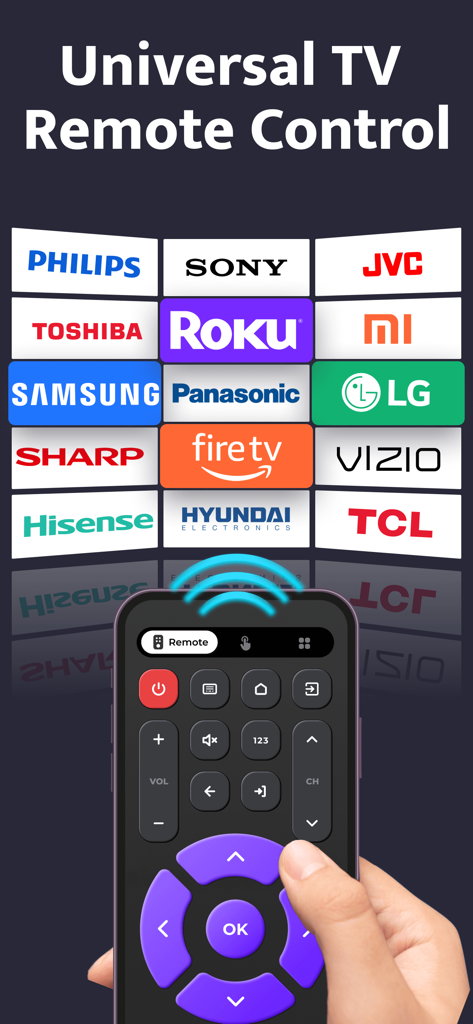
A smartphone displaying a universal TV remote app interface compatible with major brands like Samsung LG Sony and Roku

A smartphone displaying a universal TV remote app interface compatible with major brands like Samsung LG Sony and Roku

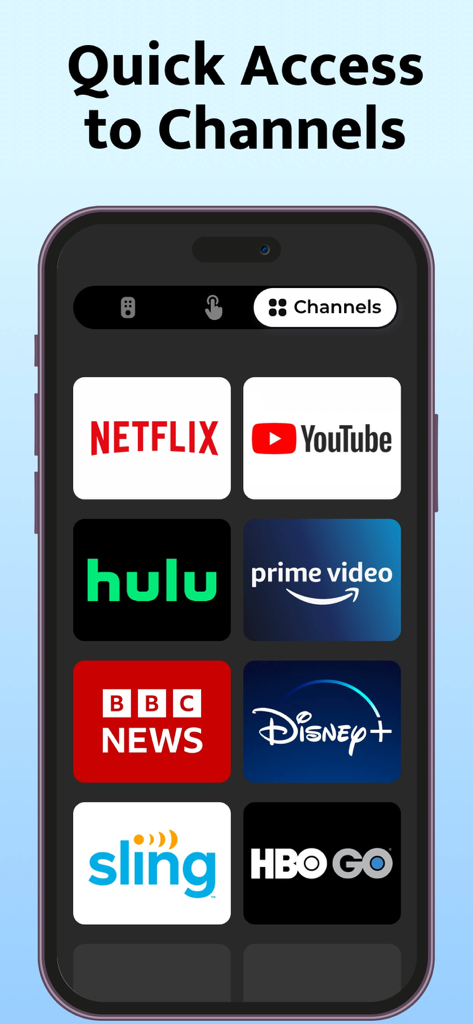
Mobile app interface showing quick access buttons for popular streaming channels like Netflix, YouTube, and Disney Plus.

Mobile app interface showing quick access buttons for popular streaming channels like Netflix, YouTube, and Disney Plus.

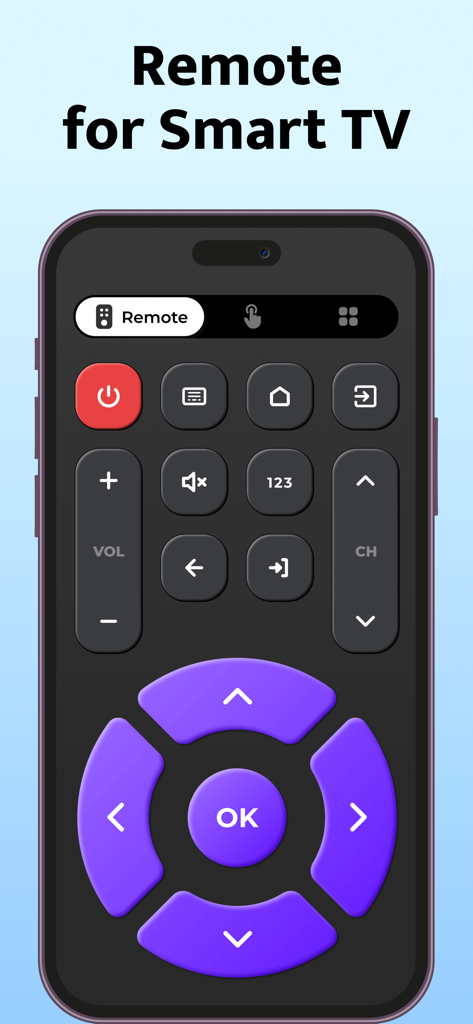
A digital universal TV remote interface on a smartphone screen featuring a purple directional pad and control buttons.

A digital universal TV remote interface on a smartphone screen featuring a purple directional pad and control buttons.

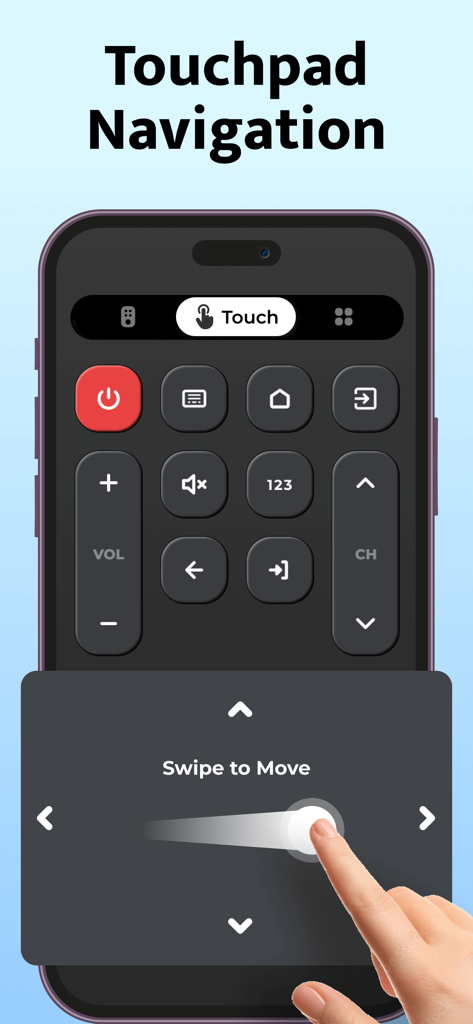
Smartphone screen showing the touchpad navigation interface of the universal TV remote app with a swipe to move gesture

Smartphone screen showing the touchpad navigation interface of the universal TV remote app with a swipe to move gesture

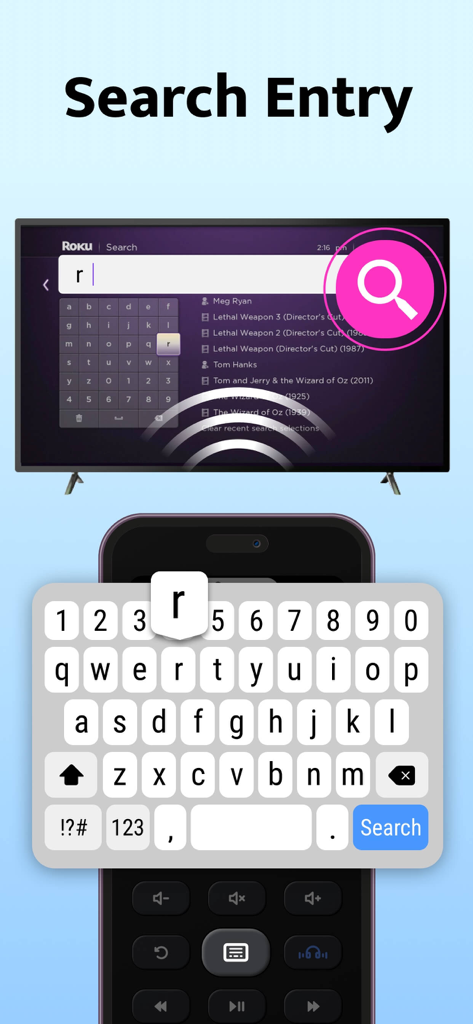
iPhone keyboard used to search for movies on a Roku TV using the universal remote app

iPhone keyboard used to search for movies on a Roku TV using the universal remote app

Take Complete Command of Your Entertainment

The tools that make this app stand out, trusted by 2M+ users.

📱

Universal Compatibility

One app to rule them all. Effortlessly manage your Samsung, Roku, LG, and more without switching between multiple clunky physical remotes.

Instant One-Tap Setup

No complex codes or manuals. Our smart pairing technology connects to your TV in seconds so you can get back to your favorite shows instantly.

🐾

Life-Proof Reliability

Whether your remote is lost in the cushions or chewed by the dog, your phone is always within reach, charged, and ready to use.

Loved by users worldwide

Trusted by 2M+ people who love this app.

"

"Finally, a solution for our chaotic household! Between the kids hiding the remote and our puppy treating it like a chew toy, we were constantly frustrated. This app connected to our living room TV instantly. It is so much faster than digging through couch cushions."

Sarah Miller
"

"I love the minimalist setup. I have a Samsung in my bedroom and a Roku in the living room, and being able to control both from my iPhone is a game changer. No more coffee table clutter or hunting for AA batteries. The interface is clean and works every single time."

David Chen

About the app

Everything you need to know about TV Remote, Universal Remote.

Description

Universal TV Remote Control App Works with 1000+ Models in Over 100+ Countries! Control your TV effortlessly with just your phone. Simply choose your TV brand and connect in seconds. Say goodbye to your old, cluttered remotes with this all-in-one solution! Remote Troubles? We’ve Got You! - Frustrated with frequent battery replacements? - Tired of constantly searching for your misplaced remote? - Confused by having multiple remotes that all look the same? - Did your pet chew up the remote again? - Is your remote unresponsive or slow? With your phone always within reach, transform it into a universal TV remote and eliminate these problems. Regain control and simplify your daily life! With TV Remote App: - Control power on/off - Adjust volume - Mute with a single tap - Enter channel numbers directly - Navigate channels - Control AV/TV mode - Access your TV menu Why TV Remote Control? - Simple setup – connect to your TV in just one tap - Compatible with almost all TV brands - Intuitive, user-friendly design Please Note This universal remote control for TV is not affiliated with any TV manufacturers included. We Value Your Feedback If your TV brand or model isn’t listed, please reach out. Your input helps us continually improve our app! Subscription Terms & Details - Get unlimited access to all features. - The payment will be charged to your iTunes account at confirmation of purchase. - The subscription automatically renews unless auto-renew is turned off at least 24 hours before the end of the current period. - Subscription may be managed and auto-renewal may be turned off by going to Account Settings after purchase. - The account will be charged for renewal within 24 hours prior to the end of the current period. - Any unused portion of a free trial period will be forfeited when the user purchases a subscription to that publication. Privacy Policy: https://inston.ltd/privacypolicy.html?pkg=com.inston.tvremote Terms of Use: https://inston.ltd/terms.html?pkg=com.inston.tvremote

Latest Version

1.0.24

Size

56.5 MB

First Released

Jan 8, 2023

Stop Searching, Start Watching

Join over 2 million users who have traded cluttered coffee tables and dead batteries for the ultimate universal remote. Turn your iPhone into the only remote you’ll ever need and take control of any TV in seconds.

Download on App Store
FAQ

Frequently Asked Questions

Everything you need to know about TV Remote, Universal Remote

What is the "TV Remote, Universal Remote" app?

The "TV Remote, Universal Remote" app transforms your phone into a universal TV remote, controlling over 1000 TV models from 100+ countries. It replaces traditional remotes for convenient TV control.

How does the "TV Remote, Universal Remote" app connect to a TV?

The "TV Remote, Universal Remote" app connects to your TV by simply choosing your TV brand and initiating a connection. It features a simple one-tap setup process.

Which TV brands are compatible with the "TV Remote, Universal Remote" app?

Yes, the "TV Remote, Universal Remote" app is compatible with almost all TV brands. Specific supported brands include Philips, Sony, Samsung, LG, Roku, Fire TV, Vizio, and TCL.

Can the "TV Remote, Universal Remote" app control TV power and volume?

Yes, the "TV Remote, Universal Remote" app can control TV power on/off and adjust the volume. It also allows muting with a single tap.

Does the "TV Remote, Universal Remote" app support direct channel number entry?

Yes, the "TV Remote, Universal Remote" app supports direct channel number entry. Users can also navigate channels and control AV/TV mode.

Does the "TV Remote, Universal Remote" app offer quick access to streaming channels?

Yes, the "TV Remote, Universal Remote" app provides quick access to streaming channels. It features direct links to services like Netflix, YouTube, Hulu, and Prime Video.

Is there a cost associated with the "TV Remote, Universal Remote" app?

Yes, the "TV Remote, Universal Remote" app offers unlimited access to all features via a subscription. Payment is charged to your iTunes account upon purchase confirmation.

How does auto-renewal work for the "TV Remote, Universal Remote" app subscription?

The "TV Remote, Universal Remote" app subscription automatically renews unless auto-renew is turned off at least 24 hours before the current period ends. The account is charged within 24 hours prior to renewal.

Can users navigate smart TV interfaces with a touchpad using the "TV Remote, Universal Remote" app?

Yes, the "TV Remote, Universal Remote" app enables touchpad navigation for smart TV interfaces. Users can swipe to move and control elements on their TV screen.

Does the "TV Remote, Universal Remote" app allow text entry for search on TV?

Yes, the "TV Remote, Universal Remote" app supports search entry on TV. It provides a virtual keyboard on the phone to input text directly to the TV's search function.