Add Music to Video Editor

Add Music to Video Editor

ダウンロード: App Store
Spark by MWM logo
ロゴ: Add Music to Video Editor

動画編集アプリに音楽を追加:すべての動画を象徴的に

クリエイターのためのオールインワンオーディオスタジオ。複数のトラックを重ねたり、プロ仕様のボイスオーバーを録音したり、サウンドトラックを精密に編集して、TikTokやReelsを他と差をつけましょう。

ダウンロード: App Store

開発元

Add Music to Video Maker & Editor LLC

カテゴリ

Photo & Video

ダウンロード

7M+

ユーザー評価

4.6/5

評価数

97K+

対応言語

1

ポケットの中のスタジオ

このインターフェースを利用する 7M+ 人のユーザー.

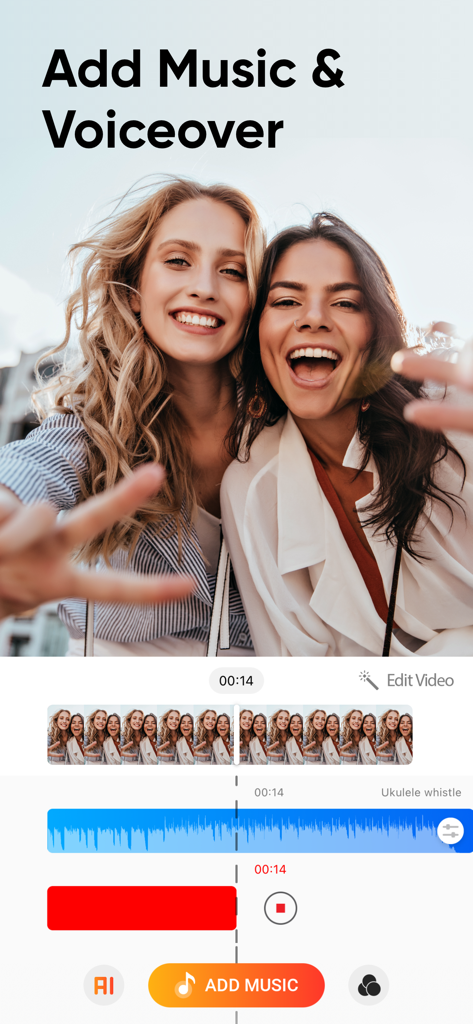
SNS動画向けに音楽とボイスオーバーのマルチトラックオーディオレイヤーを示す動画編集アプリ「Add Music to Video Editor」のインターフェース。

SNS動画向けに音楽とボイスオーバーのマルチトラックオーディオレイヤーを示す動画編集アプリ「Add Music to Video Editor」のインターフェース。

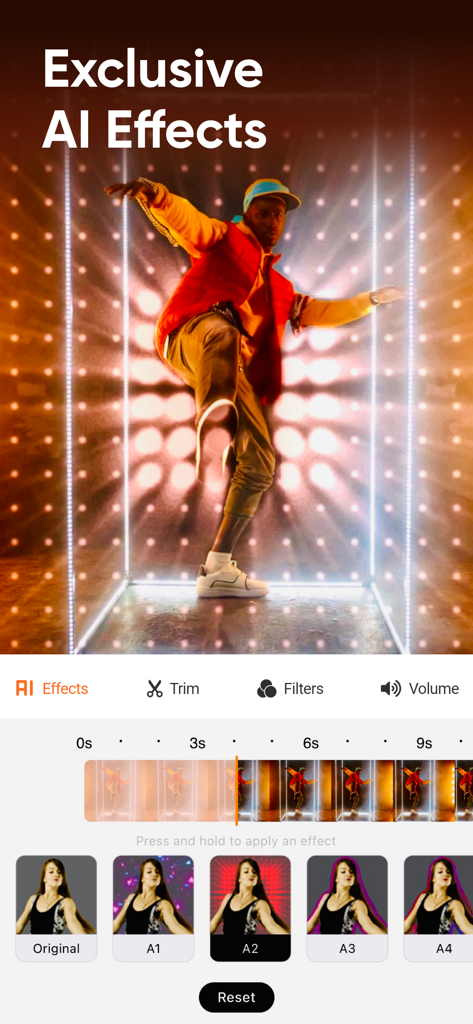
SNSクリエイター向けのAIエフェクトと動画編集タイムラインを特集したモバイル動画エディターのインターフェース。

SNSクリエイター向けのAIエフェクトと動画編集タイムラインを特集したモバイル動画エディターのインターフェース。

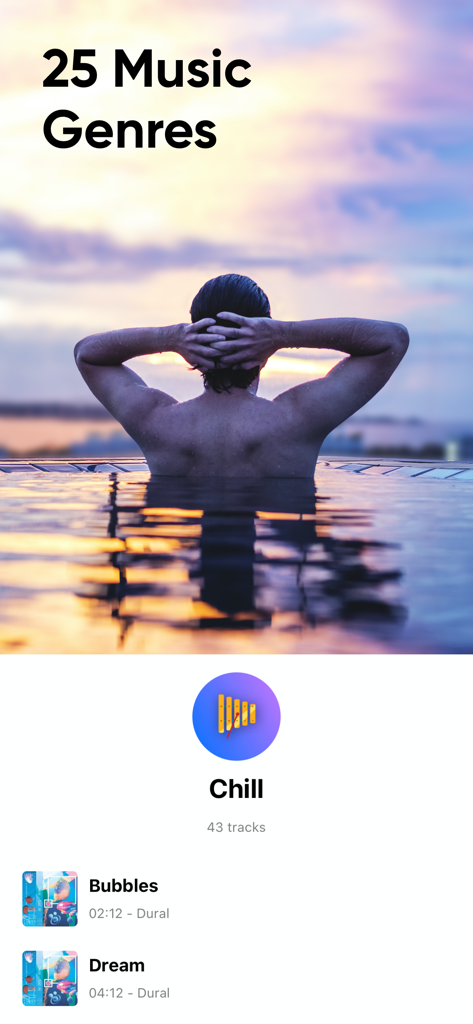
25の音楽ジャンルとチルなBGMトラックのセレクションを表示する動画編集アプリ「Add Music to Video Editor」のインターフェース。

25の音楽ジャンルとチルなBGMトラックのセレクションを表示する動画編集アプリ「Add Music to Video Editor」のインターフェース。

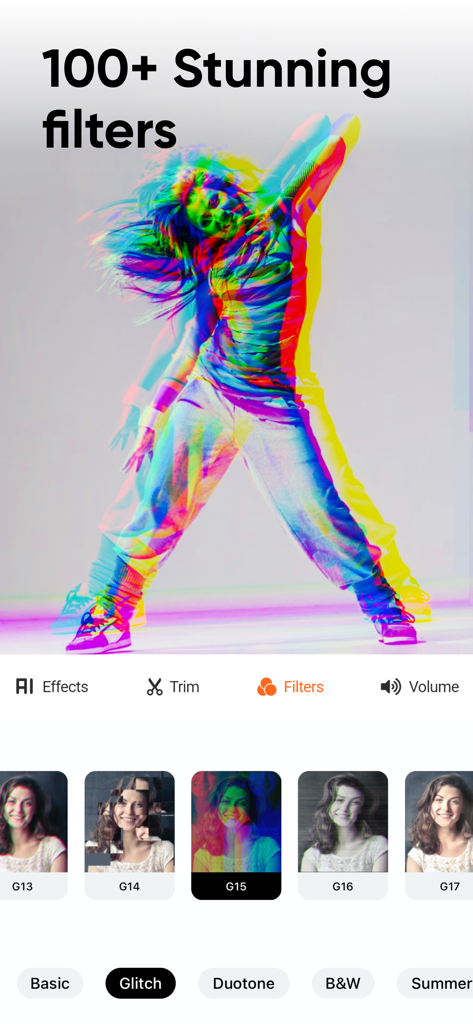
SNSクリエイター向けの100以上の素晴らしい動画フィルターとグリッチエフェクトを表示するモバイルアプリのインターフェース。

SNSクリエイター向けの100以上の素晴らしい動画フィルターとグリッチエフェクトを表示するモバイルアプリのインターフェース。

海岸でビーチボールで遊ぶ子供たちと、「みんなと共有」というテキストオーバーレイ。

海岸でビーチボールで遊ぶ子供たちと、「みんなと共有」というテキストオーバーレイ。

プロオーディオでコンテンツをレベルアップ

このアプリを際立たせるツール、 7M+ 人のユーザーが選択.

🎙️

声と音楽を重ねる

プロ仕様のボイスオーバーを録音し、無制限のBGMトラックとブレンドして、映画のようなオーディオ体験を実現します。

✂️

フレーム単位のオーディオ同期

オーディオトラックを精密にトリミングおよび配置して、あらゆるトランジションとビートをプロレベルのタイミングで合わせます。

🚀

ソーシャルトレンドのために構築

作成したコンテンツをTikTok、Reels、Snapchatに直接エクスポートし、コンテンツの流れを維持し、視聴者を惹きつけます。

世界中のユーザーに愛されています

Trusted by 7M+ 人がこのアプリを愛用しています.

"

"GRWM動画のために多くのエディターを試しましたが、ボイスオーバーをローファイなBGMトラックと完璧に重ねることができるのはこれだけです。TikTokの組み込みエディターよりもはるかに直感的です。私のReelsはついにプロ仕様のコンピューターで編集されたように聞こえます!"

Chloe V.
"

"このアプリは、私のワークアウトモンタージュにとってゲームチェンジャーです。複数のオーディオトラックを追加し、ビートドロップの正確な位置に配置できることが、大きな違いを生み出します。トリムツールは非常に精密で、数秒でInstagramに直接共有できるのが気に入っています。"

Marcus J.

アプリについて

について知っておくべきこと Add Music to Video Editor.

説明

Add background music and sound effects to your short-form videos to make the videos more engaging! Edit videos sound just like a pro. A must-have app for the content creator. FEATURES 1. Voice-overs: Record your voice over the video. 2. Multiple Music Tracks: Add unlimited background audio tracks, music & voice to your video. 3. Trim Audio: Cut out any unwanted moments from the audio. 4. Trim Video: Cut out any unwanted moments from the videos. 5. Positioning Tracks: Position your music tracks for perfect editing! 6. Share Videos: Share your content on Tiktok, Vine, Snapchat, Instagram & Facebook.
 DISCLAIMER: You might be required to sign up for an auto-renewable In-App Purchase to access all features and functionalities of the app.
 SUBSCRIPTION INFO:
 Subscribe to take advantage of the features described above. • Subscription Length: Weekly, Monthly, and Yearly. • Your payment will be charged to your iTunes Account as soon as you confirm your purchase. • You can manage your subscriptions and turn off auto-renewal from your Account Settings after the purchase. • Your subscription will renew automatically unless you turn off auto-renew at least 24 hours before the end of the current period. • The cost of renewal will be charged to your account 24 hours before the end of the current period. • When canceling a subscription, your subscription will stay active until the end of the period. Auto-renewal will be disabled, but the current subscription will not be refunded. • Any unused portion of a free trial period, if offered, will be forfeited when purchasing a subscription.
 Terms of service: http://www.addmusictovideo.com/terms.html Privacy policy: http://www.addmusictovideo.com/privacy.html
 CONTACT US We believe your feedback, ideas, or complaints will help us to make the app better. Do not hesitate to contact us about anything. Mail: info.addmusic@gmail.com Website: http://www.addmusictovideo.com/support.html

最新バージョン

9.0

サイズ

103.6 MB

リリース日

2014年12月12日

コンテンツを際立たせる準備はできましたか?

700万人以上のクリエイターが、プロレベルのオーディオツールを使用して、日常のクリップをバイラル準備完了の傑作に変えています。今すぐダウンロードして、完璧なサウンドトラックのレイヤーを作成しましょう。

ダウンロード: App Store