Add Music to Video Voice Over

Add Music to Video Voice Over

ダウンロード: App Store
Spark by MWM logo
ロゴ: Add Music to Video Voice Over
動画に音楽とナレーションを追加: ソーシャルメディアのサウンドをレベルアップ

完璧なトラックを重ね、カスタムナレーションを簡単に録音。プロフェッショナルなオーディオコントロールを使い、TikTok、Instagram、YouTubeで目立つ魅力的な動画を作成しましょう。

ダウンロード: App Store

開発元

Brain Craft Ltd

カテゴリ

Photo & Video

ダウンロード

1M+

ユーザー評価

4.4/5

評価数

18K+

対応言語

1

クリエイティブスタジオをひと目で

このインターフェースを利用する 1M+ 人のユーザー.

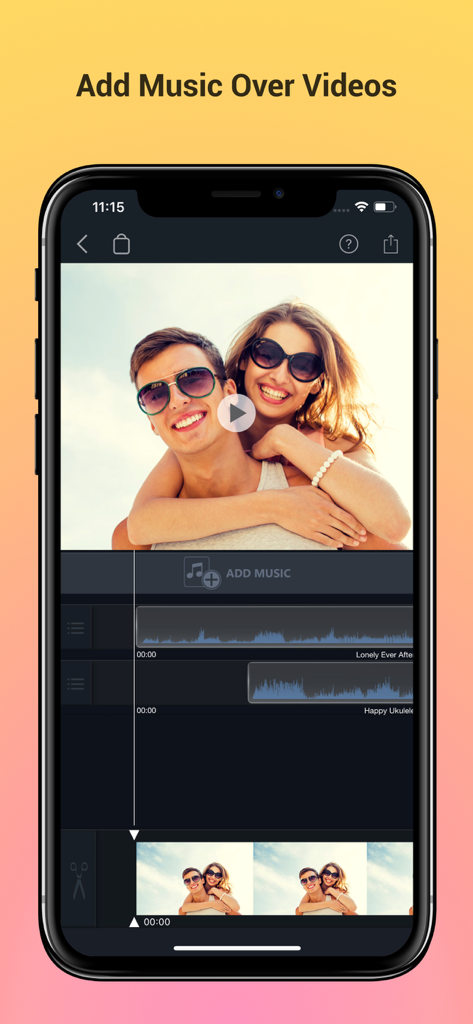
オーディオトラックのレイヤリングと動画プレビューを示すモバイル動画編集インターフェース。

オーディオトラックのレイヤリングと動画プレビューを示すモバイル動画編集インターフェース。

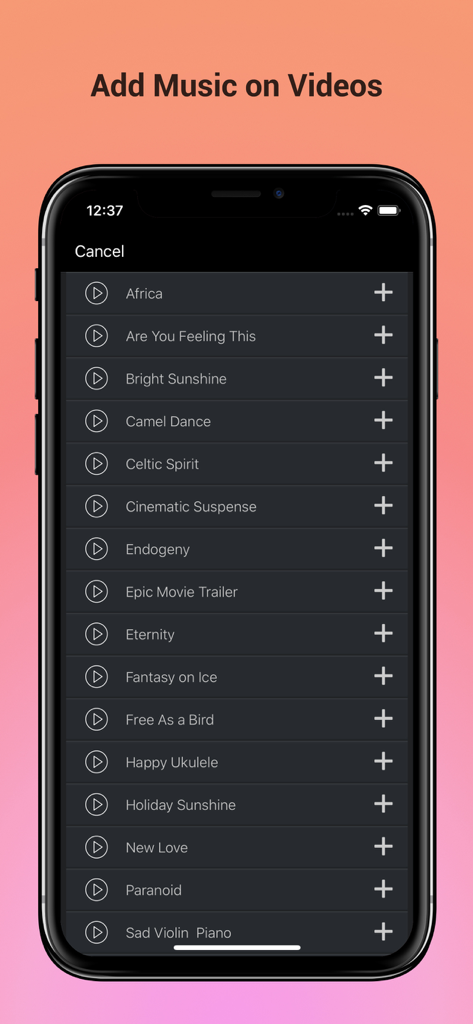
動画のBGMとして追加する音楽トラックの厳選されたリストを示すモバイルアプリのインターフェース。

動画のBGMとして追加する音楽トラックの厳選されたリストを示すモバイルアプリのインターフェース。

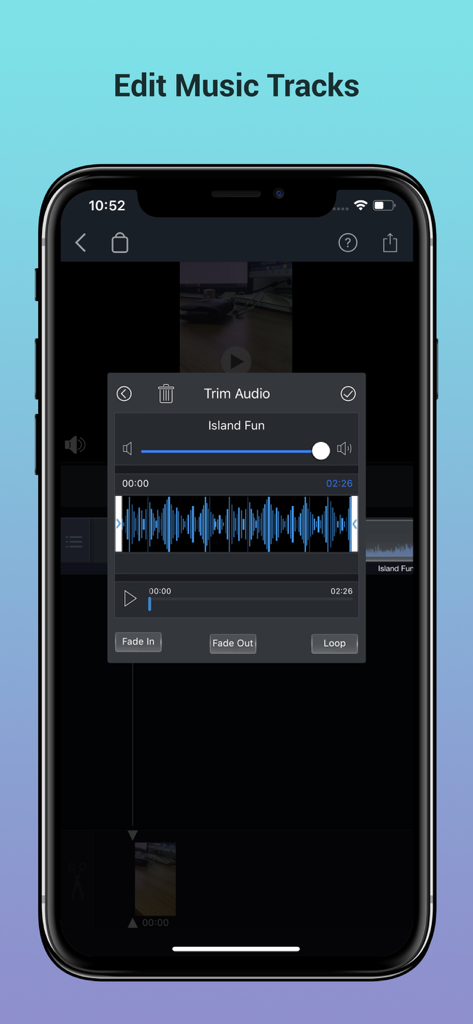
波形とフェードコントロールを備えたオーディオトリム機能を示すスマートフォンの画面。

波形とフェードコントロールを備えたオーディオトリム機能を示すスマートフォンの画面。

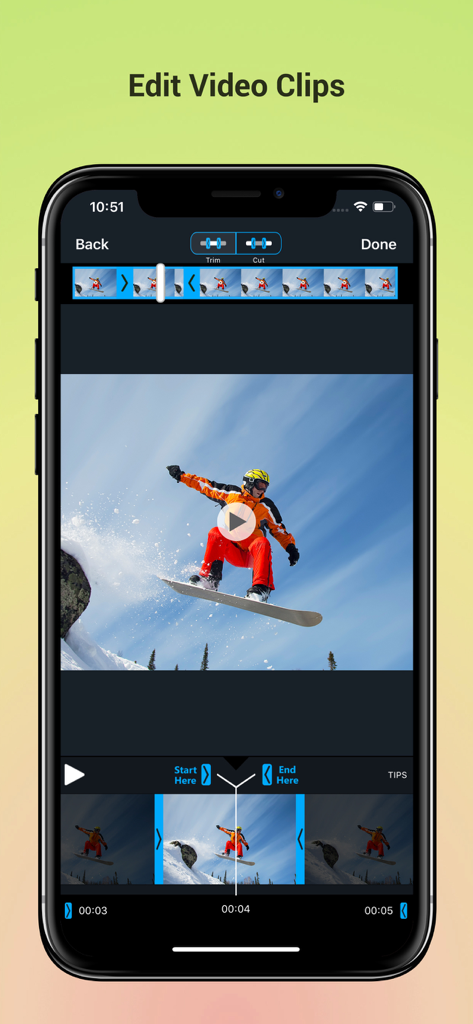
スノーボードのクリップ上でトリムおよびカットツールを備えた動画編集アプリのインターフェースを示すスマートフォンの画面

スノーボードのクリップ上でトリムおよびカットツールを備えた動画編集アプリのインターフェースを示すスマートフォンの画面

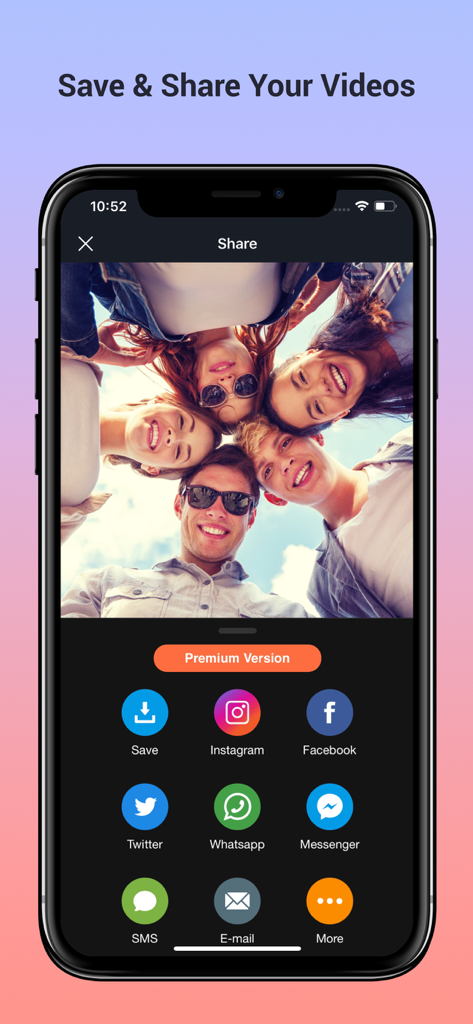
Instagram、Facebook、Twitterのソーシャルメディアアイコンが表示されたモバイル動画編集アプリの共有画面

Instagram、Facebook、Twitterのソーシャルメディアアイコンが表示されたモバイル動画編集アプリの共有画面

数秒でプロフェッショナルな動画を作成

このアプリを際立たせるツール、 1M+ 人のユーザーが選択.

🎵

膨大な音楽ライブラリ

数千のトレンドトラックから選択するか、独自にインポート。オーディオをループ、トリミングして、コンテンツのあらゆるビートに完璧に合わせます。

魅力的な写真スライドショー

思い出を映画のような物語に変えましょう。無制限の写真をプレミアムなトランジションと音楽と組み合わせて、ソーシャルメディアで共有できる投稿を作成。

世界中のユーザーに愛されています

Trusted by 1M+ 人がこのアプリを愛用しています.

"

"TikTokのVlog用にたくさんのアプリを試しましたが、オーディオバランスを完璧に調整できるのはこれだけです。ナレーションツールは非常にクリアで、最後にBGMをフェードアウトできるので、動画がずっとプロフェッショナルに見え、聞こえます。エンゲージメントも間違いなく上がりました!"

クロエ M.、ライフスタイルインフルエンサー
"

"娘の1歳の誕生日用に、一年間の写真を使って特別な動画を作りたかったんです。このアプリを使えば、彼女のお気に入りの歌を追加したり、写真間にスムーズなトランジションを入れたりするのがとても簡単でした。今では家族の宝物で、祖父母にも簡単に共有できます。"

マーク T.、家族の記録者

アプリについて

について知っておくべきこと Add Music to Video Voice Over.

説明

Best App to Add Background Music & Sound Effects on Your Videos. Record your own voice over video. Create slideshow with your moments & add music on it to make it live. • Add background music to videos. • Make your own music videos. • Record your own voice over video. • Make slideshow with music • Make funny Dubsmush videos. • Give life to your videos. • Get more likes & views on Youtube, Instagram, Facebook or Vine. Key Features: ========== - Add Music Tracks on Videos. - Record Your Own Voice Over Video. - Huge Collection of Awesome Music Tracks. - Make Slideshow With Your Photos - Edit Video: Trim & Cut frame by frame. Remove any unwanted part of your video. - Edit Audio: Trim, Fade-in, Fade-out & Loop options. - Volume Control For Audios. - Video Mute/UnMute. - Huge Collection of Slideshow Transitions. - Minimum Processing Time. - Beautiful Ui With Stunning Design. - Very Easy to use. Premium Features: - Premium Music Tracks - Add Unlimited Music - Select Unlimited Photos - Premium Slideshow Styles - Premium Filtes - Ads Free Version - Unlock Everything Fade-in Means: Gradually increase the level of audio volume at the beginning. Fade-out Means: Gradually decrease the level of audio volume at its end. Audio Loop Means: Repeating section of audio at whole video. Payment & Subscription Terms: Choose between the following options for unlimited access to all features: • Weekly Subscription with 3-day free trial; • Yearly Subscription. Subscriptions are billed weekly or annually at the rate selected depending on the selected plan. Subscription automatically renews unless auto-renew is turned off at least 24 - hours before the end of the current period. - payment will be charged to iTunes Account at confirmation of purchase. - Account will be charged for renewal within 24-hours prior to the end of the current period. - No cancellation of the current subscription is allowed during active subscription period. - Subscriptions may be managed by the user and auto-renewal may be turned off by going to the user's Account Settings after purchase. - Any unused portion of a free trail period will forfeited when the user purchases a subscription. ## Subscriptions may be managed by the user and auto-renewal may be turned off by going to the user's iTunes Account Settings after purchase. ## Subscription can be cancelled during its free trial period via the subscription setting through your iTunes account. This must be done 24 hours before the end of the subscription period to avoid being charged. Privacy Policy, Terms of Service: https://braincraftapps.com/apps/i/add-music-to-videos/privacy-policy/ https://braincraftapps.com/apps/i/add-music-to-videos/terms/ Found any bug? or Have any suggestions? or Wanna new features? Please mail me at: support@braincraftapps.com Keep in touch to receive all updates. Thank You.

最新バージョン

2.1

サイズ

59.7 MB

リリース日

2017年8月31日

注目される動画を作る準備はできていますか?

TikTokやInstagramでのエンゲージメントを高めるために、100万人以上のクリエイターが使用しているプロレベルのオーディオツールを体験しましょう。今すぐダウンロードして、あなたの物語を始めましょう。

ダウンロード: App Store