Video Maker with Music Editor

Video Maker with Music Editor

ダウンロード: App Store
Spark by MWM logo
ロゴ: Video Maker with Music Editor

音楽編集機能付きビデオメーカー:数秒でバズるSNSコンテンツを作成

無制限のトラック、シネマティックなオーディオエフェクト、再生回数を増やしたいクリエイター向けに設計された使いやすい編集ツールで、TikTokやReelsをレベルアップ。

ダウンロード: App Store

開発元

Mosaic S.r.l.

カテゴリ

Photo & Video

ダウンロード

14M+

ユーザー評価

4.1/5

評価数

43K+

対応言語

1

すべてのフレームにスタイルを

このインターフェースを利用する 14M+ 人のユーザー.

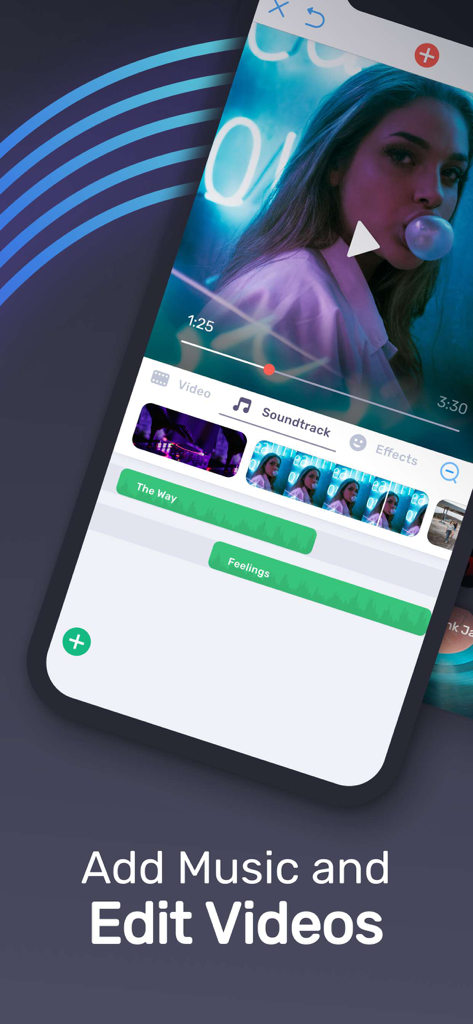
複数の音楽トラック追加とビデオフレーム編集のためのモバイルアプリインターフェース

複数の音楽トラック追加とビデオフレーム編集のためのモバイルアプリインターフェース

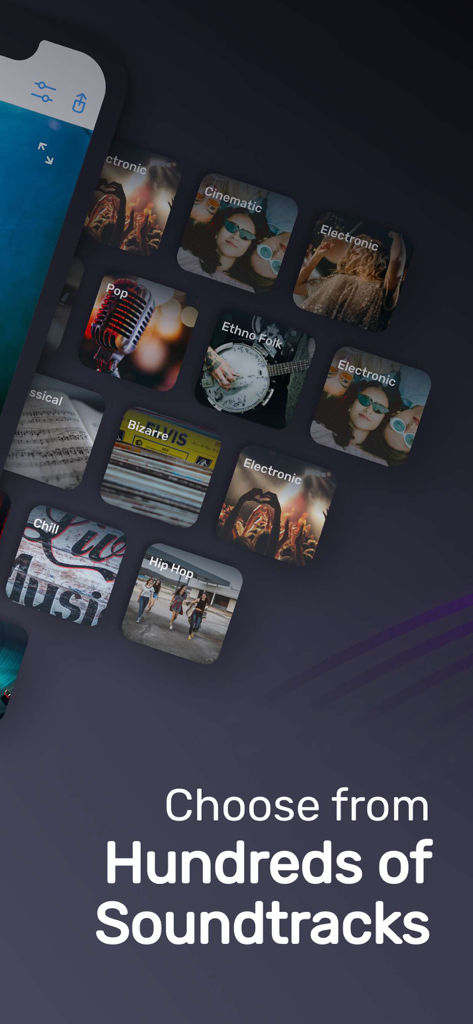
動画編集サウンドトラック用の様々な音楽ジャンルを表示するインターフェース

動画編集サウンドトラック用の様々な音楽ジャンルを表示するインターフェース

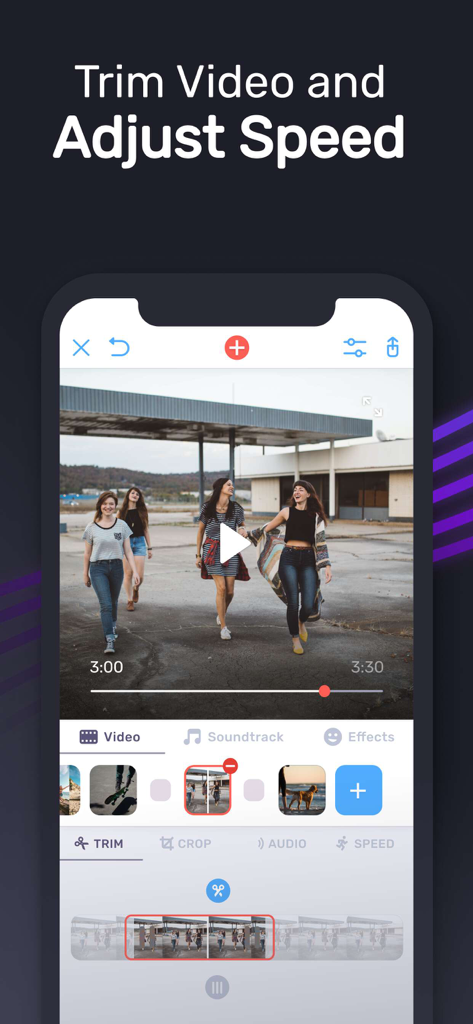
タイムラインエディターで動画のトリミングと速度調整ツールを表示するモバイルアプリインターフェース

タイムラインエディターで動画のトリミングと速度調整ツールを表示するモバイルアプリインターフェース

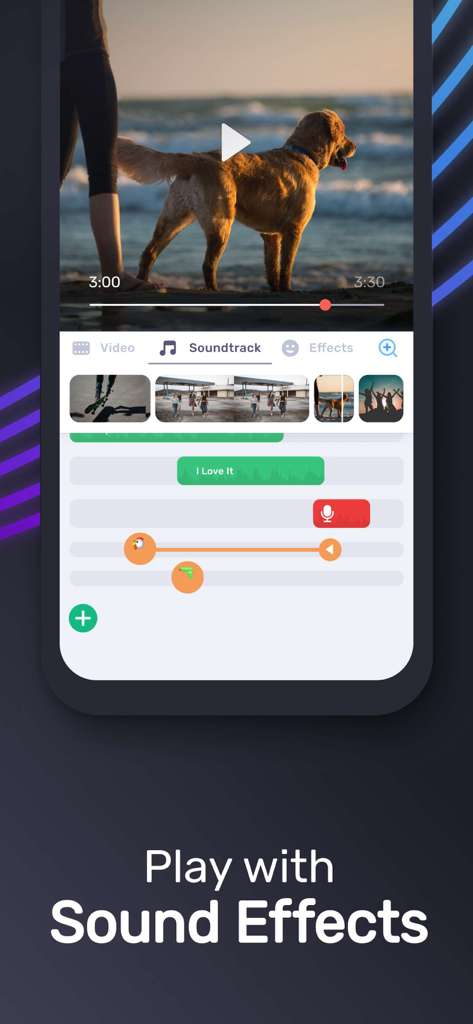
サウンドトラックと音響効果を表示するモバイル動画編集インターフェース

サウンドトラックと音響効果を表示するモバイル動画編集インターフェース

すべてのクリップをバズる瞬間に

このアプリを際立たせるツール、 14M+ 人のユーザーが選択.

🎵

厳選されたトレンドビート

シネマティックからLo-fiまで、気分に合わせた膨大なトラックライブラリにアクセスし、視聴者にぴったりの雰囲気を瞬時に演出。

✂️

プロレベルの軽快な編集

手間をかけずにフレーム単位でトリミングやカットが可能。退屈な部分を削除し、シームレスなトランジションでフォロワーを惹きつけます。

🎙️

スタジオ品質のオーディオミックス

無制限のトラックレイヤー、カスタムボイスオーバーの録音、プロ仕様のフェードを使用して、注目を集める洗練されたサウンドを作成。

世界中のユーザーに愛されています

Trusted by 14M+ 人がこのアプリを愛用しています.

"

"Instagram ReelsやTikTokにはこれ!UIがとても洗練されていて、ライフスタイルコンテンツの雰囲気に合わせてシネマティックな音楽を素早く追加できるのが気に入っています。外出先での編集が格段に速くなり、音量調節機能はボイスオーバーに欠かせません。"

Sienna R.
"

"家族の思い出作りに最適。夏休みのモンタージュを作成するのに使いましたが、アコースティックなBGMを追加しただけでプロの映画のようになりました。不要な部分をトリミングするのも簡単で、フェードイン機能のおかげでオーディオも素晴らしい仕上がりです。"

Marcus T.

アプリについて

について知っておくべきこと Video Maker with Music Editor.

説明

Best App To Add Music on Video! Make Music Video Easily! Best Video Editing App! • Add Unlimited background music to videos! • Make your own music videos! • Record your own voice over video! • Make funny Dubsmush videos! • Give life to your videos! • Get more likes & views on Youtube, Instagram, Facebook or Vine! Key Features: ========== • Add Unlimited Music Tracks on Videos. • Record Your Own Voice Over Video. • Edit Video: Trim & Cut frame by frame. Remove any unwanted part of your video. • Edit Audio: Trim, Fade-in, Fade-out. • Huge Collection of Awesome Music Tracks. • Volume Control For Audios. • Video Mute/UnMute. • Minimum Processing Time. • Beautiful UI With Stunning Design. • Very Easy to use. Instructions: ========= • Select your video to edit from gallery. (From 1st page of the App) • Trim or Cut your videos to remove any unwanted frame. (Single Tap on Video Frame) • Add music from your iPhone, from app’s track list or by recording. (Press on ‘+ Add Music’ Button) • Edit & Trim audio. (Single Tap on Audio) • Change the position of the music tracks. (Tap & Hold Tracks then Slide Left or Right) • Save or Share your edited videos. Fade-in Means: Gradually increase the level of audio volume at the beginning. Fade-out Means: Gradually decrease the level of audio volume at its end. Music Track Categories: ================== • Free • Club/Party • Cinematic • Rock • Romantic • Sad/Emotional • Acoustic • Pop • Ambient • Relaxing SUBSCRIPTION INFO: Subscribe to take advantage of the features described above. •Subscription length: Weekly •Your payment will be charged to your iTunes Account as soon as you confirm your purchase. •You can manage your subscriptions and turn off auto-renewal from your Account Settings after the purchase. •Your subscription will renew automatically, unless you turn off auto-renew at least 24 hours before the end of the current period. •The cost of renewal will be charged to your account in the 24 hours prior to the end of the current period. •When canceling a subscription, your subscription will stay active until the end of the period. Auto-renewal will be disabled, but the current subscription will not be refunded. •Any unused portion of a free trial period, if offered, will be forfeited when purchasing a subscription. Terms of service: https://support.bendingspoons.com/tos?app=1006386292 Privacy policy: https://bendingspoons.com/privacy.html?app=1006386292 Have a feature request you would like to see in a future version of the app? Do not hesitate to contact us at videomusic@bendingspoons.com Disclaimer: You will be required to sign up for an auto-renewable In-App Purchase before you are able to access the app.

最新バージョン

3.7.21

サイズ

64.6 MB

リリース日

2015年6月25日

バズる準備はいいですか?今日から作成を始めましょう。

1,400万人以上のクリエイターと一緒に、数秒でプロ並みのミュージックビデオを作成。究極のモバイル編集ツールキットで、Reels、TikTok、ストーリーをレベルアップしましょう。

ダウンロード: App Store
FAQ

よくある質問

について知っておくべきこと Video Maker with Music Editor

Video Maker with Music Editorで、動画に音楽を追加するにはどうすればよいですか?

はい、Video Maker with Music Editorでは、iPhoneの音楽、アプリのトラックリスト、または録音した音源を動画に追加できます。ユーザーは「+音楽を追加」ボタンを押し、その後オーディオを編集・トリミングします。

Video Maker with Music Editorは動画のトリミング機能を提供していますか?

はい、Video Maker with Music Editorは動画のトリミングおよびカット機能を提供しています。ユーザーはフレームごとに動画をトリミングおよびカットして、不要な部分を削除できます。

Video Maker with Music Editorで、自分の声を動画にオーバーダビング録音できますか?

はい、Video Maker with Music Editorでは、自分の声を動画にオーバーダビング録音できます。この機能は、アプリのオーディオ編集機能に統合されています。

Video Maker with Music Editorで利用可能な音楽カテゴリは何ですか?

Video Maker with Music Editorでは、フリー、クラブ/パーティー、シネマティック、ロック、ロマンティック、悲しい/エモーショナル、アコースティック、ポップ、アンビエント、リラックスできるサウンドトラックなど、多様な音楽カテゴリを提供しています。

Video Maker with Music Editorはサブスクリプションベースのアプリですか?

はい、Video Maker with Music Editorはサブスクリプションモデルで運営されています。その機能へのアクセスには、自動更新されるアプリ内課金が必要で、サブスクリプション期間は週単位です。

Video Maker with Music Editorのサブスクリプションを管理するにはどうすればよいですか?

ユーザーは、iTunesアカウント設定を通じて、Video Maker with Music Editorのサブスクリプションと自動更新の設定を管理できます。このプロセスは、初回購入後にアクセス可能です。

Video Maker with Music Editorでオーディオレベルを調整できますか?

はい、Video Maker with Music Editorにはオーディオの音量調整機能が含まれています。また、包括的なサウンド編集のために、オーディオのトリミング、フェードイン、フェードアウトエフェクトもサポートしています。