Video Music Add Background

Video Music Add Background

ダウンロード: App Store
Spark by MWM logo
ロゴ: Video Music Add Background

Video Music Add Background:音楽とボイスオーバーでストーリーをレベルアップ

クリエイターや思い出作りに最適なツール。カスタムサウンドトラックを追加したり、プロフェッショナルなボイスオーバーを録音したり、映画のようなエフェクトを適用して、TikTok、Reelsなどで動画を目立たせましょう。

ダウンロード: App Store

開発元

Raja Ahmad Ayaz Noor

カテゴリ

Photo & Video

ダウンロード

6K+

ユーザー評価

3.9/5

評価数

0

対応言語

11

編集の技術

このインターフェースを利用する 6K+ 人のユーザー.

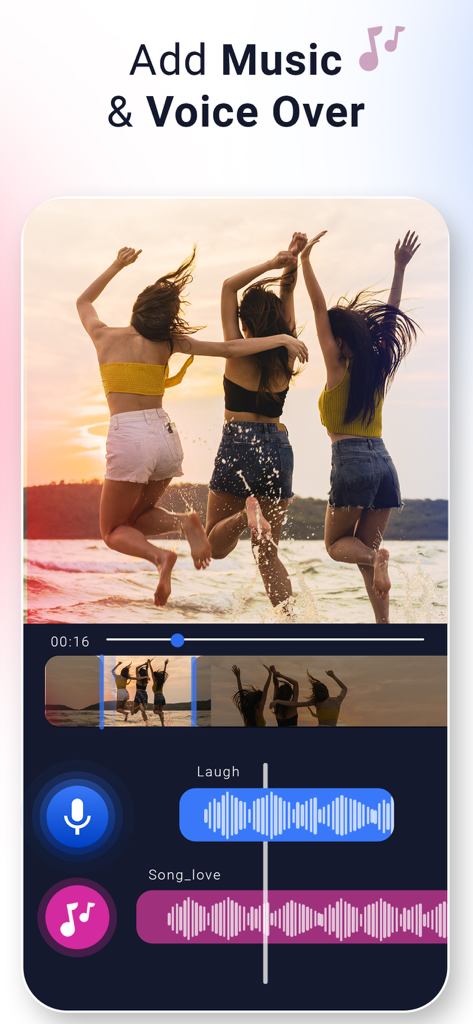
Video Music Add Backgroundアプリのインターフェース。友人たちがビーチにいる動画に、音楽とボイスオーバーのレイヤー化されたオーディオトラックが表示されています。

Video Music Add Backgroundアプリのインターフェース。友人たちがビーチにいる動画に、音楽とボイスオーバーのレイヤー化されたオーディオトラックが表示されています。

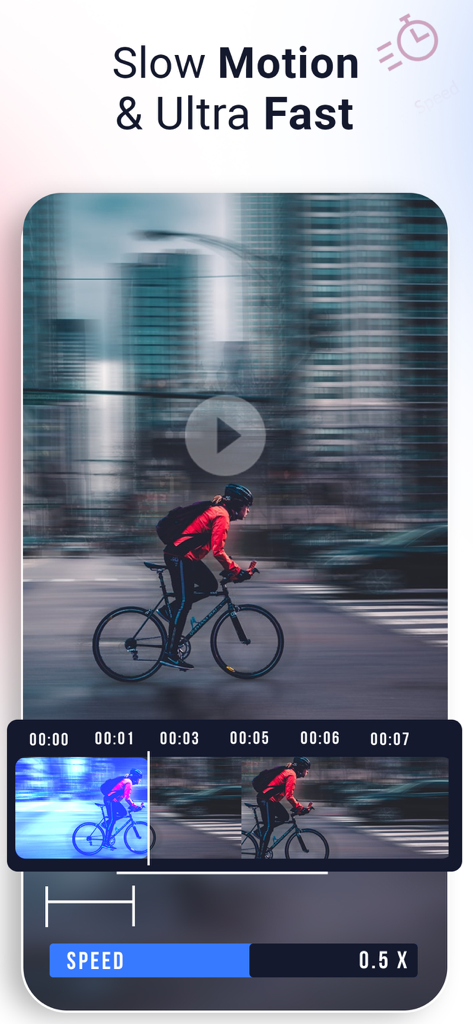
スライダー付きのスローモーションおよび超高速エフェクトのビデオ速度編集を示すアプリのインターフェース。

スライダー付きのスローモーションおよび超高速エフェクトのビデオ速度編集を示すアプリのインターフェース。

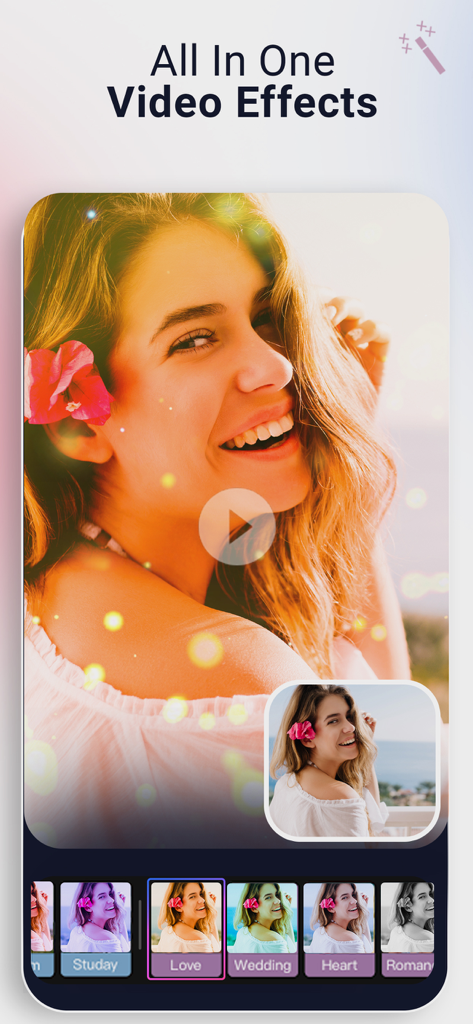
ビデオ編集用のオールインワンビデオエフェクトとフィルターを示すモバイルアプリのインターフェース。

ビデオ編集用のオールインワンビデオエフェクトとフィルターを示すモバイルアプリのインターフェース。

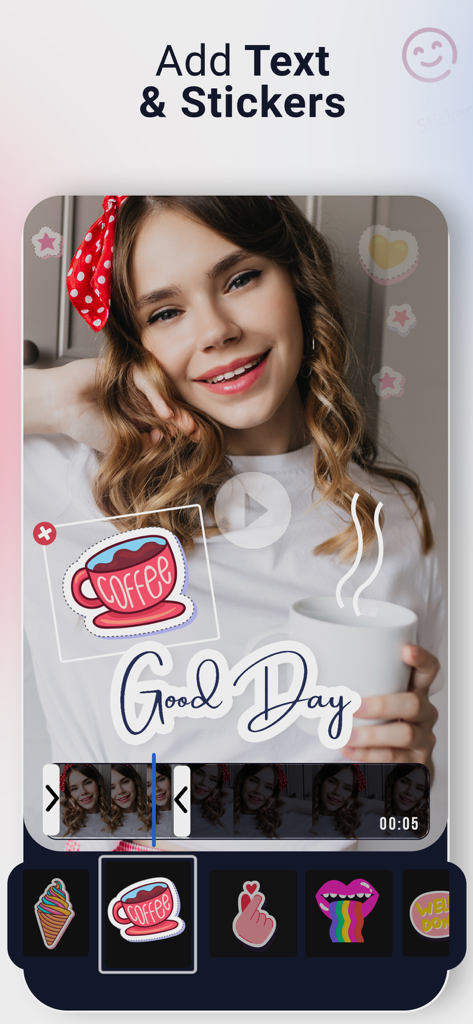
コーヒーのステッカーと「Good Day」というテキストオーバーレイが表示された動画プレビューを示すモバイルアプリのインターフェース。

コーヒーのステッカーと「Good Day」というテキストオーバーレイが表示された動画プレビューを示すモバイルアプリのインターフェース。

サウンドでストーリーをレベルアップ

このアプリを際立たせるツール、 6K+ 人のユーザーが選択.

🎙️

プロフェッショナルなボイスオーバーとオーディオ

独自の音楽をレイヤーしたり、高品質なボイスオーバーを録音して、チュートリアルやブログに最適な、思い通りのストーリーを語りましょう。

映画のようなモーションコントロール

スローモーション、早送り、逆再生エフェクトで動画のタイミングをマスターし、タップひとつでバイラル級のコンテンツを作成しましょう。

あなたの個性を演出

あなたのユニークなブランドとスタイルに合った、カスタムテキストオーバーレイ、鮮やかなステッカー、背景でソーシャルフィードで目立ちましょう。

世界中のユーザーに愛されています

Trusted by 6K+ 人がこのアプリを愛用しています.

"

"小規模ビジネスのオーナーとして、複雑なソフトウェアを学ぶことなく、製品デモにボイスオーバーやテキストを迅速に追加する方法が必要でした。このアプリを使えば、「注文を梱包する様子」の動画がわずか数分でプロフェッショナルに見えます!"

Chloe、ブティックオーナー
"

"スローモーションと逆再生機能は、私の旅行リールにとってゲームチェンジャーです!自分の音楽をレイヤーしたり、ブランドに合ったおしゃれなテキストを追加したりするのがどれほど簡単か気に入っています。TikTokに投稿する前に必ず使うエディターです。"

Jordan、コンテンツクリエイター

アプリについて

について知っておくべきこと Video Music Add Background.

説明

Add background music to video, its easy to audio of any video files. Change audio along with many video editing options in add music to video app. add music or record your own audio to add the voice over on any video. Easy to add music to any video background, select your own music in your music library or use the default music list to load. Add music to video app provides video editing speed slow and fast motion edit and many stickers and text to add on videos. Add music to video and save your precious moments Use default music list or add your own sounds Record and add your audio to video with voice over feature Edit the video backgrounds, stickers and add text to videos Add effects your videos to make them super Reverse video to play your videos in backward direction Create, save and share your work on social apps Video of special moments are always a source of best memories. Add music to video app helps your make your memories special with many video editing features. Get the app to add any sort or audio or music file in your video with multiple video editing options. Unleash your video editing imagination! Start creating Music Videos by mixing, inserting background Music audios and voice overs. Key Features Add pre added music or choose your own Record audio and voice over to videos Edit video speed ranging slow and fast motion Add video backgrounds with many stickers Add text on videos with color and font customization Add reverse video effect and save videos in backward Video Music Add Sound Clips app offers the following auto-renewing subscription Monthly: $5.99/Month This price of video music add sound clips is for United States customers. Pricing in other countries may vary and actual charges may be converted to your local currency depending on the country of residence. At confirmation of purchase the subscription payment will be charged to iTunes Account. Subscription automatically renews unless auto-renew is turned off at least 24-hours before the end of the current period. Account will be charged for renewal within 24-hours prior to the end of the current period and identify the cost of the renewal. Subscriptions may be managed by the user and auto-renewal may be turned off by going to the user's Account Settings after purchase. Terms of use: https://wolfiz.support/glitter-app-terms/ Privacy Policy: https://wolfiz.support/ios-privacy

最新バージョン

2.0.1

サイズ

69.8 MB

リリース日

2021年8月7日

動画を傑作に変える準備はできましたか?

何千人ものクリエイターや親御さんたちに加わり、プロフェッショナルなサウンドトラック、ボイスオーバー、映画のようなエフェクトを数秒で追加するツールをご利用ください。今すぐiOSでクリエイティブな旅を始めましょう。

ダウンロード: App Store
FAQ

よくある質問

について知っておくべきこと Video Music Add Background

Video Music Add Backgroundアプリで動画にBGMを追加するにはどうすればいいですか?

ユーザーは、自分のライブラリから自分の音楽を選択するか、Video Music Add Backgroundアプリのデフォルトの音楽リストから選択することで、BGMを追加できます。このアプリは様々な音声ファイルをサポートしています。

Video Music Add Backgroundアプリで動画のナレーションを録音できますか?

はい、Video Music Add Backgroundアプリでは、自分の音声を直接録音して、任意の動画にナレーションを追加し、コンテンツを強化することができます。

Video Music Add Backgroundアプリは、スローモーションおよびファストモーション動画編集をサポートしていますか?

はい、Video Music Add Backgroundアプリは、速度調整のための動画編集オプションを提供しており、ユーザーはスローモーションとファストモーションのエフェクトを簡単に作成できます。

Video Music Add Sound Clipsアプリの月額サブスクリプション料金はいくらですか?

Video Music Add Sound Clipsアプリの月額自動更新サブスクリプションは、米国の顧客の場合、5.99ドルです。他の国では価格が異なる場合があります。

Video Music Add Backgroundアプリで動画にテキストやステッカーを追加できますか?

はい、Video Music Add Backgroundアプリでは、色やフォントをカスタマイズして動画にテキストを追加できます。また、様々なステッカーの追加もサポートしています。

Video Music Add Backgroundアプリは、編集用の動画エフェクトを提供していますか?

はい、Video Music Add Backgroundアプリは、動画を強化するための様々なエフェクトを提供しており、ユーザーが作成したものをより魅力的で視覚的に訴えるものにするのに役立ちます。

Video Music Add Backgroundアプリで動画の再生を逆再生することは可能ですか?

はい、Video Music Add Backgroundアプリには、動画を逆再生するエフェクト機能が含まれています。これにより、ユーザーは動画を逆方向に再生できます。