Amadine: Vector Design and Art

Amadine: Vector Design and Art

ダウンロード: App Store
Spark by MWM logo
ロゴ: Amadine: Vector Design and Art

Amadine:プロフェッショナルなベクターデザインとイラスト

iPadとiPhoneでデスクトップクラスのパワーを解き放ちましょう。すっきりとしたインターフェース、Apple Pencilの精度、サブスクリプションなしで、すばらしいロゴ、UI、アートを作成できます。

ダウンロード: App Store

開発元

Belight Software, ltd

カテゴリ

Graphics & Design

ダウンロード

779K+

ユーザー評価

4.2/5

評価数

500

対応言語

3

すべてのピクセルに精度を

このインターフェースを利用する 779K+ 人のユーザー.

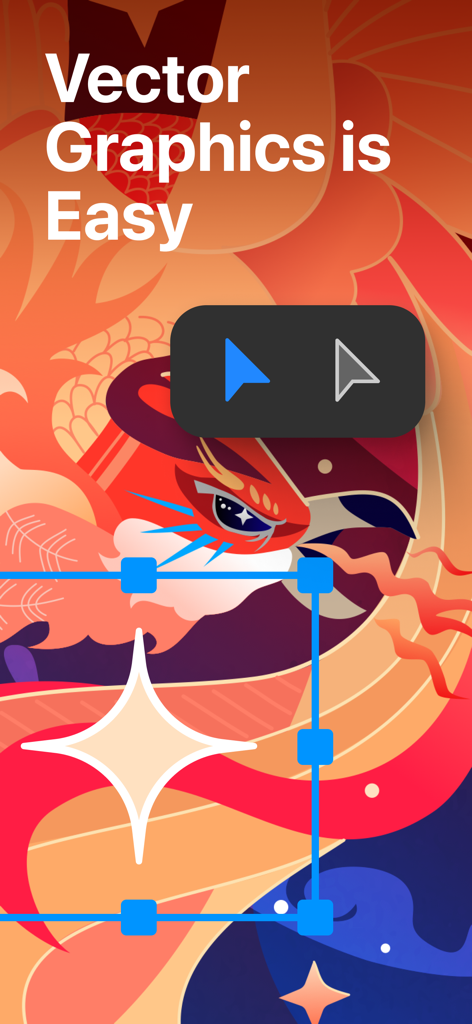
Amadineアプリでの鳥のカラフルなベクターイラストと、「ベクターグラフィックスは簡単」というテキストとデザインツール

Amadineアプリでの鳥のカラフルなベクターイラストと、「ベクターグラフィックスは簡単」というテキストとデザインツール

Amadineアプリの想像力豊かなグラデーションツールを示すベクターイラスト

Amadineアプリの想像力豊かなグラデーションツールを示すベクターイラスト

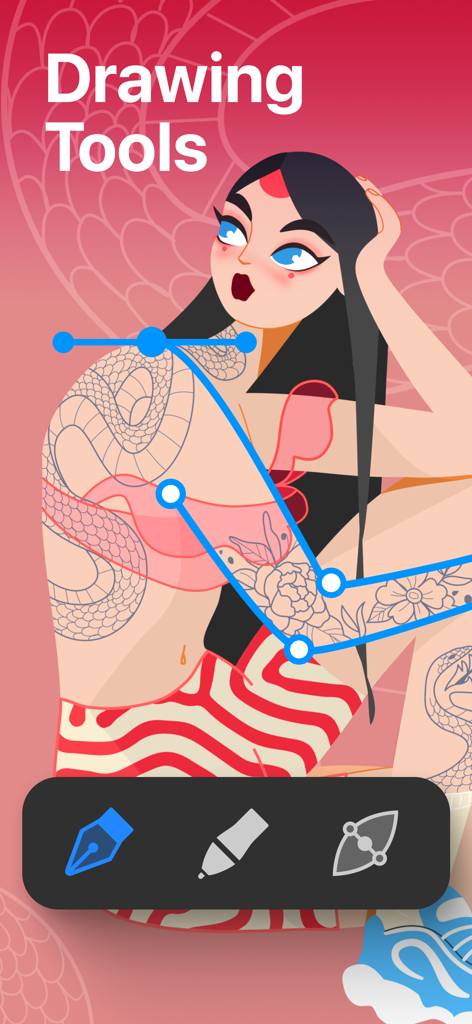
キャラクターイラストの上にベクターパス編集ツールを示すAmadineアプリのインターフェース

キャラクターイラストの上にベクターパス編集ツールを示すAmadineアプリのインターフェース

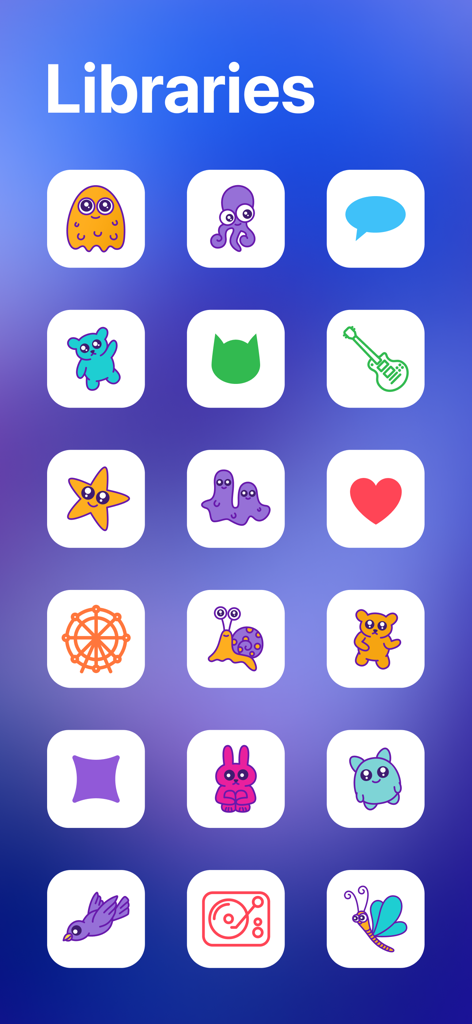
さまざまなカラフルなアイコンとキャラクターが掲載されたAmadineベクターデザインアプリのライブラリ

さまざまなカラフルなアイコンとキャラクターが掲載されたAmadineベクターデザインアプリのライブラリ

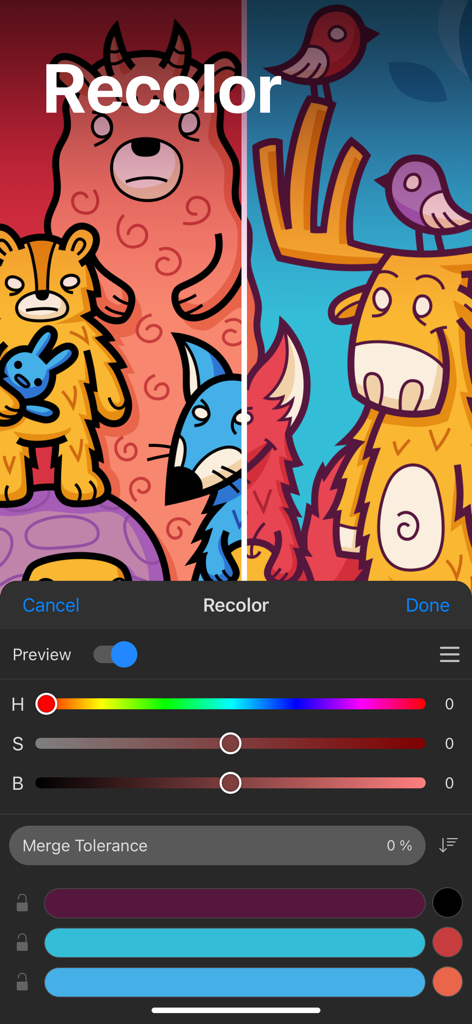
カラー sliders と2つの異なるカラーで描かれたカートゥーン動物のベクターイラストを示すAmadineアプリの recolor パネル

カラー sliders と2つの異なるカラーで描かれたカートゥーン動物のベクターイラストを示すAmadineアプリの recolor パネル

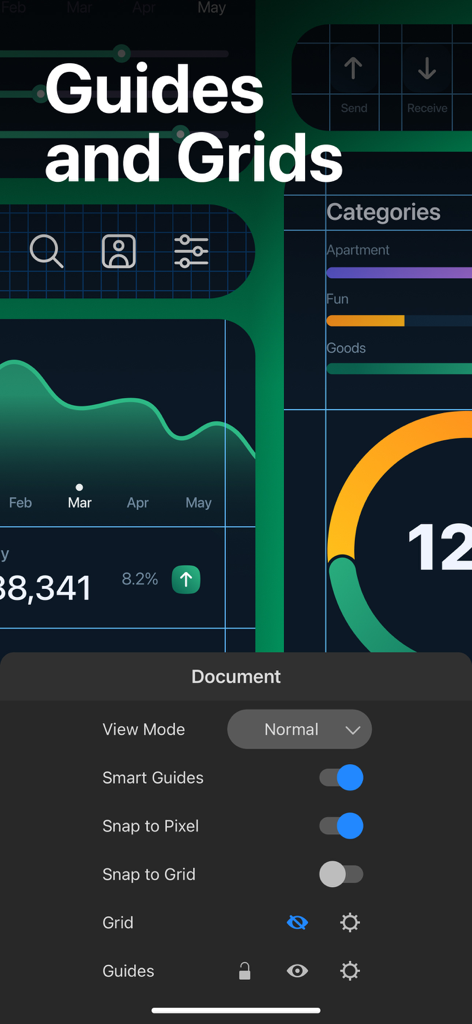
Amadineアプリのインターフェースで、ベクターUIデザインのための guides および grids 設定を表示

Amadineアプリのインターフェースで、ベクターUIデザインのための guides および grids 設定を表示

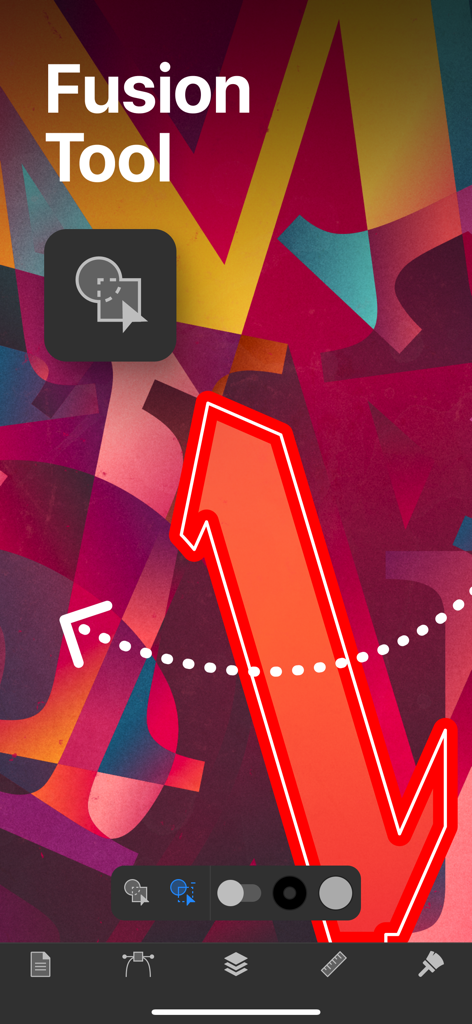
Amadineアプリのインターフェースで、ベクターデザインのためのフュージョンツール機能を表示

Amadineアプリのインターフェースで、ベクターデザインのためのフュージョンツール機能を表示

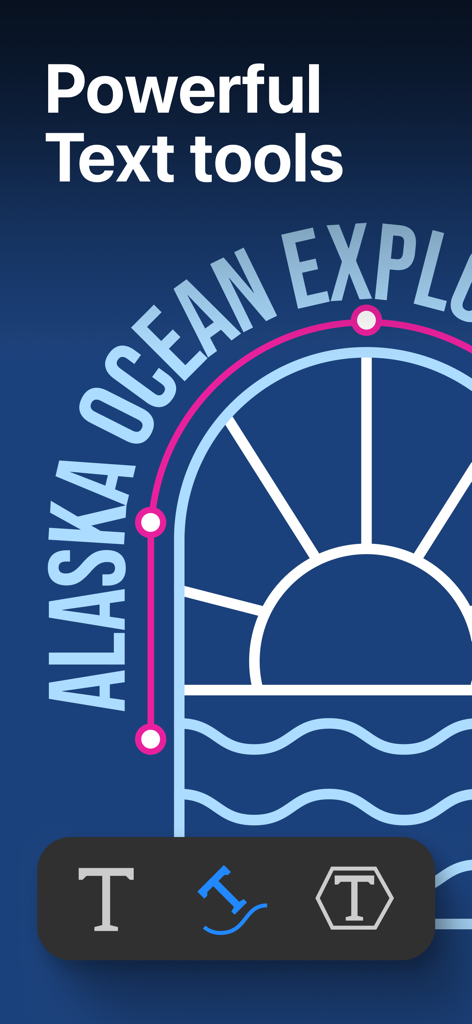
パス上のテキストとテキスト編集ツールを備えたベクターイラストを表示するAmadineアプリのスクリーンショット

パス上のテキストとテキスト編集ツールを備えたベクターイラストを表示するAmadineアプリのスクリーンショット

Amadineベクターデザインアプリが、画面上のイラストとともにiPhoneとiPadに表示されている様子

Amadineベクターデザインアプリが、画面上のイラストとともにiPhoneとiPadに表示されている様子

どこでもプロのようにデザイン

このアプリを際立たせるツール、 779K+ 人のユーザーが選択.

✒️

精密ベクターツール

クラシックなペンツールから、簡単なシェイプ作成のための革新的なフュージョンツールまで、30以上のプログレードツールにアクセスできます。

✍️

流れるようなiPad体験

圧力感度とネイティブジェスチャーでApple Pencilの可能性を最大限に引き出し、真に触覚的なクリエイティブプロセスを実現します。

💎

プログレードの出力

CMYKの完全サポートと、SVG、PDF、高解像度ラスター形式を含む多様なエクスポートオプションにより、クライアント対応の作業を提供します。

世界中のユーザーに愛されています

Trusted by 779K+ 人がこのアプリを愛用しています.

"

"Amadineは私のフリーランスビジネスにとってゲームチェンジャーです。CMYKサポートやクリッピングマスクのようなプログレードのツールがiPadで使えるということは、カフェからクライアント対応の作業を提供できるということです。高額なサブスクリプション料金なしで、必要な精度が得られます。"

Chloe V., ブランドアイデンティティデザイナー
"

"多くのベクターアプリを試しましたが、Amadineほど自然なものはありませんでした。UIはすっきりしていて、創造性の邪魔になりません。フュージョンツールと圧力感度により、イラスト作成が直感的になります。私のiPadを完全なモバイルスタジオに変えてくれました。"

Marcus T., デジタルアーティスト

アプリについて

について知っておくべきこと Amadine: Vector Design and Art.

説明

Get all the power you need in vector design with Amadine. An intuitive vector design, drawing and illustration app with a clean and simple UI. Perfect for aspiring artists and designers, indispensable for professionals. With Amadine you will be able to create designs of any complexity, including illustrations, logos, icons, UI designs, brandbooks, art and more. Everything you need in one vector app. Design with ease right away! Want to know what Amadine has in stock? App Showcase: • Workspace allows to freely rotate canvas and supports all native Apple gestures, thus providing for a seamless experience. • Thanks to the zipped storage format оf document (amdc), you can save your graphics in different cloud storages without data loss. • Recolor panel lets you easily make large color changes to your artwork. • Fusion tool offers you a totally different approach to creating vector objects based on combining multiple objects into one. • Flowing Text feature allows users to create and modify linked text boxes where text can flow from one text box into another. • Built-in vector shape libraries provide a large number of vector objects while you can also save Amadine shapes into your own libraries to create your custom sets. Powerful vector tools: • Work with more than 30 tools for selecting, drawing, editing and typing. • Select and modify objects: Move, Selection, Lasso, Eyedropper, Scissors, Eraser, Knife, Free Transform tools. • Draw and edit paths: Pen, Draw (combines Pencil and Brush), Width, Gradient, Path Width, Rectangle, Rounded Rectangle, Ellipse, Polygon, Star, Line, Arc. Transform shapes: Free Transform, Symmetrical Distortion, Free Distortion. • Clipping Mask allows to mask objects and perform the best visual result by creating a Clipping Group with all the masked objects still being editable. Workflow: • Store multiple artworks in one document. • Create multiple layers and sublayers. • More than 15 different layer blending modes. • View options: pixel preview, outline, guides and grid. Impeccable colorwork: • Color Wheel provides the perfect color picking and application. • Full support for both RGB and CMYK color modes. • Color profiles support for accurate display of colors on different devices. Pro level text editing: • Type and edit text: Text tool (combines distortable text and text in box), Text on Path tool, Text in Shape tool. • Edit and format text in place. • Align and distribute the text. • Make use of numbered and bulleted lists. Strokes and Fills Magic: • Add multiple strokes and fills. • Create unique profiles for strokes and save them. • Draw using pressure sensitive Apple Pencil an Apple Pencil 2 on iPads. • Create art with responsive and natural brushes. • Adjust the Width, Angle and Roundness of each brush, and save it for later use. • Use Color, Gradient or Image fill for the shapes. • Use the Gradient tool to quickly apply the necessary gradient to selected shapes. • Use Image Fill to get a shape filled with the needed picture. • Add Distinct Effects: Shadow, Inner Shadow, Blur, Inner Glow and Outer Glow. Share your works: • Freely exchange graphics with other apps in vector and raster file formats. • Import vector file formats: SVG, PDF and AI. • Import raster file formats: JPEG, TIFF, PNG and HEIC. • Export your graphics into vector SVG and PDF files. • Export your designs into raster JPEG, TIFF, PNG or PDF file formats. • Export the entire document, a sheet or a selection. Amadine for iPad supports Apple Pencil. A separate version for Mac is available. Note: In-app purchases apply to the app installed on your iPhone and iPad. The lifetime license and subscription of any term opens up the export feature, while the free app allows trying out all the tools and workflow specs. Terms of Use (EULA): https://amadine.com/privacy-policy/terms-conditions

最新バージョン

1.7.2

サイズ

64.7 MB

リリース日

2020年12月8日

限界なくデザインする準備はできましたか?

iPadとiPhone向けの最も直感的なベクターツールを使用している779K人以上のクリエイターに参加しましょう。すべてのプロフェッショナル機能を無料で試して、外出先でのデスクトップクラスのデザインのパワーを発見してください。

ダウンロード: App Store
FAQ

よくある質問

について知っておくべきこと Amadine: Vector Design and Art

Amadineとは何ですか?

Amadineは、直感的で使いやすいベクターデザイン、描画、イラストレーションアプリです。イラスト、ロゴ、アイコン、UIデザイン、ブランドブック、アートなどの複雑なデザインを作成するためのクリーンなUIを提供し、初心者からプロフェッショナルまで対応します。

Amadineで何を作成できますか?

Amadineでは、イラスト、ロゴ、アイコン、UIデザイン、ブランドブック、アートなど、あらゆる複雑さのデザインを作成できます。1つのアプリケーションで包括的なベクターデザイン機能を提供します。

AmadineはApple Pencilに対応していますか?

はい、iPad版AmadineはApple Pencilに対応しています。筆圧感知機能を持つApple PencilとApple Pencil 2での描画が可能で、クリエイティブなアートワークのために応答性が高く自然なブラシを提供します。

Amadineはどのようなファイル形式のインポートとエクスポートをサポートしていますか?

AmadineはSVG、PDF、AI、JPEG、TIFF、PNG、HEICをインポートします。デザインを共有するための柔軟性を提供し、SVG、PDF、JPEG、TIFF、PNG、またはPDFファイル形式でグラフィックをエクスポートします。

Amadineは無料で利用できますか?

はい、Amadineアプリは無料でダウンロードでき、すべてのツールとワークフロー仕様を試すことができます。エクスポート機能には、生涯ライセンスまたはアプリ内購入によるサブスクリプションが必要です。

Amadineで利用できる強力なベクターツールは何ですか?

Amadineは、選択、描画、編集、タイピングのための30以上のツールを提供します。これには、ペン、描画、幅、グラデーション、長方形、楕円、自由変形、クリッピングマスクなどが含まれ、包括的なベクターデザインが可能です。

Amadineはテキスト編集機能を扱えますか?

はい、Amadineはプロレベルのテキスト編集を提供します。テキストツール、パス上のテキストツール、シェイプ内のテキストツール、インプレース編集、フォーマット、配置、配布、番号付きリストと箇条書きリストのサポートなどの機能があります。

AmadineにはFusionツールがありますか?

はい、AmadineにはFusionツールが搭載されています。このツールは、複数のオブジェクトをデザイン内で単一のまとまった形状に結合することで、ベクターオブジェクトを作成するためのユニークなアプローチを提供します。

MacコンピューターでAmadineを使用できますか?

はい、AmadineはMacで利用できます。Amadineアプリの別のバージョンがMac用に存在し、ユーザーはさまざまなAppleプラットフォームでベクターデザイン機能を利用できます。

AmadineはCMYKカラーモードをサポートしていますか?

はい、AmadineはRGBとCMYKの両方のカラーモードを完全にサポートしています。また、カラースペースプロファイルもサポートしており、プロフェッショナルなデザイン作業のためにさまざまなデバイスで正確な色の表示を保証します。

AmadineのRecolorパネルはどのように機能しますか?

AmadineのRecolorパネルを使用すると、アートワークの色を大規模かつ簡単に変更できます。ユーザーは既存の色スキームを迅速に変更でき、デザインの効率的な色調整機能を提供します。

Amadineでカスタムベクターシェイプライブラリを作成できますか?

はい、Amadineではカスタムベクターシェイプライブラリを作成できます。組み込みライブラリが含まれていますが、Amadineシェイプを独自のライブラリに保存して、パーソナライズされたオブジェクトセットを作成できます。