iDesign

iDesign

ダウンロード: App Store
Spark by MWM logo
ロゴ: iDesign

iDesign: プロフェッショナルな2Dベクター描画とテクニカルデザイン

iPhoneとiPadに精密な製図をもたらします。オフセットタッチコントロール、インペリアル単位、モバイルプロフェッショナル向けに設計されたプログレードのベクターツールを使用して、建築レイアウトとイラストを作成します。

ダウンロード: App Store

開発元

TouchAware Limited

カテゴリ

Productivity

ダウンロード

269K+

ユーザー評価

3.2/5

評価数

800

対応言語

8

すべてのピクセルに精度

このインターフェースを利用する 269K+ 人のユーザー.

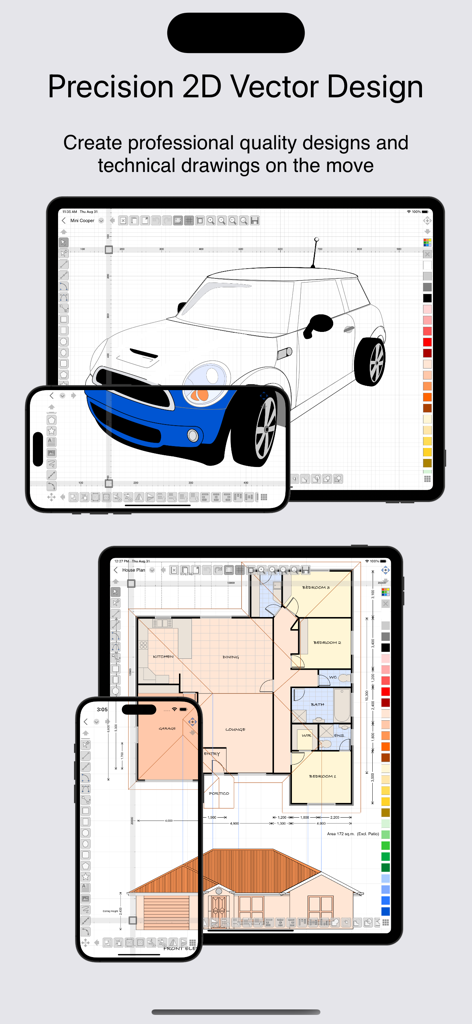
iDesignアプリが、iPadとiPhoneで2Dベクター車のイラストと建築の間取り図を表示しています。

iDesignアプリが、iPadとiPhoneで2Dベクター車のイラストと建築の間取り図を表示しています。

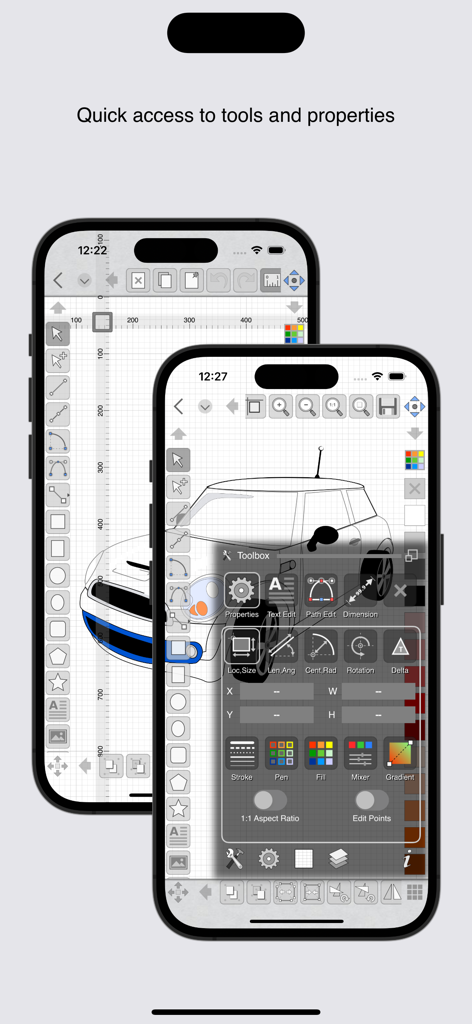
2台のiPhoneにiDesignアプリのインターフェースが表示され、車の描画とデザインツールに素早くアクセスするためのツールボックスオーバーレイが表示されています。

2台のiPhoneにiDesignアプリのインターフェースが表示され、車の描画とデザインツールに素早くアクセスするためのツールボックスオーバーレイが表示されています。

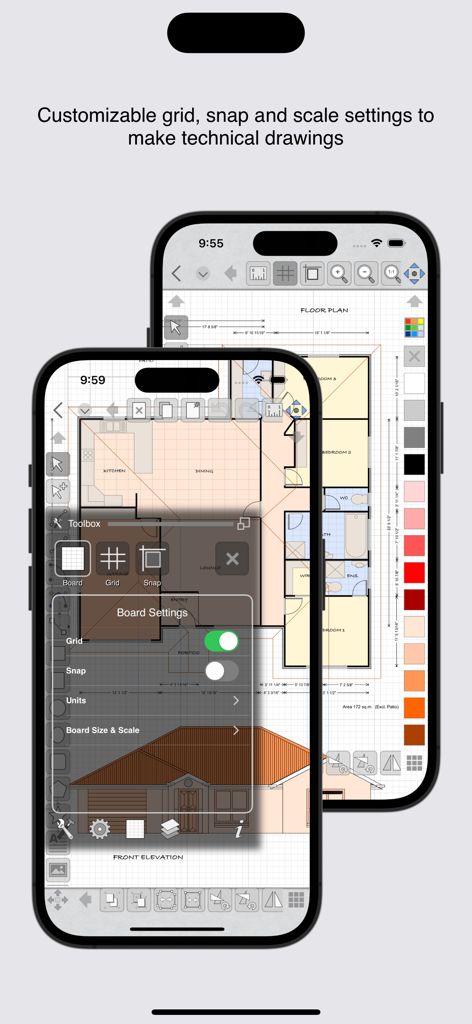
iPhoneのiDesignアプリインターフェースに、技術図面の間取り図とグリッド設定が表示されています。

iPhoneのiDesignアプリインターフェースに、技術図面の間取り図とグリッド設定が表示されています。

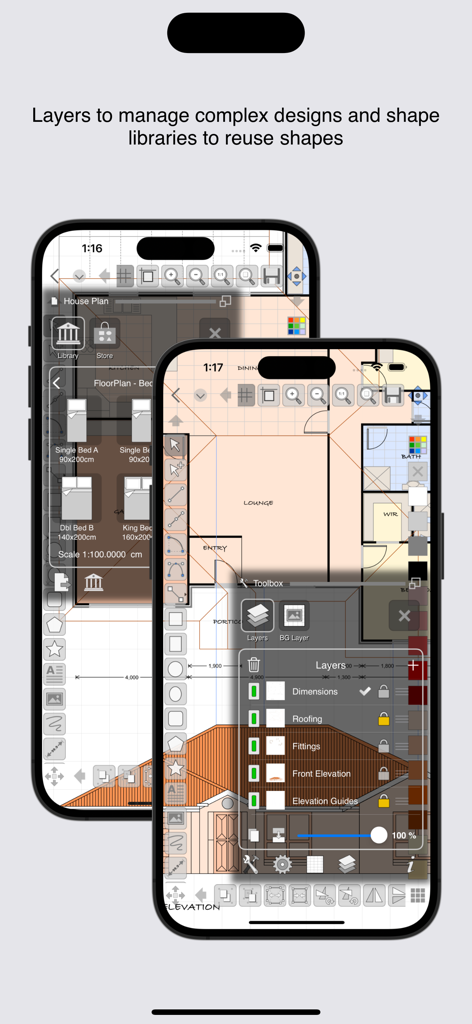
iDesignモバイルアプリインターフェースに、レイヤーパネルとシェイプラブラリを備えた間取り図デザインが表示されています。

iDesignモバイルアプリインターフェースに、レイヤーパネルとシェイプラブラリを備えた間取り図デザインが表示されています。

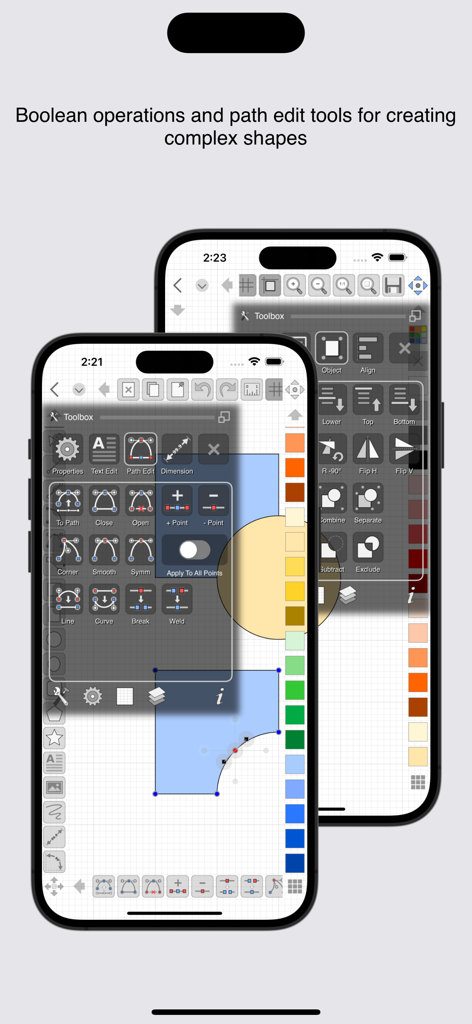
iPhoneのiDesignアプリインターフェースに、技術ベクター描画のためのパス編集およびブール演算ツールが表示されています。

iPhoneのiDesignアプリインターフェースに、技術ベクター描画のためのパス編集およびブール演算ツールが表示されています。

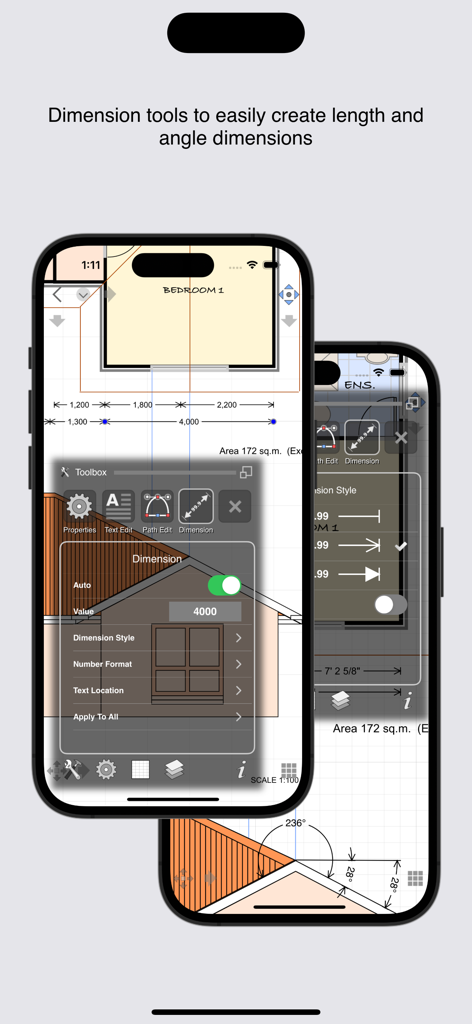
iDesignモバイルアプリインターフェースに、建築および技術図面用の長さおよび角度寸法ツールが表示されています。

iDesignモバイルアプリインターフェースに、建築および技術図面用の長さおよび角度寸法ツールが表示されています。

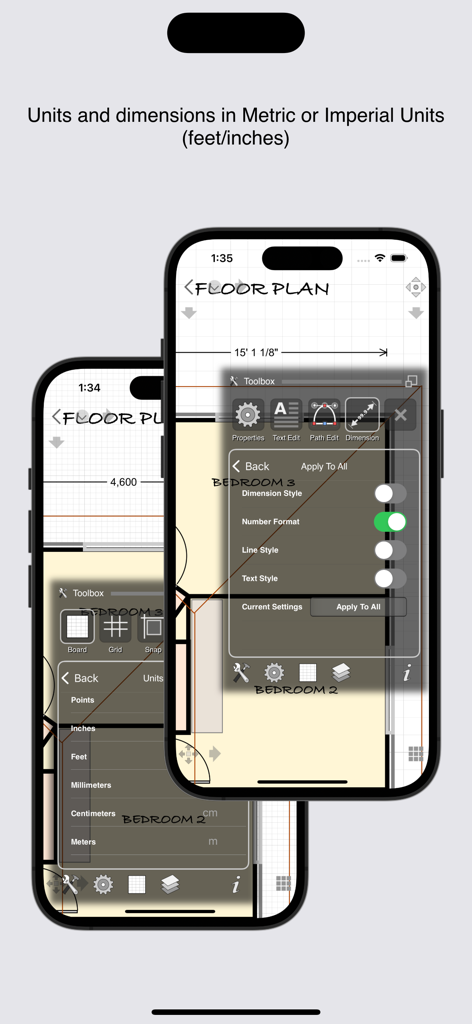
iDesignモバイルアプリに、iPhoneでのメートル法とインペリアル単位の間取り図の単位設定および寸法オプションが表示されています。

iDesignモバイルアプリに、iPhoneでのメートル法とインペリアル単位の間取り図の単位設定および寸法オプションが表示されています。

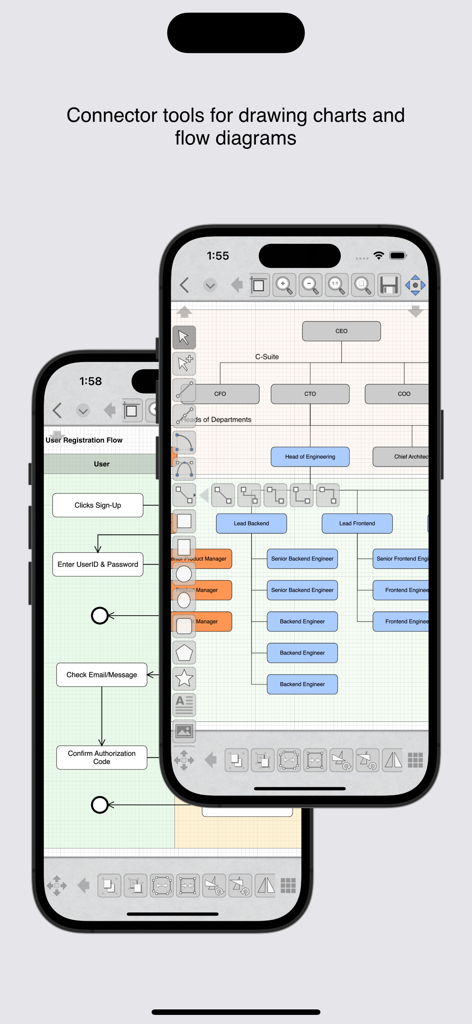
iPhoneでコネクタツールを使用して組織図やフロー図を描画するためのiDesignアプリインターフェース。

iPhoneでコネクタツールを使用して組織図やフロー図を描画するためのiDesignアプリインターフェース。

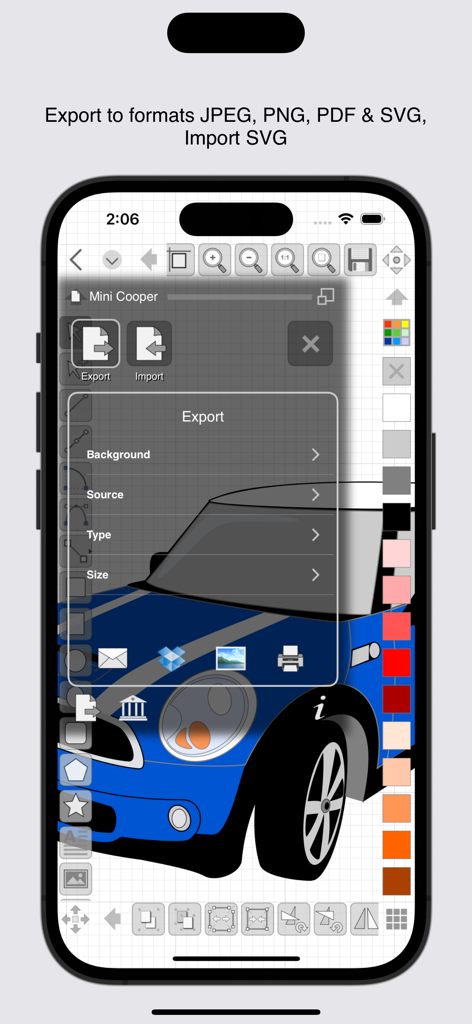
iDesignアプリインターフェースに、iPhoneでのJPEG PNG PDFおよびSVGフォーマットのエクスポートオプションが表示されています。

iDesignアプリインターフェースに、iPhoneでのJPEG PNG PDFおよびSVGフォーマットのエクスポートオプションが表示されています。

外出先でもプロフェッショナルな精度

このアプリを際立たせるツール、 269K+ 人のユーザーが選択.

🎯

邪魔されない精度

独自のオフセットハンドルとナッジコントロールにより、指が画面を遮ることなく、描画中のものを正確に確認できます。

📐

建築グレードのツール

フィート、インチ、分数を使用して自信を持ってデザインしてください。動的なグリッドと高度な寸法ツールでサポートされています。

🚀

プロのエクスポートとデスクトップ同期

iCloud同期とSVG、PDF、プロフェッショナルフォーマットへの高品質エクスポートにより、プロジェクトをフィールドからオフィスへシームレスに移動できます。

世界中のユーザーに愛されています

Trusted by 269K+ 人がこのアプリを愛用しています.

"

"オフセットコントロールで得られる精度は比類なきものです。これまで、手が邪魔になることなくiPadで詳細な敷地図を描くことができました。さらに、フィートとインチのネイティブサポートは、米国ベースの建築プロジェクトにとって大きな時間節約になります。"

Sarah Jenkins, Interior Architect
"

"iDesignは、ほとんどのDIYプロジェクトでデスクトップCADソフトウェアを置き換えました。SVGエクスポートはCNCマシンで完璧に機能し、スナップツールにより、ノコギリに触れる前に木工デザインのすべての接合部が完全に整列されます。"

David Miller, DIY Woodworker

レビュー分析

ユーザーレビューの分析.

感情スコア

13%
ネガティブ

概要

The app receives overwhelmingly negative feedback, primarily due to its abrupt transition to a subscription-based model. Many long-term users who had previously purchased the app outright feel betrayed, describing the change as a "scam" or "theft" as they can no longer access their work or full functionality without subscribing. Users also expressed frustration over the inability to revert to an older, paid version. Despite this controversy, some users acknowledge the app's strong capabilities for 2D technical drawings, its useful features, and well-designed interface, with at least one user reporting great developer support. However, others pointed out functionality gaps like poor palm rejection, issues with object snapping, and a lack of direct measurement input.

主なテーマ

App Capabilities(6)
2D Technical Drawing(3)
User Interface(2)
Value for Money(2)
Developer Support(1)
Comparison to Alternatives(1)

アプリについて

について知っておくべきこと iDesign.

説明

Precision 2D vector drawing and design on the iPad & iPhone. Make professional quality designs, illustrations and technical drawings on the move using your fingers at last! iDesign has unique features and offset controls which allows you to draw accurately with your finger not getting in the way or blocking your view. Full feature compatibility and automatic sync of designs via iCloud with XDesign (Mac version). User Guide (PDF) available at www.touchaware.com/apps/idesign/userguide FEATURES - A universal app for both iPad and iPhone which adapts to the native screen size of the device. - An unobtrusive icon based visual and context driven user interface with a full screen board view - Toolbars and panels with easy access to frequently used functions for a fast work flow Standard Tools & Functions - Line, polyline, square, rectangle, circle, arc, ellipse, polygons, stars & path tools - Copy and paste selected shapes and groups - Group and ungroup shapes hierarchically to create complex designs - Edit points, convert shapes to path, close shapes, add and remove points, break, weld, explode and join - Precise rotation with ability to rotate at user defined center - Object alignment tools - Fill color and pen color swatches with opacity controls, custom RGB mixer - Stroke width, line style, line caps and corner join styles, arrow ends and dash patters - Text insertion with fonts, styles, sizes, paragraph alignments, multilingual, rotate/resize - Set a background image for tracing/marking over it - Insert images, copy, paste, move, resize and position them accordingly - Multilevel Undo/Redo for all edit operations - Create multiple layers to organize & separate design components - Connector tools for drawing charts and flow diagrams Unique Features for Touch Based Editing - Offset handles for moving and positioning without your finger blocking the view - Nudge controls, allows precise movement of selected shapes or selected points - Delta transformations to apply incremental values by keyboard Advanced Tools for Graphics Design - Advanced path editing options for corner, smooth and symmetric control points, straighten and curve segments - Text to path conversion - Boolean operations on shapes, unite, intersect, subtract, exclude - Freehand drawing, auto smoothened paths - Gradients / color blends Advanced Tools for Technical Drawing - Circle and Arc tool based on center, start/end point, radius and angle of arc - Dimensioning tools, length as well as angular with customisable settings - Support for Feet+Inches+Fractions (U.S & older unit system)
- Architectural formatting option for Dimensions
- Dynamic grid supporting feet, inches and inch fractions at different zoom levels Units & Board Setup - Support for standard and custom board sizes. - Set a drawing scale - Full set of standard unit systems. - Unit aware Grid with customisable settings - Snap to grid, snap to object and points - Unit aware rulers Shape libraries to organise and reuse shapes - Add, remove and organise shapes in your own libraries - A set of standard shapes for creating floor plans included Export/Import & Print - Export designs to JPEG, PNG, PDF & SVG formats - Import SVG files - Share your designs with other iDesign users via Email - Dropbox support for Export, Import - AirPrint Support iDesign is available as a monthly or yearly subscription and includes a free trial period that begins once your purchase has been confirmed with your Apple ID account. At the end of the trial your subscription will start and renew automatically. Your Apple ID account will be charged for the upcoming period unless you disable auto-renew or cancel your subscription in your Account Settings at least 24-hours prior to the end of the current period. Terms of Use: http://www.touchaware.com/apps/termsofuse Privacy policy: http://www.touchaware.com/apps/privacy

最新バージョン

4.2

サイズ

80.7 MB

リリース日

2010年4月23日

デスクトップレベルの精度で次のプロジェクトをマスター

指で表示を妨げるのはもうやめましょう。正確な建築製図、インペリアル単位のサポート、iPad、iPhone、Mac間でのシームレスなiCloud同期を利用する何千人ものモバイルプロフェッショナルに加わりましょう。本日、無料トライアルを開始してください。

ダウンロード: App Store