Audio Editor:Music Editor

Audio Editor:Music Editor

ダウンロード: App Store
Spark by MWM logo
ロゴ: Audio Editor:Music Editor

Audio Editor:Music Editor – ポケットに入るプロ仕様スタジオ

マルチトラック編集、リアルタイムプレビュー、高品質エクスポートで創造性を解き放ちましょう。外出先でプロフェッショナルなサウンドを求めるポッドキャスター、クリエイター、ミュージシャンに最適です。

ダウンロード: App Store

開発元

燕倩 费

カテゴリ

Utilities

ダウンロード

347K+

ユーザー評価

4.5/5

評価数

2K+

対応言語

27

ポケットの中のスタジオパワー

このインターフェースを利用する 347K+ 人のユーザー.

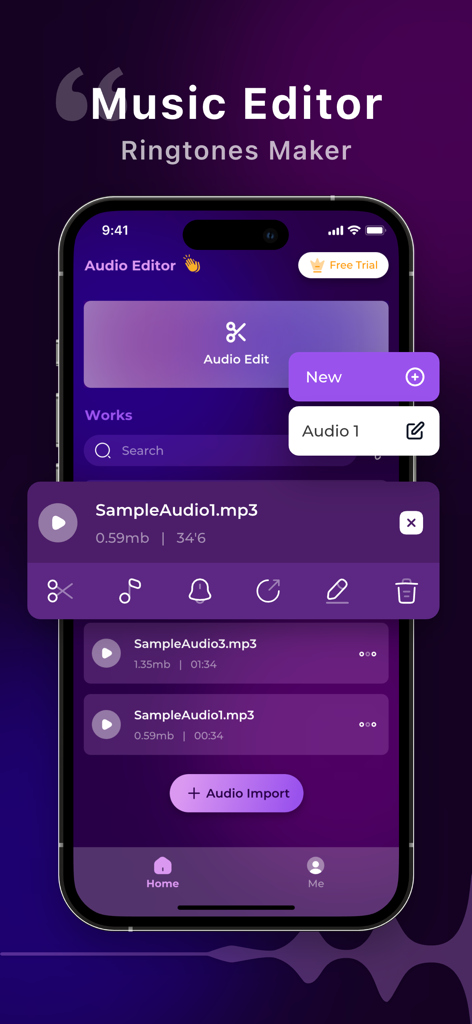
ミュージックエディタアプリのインターフェースがiPhone画面に表示され、オーディオファイル管理と編集ツールが表示されている

ミュージックエディタアプリのインターフェースがiPhone画面に表示され、オーディオファイル管理と編集ツールが表示されている

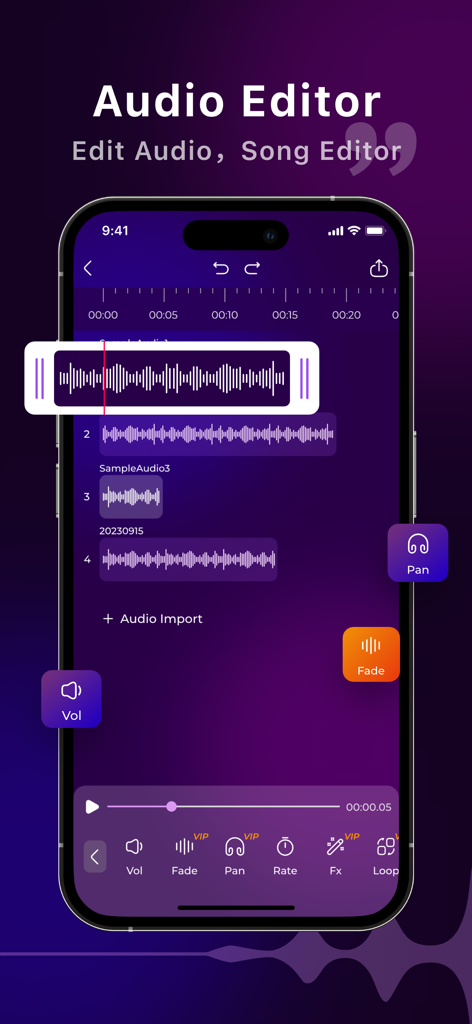
スマートフォンの画面にAudio Editorアプリのマルチトラックオーディオ編集インターフェースが表示されている

スマートフォンの画面にAudio Editorアプリのマルチトラックオーディオ編集インターフェースが表示されている

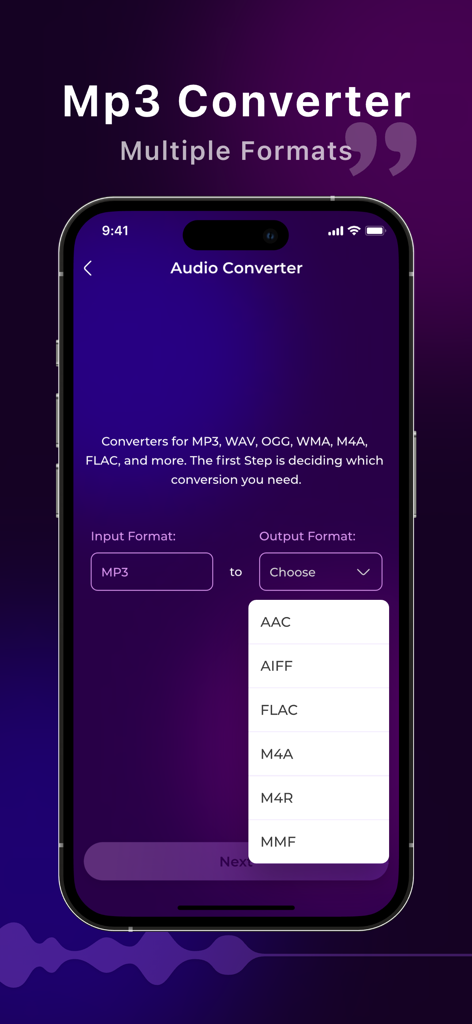
オーディオコンバーターのインターフェースに、AACやFLACなどの複数の出力フォーマットオプションが表示されている

オーディオコンバーターのインターフェースに、AACやFLACなどの複数の出力フォーマットオプションが表示されている

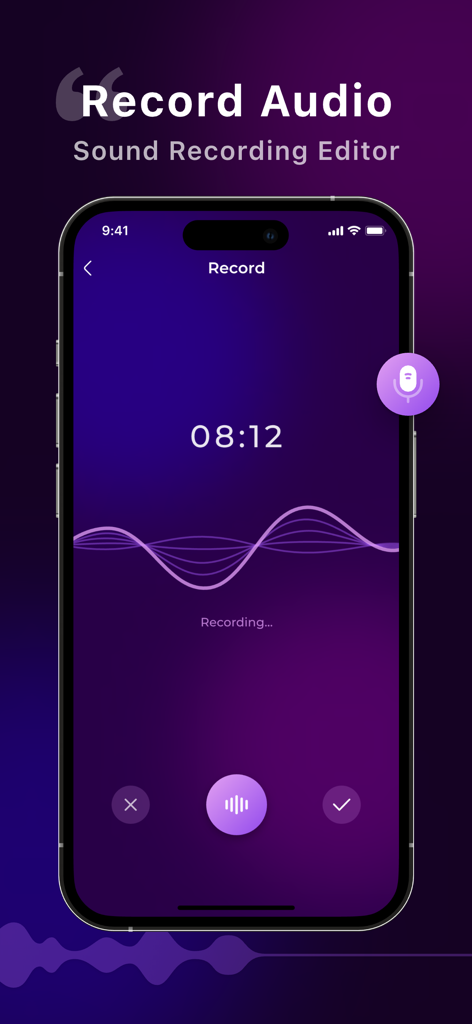
Audio Editorアプリのインターフェースに、サウンド波形とタイマーが表示されたライブボイスレコーディングが表示されている

Audio Editorアプリのインターフェースに、サウンド波形とタイマーが表示されたライブボイスレコーディングが表示されている

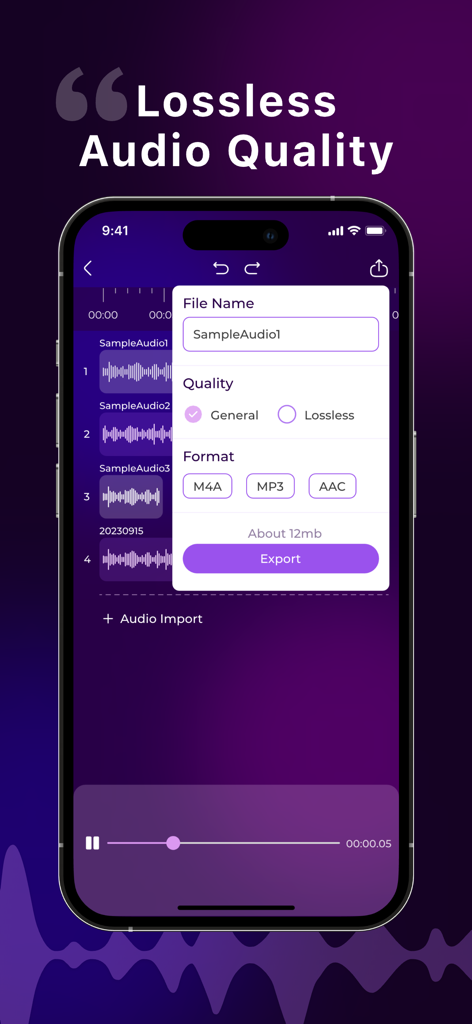
モバイル画面に、ミュージックエディタアプリ内でさまざまなフォーマットのロスレスオーディオ品質のエクスポートオプションが表示されている

モバイル画面に、ミュージックエディタアプリ内でさまざまなフォーマットのロスレスオーディオ品質のエクスポートオプションが表示されている

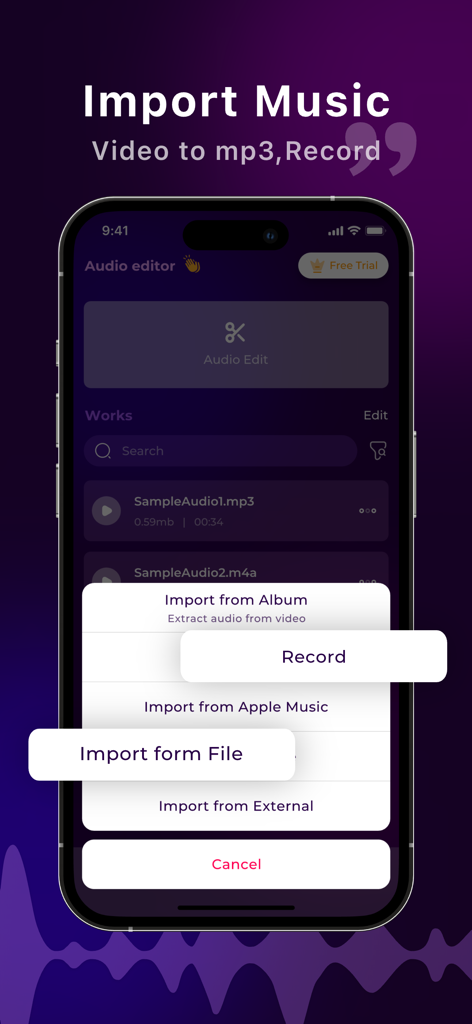
モバイルアプリの画面に、ビデオ抽出や録音を含むさまざまな音楽インポートオプションが表示されている

モバイルアプリの画面に、ビデオ抽出や録音を含むさまざまな音楽インポートオプションが表示されている

プロフェッショナルなサウンド、モバイルでシンプルに

このアプリを際立たせるツール、 347K+ 人のユーザーが選択.

🎚️

マルチトラックレイヤリング

ボーカル、音楽、効果音をシームレスにブレンドし、iPhone上で直接プロフェッショナルなミックスやポッドキャストエピソードを作成します。

✂️

精密スタジオツール

フレーム単位の正確なコントロールとリアルタイムプレビューでトリミング、カット、結合を行い、オーディオが洗練され、間違いがないことを確認します。

🔄

ユニバーサルフォーマットエクスポート

MP3、AAC、または高品質ロスレスWAVですぐにプロジェクトを変換・エクスポートし、あらゆるソーシャルプラットフォームの要件を満たします。

世界中のユーザーに愛されています

Trusted by 347K+ 人がこのアプリを愛用しています.

"

"フルタイムのコンテンツクリエイターとして、ReelsやTikTokのために外出先でオーディオを編集する必要があります。このアプリは救世主です!インターフェースは非常に直感的で、数秒で録音をトリミングしたり、プロフェッショナルなフェードインを追加したりできます。簡単なソーシャルメディア編集のために、デスクトップソフトウェアを完全に置き換えました。"

Sarah Jensen
"

"モバイルアプリとしては、驚くほど堅牢なマルチトラック編集機能です。通勤中にポッドキャストエピソードのミキシングに使用しており、高品質なWAVフォーマットでエクスポートできるため、オーディオはプロフェッショナルなままです。モバイルファーストのワークフローを求める独立系クリエイターにとって、完璧なツールです。"

Marcus Rivera

レビュー分析

ユーザーレビューの分析.

感情スコア

19%
ネガティブ

概要

The app generally receives overwhelmingly negative feedback from users, with many reporting that core features such as downloading, cutting, importing, and exporting audio either do not work correctly or are entirely unavailable, and some even experiencing data loss. A significant number of users express extreme frustration with the app's aggressive pricing model, including unexpected charges, constant demands for subscriptions, misleading "free" claims, and difficulty canceling trials or subscriptions. While a small number of users found the app useful for basic audio editing and praised its overall quality, the predominant sentiment points to a dysfunctional application plagued by paywalls and severe technical issues. Several users also noted the absence of basic functionalities like an undo option or a clear path to cancel their subscriptions.

主なテーマ

Subscription & Pricing Issues(16)
Core Features Not Working(15)
Performance & Bugs(4)
Missing Features(4)
Overall Positive Experience(4)
Audio Editing Capability(2)

アプリについて

について知っておくべきこと Audio Editor:Music Editor.

説明

Welcome to Audio Editor, A professional music editing tool. With powerful features and an intuitive interface, Audio Editor empowers you to unleash your creativity and take your audio projects to the next level. Whether you're a musician, podcaster, or audio enthusiast, Audio Editor offers a comprehensive suite of tools to convert audio formats, edit recordings, and apply professional-grade editing techniques with ease. Key Features: Versatile Audio Format Conversion: Seamlessly convert audio files between various formats, ensuring compatibility and flexibility for your projects. Robust Recording Editing: Edit recordings with precision using advanced tools such as trimming, cutting, merging, and adjusting audio levels. Professional-grade editing tools: Access a variety of editing features, including fade in/out, audio speed shifting, and more to enhance and perfect your audio projects.refine your audio projects. Intuitive User Interface: Navigate seamlessly through Audio Editor's user-friendly interface, designed to streamline your workflow and make audio editing effortless. Real-time Preview and Feedback: Preview edits in real-time and receive instant feedback on adjustments, allowing you to fine-tune your sound with precision and confidence. Multi-track Editing: Effortlessly edit multiple audio tracks simultaneously, enabling sophisticated layering and blending for professional-quality mixes. Flexible export options: Export your creations in a variety of formats, including M4A, MP3, AAC, and the high-quality lossless audio format WAV, ensuring compatibility with all your favorite platforms and devices. 【Subscription function service】 1. Subscription service: weekly subscription, lifetime subscription 2. Subscription price: subject to IAP application information 【Terms of Service】 1. User terms of service: https://docs.qq.com/doc/p/7c9539d4c99068ba086afeb04aaa157cca792322?u=ce33b6609320401eb8d466655dbd5bf1 2. Privacy Policy: https://docs.qq.com/doc/p/2ca3b4a8263e47a0d265f80d590b1ec50c3453e9?u=ce33b6609320401eb8d466655dbd5bf1 【Contact us】 liming20220808@163.com

最新バージョン

1.0.9

サイズ

42.3 MB

リリース日

2024年5月12日

外出先でプロフェッショナルなサウンドを出す準備はできましたか?

iPhoneから直接スタジオ品質のオーディオをトリミング、ミキシング、マスタリングできるAudio Editorを使用している347,000人以上のクリエイターに参加しましょう。今すぐダウンロードして、次のプロジェクトを始めましょう。

ダウンロード: App Store