Authenticator App - FastOTP

Authenticator App - FastOTP

ダウンロード: App Store
Spark by MWM logo
ロゴ: Authenticator App - FastOTP

認証アプリ - FastOTP:オールインワンのデジタルセキュリティスイート

2FAで1,000以上のアカウントを保護し、パスワードを管理し、内蔵VPNでプライベートにブラウジングしましょう。Face IDで保護された、あなたのデジタルライフのための究極の安心感。

開発元

MATECHMOBILE SOFTWARE JOINT STOCK COMPANY

カテゴリ

Productivity

ダウンロード

2M+

ユーザー評価

4.5/5

評価数

6K+

対応言語

12

一目でわかるセキュリティ

このインターフェースを利用する 2M+ 人のユーザー.

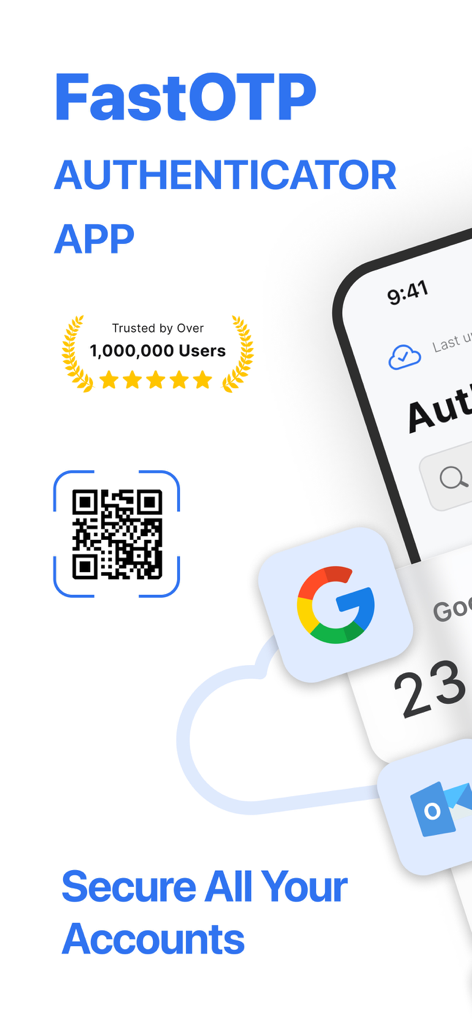
FastOTP認証アプリのインターフェース。QRコードスキャンと、ユーザーアカウントのための安全な2FAログイン保護を表示。

FastOTP認証アプリのインターフェース。QRコードスキャンと、ユーザーアカウントのための安全な2FAログイン保護を表示。

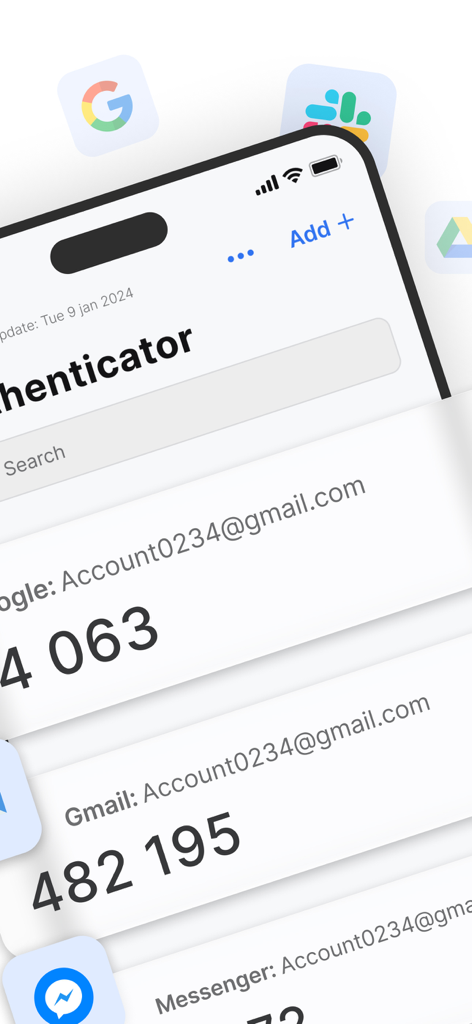
FastOTP認証アプリのインターフェース。様々なオンラインアカウントの2FA確認コードのリストを表示。

FastOTP認証アプリのインターフェース。様々なオンラインアカウントの2FA確認コードのリストを表示。

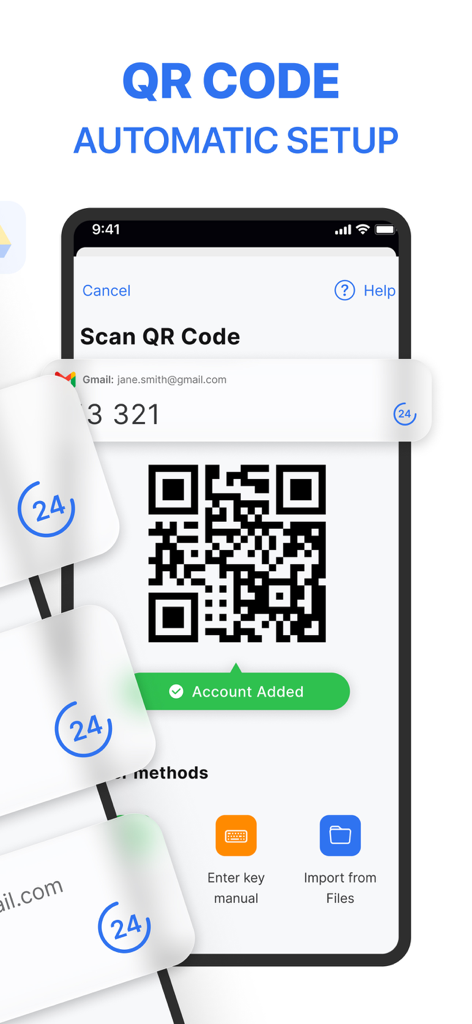
FastOTPアプリのインターフェース。スマートフォンでQRコードスキャンによる自動アカウントセットアップを表示。

FastOTPアプリのインターフェース。スマートフォンでQRコードスキャンによる自動アカウントセットアップを表示。

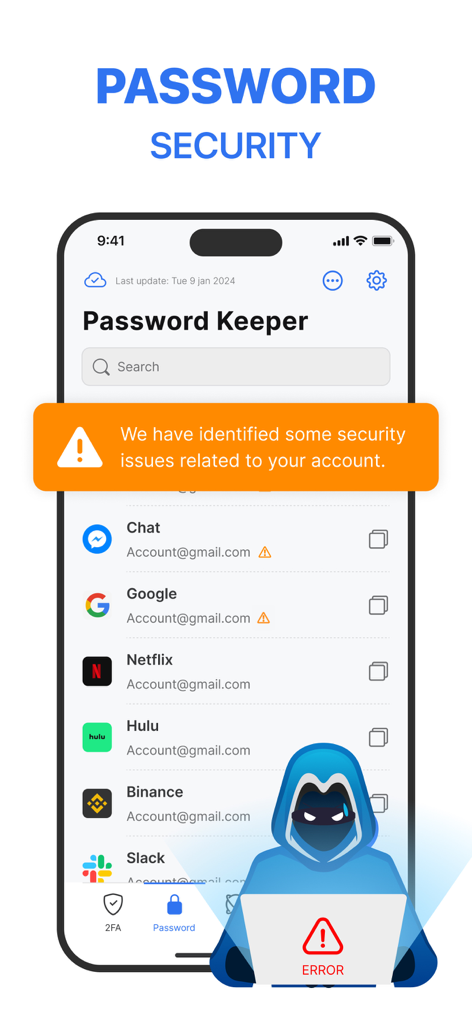
パスワードセキュリティアラートと、潜在的な漏洩があるアカウントのリストを表示するモバイル画面。

パスワードセキュリティアラートと、潜在的な漏洩があるアカウントのリストを表示するモバイル画面。

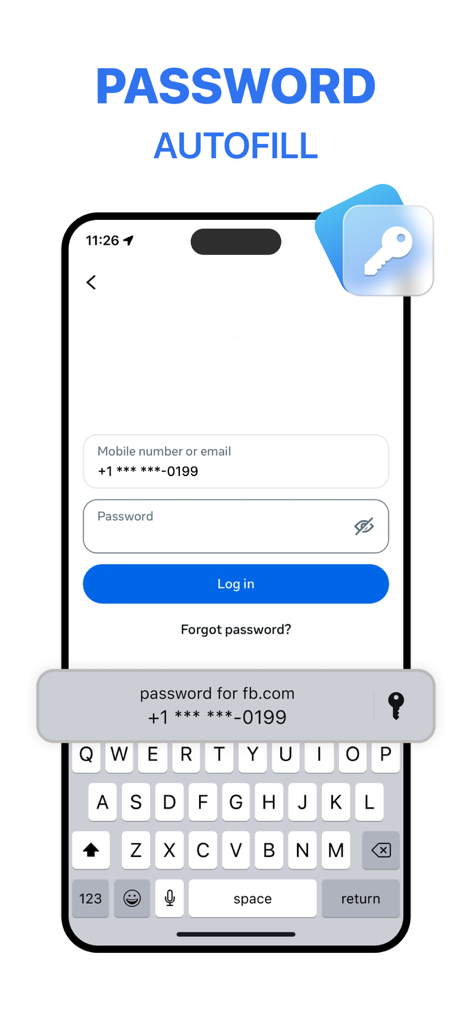
FastOTP認証アプリを使用したFacebookログインのためのパスワード自動入力機能を搭載したiPhone画面。

FastOTP認証アプリを使用したFacebookログインのためのパスワード自動入力機能を搭載したiPhone画面。

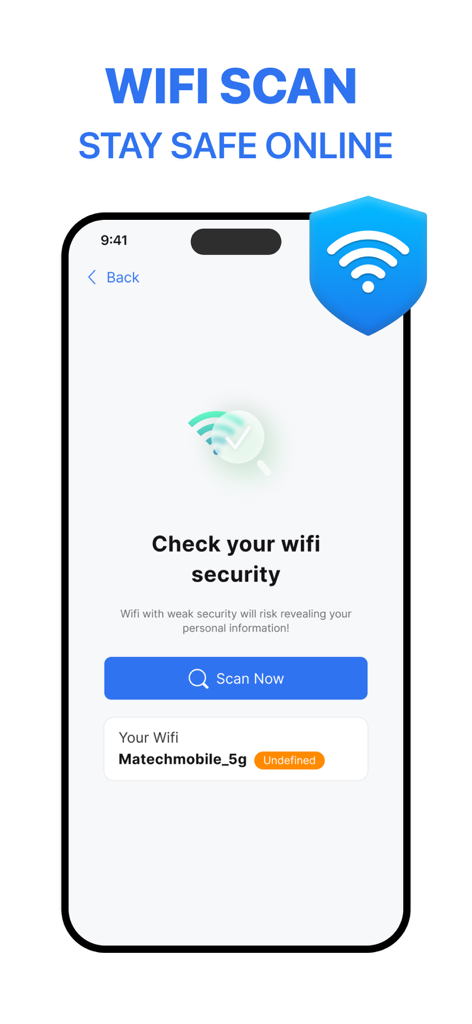
FastOTP認証アプリのWi-Fiセキュリティスキャンインターフェース。ネットワークセキュリティチェックを表示。

FastOTP認証アプリのWi-Fiセキュリティスキャンインターフェース。ネットワークセキュリティチェックを表示。

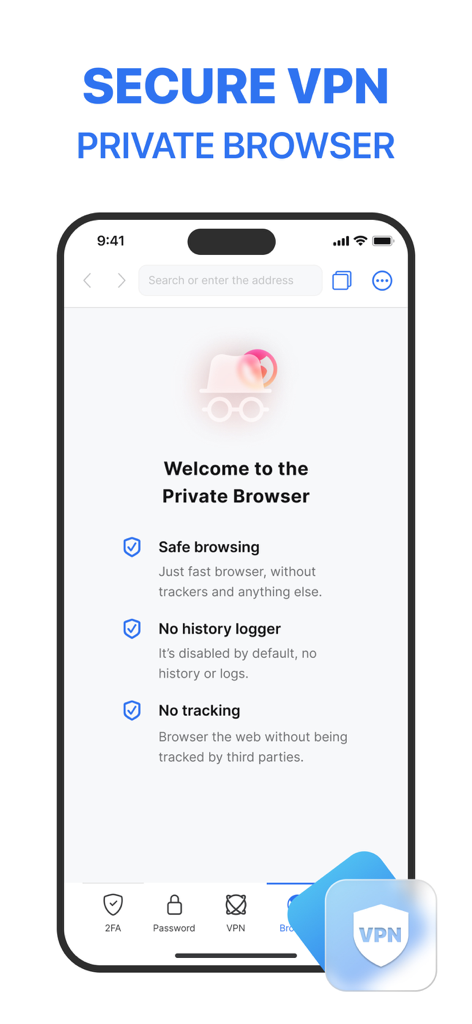
FastOTP認証アプリのインターフェース。安全なブラウジングと履歴ロガーなしの機能を備えたプライベートブラウザを表示。

FastOTP認証アプリのインターフェース。安全なブラウジングと履歴ロガーなしの機能を備えたプライベートブラウザを表示。

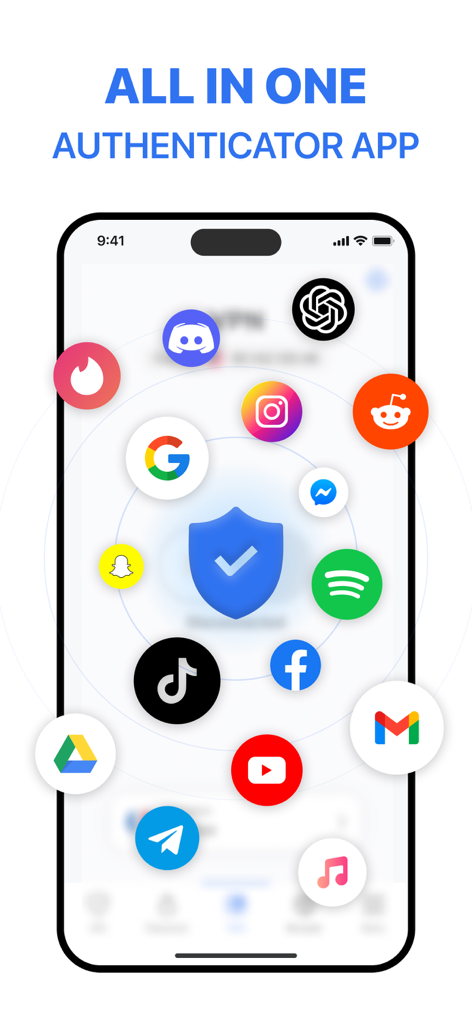
認証アプリFastOTPのインターフェース。様々な人気モバイルアプリケーションのセキュリティを表示。

認証アプリFastOTPのインターフェース。様々な人気モバイルアプリケーションのセキュリティを表示。

オールインワンのセキュリティコマンドセンター

このアプリを際立たせるツール、 2M+ 人のユーザーが選択.

☁️

フェイルセーフ・クラウドバックアップ

ロックアウトの恐怖をなくしましょう。2FAコードとパスワードを安全にバックアップすれば、携帯電話を紛失した場合でも、あなたのデジタルライフを即座に復旧できます。

🛡️

プロアクティブなIDガード

基本的な2FAを超えましょう。認証情報を漏洩から監視し、統合VPNを使用して、公共Wi-Fi上でもデータを暗号化したままに保ちます。

ワンタップ・スマートログイン

究極の効率性を体験してください。ワークフローを中断することなく、Face IDまたはApple Watchウィジェット経由でパスワードとアクセスコードを自動入力します。

世界中のユーザーに愛されています

Trusted by 2M+ 人がこのアプリを愛用しています.

"

"コーヒーショップを渡り歩くリモートマネージャーとして、VPN、Wi-Fiスキャナー、2FAが1つのアプリにあるのは命綱です。私にとって3つの異なるサブスクリプションを置き換え、Face IDの統合によりログインが完全にシームレスに感じられます。"

Sarah Jenkins, Marketing Director
"

"クラウドバックアップとパスワード漏洩検出は、私に大きな安心感を与えてくれます。以前はアカウントへのアクセスを失うことを心配していましたが、このアプリはセキュリティを楽にしてくれます。自動入力機能は、私が試した他のどの機能よりも高速で信頼性があります。"

David Chen, Software Engineer

レビュー分析

ユーザーレビューの分析.

感情スコア

15%
ネガティブ

概要

This mobile app receives overwhelmingly negative feedback, primarily due to widespread issues with unexpected and unauthorized charges, fraudulent free trial claims, and extreme difficulty in cancelling subscriptions or obtaining refunds. Many users report the app failing to function as advertised, including problems with authentication code delivery, persistent unskippable advertisements blocking content, and non-recognition of paid memberships. While a small number of users appreciate its security features and ease of use, and some describe their overall experience as positive, the majority express frustration over unresponsive customer support and allegations of scamming, particularly after system upgrades or when trying to access previously registered accounts.

主なテーマ

App Performance(3)
Security Features(1)
Ease of Use(1)
Customer Service Responsiveness(1)
Overall Service Reliability(1)

アプリについて

について知っておくべきこと Authenticator App - FastOTP.

説明

MFA Authenticator App – Your All-in-One Security Solution! Enhance your online security with MFA Authenticator App, a simple yet powerful tool for protecting your accounts. Manage your two-factor authentication (2FA) codes and passwords effortlessly, and add an extra layer of security to over 1,000 apps. KEY FEATURES: 1. Easy Setup with QR Code Scanning Secure your accounts in seconds. Simply scan a QR code to enable 2FA and enjoy instant, time-sensitive security codes. 2. Protect Over 1,000 Apps From Gmail to Facebook, Instagram, Twitter, and more, our app integrates with over 1,000 apps. Secure all your accounts effortlessly with one tap. 3. Password Leak Detection: Be notified if any of your passwords have been compromised online. When you set a password on any website, the app checks for data breaches to keep you safe. 4. VPN Protection: Stay private and secure on any network. When you connect to public Wi-Fi or browse the internet, the app encrypts your traffic and hides your IP address to protect your identity. 5. Password & Account AutoFill Easily log in to your favorite websites and apps with one tap. Our smart AutoFill system securely fills in your saved usernames and passwords — no need to memorize or type again. 6. Cloud Backups for Peace of Mind Never lose access to your accounts. Our secure cloud backup ensures your data is safe and accessible whenever you need it. 7. Advanced Security with Face ID and Touch ID Add another layer of protection with Face ID, Touch ID, or a strong password. Keep unauthorized users out with ease. 8. Organize Your Apps with Folders Manage your apps efficiently. Create folders to keep everything organized and find your 2FA-secured apps faster. BUILT-IN PRIVACY TOOLS Quick Access with Widgets: Add the app to your widget for instant access to your 2FA codes without needing to open the app. Password Manager: Store and manage all your passwords securely. Private Browsing: Keep your online activity safe from prying eyes. Wi-Fi Security Scanner: Detect and avoid unsafe networks, protecting your data from breaches. Why Choose MFA Authenticator App? We go beyond basic 2FA. Our app is designed for simplicity, security, and efficiency. Whether you're securing personal or professional accounts, MFA Authenticator App has you covered. Take Control of Your Online Security: Effortlessly manage your logins and passwords. Stay safe online with Wi-Fi scanning and private browsing. Protect your accounts from unauthorized access with multi-factor authentication. Download MFA Authenticator App today and experience the ultimate peace of mind with effortless security! Subscription Pricing & Terms: Payment is charged to your iTunes account upon confirmation. Manage subscriptions and turn off auto-renewal in Account Settings. Auto-renewal is charged 24 hours before the end of the current period unless canceled. Canceled subscriptions remain active until the period ends; no refunds are issued. Unused portions of free trials are forfeited upon subscription purchase. For support, contact us at contact.matechmobile@gmail.com. Terms of service: https://matechmobile.org/infor/term.html Privacy policy: https://matechmobile.org/infor/privacy.html

最新バージョン

2.6.1

サイズ

236.1 MB

リリース日

2024年3月31日

数秒でデジタルワールドを安全に

オールインワンの2FA、クラウドバックアップ、ID保護のためにFastOTPを信頼する200万人以上のプロフェッショナルに加わりましょう。今すぐ究極の安心感を体験してください。

ダウンロード: App Store
FAQ

よくある質問

について知っておくべきこと Authenticator App - FastOTP

Authenticator App - FastOTPとは何ですか?

Authenticator App - FastOTPは、二要素認証(2FA)コードとパスワードを管理するオールインワンのセキュリティソリューションです。1,000以上のオンラインアカウントにセキュリティの追加レイヤーを提供します。

Authenticator App - FastOTPはどのように二要素認証を設定しますか?

Authenticator App - FastOTPは、QRコードをスキャンすることで簡単な2FAセットアップを提供します。この方法により、時間制限のあるセキュリティコードが即座に生成され、アカウントの保護プロセスが合理化されます。

Authenticator App - FastOTPは多くのアプリケーションを保護しますか?

はい、Authenticator App - FastOTPは1,000以上のアプリと連携します。Gmail、Facebook、Instagram、Twitterなどの人気サービスを保護し、すべてのアカウントを簡単に安全に保ちます。

Authenticator App - FastOTPにはパスワード漏洩検出機能が含まれていますか?

はい、Authenticator App - FastOTPにはパスワード漏洩検出機能が搭載されています。データ侵害がないかチェックすることで、パスワードがオンラインで漏洩した場合にユーザーに通知します。

Authenticator App - FastOTPはオンラインブラウジングを保護できますか?

はい、Authenticator App - FastOTPはVPN保護を提供します。この機能は、トラフィックを暗号化し、IPアドレスを非表示にすることで、パブリックWi-Fiを含むあらゆるネットワークでのプライバシーとセキュリティを確保します。

Authenticator App - FastOTPはパスワードの自動入力機能を提供していますか?

はい、Authenticator App - FastOTPにはパスワードとアカウントの自動入力機能が含まれています。このスマートシステムは、保存されたユーザー名とパスワードを安全に入力し、ウェブサイトやアプリへのワンタップログインを可能にします。

Authenticator App - FastOTPでデータはバックアップされますか?

はい、Authenticator App - FastOTPは安全なクラウドバックアップを提供します。この機能により、データは安全でアクセス可能になり、アカウントへのアクセスを失うことを防ぎます。

Authenticator App - FastOTP自体へのアクセスをどのように保護できますか?

Authenticator App - FastOTPは、Face ID、Touch ID、または強力なパスワードなどの高度なセキュリティオプションを提供します。これにより、アプリへの不正アクセスを防ぐ追加の保護レイヤーが追加されます。

Authenticator App - FastOTPはプライベートブラウジングを提供していますか?

はい、Authenticator App - FastOTPにはプライベートブラウジング機能が含まれています。トラッカーや履歴ログのない高速ブラウザを提供することで、オンラインアクティビティを覗き見から保護します。

Authenticator App - FastOTPはサブスクリプションをどのように処理しますか?

Authenticator App - FastOTPの支払いは、確認時にiTunesアカウントに請求されます。サブスクリプションと自動更新はアカウント設定で管理してください。自動更新は、キャンセルされない限り、期間終了の24時間前に発生します。

Authenticator App - FastOTPはWi-Fiネットワークをスキャンしてセキュリティを確認できますか?

はい、Authenticator App - FastOTPにはWi-Fiセキュリティスキャナーが含まれています。このツールは、安全でないネットワークを検出し、回避するのに役立ち、潜在的な侵害からデータを保護します。