CAD Design 3D - edit Auto CAD DWG/DXF/DWF files

CAD Design 3D - edit Auto CAD DWG/DXF/DWF files

ダウンロード: App Store
Spark by MWM logo
ロゴ: CAD Design 3D - edit Auto CAD DWG/DXF/DWF files
CAD Design 3D - Auto CAD DWG/DXF/DWFファイルの編集:現場向けのプロフェッショナルな精密製図

高度な2D/3D編集、オブジェクトスナップ、シームレスなクラウド連携により、モバイルワークフローを強化。デスクトップ並みの精度で、どこでもDWGファイルの表示や注釈付けが可能です。

ダウンロード: App Store

開発元

静美 段

カテゴリ

Lifestyle

ダウンロード

225K+

ユーザー評価

1.1/5

評価数

0

対応言語

13

限界のないデザイン

このインターフェースを利用する 225K+ 人のユーザー.

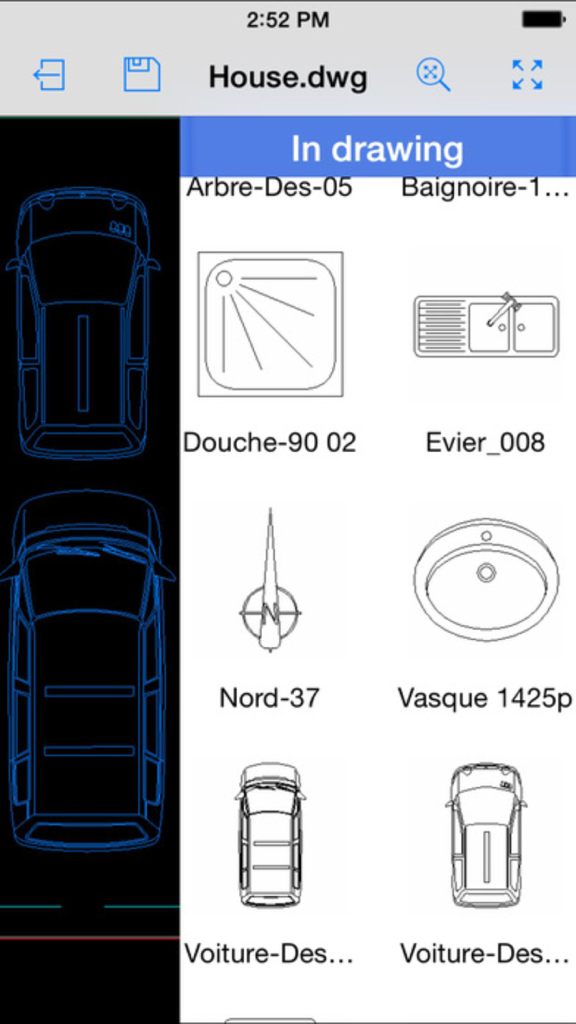
浴室備品や車のシンボルを含む2Dブロックのパレットを表示するCAD Design 3Dアプリのインターフェース

浴室備品や車のシンボルを含む2Dブロックのパレットを表示するCAD Design 3Dアプリのインターフェース

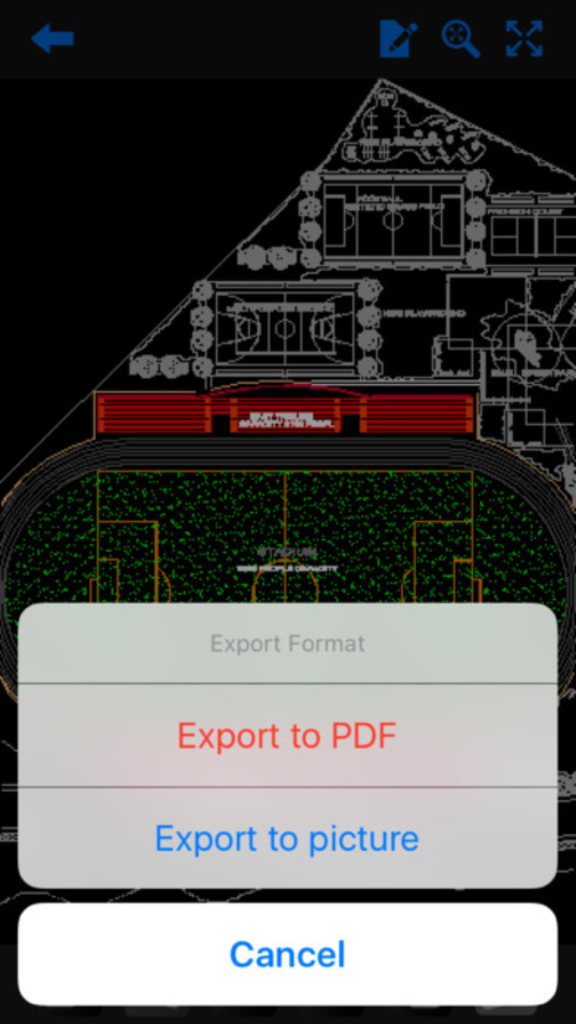
スタジアムの設計図の上にPDFおよび画像のエクスポートオプションを表示するモバイルCADアプリのインターフェース

スタジアムの設計図の上にPDFおよび画像のエクスポートオプションを表示するモバイルCADアプリのインターフェース

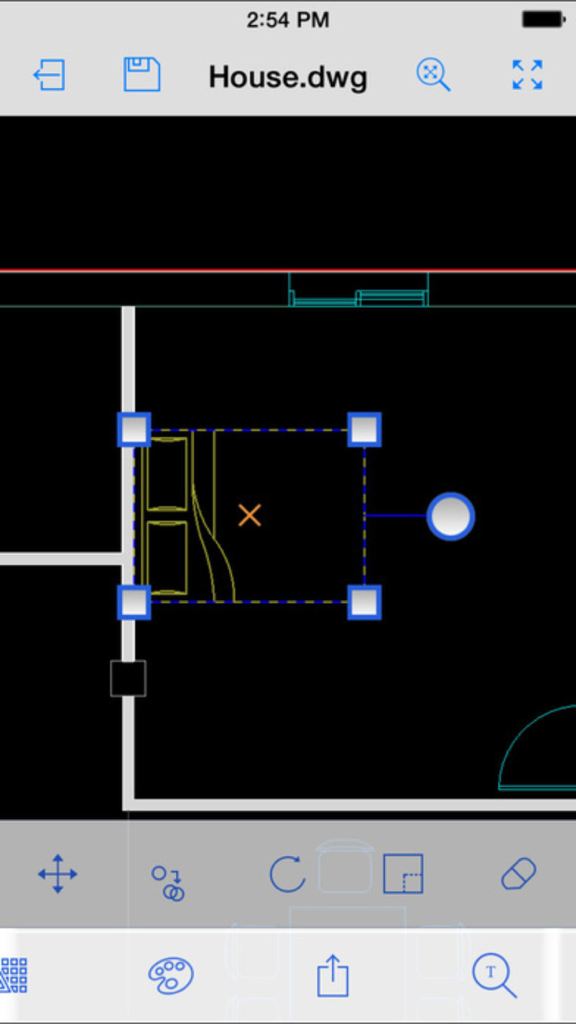
編集用にオブジェクトが選択された家の間取り図を表示するCAD Design 3Dアプリのスクリーンショット

編集用にオブジェクトが選択された家の間取り図を表示するCAD Design 3Dアプリのスクリーンショット

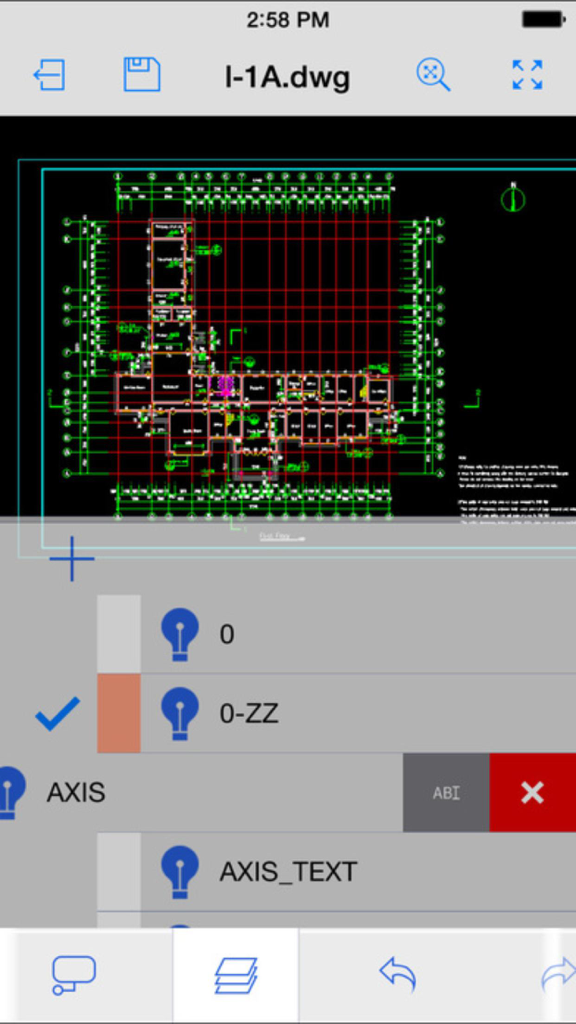
テクニカルなDWG図面とレイヤー制御オプションを表示するCAD Design 3Dアプリのインターフェース

テクニカルなDWG図面とレイヤー制御オプションを表示するCAD Design 3Dアプリのインターフェース

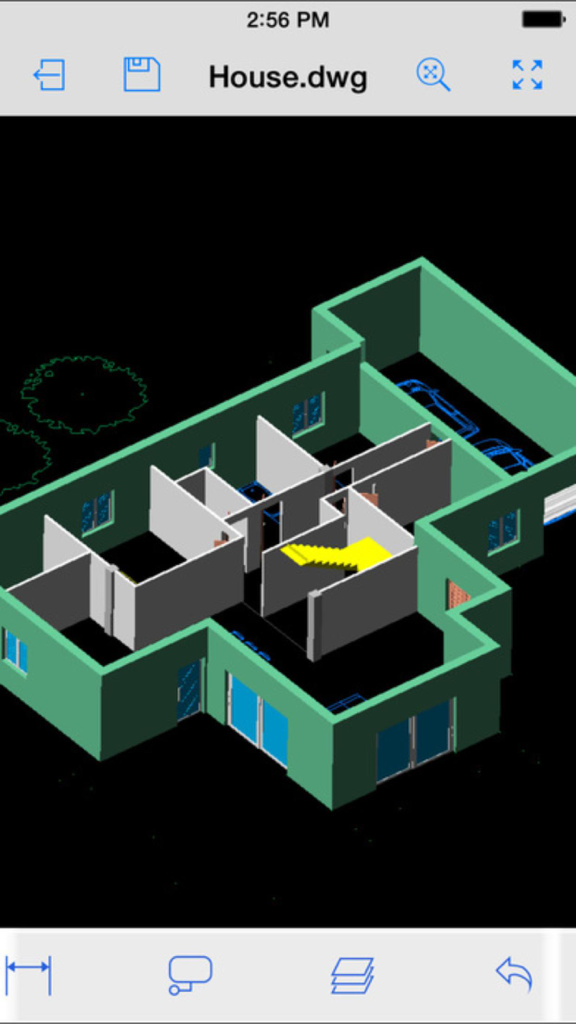
CAD Designモバイルアプリで表示された3D建築住宅プラン

CAD Designモバイルアプリで表示された3D建築住宅プラン

外出先でもプロフェッショナルな製図を

このアプリを際立たせるツール、 225K+ 人のユーザーが選択.

📐

高精度な製図

オブジェクトスナップ、高度なキーパッド入力、タッチスクリーンに最適化された2D/3Dツールのフルセットを使用して、プロ仕様の精度で複雑な編集を実行。

☁️

シームレスなクラウド連携

お好みのクラウドストレージからDWGおよびDXFファイルに直接アクセス、編集、保存。デスクトップとモバイルのワークフローを常に同期させます。

🖊️

現場での即時注釈

図面にプロ仕様の赤線マークアップ、雲マーク、テキスト注釈を直接追加。ペーパーレス化を実現し、チームでの即時コラボレーションを可能にします。

世界中のユーザーに愛されています

Trusted by 225K+ 人がこのアプリを愛用しています.

"

"現場監督として、重い図面の束を持ち歩くのはもう過去のことです。このアプリを使えば、現場を歩きながらiPadで直接複雑なDWGファイルを操作し、正確なクラウド注釈を付けることができます。クラウドストレージとのシームレスな連携により、オフィスのチームが即座に変更を確認できるため、プロジェクトの納期が大幅に短縮されました。"

マーク・ハリソン、建設現場監督
"

"オブジェクトスナップや3Dレイヤー管理を実際にサポートしているモバイルツールを見つけたことは、私のワークフローにとって画期的なことでした。クライアントとの打ち合わせ中にリアルタイムでインテリアレイアウトを微調整するために使用しています。直感的でパワフル。キーパッド機能は、デスクトップ環境がなくてもプロレベルの建築編集に必要な精度を提供してくれます。"

エレナ・ロドリゲス、建築デザイナー

レビュー分析

ユーザーレビューの分析.

感情スコア

4%
ネガティブ

概要

This app receives overwhelmingly negative feedback, primarily due to fundamental functionality issues, including its inability to open common CAD file formats like .dwg and .dwfx, or to perform basic editing. Many users feel misled by claims of 3D modeling, noting that the app only offers 3D viewing, not creation, and lacks essential CAD tools. A significant point of frustration is the complete absence of customer support, tutorials, or contact information for the developer, leading many to demand refunds for what they consider a non-functional or deceptively advertised product. Additionally, some users reported device compatibility problems on various iPhones and iPads, and instability after iOS upgrades.

主なテーマ

Functionality(24)
Refund Issues(11)
Support and Documentation(10)
3D Modeling Claims(5)
File Compatibility(5)
Device Compatibility(4)
Missing CAD Tools(3)
User Interface(3)

アプリについて

について知っておくべきこと CAD Design 3D - edit Auto CAD DWG/DXF/DWF files.

説明

Take the power of CAD Design 3D wherever you go! CAD Design 3D is an DWG editing application, with easy-to-use drawing and drafting tools that allow you to view, create, edit, and share AutoCAD drawings across mobile devices - anytime, anywhere. Features: • New drawing creation • Support for larger files and increased storage capacity • All 2D/3D drawing and editing tools, including advanced tools, such as arc, offset and more! • Draw and edit shapes with accuracy using object snap and new keypad feature • Select, move, rotate, and scale objects • Editing capabilities are also available directly from external cloud storage files • Add and edit text annotations directly on your drawing; no need for paper mark-ups • Advanced annotation tools, including: cloud, mark up, arrow and more! • Advanced layer management • View and edit object properties • Block palette containing all the existing blocks from the drawing, to allow the user to insert blocks • Additional drawing tools and ability to view drawing coordinates

最新バージョン

1.0

サイズ

157.3 MB

リリース日

2016年10月3日

荷物を減らして、スマートに構築する準備はできていますか?

22万5,000人以上の専門家や学生の仲間に加わりましょう。今すぐCAD Design 3Dをダウンロードして、現場から直接DWGファイルの編集、注釈、共有を行いましょう。

ダウンロード: App Store