DWG FastView-CAD Viewer&Editor

DWG FastView-CAD Viewer&Editor

ダウンロード: App Storeダウンロード: Google Play
Spark by MWM logo
ロゴ: DWG FastView-CAD Viewer&Editor

DWG FastView: 2Dおよび3DデザインのためのオールインワンモバイルCADソリューション

1億人のプロフェッショナルが、AutoCADとの完全な互換性で、登録不要でどこでも図面を表示、編集、測定できるように支援します。

ダウンロード: App Store

開発元

Gstarsoft Co., Ltd

カテゴリ

Productivity

ダウンロード

29M+

ユーザー評価

4.6/5

評価数

61K+

対応言語

23

ポケットの中の精度

このインターフェースを利用する 29M+ 人のユーザー.

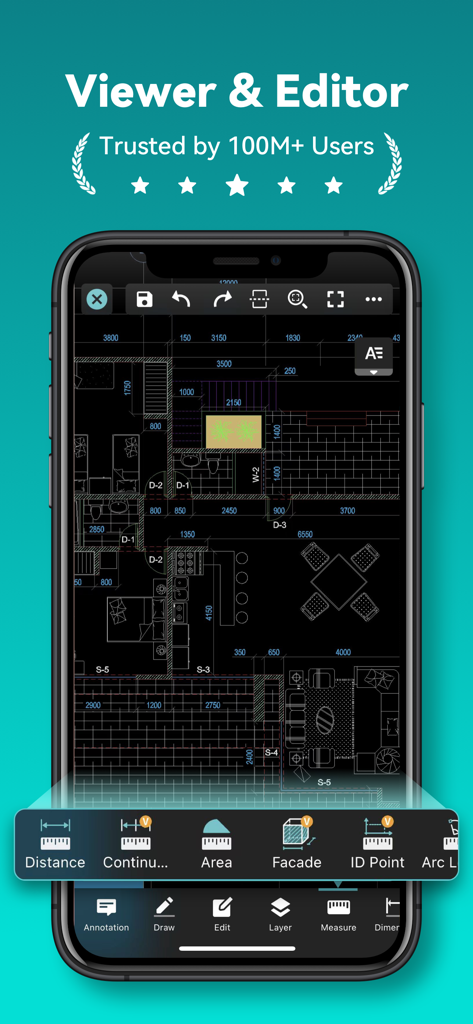
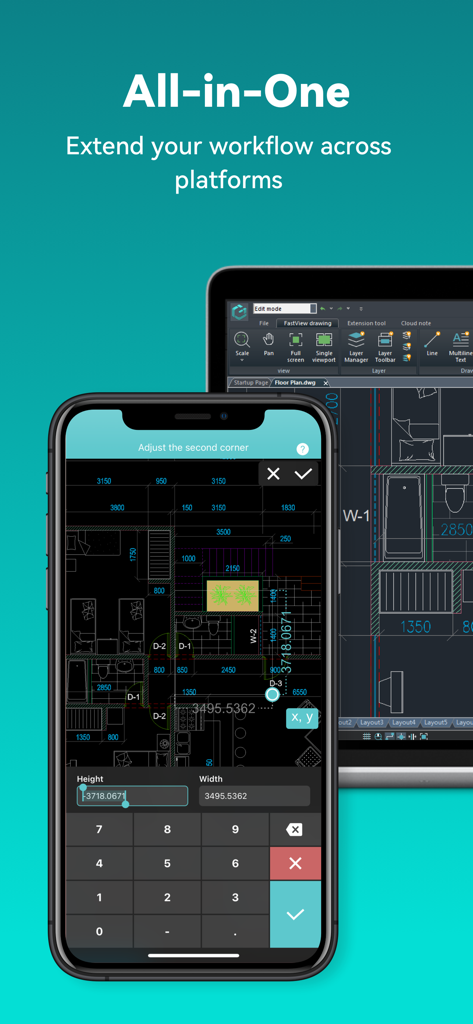
測定および編集ツールを備えた建築フロアプランを表示するDWG FastViewのモバイルアプリインターフェイス

測定および編集ツールを備えた建築フロアプランを表示するDWG FastViewのモバイルアプリインターフェイス

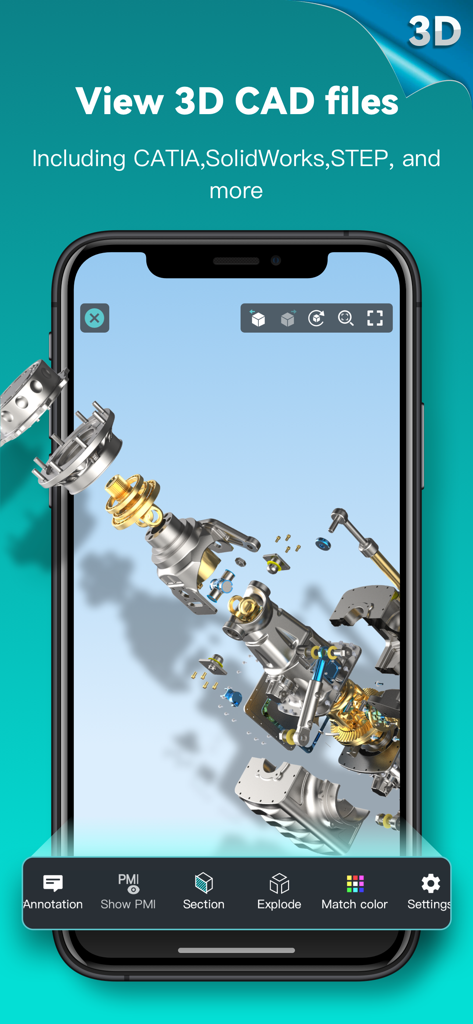
DWG FastViewで機械CADモデルの3D分解図を表示するスマートフォンの画面

DWG FastViewで機械CADモデルの3D分解図を表示するスマートフォンの画面

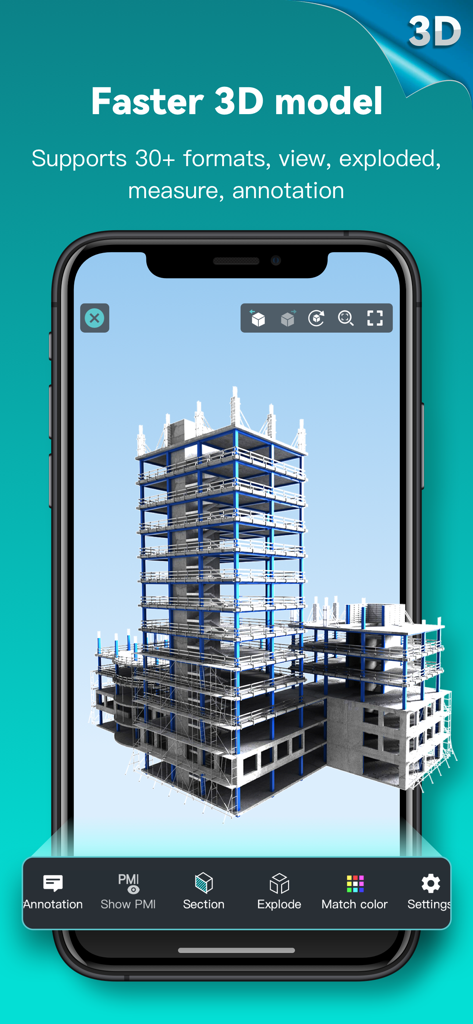
DWG FastView CADモバイルアプリで表示される構造建築物の3Dモデル

DWG FastView CADモバイルアプリで表示される構造建築物の3Dモデル

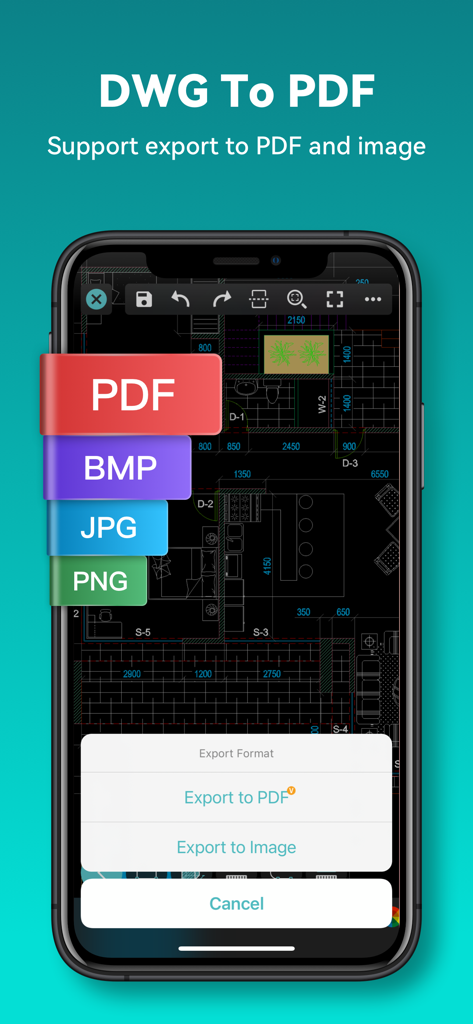
CADフロアプランをPDFおよびさまざまな画像形式にエクスポートするオプションを表示するDWG FastViewアプリインターフェイスのスマートフォンの画面

CADフロアプランをPDFおよびさまざまな画像形式にエクスポートするオプションを表示するDWG FastViewアプリインターフェイスのスマートフォンの画面

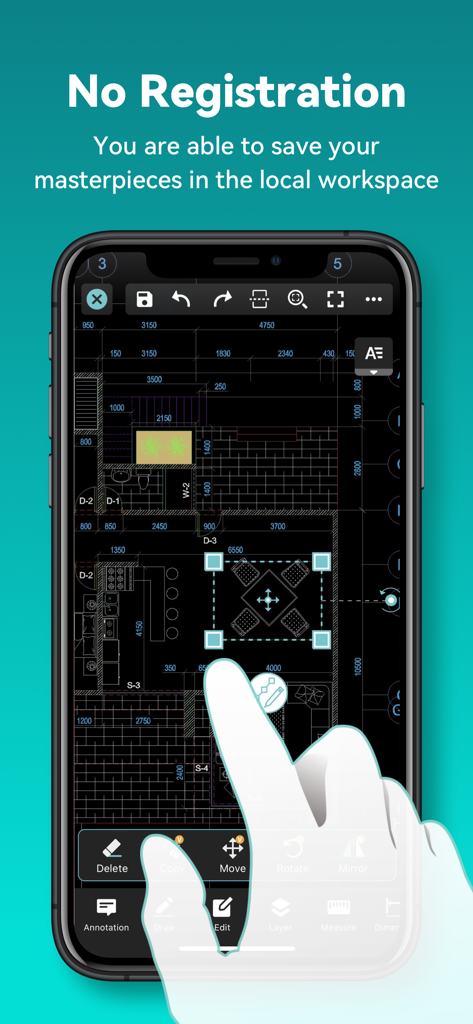
登録なしでモバイルフォンで編集中のCADフロアプランを表示するDWG FastViewアプリ

登録なしでモバイルフォンで編集中のCADフロアプランを表示するDWG FastViewアプリ

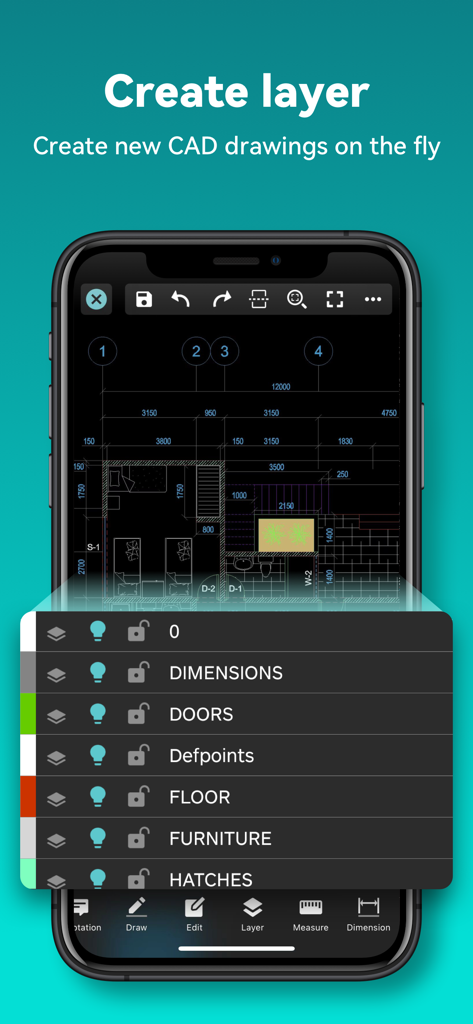
フロアプラン図面のCADレイヤー管理を表示するDWG FastViewモバイルインターフェイス

フロアプラン図面のCADレイヤー管理を表示するDWG FastViewモバイルインターフェイス

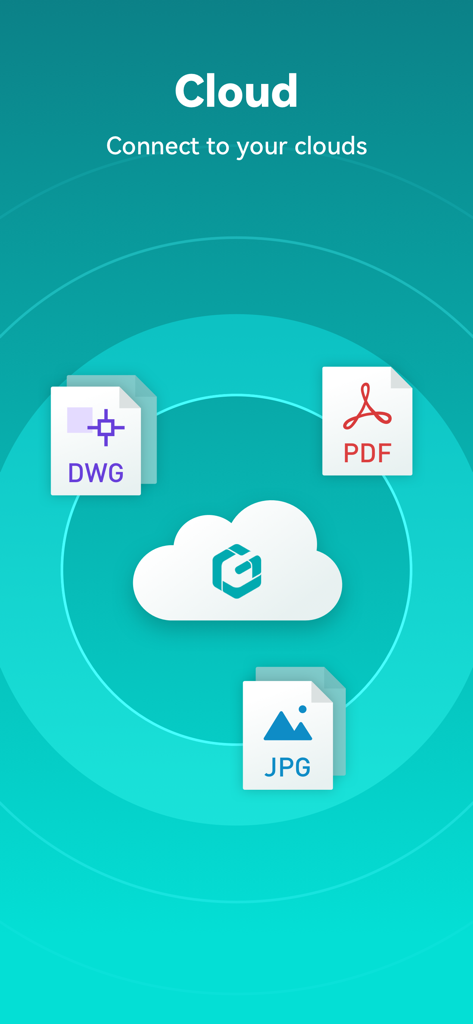
DWG PDF、JPGファイル形式のサポートを表示するクラウド接続画面

DWG PDF、JPGファイル形式のサポートを表示するクラウド接続画面

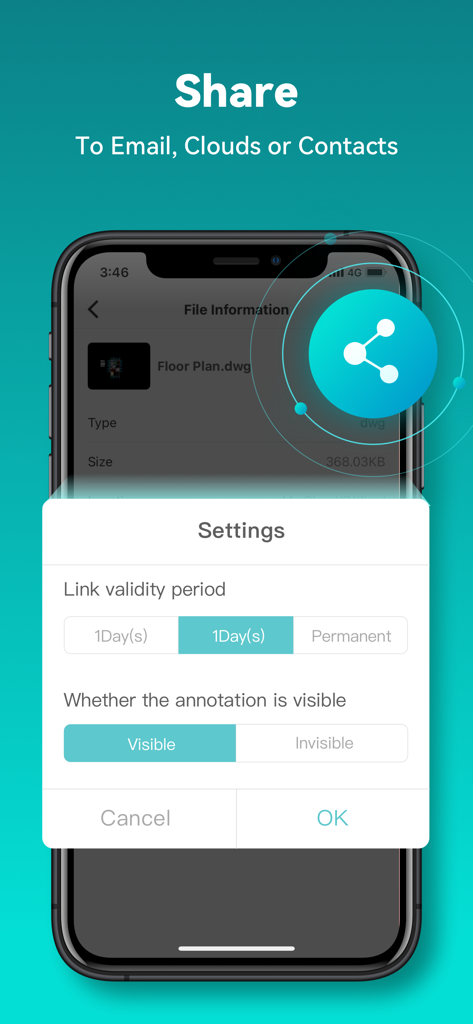
リンクの有効期間や注釈の表示可能性を含むCADファイルの共有設定を表示するインターフェイス

リンクの有効期間や注釈の表示可能性を含むCADファイルの共有設定を表示するインターフェイス

DWG FastView CADビューアおよびエディタアプリを使用して建築フロアプランを表示するスマートフォンとタブレット

DWG FastView CADビューアおよびエディタアプリを使用して建築フロアプランを表示するスマートフォンとタブレット

モバイルCADで現場作業を強化

このアプリを際立たせるツール、 29M+ 人のユーザーが選択.

🏗️

比類なきフォーマットサポート

DWG、Revit、Solidworksを含む40以上のフォーマットを開きます。仕事がどこにあっても、AutoCAD互換ファイルでシームレスに作業できます。

📵

オフライン&アカウントフリー

登録不要で、すぐに作業を開始できます。接続性がゼロの遠隔地でも、現場で図面を表示および編集できます。

📏

デスクトップグレードの精度

高度な測定ツール、座標系、倍率を利用して、高精度の注釈を作成し、高価な現場でのエラーを排除します。

世界中のユーザーに愛されています

Trusted by 29M+ 人がこのアプリを愛用しています.

"

"DWG FastViewは、プロジェクト現場の管理方法を完全に変えました。インターネット接続なしで大規模なCADファイルを即座に開くことができ、これはリモート検査のゲームチェンジャーです。現場から直接、注釈を付けたりPDFにエクスポートしたりできる機能により、プロジェクトはこれまで以上に迅速に進んでいます。"

Mark Stevens, 現場エンジニア
"

"このアプリの3DモデリングとRevitサポートは驚くべきものです。クライアントとの会議中に複雑なデザインを回転させたり、断面を表示したりできることは、商談を成立させるのに役立つプロフェッショナルな印象を与えます。これは、iPadでの精密作業に私がこれまでに見つけた中で最も信頼性の高いモバイルCADツールです。"

Elena Rodriguez, リードア​​ーキテクト

アプリについて

について知っておくべきこと DWG FastView-CAD Viewer&Editor.

説明

Enjoy design anytime anywhere together with more than 100 million users around the world. [3D Modeling]: Supports BIM, Revit, Solidworks, NX, CATIA, Inventor, SolidEdge, ACIS, Pro/E, and other mainstream 3D design software models. Supports browsing over 40 formats of 3D drawings, including .rvt/.sldprt/.sldasm/.asm/.prt/.prt.*/.asm.*/.stp/.step. 3D Features include 3D model assembly part preview, scaling, rotation, sectioning, and explosion; 3D measurement (distance measurement between points, lines, and surfaces, arc length, etc.), 3D annotation; PMI display and hiding; free color matching; viewing and multiple views; DWG FastView is a cross-platform CAD software that meets designers’ demands in all kinds of situation, and fully compatible with AutoCAD (DWG, DXF). Various of CAD features such as: Edit, View, Measure, Dimension, Find text, etc. enables you do real CAD work on the go. 【DWG FastView Highlights】 (1) Accurate and fast access your drawings •Creating, viewing and editing with with easy-to-use advance tools. • There is no limit to how large the file is. • Fully compatibility with AutoCAD. (2) Support export to PDF, BMP, JPG and PNG, and share it to anyone freely • Transfer CAD drawings into PDF format and customize its paper size, orientation, color and so on. • Convert PDF to DWG. (3) No registration & Offline drawings • Simply download DWG FastView and use it immediately with NO REGISTRATION needed. • Without internet, you are able to save your masterpieces in the local workspace. • Drawings from E-mail, Cloud Service or Network Disk like Dropbox, OneDrive, Google Drive, Box or WebDAV can be opened, viewed, edited and shared as well with Internet. (4) Do real CAD work on mobile. • Move, Copy, Rotate, Scale, Color, Measure object, record management results, manage layers and use Layout. • Advanced drawing and editing tools such as trim, offset, dimension and find text. •Set precision and display formats of coordinates, distance and angle. • Zoom in or zoom out a CAD drawing by adjusting the space between two fingers. • Import or download the CAD drawing with its fonts and symbols to the font’s folder in order to display all uncommon fonts. (5) Easily switch between 2D and 3D mode, 3D mode include: 3D Wireframe, Realistic and 3D Hidden with the powerful tools of Layer, Layout, and ten different perspectives viewing. • View 3D models, View different CAD file formats including: RVT, Solidworks, Creo, NX, CATIA, Inventor, SolidEdge and more than 40 formats; • Rotate 3D CAD drawing by touching the drawing area and moving to view the 3D mode comprehensively in 360 degrees. Click the screen to stop rotating and locate the 3D mode at the best perspective. • Open a magnifier by touching the drawing area to display the enlarged graph of touched area which is a convenient way for users to view details and snap objects. (6)Precise Drawing available, e.g., user can change the number of the coordinates to move the points precisely. • Support 2D absolute coordinates, relative coordinates and polar coordinates and 3D Spherical coordinates and Cylindrical coordinates. • Draw Line, Polyline, Circle, Arc, Text, Revcloud, Rectangle, and Sketch and create Notation. (7) Stay connected. Helpful and responsive technical support. Click the “Feedback” button to send your tech problem to us via email. 【Auto-renew Subscription Notification】 Auto-renew Subscription Cycle: Subscriptions are billed monthly and annually at the rate based on the subscription plan. Please choose the subscription cycle you need and confirm before payment. Payment: Payment will be charged to your iTunes、App Store account at purchase confirmation. Cancellation of Subscription: You can turn off auto-renew at any time from your iTunes/App Store account settings; you must do so at least 24 hours before the end of the current subscription period to avoid being billed for the next cycle. Feedback Email: support@dwgfastview.com

最新バージョン

5.18.0

サイズ

369.6 MB

リリース日

2011年8月18日

手のひらの中の精密エンジニアリング

重い図面はもう不要です。プロジェクト全体を現場に持ち運びましょう。外出先での実際の作業に最も信頼できるCADビューアとエディタを使用している1億人以上の専門家に参加しましょう。

ダウンロード: App Storeダウンロード: Google Play
FAQ

よくある質問

について知っておくべきこと DWG FastView-CAD Viewer&Editor

DWG FastViewとは何ですか?

DWG FastViewは、AutoCAD(DWG、DXF)と完全に互換性のあるクロスプラットフォームCADソフトウェアです。ユーザーはCAD図面の表示、編集、測定、寸法記入ができ、40以上の3Dデザインフォーマットをサポートしています。

DWG FastViewを使用するために登録は必要ですか?

いいえ、DWG FastViewを使用するために登録は必要ありません。ユーザーはアカウントを作成する必要なく、アプリをダウンロードしてすぐに使用できます。

DWG FastViewはどの3Dモデリングファイル形式をサポートしていますか?

DWG FastViewは、BIM、Revit、Solidworks、NX、CATIA、Inventor、SolidEdge、ACIS、Pro/Eなどの40以上の3Dデザインソフトウェアモデルをサポートしており、ファイルタイプには.rvt、.sldprt、.stp、.stepなどがあります。

DWG FastViewはCAD図面を他の形式にエクスポートできますか?

はい、DWG FastViewはCAD図面をPDF、BMP、JPG、PNG形式にエクスポートすることをサポートしています。ユーザーはアプリ内でPDFファイルをDWG形式に変換することもできます。

DWG FastViewはオフラインで動作しますか?

はい、DWG FastViewでは、ローカルワークスペースに作業を保存してオフラインでアクセスできます。インターネット接続が利用可能な場合は、クラウドサービスから図面を開く、表示する、編集することもできます。

DWG FastViewのサブスクリプションモデルは何ですか?

DWG FastViewは、月単位または年単位で請求される自動更新サブスクリプションを提供しています。購入の確認時に、ユーザーのiTunes/App Storeアカウントに支払いが行われます。

DWG FastViewの自動更新サブスクリプションをキャンセルするにはどうすればよいですか?

ユーザーは、iTunes/App Storeアカウント設定で機能をオフにすることで、自動更新サブスクリプションをキャンセルできます。請求を避けるためには、現在のサブスクリプション期間が終了する少なくとも24時間前に行う必要があります。

DWG FastViewで利用できる3D機能は何ですか?

DWG FastViewは、3Dモデルのアセンブリ部品プレビュー、スケーリング、回転、断面表示、分解機能を提供します。また、3D測定、注釈、PMIの表示/非表示、カラーマッチング、複数のビューも含まれています。

DWG FastViewはクラウドストレージのファイルにアクセスできますか?

はい、DWG FastViewは、インターネット接続があれば、Dropbox、OneDrive、Google Drive、Box、WebDAVなどのさまざまなクラウドサービスから図面を開く、表示する、編集する、共有することができます。

DWG FastViewは、ユーザーがCAD図面に新しいレイヤーを作成することを許可しますか?

はい、DWG FastViewは、ユーザーがCAD図面内に新しいレイヤーを作成することを許可します。この機能は、モバイルデバイスでの実際のCAD作業のための包括的なツールの1つです。